
DOWNLOAD THE APP


Customer Services
Copyright © 2025 Desertcart Holdings Limited
DOWNLOAD THE APP
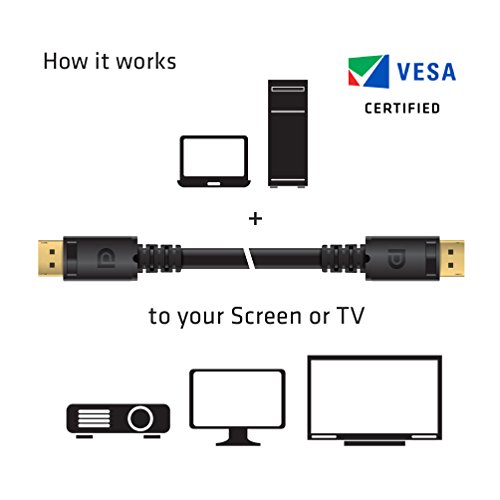


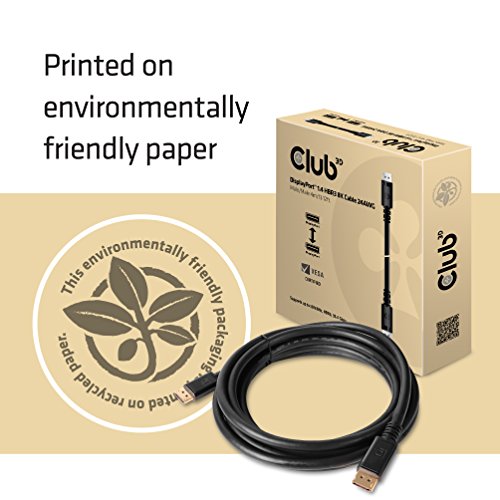



🚀 Elevate your workspace with flawless 8K power — don’t settle for less!
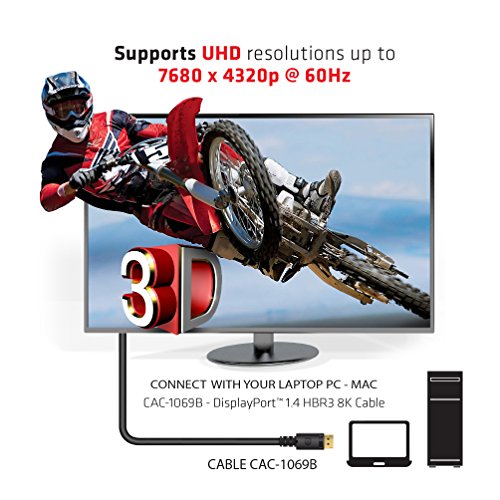
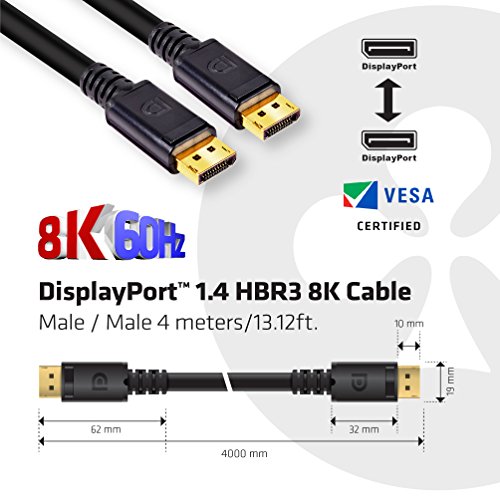
The Club3D CAC-1069B is a VESA certified DisplayPort 1.4 cable delivering up to 8K resolution at 60Hz with 32.4 Gbps bandwidth. Featuring advanced Display Stream Compression, HDR support, and secure locking connectors, this 4-meter cable ensures ultra-high-definition visuals and reliable, lag-free connections. Its durable UltraFlex jacket and backward compatibility make it the ultimate choice for professionals demanding premium display performance.


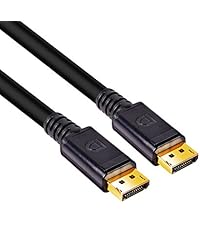


| ASIN | B07DX9CJFY |
| Best Sellers Rank | #18 in DVI Cables |
| Brand | Club 3D |
| Cable Type | Display Port |
| Color | black |
| Compatible Devices | Laptop |
| Compatible Phone Models | No Compatible Phone Models |
| Connector Gender | Male-to-Male |
| Connector Type | DisplayPort |
| Data Transfer Rate | 32.4 Gigabits Per Second |
| Date First Available | June 21, 2018 |
| Frequency | 60 Hz |
| Global Trade Identification Number | 00841615101320 |
| Indoor/Outdoor Usage | Indoor, Outdoor |
| Is Discontinued By Manufacturer | No |
| Item Length | 13.12 Meters |
| Item Weight | 1.04 pounds |
| Item model number | CAC-1069B |
| Manufacturer | Club3D |
| National Stock Number | 0 |
| Number of Items | 1 |
| Number of Pins | 20 |
| Recommended Uses For Product | Video |
| Shape | Round |
| Special Feature | HBR |
| Specification Met | Vesa Certified |
| UPC | 841615101320 |
| Unit Count | 1 Count |
J**E
FINALLY A DP CABLE THAT WORKS!!!
I already had a 3M cable made by another fairly reputable company that has served me well for a few years. I needed just a little longer as the recent build and work flow pushes the 3M length to its limits, zero slack which will ultimately lead to problems at the connections from strain. My search using the search feature didnt even list this product, had to research cables certified by VESA then find one of an appropriate length. In the end the search pointed to a find a vendor tab which gave me the egg or Amazon. I clicked the Amazon link and it put me right on the product. I had tried a few of the cables from the search, one of them a replacement offered by the vendor. Not one of them worked. The replacement cable at least let me get to desktop with out just a bunch of display...no display...display...no display.....lather rinse repeat. The final cable did however commence to the same behavior once an GPU benchmark was launched, like the microsecond it loaded down. Reducing refresh to bare minimum of 50hz with Gsync on and off and dialing back resolution to 1080P was fruitless across the board. For the record basic machine specs X299 platform 9940X CPU 2X Strix 2080Ti GPUs (running at factory settings while testing cable) with Nvlink. AUS PG348Q native resolution 3440x1440 (so not even 4K) Get this Club3D cable and just the packaging was a good start. Well packed in a cardboard box that was spec made for the cable instead of a plastic bag. Opening the box revealed what I already knew to be an excellent choice. Perfectly roled cables with top notch cable management velcro straps. Ends are seamless and the outer jacket superb. It looks like a great cable before even plugging it in. The product images show a thinner cable IMO but thats a good thing. Seeing a cable with some beef lets me know that larger conductors and better shielding was used in the construction. I was so confident that I went ahead with the task of routing the cable through my maze from tower to monitor before powering up and testing. The previous cable I was not as daring.right to desktop on the boot, not a flicker in sight. Set machine to how I use it with full resolution, 100Hz and gsynch enabled. Cards overclocked to the same profile with 3M cable. Ran multiple heavy workload benchmarks from superposition to Port Royal and everything in between. In a single word........FLAWLESS!!! not a blip, glitch, flicker, nothing. What one would expect. I cant say it works as advertised as the specs to much higher to 4K at 144Hz and 8K at 60Hz it works as good as it gets with 3440x1440 100Hz. I understand that going over 3M presents its challenges. However this is a case of do it right or leave it be. Club3D DID IT RIGHT!!! Ive found a new display cable vendor and ill buy their producst without hesitation again and again even if it takes a bit more effort to find. Kudos on making one of the best DP cables Ive ever seen.
E**C
The only brand out of 4 others that fixed my screen tearing and display cutting in and out issues
I tried several other DP cables before buying this one and they were all returned as failures. I am using a DP 4 port KVM for my computer so I can use one monitor for a desktop and a laptop. In this configuration, whenever I'd use my desktop to play a game or something graphically intensive, the display would cut out every so often or glitch--not conducive to fast-paced PVP games or any online game for that matter. I tried graphics settings, drivers, every configuration and different cables and lengths but nothing helped. I checked a Reddit thread on brand recommendations and keywords detailing my issues and this brand was recommended. I really did not think a different brand would make any difference as the other ones I ordered from Amazon were highly rated and had supposedly same or similar specs. It made a HUGE difference in every way. My display never cuts out during a game and seems to even be smoother overall with refresh rate and more. I definitely recommend this cable and this brand as they have quality cables that perform exactly how you want them to. I do however recommend sticking with the shortest length possible for any cable to cut down on any form of signal degradation and more.
S**D
Exceeds my expectations
Product works great and arrived precisely on time. I am very satisfied with this cable as other cables I've used hasn't lived up to my expectations. Thank you so much!
A**R
Great quality cable that helped with a weird monitor sync issue.
After having my computer for a while, I was starting to experience a sync issue with my primary monitor. At first it was only once in a while (every few months or so). Over time, it increased to about once or twice a week. When I would turn on my computer or when I was toggling which monitors were in active use, my main monitor would suddenly act like it wasn't receiving a signal. Neither unplugging and re-plugging the DisplayPort cable, turning the monitor off and back on, nor restarting the computer would fix the issue. I would have to unplug and re-plug the monitor's POWER cord in order for it to go back to functioning properly. While troubleshooting, I read that DisplayPort, as a whole, is known for being rather fussy. Also, that the cable can actually have a rather large impact how cooperative things are. I was more-so thinking that either the graphics card or the monitor was the issue. Which, I do still think the issue is primarily on the monitor's side of things, from the behavior. But, I figured that trying a new cable was a cheaper first step. I don't remember where I got the cable that I was originally using. Though, I recall it being one that I felt was by a good company. Perhaps I just got a bad run, or something? -shrugs- But, I did some research for what was considered a good and reliable cable and was pointed to Club3D by some tech reviewers that I have pretty high respect toward. So, I grabbed this one. Jumping forward by a little over two years, now. I've had that annoying sync issue happen maybe two or three times, the whole time I've been using this Club3D cable. Which, I use my computer just about every day. So, yeah, definite improvement over the previous cable's habit of once or twice a week! I'm still suspicious that there's a quirk with my monitor. But, things have been behaving well enough for me to be content. So, I haven't bothered to delve any deeper. I haven't had a need for another DisplayPort cable, as of yet. But, when I do, this is very likely what I'll get (assuming it's still available when that time comes). I haven't heard any negative feedback from the friends I've suggested it to, either. So, it definitely gets my recommendation.
J**O
El cable es muy robusto por lo cual se nota la calidad del material, es excelente opción para monitores 4k a 60hz o UHD a 144 o 240hz, funcionales para G-sync y FreeSync, no he tenido detalles con el cable.
P**D
It's difficult to get excited about a cable and even less so when you're paying over £20 for one that is supposed to perform a relatively simple task. When you see the alternative 'basic' version of the same cable in and around the £8 mark, then it becomes hard to justify splashing out almost three times the price. That was my experience when I purchased an AmazonBasics DisplayPort cable for my new monitor. I have had no issues or bad experiences with AmazonBasics products before so I chose one in good confidence that it would do the job. If you read the speel on the DisplayPort standards website, they also say that there isn't "versions" of DisplayPort cables, as such, just varying levels of build quality. So it seemed like a no-brainer. My monitor is an Asus Ultrawide that has a resolution of 3440 x 1440, running at up to a 100Hz refresh rate. When I got the AmazonBasics cable and plugged it in, all seemed to work fine. I went into my settings and noticed that the panel was running at 75Hz, a little lower than expected. When I did a bit more digging, I also noticed that the display was running at only 6-bit colour instead of 8-bit (the panel is an 8-bit one). Realising I was being limited by the 'DisplayPort 1.1' option on the monitor, I went to the on screen menu and selected 'DisplayPort 1.2' to try and get the full bandwidth of the DisplayPort enabled and enjoy 3440 x 1440 at 100Hz. Unfortunately what happened when I changed inputs to 'DisplayPort 1.2' was a series of flashing black screens. At first they were randomly intermittent and a few seconds long. Then they became long black screens with the occasional flash of the desktop and I had to fight with the monitor's OSD to try and change the input back to 1.1. After resetting the connectors, changing ends of the cable round and fiddling with display settings and Intel graphic driver updates, I was ready to tear my hair out. I decided to try a different cable and upon reading reviews of people with similar experiences, opted for the "Club3D CAC-2068" cable. I plugged it in and everything worked straight away. At first I had 75Hz in 8-bit colour and I tentatively changed the refresh rate to 100Hz (half expecting an unwanted lights show), and it worked fine. Everything running at the full refresh rate in the full colour that was intended to be shown. I didn't think my first review would be on something as exciting as a cable but I hope it will be useful to someone who is perhaps having difficulty deciding which cable to buy or even someone on the verge of returning a perfectly good high refresh rate or 4K monitor because it appears faulty. TLDR; The Club3D cable is undoubtedly expensive by comparison to others but it actually works and does what it is supposed to. The cable is reassuringly thick and has lock-in connectors on the ends.
N**U
360hzで問題なく使えてます
M**O
I have a Samsung Monitor G7 240Hz I can feel the change the fps dose not drop like before I recommend this cable 5 star btw I use it with RTX 4090
M**O
ho acquistato diversi di questi cavi tutti perfettamente funzionanti.
Trustpilot
2 weeks ago
2 months ago