
DOWNLOAD THE APP


Customer Services
Copyright © 2025 Desertcart Holdings Limited
DOWNLOAD THE APP

🚀 Power Meets Precision: The Mini PC That Means Business
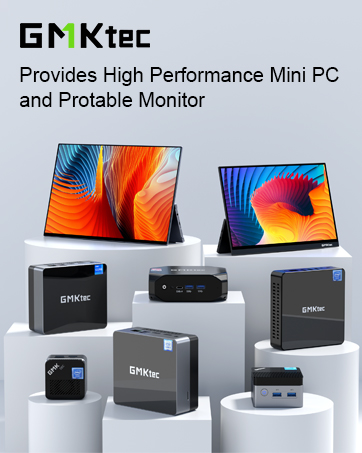
The GMKtec K10 Mini PC Workstation is a compact yet powerhouse machine featuring a 13th Gen Intel Core i9-13900HK processor with 14 cores and 20 threads, turbo boosting up to 5.4GHz. Equipped with 32GB of ultra-fast DDR5 RAM and a 1TB PCIe NVMe SSD, it supports extensive storage expansion via three M.2 slots. Its versatile connectivity includes 8 USB ports, a COM port for industrial applications, dual HDMI 2.0, DisplayPort 1.4 supporting up to 8K resolution, 2.5G Ethernet, WiFi6, and Bluetooth 5.2. Preloaded with Windows 11 Pro, this mini PC is designed for professional multitasking, ultra-high-definition multi-screen setups, and business environments demanding both power and flexibility.















| ASIN | B0DWS75TPQ |
| Batteries | 1 Nonstandard Battery batteries required. |
| Best Sellers Rank | #590 in Computers & Accessories ( See Top 100 in Computers & Accessories ) #7 in Mini Computers |
| Brand | GMKtec |
| Card Description | Integrated |
| Chipset Brand | Intel |
| Color | Black |
| Computer Memory Type | DDR5 RAM |
| Customer Reviews | 4.4 4.4 out of 5 stars (373) |
| Date First Available | February 11, 2025 |
| Graphics Card Ram Size | 32 |
| Graphics Coprocessor | Intel Iris Xe Graphics eligible(up to 1.5GHz) |
| Hard Drive | 1 TB SSD |
| Hard Drive Interface | PCIE x 16 |
| Hard Drive Rotational Speed | 7200 |
| Item Dimensions LxWxH | 7.01 x 7.43 x 1.53 inches |
| Item Weight | 4.95 pounds |
| Item model number | K10 |
| Max Screen Resolution | 7680x4320 |
| Memory Speed | 5600 MHz |
| Number of Processors | 14 |
| Number of USB 2.0 Ports | 4 |
| Number of USB 3.0 Ports | 4 |
| Operating System | Windows 11 Pro |
| Processor | 5.4 core_i9 |
| Processor Brand | Intel |
| Product Dimensions | 7.01 x 7.43 x 1.53 inches |
| RAM | 32 GB DDR5 |
| Screen Resolution | 4096 x 2304 |
| Series | K10 |
| Wireless Type | 2.4 GHz Radio Frequency, 5 GHz Radio Frequency, 802.11ax, Bluetooth |
V**E
The GMK K10 is an excellent, peppy machine.
WOW! My new GMK Core i9-13900HK (NucBox_K10) has put a smile on my face. It's replacing an outdated Win 7 machine for our everyday use: research, email, entertainment, surfing, and some gaming. It came preloaded with Windows 11 Pro, which includes New Outlook. For sure, I was immediately very impressed with the K10's performance. Specifics: Device name NucBox_K10 Processor 13th Gen Intel(R) Core(TM) i9-13900HK 2.60 GHz Installed RAM 32.0 GB (31.8 GB usable) System type 64-bit operating system, x64-based processor Pen and touch No pen or touch input is available for this display Edition Windows 11 Pro Version 24H2 Installed on 5/1/2025 OS build 26100.4202 Experience Windows Feature Experience Pack 1000.26100.107.0 First, I updated the OS using Windows Update. The update took perhaps 2 hrs (typical given other users' comments re: Win11 updates). Next order of business was to install my security software and run a full scan: pleasantly, no issues. Bios access was simple using the esc key, though I had no reason to change anything. The machine runs extremely quiet and was very fast at all the tasks I performed. I'm currently using WiFi and the GMK K10 is equally distant from my router and an Access Point in the lower level. I tested performance on 4 local networks I had defined: Router(2.4 and 5.0) and AP(2.4 and 5.0). No matter the network, the GMK K10 was impressively snappy. The wi-fi antennas are clearly a plus. Web pages appear in a flash, and every task I perform delivers at turbo-speed. I ran multiple applications simultaneously with numerous tabs open and everything ran flawlessly. I plan to add a second SSD and the easy access panel on the underside should make things easier. Additionally, the Kensington Lock capability provides for a layer of physical security if that's an issue. On the flip side, the power button could use better illumination. Depending on ambient lighting, it can be difficult to tell if the machine is on or off (a tribute to how quiet it is). When I ran the OS update the screen went blank multiple times and, judging from the power button, I didn't know if the K10 was asleep, in the middle of a reboot, shutdown, or even if the update was complete. In sum, the GMK K10 is a great machine. Big shout out to GMKTec, I'm impressed. If you're looking for a low cost, up-to-date upgrade to replace your present pc, you should consider the new GMK NucBox_K10.
A**R
GMKTec EVO-T1: A Mini-PC Worthy of Your Family’s AI-Learning Journey?
GMKTec EVO-T1: A Mini-PC Worthy of Your Family’s AI-Learning Journey? Is the GMKTec EVO-T1 an excellent choice for your school age children (grandchildren) to learn and build a solid foundation in AI tools while being capable of supporting more advanced AI development and experimentation as their interest and skills grow? As a Grandparent who attended High School during the early days of the development of Personal Computing, I know firsthand how valuable it can be to have easy access to technology tools to experience, learn and experiment with developing technologies. Having access to these tools can provide a lifelong knowledge base that could lead to meaningful opportunities. Developing a solid technology skill base today is even more important than when I was a student. AI technology development is progressing so much more rapidly than in the past that I fear that if my grandchildren do not get on the learning train early, they might find themselves left shut out of future opportunities and find that catching up to their peers is an impossible task. One of the most satisfying and impactful gifts I can give them is the tools and opportunity today to learn skills that they can call upon to succeed in the future. This was the basis for my purchase of the GMKtec EVO-T1. No doubt with its technology leading Intel Core Ultra 9 285H CPU and ARC 140T iGPU, it can easily handle any computing task that my family could ask it to do. The capability to upgrade the RAM from the included 64 MB to 128 MB and outfit it with up to three M2 NVME storage drives allows for future expansion. I was also impressed with the array of IO options available such as Audio ports front and back, dual 2.5 GB Lan ports and an Oculink port to support adding a separate GPU card to either support the needs of demanding game play or more demanding AI computation models and tools. This level of hardware should allow the GMKTec EVO-T1 to function in almost any other technology roll such as a Home Server, Router or NAS long after my Grandchildren have outgrown and moved past its role as an AI learning and development platform. The attractive and compact design ensures it fits easily into a home office or workspace and with its cooling capabilities it does not create a noisy environment that might distract or take away from an effective learning environment. I want to provide a capable technology device for my family to learn and develop AI skills beyond those provided by built in Internet connected LLM models offered to most computer user. I selected the GMKtec EVO-T1 believing it is up to this task and more. I want it to fill the gap between those that are highly advanced with AI development and require high end multi-GPU hardware in a dedicated AI Lab and what is currently available to novice AI users as part of most consumer computing hardware and software. At the same I wanted it to provide the added security and privacy of local AI usage thus removing the need to be tied to the public internet or to subscription fee models. Here is my assessment of how well the GMKtec EVO-T1 meets my needs and hopefully it will be of use in your purchasing decision. Most basic AI tasks start with using LLM’s through text-based prompts to have the AI models provide some answer to the prompt. To allow for easier access to these models several AI GUI wrapper applications are available. I tested the following AI GUI applications with several of the same prompts on the GMKtec EVO-T1 to ensure operations and determine if there were any issues. All these AI Wrappers perform their function and which one you choose as your daily driver will be an individual choice. I have included some brief notes beside each one based upon my impressions. AIPC This is the default application provided on the desktop. It has several advanced capabilities beyond simple prompt-based queries and provides them in a logical structure such as document analysis, translation, meeting minutes and image retrieval all accessed under the Skills menu. It also provides a LLM Model/App Store tab which allows access to eight popular LLM’s models locally along with the ability to also access many more paid Internet connected models and tools. You can use the AIPC application completely locally by simply clicking the “Offline Mode” selection on the screen following application launch. Or if you wish to utilize the Internet AI capabilities then on the launch screen you enter your email address and click on the “Send Code” button. Following receiving the code you enter it in the “Verification Code” field, check the User Agreement box and click “Login.” I found this application to be feature rich and convenient for most normal AI interactions along with providing several more advanced capabilities that might be of use. From my inquiries the GMKtec team authorizes and approves the addition of any LLM’s that are provided on the local selection to ensure security and useability. Given that this application is new it is still evolving, and documentation and screens are not yet polished for an English audience. Given the ease of use of the application for a wide audience I am sure any improvements will arrive in short order. LM Studio, JAN & AI Playground for Intel ARC All these GUI wrappers provide basic functionality and additional features that might be useful. I have listed these together because when tested they all fully utilized the GMKtec EVO_T1 Intel Arc 140T iGPU. One caveat is that many other tools natively support the Nvidia GPU. Therefore, they require some more advanced configurations to allow us to utilize the iGPU instead of only the CPU. While my testing shows the Core Ultra 9 285H CPU does a respectable job while executing AI LLM functions it does not perform this task as fast and as effectively as the Intel ARC 140T iGPU. If speed of execution is desired, then you would want to investigate advanced configurations by searching PyTorch and ipex.llm and learning how to configure those within the other AI GUI wrapper applications. LM Studio allows for almost any Open Source LLM model to be downloaded for local use and provides a well-integrated API back end as well as RAG integration. JAN provides one of the easiest GUI to navigate and use and also provides an API. While AI Playground for Intel ARC provides full and deep utilization of the Intel libraries and iGPU hardware. This allows for the use of CPU, NPU or iGPU selection while providing some preconfigured tools to accomplish image enhancement, text to image and text to video AI Generation within this GUI. A nice capability for the user. GPT4All, Ollama, OpenWebUI, Msty, Cherry Studio, Anything LLM I found that these tools utilize the Intel CPU and do not support the Intel ARC iGPU natively out of the box. My earlier comment that additional configurations work is needed to allow for iGPU use applies. I have confidence that some if not all these models will provide native use of the Intel iGPU in future releases and thus expand options for local model use. So, what might be expected for Tokens/second results for local models run on the GMKtec EVO-T1 and what are its real-world functional capabilities? To answer this question, I ran samples in each of the following Generative AI functional areas. AI LLM Chat, Text to Image, Text to Video and AI Agents. AI LLM Chat was tested with a variety of prompts including plain text, document analysis, and coding. In each case my results only represent the average Tokens/sec not the quality of the output. From this data a few conclusions on the performance of the GMKTec EVO-T1 can be made. Each model was tested with the CPU and the iGPU as the main AI computational device as shown in the results. Mistralv03:7b - CPU 9.95 T/s GPU 17.4 T/s MINICPM-V - CPU 5.9 T/s GPU 9.8 T/s QWQ:32b Q4 KM - CPU 2.7 T/s GPU 3.6 T/s LLAMA3.1 :8b - CPU 11.8 T/s GPU 13.6 T/s QWEN2.5:14b - CPU 6.2 T/s GPU 7.2 T/s QWEN2.5:7b - CPU 10.6 T/s GPU 14.3 T/s QWEN3-coder:30b - CPU 9.2 T/s GPU 19.1 T/s DEEPSEEK_R1 :32b - CPU 2.8 T/s GPU 3.5 T/s DEEPSEEK_R1 :14b - CPU 5.3 T/s GPU 7.9 DEEPSEEK_R1:8b - CPU 10.2 T/s GPU 15.6 T/s GPT-OSS:20b - CPU 11.8 T/s GPU 15.5 In evaluating these results, I personally use the benchmark of my reading speed ability. Meaning that if I am waiting for text to display while reading then performance seems slow, and this would not be an effective use of my time. This benchmark will vary by person, but I find for me anything around 4-6 T/s is a comfortable reading speed to ensure understanding. Hence some of the 32b models when utilizing the iGPU are close to meeting this benchmark and I would find them useful when being executed on the EVO-T1. For text to image and text to video several tools were used but primarily Comfy.UI. In all testing cases results with image generation finished in a reasonable time of less than a minute but with video generation this time expanded considerably depending upon settings. I find this functionality to be useable for learning and basic tasks on the EVO-T1. If video generation needs are higher for speed and resolution, then it is comforting to know that the EVO-T1 provides for this and other more demanding VRAM capabilities by including an Oculink port so that a separate and much more powerful GPU can be installed and utilized. Unfortunately, I do not have a more powerful GPU available, so this capability was not tested. To examine the GMKtec EVO-T1 performance with the execution of AI Agents I utilized n8n installed in a Docker Container on the Windows 11 operating system. Instructions are easily available to accomplish this and were easy to follow with the installation and operation going seamlessly. Several simple to complicated AI Agents were tested with workflows utilizing many node types calling both local and Internet LLM’s, Websites, API, and Data Bases. The GMKtec EVO-T1 with its powerful Core Ultra 9 285H CPU and 64 MB of RAM ensured that all steps and function worked quickly and flawlessly. Clearly this hardware with the selection of an appropriate high T/s local LLM makes the EVO-T1 a powerful AI Agent development and operational tool. Summary From my testing I can say with confidence that the EVO-T1 is well equipped and highly capable of providing the family with the tools to explore and learn AI tools today while easily scaling up for more demanding family members to expand their capabilities deeper into developing, learning and experimenting with the tools of AI.
A**.
Fast, cool and quiet. Im not a gamer and I also didn’t use the pre installed windows. I use NixOS and it’s was a breeze to get it going. Compile times are day and night difference as compared to my older 8th gen i7. The disk drive is fast enough but can be improved with a later purchase.
Y**K
منذ الشراء حتى هذه اللحظة كل شيء يعمل بكفاءة وأداء عالي اكثر من ما توقعت، استخدامي للكومبيوتر في الأعمال اليومية والمكتبية بالإضافة الى القليل من برامج التصميم، الأداء كان وما زال اكثر من ما توقعت قبل الشراء، أداءه اكبر من حجمه الصغير ويمكن تثبيته بشكل مخفي، أنا قمت بتثبيته تحت سطح الطاولة، انصح به و ربما قريباً أقوم بشراء جهاز آخر،
W**M
Had a small issue with my mini PC, but GMK’s customer service was truly 10 out of 10. Julian, the sales and customer support manager, went above and beyond, super helpful and shipped a replacement incredibly fast. The computer itself is great, fast, compact, and works exactly as expected. Outstanding service from an awesome company. I’d absolutely buy from them GMK without hesitation! Thank you GMK, and thank you Julian :)
ば**ー
nuxbox2からの買い替えです 2は15か月で壊れました(電源は入るが起動しない、USB端子に電気が来ていないので、電源周りの問題か?) 当製品には今のところ問題はありません 静かだし、コンパクトでよいですし、価格も納得です web閲覧、動画鑑賞、OFFICEソフト使用なので性能的な問題はありません(ゲームしないし) もう一度信じてみます 今度は3年くらいもってくれるといいなあ... ※2の時のサポートですが、すぐに返事は来ました 静電気によるものかもしれないので、一連の 動作(回路の放電後、電源の入れなおし)を試してみてほしいとのことでした 結局、回復しなかったので、そう返答しましたが、その後はなしのつぶてです 保証期間は過ぎていたので、期待はしてませんでしたが。 気に入ってたのですけどね 1年ちょいしか持たないのはきつい
K**H
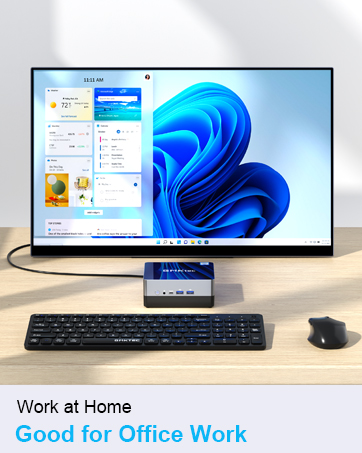
The GMKtec Mini PC with Intel Core i7 12700H is a powerful compact desktop that delivers excellent performance for the work environment. The 14-core, 20-thread CPU, handles everything we need with ease. 32GB DDR4 RAM keeps everything running smoothly and the 1TB SSD provides lots of fast storage for files, applications, and multimedia. The Iris XE Graphics offers decent graphics performance and supports up to 3 (4K) monitors. This Mini PC has WiFi 6 and BT5.2, which allows for good connectivity. There are lots of ports, including HDMI, USB 3.0 and USB-C for data transfer / display. Setup was extremely easy (once the display was plugged in to the LEFT side HDMI port.) Updating Windows was a lengthy process, but carried on in the background, so it was not a problem. This Mini PC is being used as a general-purpose office machine and seems very well suited for this.
Trustpilot
1 month ago
3 weeks ago