
DOWNLOAD THE APP


Customer Services
Copyright © 2025 Desertcart Holdings Limited
DOWNLOAD THE APP
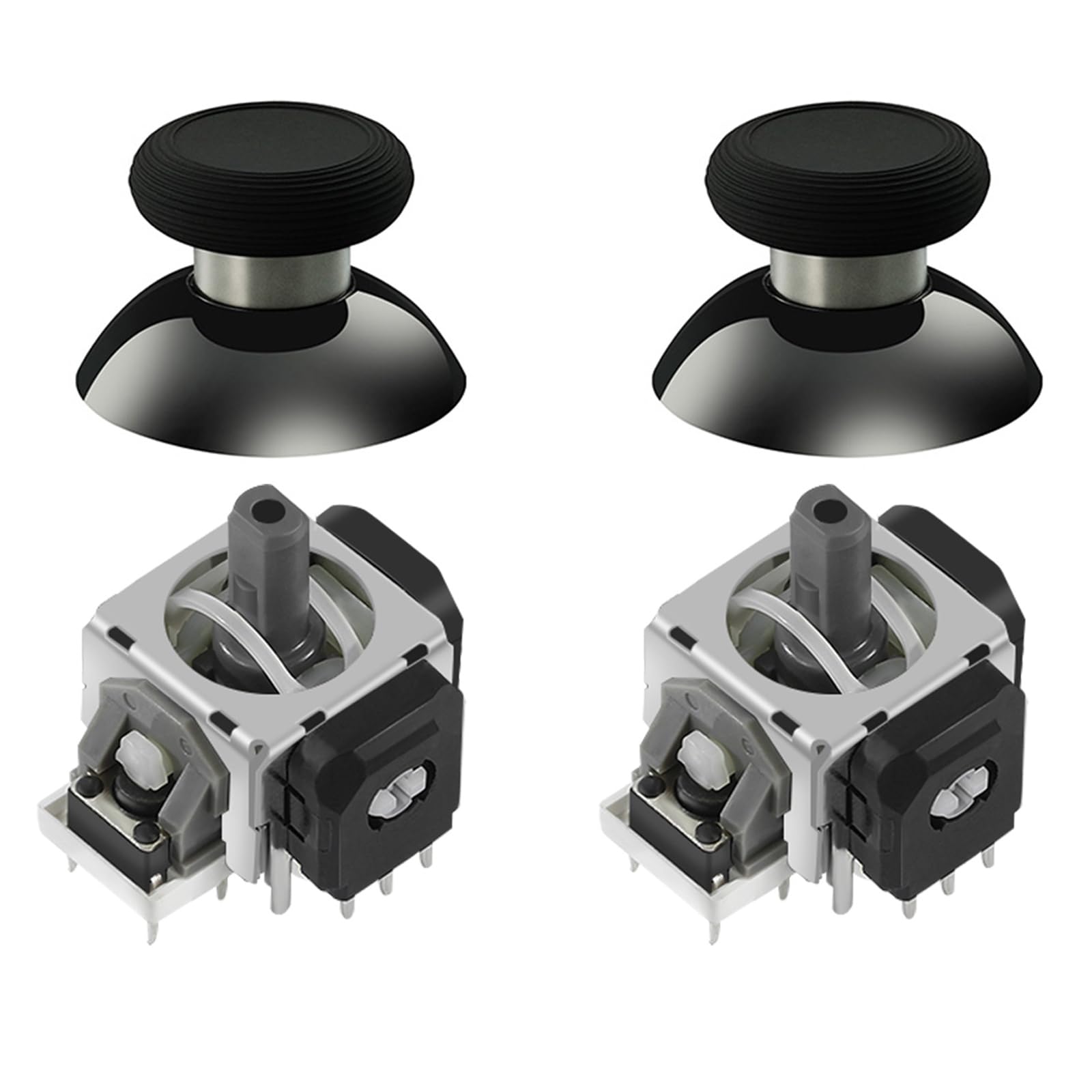
🎮 Upgrade your PS5 gameplay with pro-grade precision and zero drift!
The AKNES GuliKit TMR Electromagnetic Joysticks Replacement is a premium upgrade for DualSense PS5 and PS5 Edge controllers, featuring advanced TMR technology for superior accuracy, ultra-low power consumption, and enhanced durability. Designed for gamers with soldering skills, it includes thumbstick caps and supports easy calibration via open-source tools, ensuring a drift-free, professional gaming experience.


| ASIN | B0DHWWF218 |
| Best Sellers Rank | #3,852 in Video Games ( See Top 100 in Video Games ) #56 in Playstation 5 Accessory Kits |
| Brand | AKNES |
| Color | NS51-PS5 |
| Customer Reviews | 4.4 4.4 out of 5 stars (647) |
| Date First Available | September 25, 2024 |
| Hardware Platform | PlayStation 5 |
| Item Weight | 0.352 ounces |
| Item model number | PS5 Controller |
| Language | English |
| Manufacturer | GuliKit |
| Package Dimensions | 2.72 x 2.68 x 0.94 inches |
B**Y
GOOD FIT, GOOD PRODUCT
I got this for one of my XBox controllers that started to drift, so annoying. I read this was a good upgrade for the controller. Installation was not hard to understand, there are plenty of YouTube videos on how to do this, and thats how I learned to do it. Now, the hard part is all the soldering. The OE solder is a little bit of a nightmare to undo, if your using just a soldering iron, if you have an actual de-soldering iron it might be easier. But once that old stuff is off, its pretty easy to install these right on. After you get it all back together, you need to plug it into your computer and do a calibration, but that is pretty easy as well and there are videos on this as well. After I did all that, it works GREAT. There is no drift, and it centers just fine. For what you pay for these, its a great value upgrade, just a little tricky to get them install, but its not rocket building. I've had them for a couple months, playing COD and BL4 and have had no issues, they are still working great. I will buy again for my other controllers.
J**M
Work as advertised. Desoldering the old one is not fun. At all.
These worked fine. Installation was easy. A lot of people recommend having soldering experience. The soldering isn’t the problem. I recommend having DE-soldering experience. That’s definitely the hard part. Especially with components that have multiple pins and even worse, multiple pins on different sides of the component like these joysticks do. Compounded by double layer PCB’s because you have to remove the solder from the joint AND all the way through the hole to release the pin from the board. So how do you do that or how do you heat the solder on 8-10 pins at the same time to remove the component? That’s the challenge. I can tell you how I did it, but I don’t recommend it because it’s risky and you can very easily damage the PCB beyond repair. I think I saw some tools that allow you to heat all of the pins at once. That would make this a simple job if you can find and afford one of those and I’d consider looking into it if I have to do this again. Otherwise you can risk it and do what I did which was to cut the pins between the component and the PCB with a dremel. That way you can desolder and remove one pin at a time. But one slip and touch the board with the Dremel blade and you can, and probably will ruin the PCB. I’m not sure if you can buy a replacement PCB but swapping that would really suck and at that point I think it would be better to scrap the repair and just buy a new controller.
H**G
Very nice sticks when you get a pair from a good batch!
Well, I finally got a pair of these sticks and then put them into my Xbox controller. Out of the gate, I checked the calibration on them and it was very odd. The right stick is fluctuating up and down rapidly. The left stick seems to be fine. I did calibrate both and the right stick still seems odd. I did take apart my controller to check out the stick. I moved it around and could hear some odd clicking inside of it. I moved the left and it is smooth and doesn't have any clicking. I'm thinking the right stick has a bad defect. After calibratring, I noticed the sticks do not go back to the middle like another controller I have with hall effect sticks. The TMR sticks are usually on the outside of the center. When playing games, pushing the right stick to the right, left, up, or down causes movement but only for a few seconds. Then I have to stop moving it then do it again and it does the same thing. So, I can't just hold the stick in one direction to get continuous movement. It's really annoying because these sticks are brand new. I had chose Aknes Gulikit because I bought a pair of hall effect sticks to install in my Steamdeck and they were perfect. The TMR sticks for the Xbox, not so much. To say the least, I'm pretty disappointed. I hope Gulikit or Aknes reaches out to me for some replacements. I'd like to this right stick working properly. Maybe I will change the score and review if I do get replacements and they work fine but for now, buyers need to be aware. UPDATE: Alright, I did get a replacement pair of new sticks. I installed them and noticed right away, these were more accurate! I did not hear or feel the clicking happening in the new right stick while moving it around! I also tested the return to center and while absolute 0 is impossible, I am now at a .00002 on both sticks, left and right. This means, it's basically a zero. These new sticks are way better than the previous pair I had purchased. I can only think that there is a bad batch out there. Regardless, these new sticks deserve a 5 star all the way! Thank you AKNES and Gulikit!
M**R
Good quality parts, installation is difficult.
These TMR sticks feel very nice once installed, and seem to perform flawlessly, at least so far. Stick tension and press-to-click are essentially indistinguishable from the stock ALPS units. No more drift! Don't take the warnings about install difficulty lightly, removing the original stick units is very difficult and if you don't know what you are doing it's quite easy to irreprably damage your controller's main board. The lead-free solder Sony uses in the Dualsense has a relatively high melting temperature, and coupled with the large metal area of the stick cage desoldering is a @#&$. A hot air rework station may make it easier, as you can heat a larger area... I was able to do it with a decent Hakko-style iron, but this is really NOT a job for novice solderers. If you've never soldered before, or don't have much experience, prepare to be very frustrated. Don't say you weren't warned!
S**8
Me encantó realmente yo sufro mucho de drift! Ya le habia puesto unos joysticks de otra marca y se sentían horribles. Le di una última oportunidad a mi control de PS5 y ufff! Estoy fascinado.
S**H
Ze doen wat ze moeten doen. Het kalibreren was ook totaal niet moeilijk. Zeer blij met dit product!
A**R
Works great. A bit expensive but still better than buying a new controller. The movement is smoother with this. Takes time to adjust to the joystick movement with such low resistance. Don't forget to calibrate it with the online website
G**Y
Good fit and worked well
K**N
İyi mühendislik gerçekten, malzeme kalitesi de çok iyi duruyor. Teşekkürler AKNES.
Trustpilot
1 day ago
2 weeks ago