
DOWNLOAD THE APP


Customer Services
Copyright © 2025 Desertcart Holdings Limited
DOWNLOAD THE APP

💡 Elevate your space with smart control that’s always a tap or voice away!
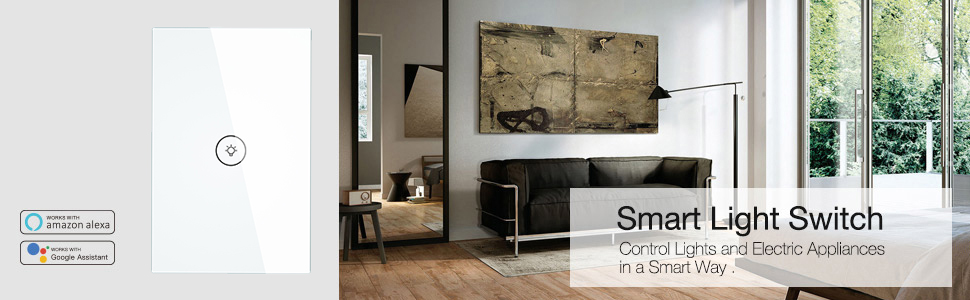
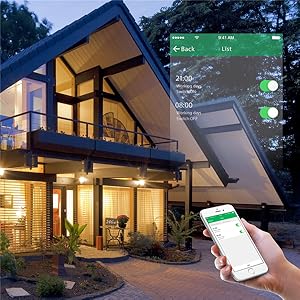
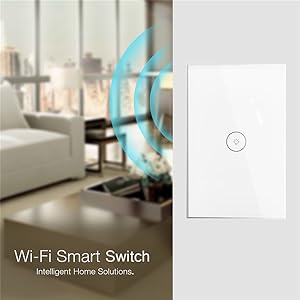
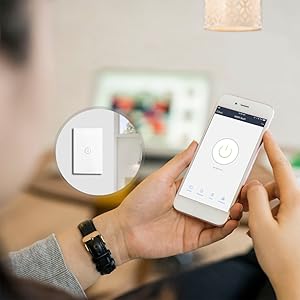
The MOES WiFi Smart Wall Touch Light Switch features a 3-gang toughened glass panel with IP65 damp-proof rating, supporting 2.4GHz Wi-Fi for seamless remote control via the Smart Life app or voice assistants like Alexa and Google Assistant. It requires a neutral wire and offers customizable timing functions without needing a hub, delivering a sleek, durable, and highly functional upgrade to traditional wall switches.






| ASIN | B07BM1JJDC |
| Actuator Type | Push Button |
| Amperage Capacity | 10 Amps |
| Batteries Included? | No |
| Batteries Required? | No |
| Best Sellers Rank | #79,939 in Tools & Home Improvement ( See Top 100 in Tools & Home Improvement ) #277 in Electrical Light Switches |
| Brand | MOES |
| Circuit Type | 1-way |
| Color | White |
| Connectivity Protocol | Wi-Fi |
| Connector Type | Wireless |
| Contact Material | Metal |
| Contact Type | Normally Open |
| Control Method | Remote |
| Controller Type | Amazon Alexa, Google Assistant |
| Current Rating | 10 Amps |
| Customer Reviews | 4.4 4.4 out of 5 stars (2,866) |
| Date First Available | March 21, 2018 |
| International Protection Rating | IP65 |
| Is Discontinued By Manufacturer | No |
| Item Package Quantity | 1 |
| Item Weight | 7.8 ounces |
| Item dimensions L x W x H | 4.7 x 3 x 1.5 inches |
| Item model number | 43239-221362 |
| Manufacturer | Wenzhou Nova New Energy Co.,LTD |
| Number of Items | 1 |
| Number of Positions | 3 |
| Operating Voltage | 240 Volts |
| Operation Mode | Automatically,Off,Smart Switch |
| Part Number | 43239-221362 |
| Product Dimensions | 4.7 x 3 x 1.5 inches |
| Shape | Square |
| Size | 4.72 x 3 x 1.45 in |
| Style | Wall Switch 3 Gang-White |
| Terminal | Screw |
| UPC | 617320022492 |
| Unit Count | 1 Count |
| Upper Temperature Rating | 80 Degrees Celsius |
| Wattage | 1000 watts |
J**Y
I Can't Stop Loving These Switches
I spent a small fortune to replace all the switches iny downstairs with these smart touch switches. I was nervous about the install. I did have it all done professionally as far as wiring them and such. In reading reviews about touch not working if installed with the power on before putting the glass plate on, I simply couldn't stop expressing this to my installer. In spite of that, I came home to find several of the switches powered on without the glass front plate. However, they still worked once the plate was put back on and they work amazingly. I use Google Home/Assistant for controlling my smart devices. The integration from the Tuya app was easy. Set up in the app was... Mostly easy. Oddly, the single switches gave me some trouble as the app was not finding them. To solve, I simply followed the reset instructions on the single switches (starting from the off position, press the power button 6 times and hold on the sixth press until you hear 3 beeps). I did have some difficulty and had to repeat that process a few times on a couple of the switches, but afterward, the app found them without issue. Oddly, the backlights are on when the switch is one, verse backlights being on when the switch is off... At least I think that's the case. It seems different on some switches. This doesn't bother me much, so I haven't fully investigated what's up. Overall, this was worth every penny I paid for the smart switches. I even hooked one up to my garbage disposal, which is nice when cooking and having dirty hands to be able to just.say, "Hey Google, turn on the garbage disposal." They look great. I have several dimmers, 1 gangs and one 4 gang. I was able to reduce the wall space needed for switches since a 4 gang controller is the same size as a single gang controller, and it all looks so much sleeker. They blend well I to my wall, making them less intrusive in the overall design. I highly recommend them, but be smart about the names of the switch in the app if you plan to use voice control. I jokingly named my kitchen lights, "Julia" after Julia Childs, but saying, "Hey Google, turn on Julia" is a bit creepy. 😁
G**R
It's easy to install, easy wifi setup but hard to wire if you follow the instructions
Pro:Download the Smarthome app foremost. Installed the switch and follow instructions on the app. it's that simple. The switch communicated with the app and was working in less than 1 minute. Con: The instructions on how to wire this make no sense what so ever. It shows on a diagram using only 3 wires, well, most homes use 4 wires if you are controlling light fixtures. It does look sleek and nice compared to the old light switches. No neutral wire required as it states. When it comes to the wiring, place both (white) neutral wires in the slot labeled N and the live wires (usually black) in the L and L3 for single gang (the one I bought). I included pics and on top view of the wires, I should have angled it so you could see the labels where the wires go in. Red color means the switch is on and blue means it's off. The most important thing is, it's not bright enough to disturb at night if you are sensitive to light like myself, it's the right amount of brightness. Overall buy I think it's a great purchase.
J**.
Bang - Boom - BaaDoooom for your buck!!
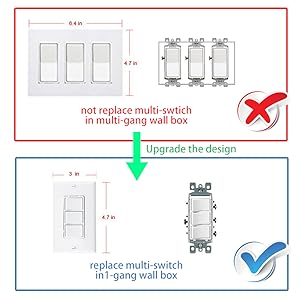
This is one the best switch’s on the market! It looks great. Simply works! Controls up to three switches (2lights- 1bathroom light/fan combo) elegantly via Smartlife app or Alexa. Installation was easy! Fast we installed one in about 12 minutes! Loving the ease of programming vi Alexa and each device’s individual control! Will definitely be getting more of these! 3: gang? For anyone that has questions regarding - changing out their 3 gang switch with this : it will control all three switches as long as you have the natural wire. the size of this switch much smaller - so you will have to patch up the hole that’s left over. Ideally if you are trying to replace a three gang switch with this single switch. You should change the box that’s in the wall to a single gang as well and then patch the hole.
W**D
Love it, just wish it was UL listed
This switch was easy to install provided you have a basic understanding of AC wiring, easy to set up, is attractive, and works well. I'm taking one star off for not being UL listed. I make it a habit not to buy any electrical devices that are not UL listed. To turn on and off you simply tap the button. The button glows in blue when it's off, red when it's on. Using the app is also simple. You can turn it on and off from the app and you can also create a wide variety of schedules. Since mine controls my outside lights I have it set to turn on at sunset and turn off at a set time every day. Setting it to turn on at sunset is a little awkward, but not difficult. It is done through the smart tab which allows you to set a schedule based on sunrise/sunset, weather conditions, etc. To have it turn off I used just a normal schedule. So far I've been using it about two weeks and it's worked flawlessly. My favorite part was how easy it is to update when the time changes. On my old timer I had to update the clock for daylight savings time and then update the on time to when it gets dark. For this smart switch I have it set to turn on at sunset and turn off at a set time. When the clocks changed I had to do NOTHING. Without any changes it automatically updated to daylight savings time and it still turns on at sunset and turns off at my set time. For that reason alone I'd give it 5 stars, however I'm still leaving a star off for not being UL listed.
O**R
Excelente producto, no eh tenido problemas en su funcionamiento desde su instalación, ya tengo 3 años con el mismo apagador y sin fallas. Se puede utilizar a distancia, la calidad de sus piezas son muy buenas, a lo que concierne del mio, fácil de limpiar y muy elegante a la vista, le da mucha modernidad y practicidad si quieres una casa inteligente. Nota: con esta versión instalada hemos pasado por varios cortes de energía electrica debido a lluvia o vientos y el dispositivo funciona con normalidad, le doy un 100/10.
C**I
El producto es bueno, ya tengo mas de 3 meses usándolo y me sorprende, es de ventana de Vidrio templado, cabe en una chalupa común, claro solo con los cables que pide, se ajusta a entrada de cables de hasta #10, aconsejo el #14 o 16 al final es Luz y es LED. necesitas el Neutro y no hace falta Tierra física, La instalación es sencilla pero la configuración un poco complicada, pudieras creer que esta malo pero es conocimiento de la configuración, para configurar aconsejo primero recatear "ya sabes oprimiendo varias veces el botón de link" y luego proceder con la configuración. lo bueno es que cuando se va la luz, te avisa con un mensaje al celular que no esta funcionado, ademas que guarda la ultima configuración que tuvo es decir encendido o apagado. En general Buen Producto.
E**S
Pedí a un electricista que lo instalara, así que por ese lado no tuve problema, pero configurarlo fue un poco complicado. La aplicación no lo detectaba, así que tuve que repetir el proceso varias veces hasta que lo logré. Sin embargo, una vez configurado es súper sencillo de utilizar: se conecta a Alexa y puedes colocarle un nombre distinto a cada uno de los interruptores, así que controlas las luces por separado. Además, en la aplicación puedes programarlas de forma independiente para que se prendan y se apaguen según la hora, e incluso automatizarlas para que se prendan cuando estás llegando a casa. Bastante recomendable, sólo sugiero que faciliten la instalación.
W**R
Una vez que se tiene el neutro al alcance es muy facil de hacerlo funcionar y funciona muy bien con alexa y Google home. Batalle bastante en configurarlo en un inicio en smart life o tuya smart, ya que estaba introduciendo la contraseña de wifi en minusculas y nunca me dijo que estuviera mal la contraseña, una vez que intente volver a poner la contraeña (1 hora despues) se configuró muy bien y no me ha dado molestias. Si no se tiene internet de todos modos funciona solo que no se podrán usar los programas IF, pero manualmente si responde. Use uno para controlar la escalera, aun cuando no es específicamente para esto. Solo conecte la corriente y el foco a uno de estos y en el otro solo la corriente, configure que cuando se prendiera o apagara cualquiera de los 2 switches mandara la señal al otro interruptor para que se pusiera en el mismo estado. 4 reglas en el tuya smart y quedo funcionando como switch de escalera. Hay videos en youtube de como hacerlo mejor explicado de lo que lo estoy haciendo. Recomendado.
R**O
Excelente producto hasta el momento. Llegó a tiempo, completo y todo fue relativamente sencillo de instalar desde eléctricamente hasta la app y su configuración con Alexa. Viene un manual dentro de la caja que te explica las conexiones eléctricas. Sí ocupas el cable neutro que por lo general viene en color blanco en una casa mas nueva. La mayor complicación fue al colocar todo dentro de la caja chalupa ya que es algo ancha. Bajas la app de smart life y creas un usuario, buscará una red y le asignas la de tu modem, luego buscará el switch y podrás encender y apagar de la app smart life. Para comunicar con Alexa ocupas bajar el skill de smart life en la app de Amazon Alexa e ingresar el usuario que habías creado en smart life para vincular tu info. Ya dentro de la app de alexa configuras los nombres de los switches y wuala a disfrutar desde fuera de tu casa o acostado en tu cama el encendido y apagado
Trustpilot
2 weeks ago
1 month ago