Desert Online General Trading LLC
Dubai, United Arab Emirates
Desert Online General Trading LLC
Dubai, United Arab Emirates



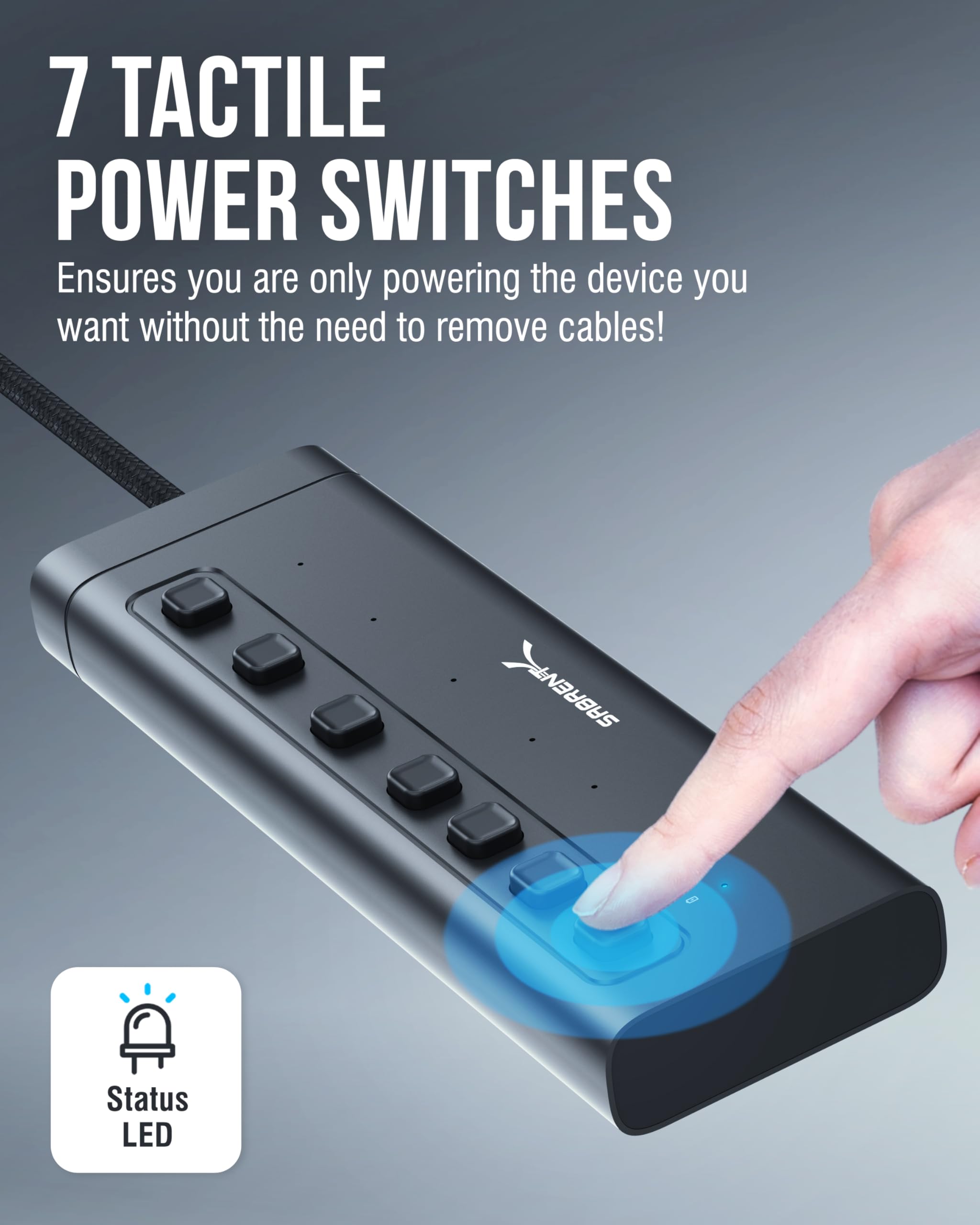
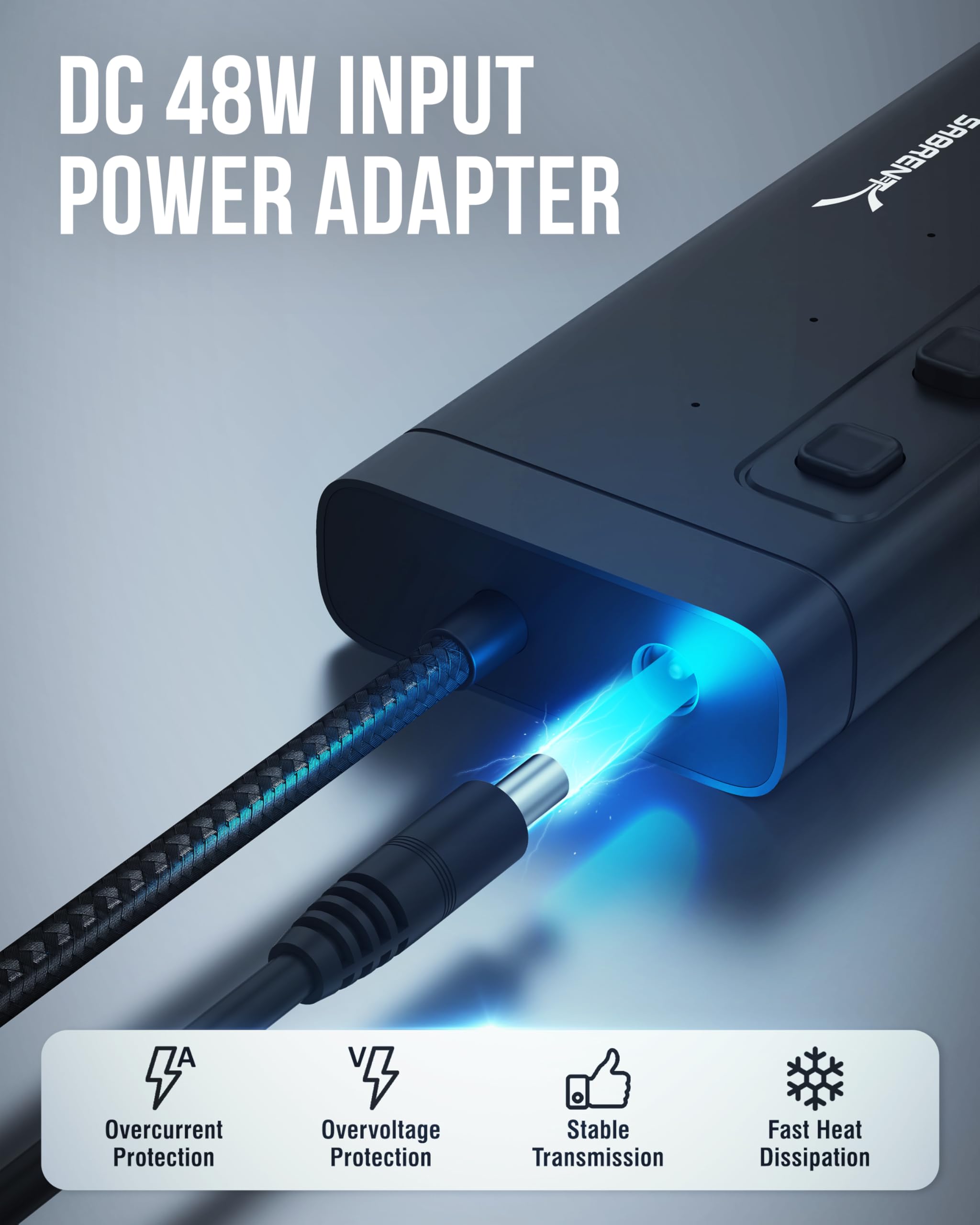
🔗 Power, control, and speed—hub your way to productivity!
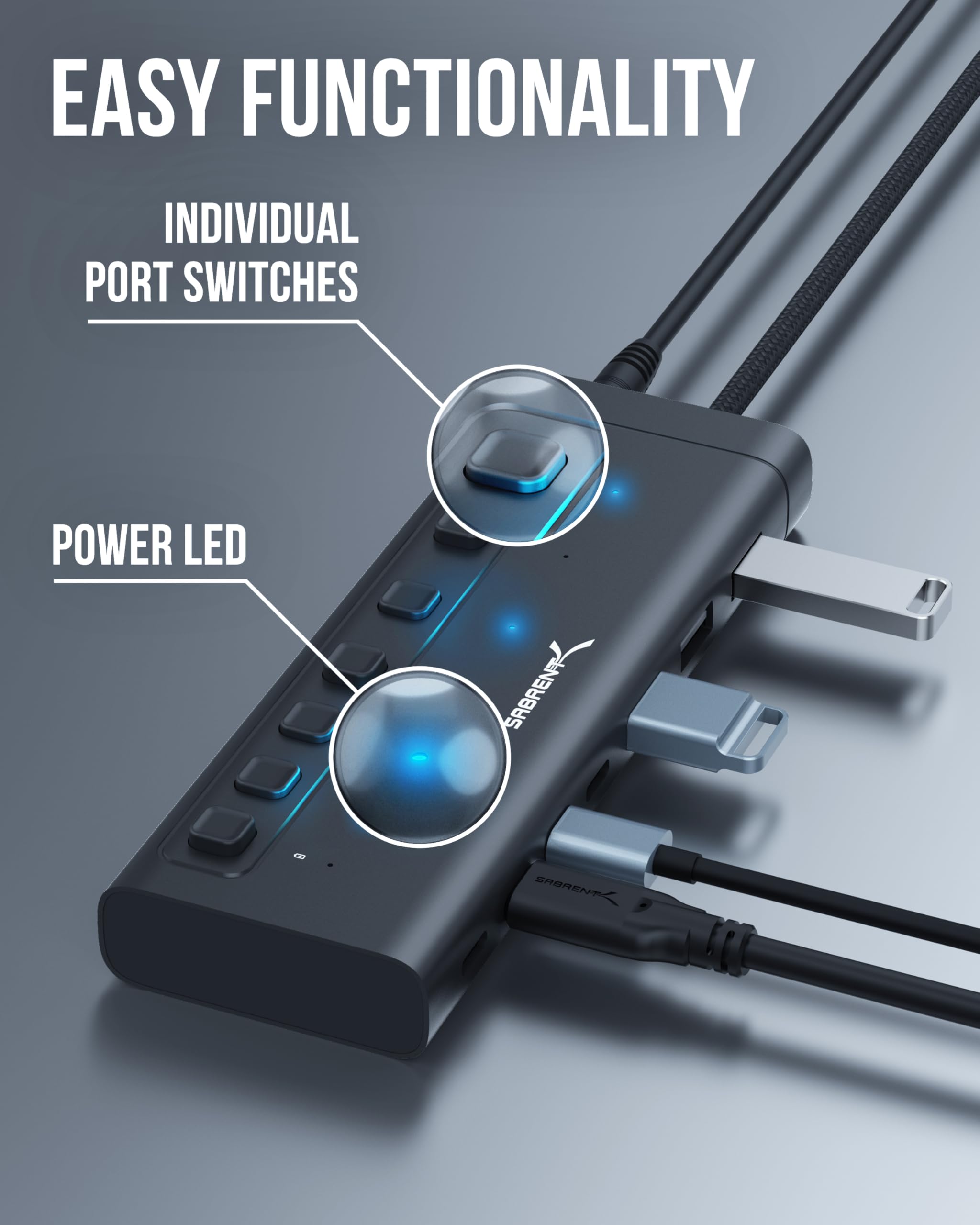
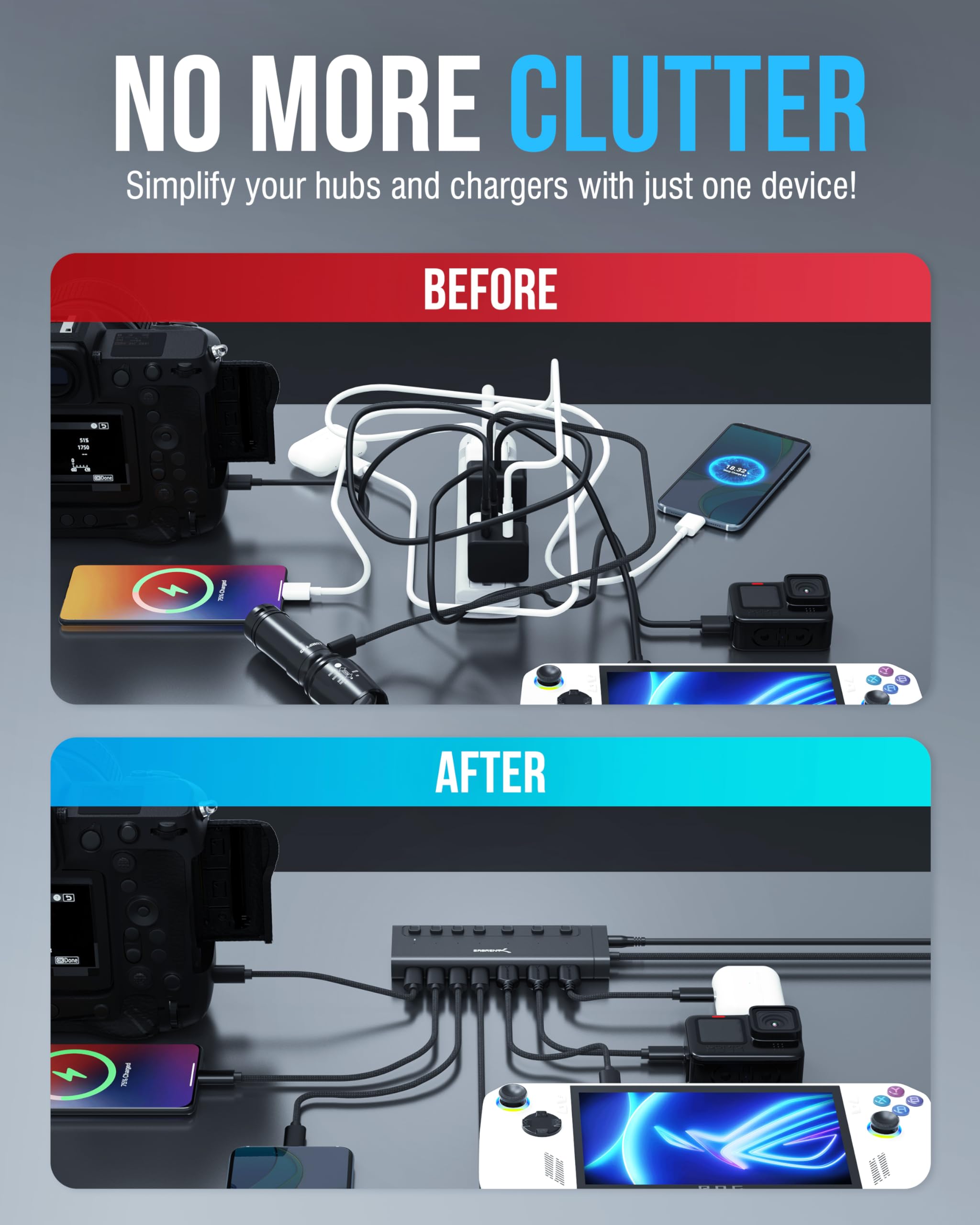
The SABRENT 7-Port USB-C Hub (HB-3A4C) delivers versatile connectivity with 3 USB-A and 4 USB-C ports at 5Gbps speeds, featuring individual power switches with LED indicators, 20W Power Delivery charging, and a durable aluminum design. Compatible across major platforms including Mac, PC, Linux, Steam Deck, and ROG Ally, it’s the ultimate expansion solution for professionals demanding control and speed.


| Brand | SABRENT |
| Item model number | HB-3A4C |
| Hardware Platform | PC, Mac, Liux |
| Operating System | Linux, MacOS, Windows |
| Item Weight | 10.6 ounces |
| Product Dimensions | 5.5 x 1.96 x 0.69 inches |
| Item Dimensions LxWxH | 5.5 x 1.96 x 0.69 inches |
| Color | Multicolor |
| Manufacturer | SABRENT |
| ASIN | B0CXZ448XL |
| Date First Available | March 13, 2024 |
I**E
10/10 Worth Every Cent
Best purchase I’ve ever made for my setup besides like lighting and mounts, this right here is 10/10, had it for maybe 8 months so far (late review) but it’s absolutely amazing, and I know it’s not too demanding from my pc, I originally bought this for my laptop, but I’ve upgraded since then and it was worth every dollar, super useful and functional, has more than enough usb ports there’s just so many usb ports, super good port, along with the charging ones, super great power usage, and I can turn off and on the ones I want to use whenever, super light and it even looks nice!
J**D
Good quality, nice solid unit that works perfect for my needs.
I ordered the Sabrent 60W 7-Port USB 3.0 Hub + 3 Smart Charging Ports in order to try to solve my desktop rats nest situation. I really like the unit thus far as it is performing as advertised and easily and quickly handles any USB cord or device that I have thrown at it. I have had no problem with connectivity or performance issues, as I have read in some of the reviews, i.e. dismounts. There again, I am not using the unit for external hard drives either.You do have to hook it up correctly and use a little common sense though. The issues that I am seeing with the 4 port hub, and using flash drives ..... c'mon people, open your eyes and brains. Sabrent has done a great job on spacing the plugs. It is, however, impossible for them to anticipate what a flash drive manufacturer is going to pile on top of the USB plug with regard to the shape of a casing, which may cause the drives not to stack well in the side-by-side configuration. Flash drive manufacturers are notorious for making their cases either too fat, or adding a case that curves towards the end such as the Sandisk Cruizer drives. That is Sabrent's faule, so don't give the hubs a bad rating for something that you could have anticipated if you would have just used your eyes and brains .... LOLFlash drives have always had problems fitting into tight spaces because of these case issues, whether you are plugging them into a hub or simply into the back of your computer. If you think this may be an issue with flash drives that you own, then use your common sense and order the Sabrent 60W 7-Port USB 3.0 Hub. That unit stacks them vertically, not horizontally edge-to-edge and alleviates the issue.I do have two suggestions for Sabrent which would make this a 5 star product.First, include a longer USB cable! Second, the blue lights that indicate that the plug is active, are much to hard to see. If you are viewing them from more than a 45 degree off angle, you can't even really tell that they are lit because the light is slightly recessed.Also, in low light conditions, it's hard to see which plug you are plugging into, or you may easily hit the switch for the plug either above or below your intended target. This caused me minor problems at first so I just keep a mini maglight handy to see it clearly.The perfect solution here would be ........... illuminate both the socket and the perimeter of the switch, and then connect them with a blue illuminated line.Having explained those minor issues, this is a great product which I would recommend. I have mounted the unit to the side of my hutch via double sided foam tape. In addition, I have purchased two of the Cable Management Cord Organizer ORICO 7 Channel Desk Cable Clips Wire Cord Holders, and mounted them to the side of my desk top, close to the hub. This serves two purposes. First, your cables are both nicely organized and easily identifiable and accessible. No more fishing around for what fell off the desk top. Also, this provides a great strain relief for your cables, which doesn't tug on the cable plugs and sockets unnecessarily, causing wear and tear, and connection issues.
S**E
Works OK
Sabrent 36W 7-Port USB 3.0 HubI use this for writing backup files from my desktop computer to a flash drive every night.All 7 of the ports work. I wrote a script to compare the speed of file transfer between ports on this hub and the native USB 3.0 ports on the front of the computer. It's a very fast computer with an ASUS ROG Crosshair VIII Dark Hero motherboard, and those native ports are connected directly to that motherboard. The file source was an internal RAM disk, infinitely fast compared to USB. There was no difference in speed between the ports, whether the destination flash drive was a fast one or a slow one.Once a month I write five flash drives at once, and I expect this hub to handle that perfectly. If it doesn't, I will update this report.I don't need 36 watts or individual port switches, but maybe some day?OOPS - Now it's not so good. I make most of my flash drives bootable, using Macrium Reflect, so the images on the drives can be restored easily. But the ASUS ROG Crosshair VIII Dark Hero motherboard does not find those flash drives. As if they are not connected at all.The USB cable length doesn't matter, nor does the port that I use on the 7-port Sabrent hub, nor does the brand or type of flash drive. Tried 'em all. And all of the flash drives will boot up just fine when plugged in directly to the front of computer, where a short cable within the computer connects to the mobo.This not a huge problem, because I would use a front or back connection if I really needed to restore a drive. It's more of an inconvenience, because it makes it a little harder to test a flash drive.I need to get to Sabrent and see what they have to say.SERIOUS UPDATE: The review changes from 5 stars to 1 star (preferably zero).Elated and angry. Elated because I finally discovered why my computer was exhibiting so many sudden "Black Screen of Death" reboots. Angry because the cause was this Sabrent 7-Port USB Hub which was doing nothing when the reboots occurred.The reboots seemed to be random, so I had no idea what might cause them and spent good money on three (very nice) Tripp-Lite surge suppressors. I was already using a UPS for the computer itself. More important, I spent hours upon hours trying to find the problem, never imagining that it could be a device that was plugged in but not even in use when the reboots happened. I wrote scripts, attempting to repeatedly exercise non-microsoft software (VeraCrypt, 7-Zip, ImDisk) to produce the error reliably, to no avail.I kept a log of the black screens, and that did help. Finally my little brain connected the start of the black screens to the time that I purchased the Sabrent 7-Port USB Hub. Since disconnecting that, no such reboots have occurred. I do need a hub during certain procedures, but the replacement ikuai 11-Port hub has not caused reboot problems. It has other problems, and it's going back, but that's a separate review.The Sabrent hub was unquestionably the cause. However, in my opinion, the ASUS ROG Crosshair VIII Dark Hero motherboard is also partly at fault, because it should be designed well enough to prevent a USB-connected device from bringing down the computer.2024 03 05 Another update. Maybe the Sabrent isn't the problem after all. It's definitely not "unquestionably" the cause. I replaced it with a new RSHTech 7-port USB hub, and the black-screen reboots continue. I'm stumped right now, actually starting to suspect my UPS of spikes or momentary cutouts. Anyway I think the Sabrent is OK.
P**S
USB hub with power buttons for each slot.
This is a good quality USB hub. I'm already using all the slots and I'm thinking I should have bought the 10 slot version. Everything that's plugged in is working and can be powered off if not being used, and that is a great feature of this USB.
S**3
10 port USB hub was great
Literally plugged everything in and was instantly recognized. Cleared up the office area and function was perfect
F**N
I bought two because I have an elaborate setup and they work fantastically!!
I really love these things. I used 3M lock (like velcro) to attache them to the back of my desk, so that all these wires needed for my studio equipment would be easily accessible but out of the way.They work great, excellent quality. The on/off buttons are great and you can tell what you've got working by the blue lights and what's left for expansion by the lack of a blue light.I would definitely buy them again, but I do recommend some method of mounting or affixing them to a surface as they are very light and prone to move around otherwise.
Trustpilot
1 month ago
1 month ago
1 week ago
5 days ago