
DOWNLOAD THE APP


Customer Services
Copyright © 2025 Desertcart Holdings Limited
DOWNLOAD THE APP

🚀 Upgrade your workflow with speed, space, and security — don’t get left behind!
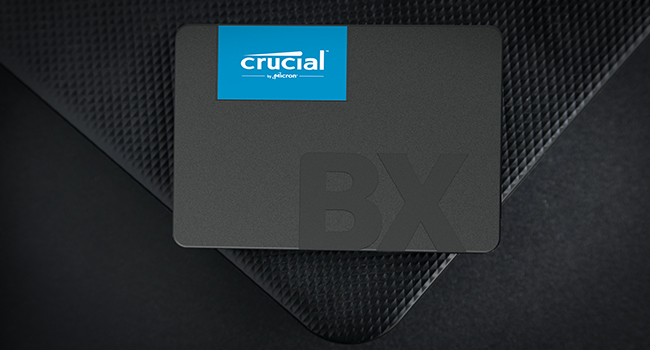
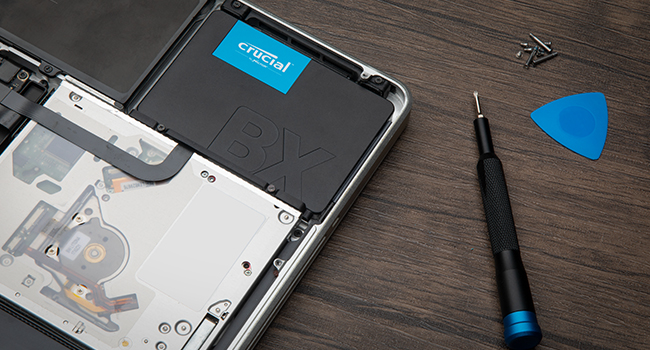
The Crucial BX500 2TB SATA SSD delivers up to 540MB/s read speeds powered by 3D NAND and dynamic write acceleration, offering a massive storage boost ideal for gaming, multimedia, and professional workloads. Its robust build is validated through extensive testing and secured with 256-bit AES hardware encryption. Easy installation is supported by free cloning software, making it the perfect hassle-free upgrade for laptops and desktops seeking reliable, high-performance storage.




| ASIN | B0CCN9QWKT |
| Best Sellers Rank | 372 in Computers & Accessories ( See Top 100 in Computers & Accessories ) 3 in Internal Solid State Drives |
| Box Contents | Crucial BX500, Acronis True Image for Crucial cloning software and installation instructions, up to 80% savings on Acronis Cyber Protect Home |
| Brand | Crucial |
| Brand Name | Crucial |
| Cache Memory Installed Size | 2 |
| Color | 480GB |
| Compatible Devices | Desktop |
| Connectivity technology | SATA |
| Country of Origin | Mexico |
| Customer Package Type | easy opening packaging |
| Customer Reviews | 4.7 out of 5 stars 152,889 Reviews |
| Data Transfer Rate | 6 Gigabits Per Second |
| Digital Storage Capacity | 2 TB |
| Digital storage capacity | 2 TB |
| Enclosure Material | 3D NAND |
| Form Factor | 2.5-inch |
| Hard Disk Description | Solid State Drive |
| Hard Disk Form Factor | 2.5 Inches |
| Hard Disk Interface | SATA 6 GB/s |
| Hard disk form factor | 2.5 Inches |
| Hard disk interface | SATA 6 GB/s |
| Hard-Drive Size | 2 TB |
| Hardware Connectivity | SATA 6.0 Gb/s |
| Installation Type | Internal Hard Drive |
| Item Dimensions L x W x Thickness | 10L x 7W x 0.7Th centimetres |
| Item Weight | 35.1 Grams |
| Manufacturer | Crucial |
| Media Speed | 500 megabytes_per_second |
| Model Name | BX500 |
| Model Number | CT2000BX500SSD101 |
| Network Connectivity Technology | SATA |
| Number of Items | 1 |
| Product Features | Portable |
| Product Warranty | Limited 3-year Warranty |
| Read Speed | 540 Megabytes Per Second |
| Special feature | Portable |
| Specific Uses For Product | Gaming, Multimedia, Personal |
| UPC | 649528939463 |
| Unit Count | 1.0 count |
T**A
Plenty of Fast Storage- Perfect for Gaming and Uni Work
As an avid gamer and uni student, this SSD has been a lifesaver. Since installing the Crucial BX500 1TB, I genuinely haven’t had to think about storage at all- everything loads quickly, there’s plenty of space, and my laptop feels noticeably faster overall. Games boot up in seconds, everyday tasks feel smoother, and the upgrade was straightforward. For the price, performance, and reliability, it’s a brilliant choice if you want a simple, effective storage boost without any hassle.
C**N
Bye bye old school hard drive and hello to the solid state
I have owned various PCs in the last 20 years or so and they all had old school mechanical HDDs, and to be honest I never really had many issues with them. All my PCs were either from before SSDs existed or were from when they were still quite expensive and generally came in smaller capacities (my current rig is around 6 or so years old). As I cannot afford to upgrade right now or ideally build my own, I decided to make some tweaks to my existing rig as it is still fairly decent for its age. I upgraded ram a couple of years ago (2x16gb sticks) and last week upgraded from the stock cooler to a much beefier Be Quiet cooler as the CPU was really getting hot under heavy load. While I was at it I thought it was time to finally go over to an SSD seeing as they now have much better capacity for not a lot of money. I decided to go for Crucial as I have always had good experience with them. My PC ram is Crucial and so is the M.2 SSD in my PS5. I felt this had the specs that suited me and as I say, price wise, it was pretty damn cheap. Sadly due to my board being slightly older and being a micro ATX I don't have an M.2 slot, so SATA was the only way to go. I did make one error though as I assumed it would come with a SATA cable, but of course we know what you do if you "assume" anything. It was a simple enough solution, order a cable from Amazon and just fit the drive a day later than planned (I only mention this as I am sure there are others as naive as me who will get caught out too). It was very simple to fit as well. Plugged the SATA cable into the drive and the motherboard and found a spare power plug coming from the power supply that fitted as well and then it was time to test things out. Booted the PC up and while it did take a while to boot (remember this is still booting to my old drive) which is quite normal when installing new parts, but booted as normal. I then opened Acronis True Image (go to the website on the SSD instructions and download the file) and followed the onscreen prompts to clone my old HDD to my new SSD. I had deleted all my music from the HDD before starting this as it took up over 400gb and I felt that would just slow the cloning process down. Even with another 400+ storage still on the drive, it only took about 2 hours to do a full copy. After it was finished I rebooted the PC, went into bios and assigned the SSD as my new boot drive. The PC then booted to Windows so much faster than it normally does and programs loads almost instantly rather than the delayed response of yore. Even web browsers and internet tabs load faster. I also noticed that after the PC logs into Windows I can access programs straight away rather than waiting for Windows to do all its stuff before being allowed to access anything. Seriously loving this piece of kit. The way it works is perfect for me, and is going to make using my PC so much of a better experience than it has been. Factor in the easy installation and the free no issues cloning software, and I think I got an absolute bargain at less than £40. Oh, and I kept the old HDD in the rig but formatted it to use just as storage for my music which I have already reinstalled. Only one program had an issue, with my copy of Photoshop saying the licence was not on it, but that was easily rectifiable, and every other program seems to have carried the licences over.
C**N
Fast SSD drive excellent value
In my older PC this gave a great boost with its high capacity ease of installation and supurb performance excellent value highly recommended
A**N
Brilliant Value SSD
Recently, I upgraded my existing laptop with the Crucial BX500 1TB SSD and noticed a whole new world of difference as boot times are dramatically faster, applications open immediately, and overall performance is much more fluid. Installation was straightforward, and the included cloning software made transferring data a walk in the park. It is silent, stays cool, and offers more than sufficient space for my OS, software, and data. For the price, it's excellent value and a good choice if you want to breathe new life into an older device without spending an arm and a leg. Highly recommended for casual use on a no-hassle upgrade
B**1
Good quality ssd
Having tried 2 other cheaper ssd i decided to spend a little more on a well know brand like Crucial , hoping it wasn't a fake of course, the other ssd i have had from Amazon were a waste of money, its true what they say "buy cheap buy twice" or in my case buy 3 times ( i did get my money back on the 2nd one), one failed in less than a year with hardly any use the second read speed was poor and when half full dropped to 109 Mb/s. This drive speed is running to spec so hopefully it will last as long as my Samsung in the other pc.
M**K
Perfect storage upgrade for my CCTV unit
I bought this 1TB SSD for my CCTV base unit and it works perfectly well. It was easy to install and has been reliable with no issues at all so far. The price was reasonable too. Definitely happy with how it’s performing — does exactly what I needed it to do.
S**T
Reliable, Work well
Purchased several of these now. Seem to accurately report space so no issues with software writing to the drives. No problems to report to date. Good value for money.
M**H
Simple, affordable, good quality.
Affordable little SSD with a lot of power and capacity! It's fairly easy to set up, you can just search up how to install something like this most of the time. I've found its heavily sped up the speed at which my pc loads games, videos, all sorts! Really happy with it.
Trustpilot
3 weeks ago
1 month ago