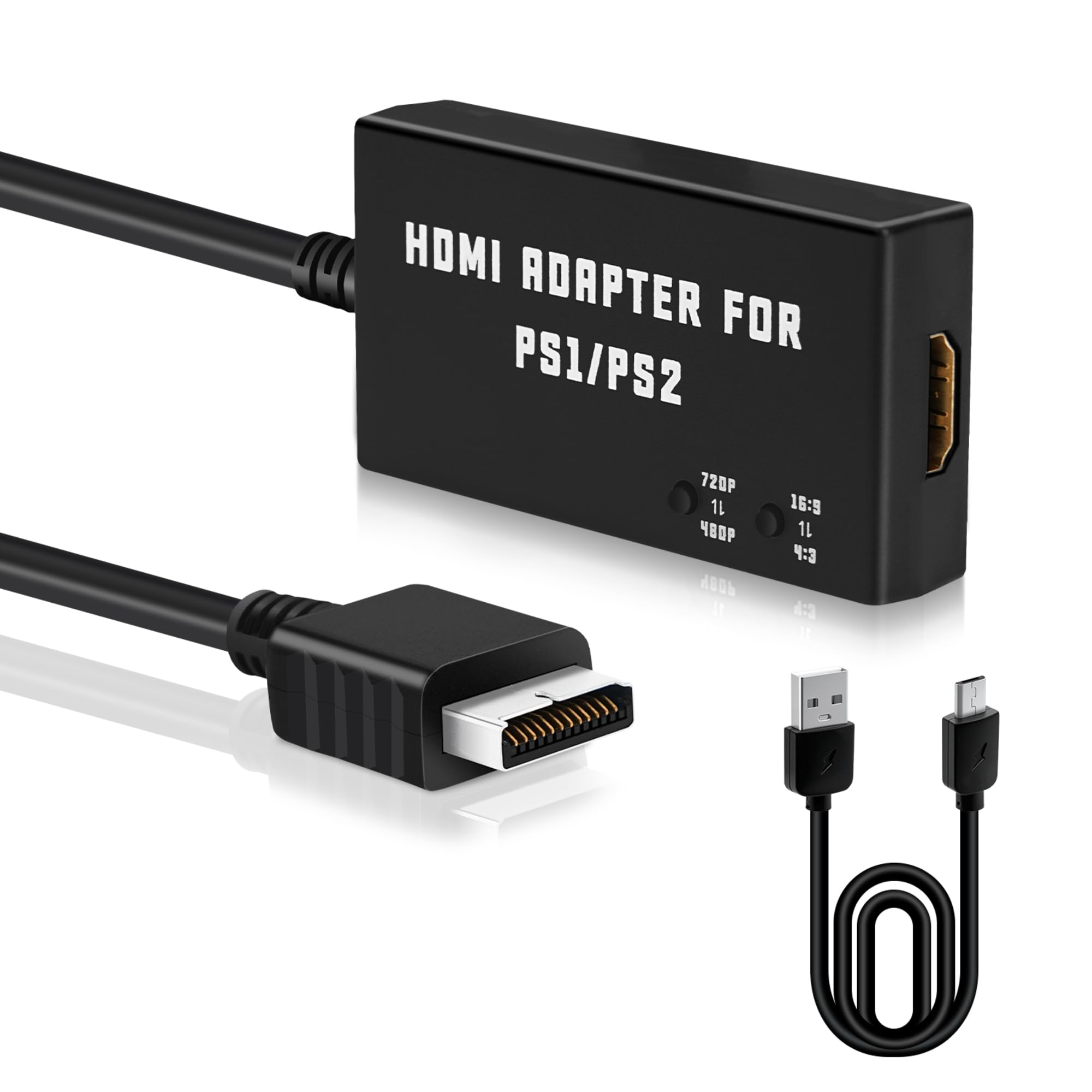
🎮 Elevate your retro game nights with HD clarity and zero lag!
The Mcbazel PS1/PS2 to HDMI Adapter transforms your classic PlayStation consoles into modern gaming powerhouses by converting analog signals to crisp 480p or 720p HDMI output. With easy plug-and-play setup, flexible aspect ratio switching, and zero input lag, it’s the ultimate upgrade for any retro gamer wanting to relive iconic titles on today’s HDTVs.


| ASIN | B0BPBFBPHV |
| Best Sellers Rank | 167 in PC & Video Games ( See Top 100 in PC & Video Games ) 1 in PlayStation 2 Accessories |
| Brand | Mcbazel |
| Colour | Black |
| Customer Reviews | 4.4 4.4 out of 5 stars (2,158) |
| Date First Available | 20 Dec. 2022 |
| Guaranteed software updates until | unknown |
| Item Weight | 0.09 Kilograms |
| Item model number | MT-010014 |
| Package Dimensions L x W x H | 15 x 10.1 x 2.7 centimetres |
| Package Weight | 0.09 Kilograms |
| Part number | ps2-010014 |
| Product Dimensions L x W x H | 15.1 x 10.2 x 3.1 centimetres |
J**.
No input lag, 8/10 quality, amazing value.
Very good, has no input lag if the TV is on game mode. Used it for a Timesplitters LAN party at a friends. Probably the best budget option in this regard (I play on a CRT usually). Shots fire instantly without noticeable delay. Video quality is 8 out of 10. Doesn't look like the blocky mess of some of the cheaper units. Will be beaten by component on a more expensive unit but it's splitting hairs. Works fine on NTSC and PAL playstations and can be powered from the PS2s own usb. Amazing value.
S**C
Perfect for PS-One
New lease of life to play original games on an HDMI TV. You can switch to 4:3 and works perfectly!
A**Y
Good if you need PS1 compatibility, but better options exist if not.
This offers a pretty good way to connect a PS1/PS2 to a modern TV. I have a OSSC, and that's my preferred method of connecting, however the PS2 can run games in interlace mode, and the OSSC doesn't do a particularly good job of handling this at higher output resolutions. Based on the reviews I'd read of this adaptor, I took a chance and ordered one. The main thing to note, and this could be a positive or a negative, is that this adaptor works on both PlayStation 1 and PlayStation 2, whereas a number of alternatives are PS2 only. The reason for this is both a strength and a weakness. Whereas the PS2 only HDMI converters tend to need the PS2 configuring to output via component (and therefore the reason for the incompatibility with PS1 AND the PS2 when playing PS1 games), this one uses S-Video.... and that's where this adaptor loses a point. S-Video is a massive improvement over the old composite connectors, and text is nice and clear, however it's not as good as component or RGB SCART. Cross-talk is sometimes noticeable, especially when there's red involved - booting up Ridge Racer shows the difference between this adaptor, and the OSSC via RGB SCART, even in pass thru mode. To demonstrate - The first image shows the loading text from Tourist Trophy. It's clear to read, and looks great. The second image is taken from the PS1 Ridge Racer loading screen using the adaptor. The red text partially smears together. For comparison, the third image is from the same loading screen when going through the OSSC, and is much clearer. In summary: This is good if PS1 compatibility (either from a PS1 console, or running PS1 games on a PS2) is important. However it's using a S-Video signal to achieve this, and there are better options available. Even the OSSC without line doubling looks better, though is usually at least 6 times the cost.
O**N
Easy set up
Easy to set up. Worked straight away once selecting the correct hdmi port.
C**5
Worth it!
Works really well, not just with tv's, also capture cards! i'd 100% buy this if you are thinking about it! depending on what you are dping with what app on ps2 the audio might end up a bit off, when on 720p, but will work fine on 480p, i use ps2 with psbbn! so far all works well!
B**N
Massive improvement over Composite
Upgraded this after using composite and the picture quality was like night and day, literally! Composite was so dark and just awful, but this cable is a nice sharp and clear image. Deffo recomended for a PS2 on modern TVs.
C**Y
HDMI converter without a plug
Bought so could play PlayStation 2 on tv works great was a good price , picture quality is really good aswell. Would have being 5 stars but giving 3 cause didnt provide a plug. so I had to go get a plug from the shop and they also sold the hdmi converters so could have just got it from shop. Bought so didn’t have to search for one in shop but had to end going to a shop anyway.
F**D
Retro ps2 comback
Works great and definitely recommend
A**K
To działa fenomenalne urządzenie . Polecam bez dwóch zdań 100%
I**.
Excellent value for money, does its job perfectly!!!!
B**R
Hat exakt funktioniert wie beschrieben ,ich hatte überhaupt keine Probleme .die Konsole läuft und ich habe ein super Bild
H**N
This product works excellent with my PlayStation 2 Slim model. The adapter does not hamper the power outlet, and it's not clunky at the back. Once you plug it in it will automatically display but you can play around with the settings for your desired output. Perfect way to play my classic games on a modern display. Highly recommend!!!
J**E
Ha funcionado perfectamente con mi antigua PS2 Slim y una tele TCL c655. La resolución es baja, pero es que eso es lo que da la ps2. Aún así el modo 720p que tiene el cacharro parece mejorar un poco la imagen y la borrosidad de los bordes, sin hacer maravillas. Es muy buen producto para quien quiere jugar a una antigua ps2 en una tv moderna con sus gráficos propios, pero sin esperar magia. Por lo visto hay otros cacharros que hacen su propio upscaling y mejoran bastante la imagen, pero son bastante más caros y en mi caso no merecía la inversión. NOTA: cuando el dispositivo está enchufado por usb de carga (necesario para que funcione) está "funcionando" y dando señal hdmi aunque la ps2 esté apagada. No es que pase nada, pero algo se calienta y algo de energía gasta. Así que si no se va a usar en X tiempo y se quiere ahorrar eso mejor desconectar el usb de carga.
Trustpilot
2 days ago
1 week ago



