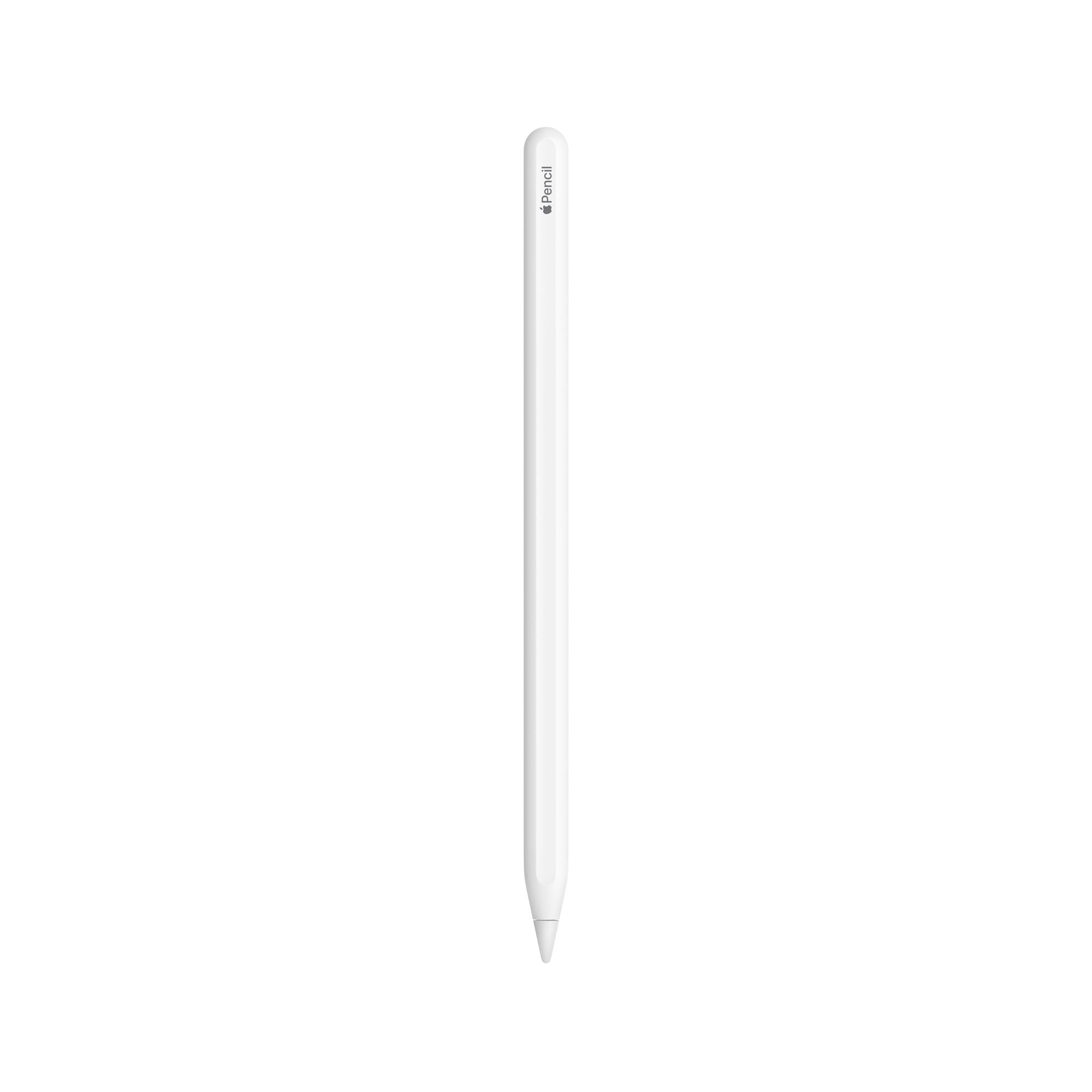
🎉 Elevate your iPad experience with the Apple Pencil 2nd Gen – where creativity meets technology!
The Apple Pencil (2nd Generation) is a cutting-edge stylus designed for iPad Pro, iPad Air, and iPad mini models, offering pixel-perfect precision, tilt and pressure sensitivity, and a magnetic attachment for easy charging and pairing. Weighing only 21g, it transforms your iPad into a versatile canvas for drawing, sketching, and note-taking.

| Brand | Apple |
| Product Dimensions | 21.2 x 5.6 x 2.5 cm; 21 g |
| Batteries | 1 Lithium Ion batteries required. (included) |
| Item model number | MU8F2ZM/A |
| Manufacturer | Apple |
| Series | iPad Accessories AB |
| Colour | White |
| Standing screen display size | 12.9 Inches |
| Computer Memory Type | DIMM |
| Wattage | 3600 |
| Battery description | Lithium |
| Are Batteries Included | Yes |
| Lithium Battery Energy Content | 5 Watt Hours |
| Lithium Battery Packaging | Batteries contained in equipment |
| Lithium Battery Voltage | 3.8 Volts |
| Number Of Lithium Ion Cells | 1 |
| Item Weight | 21 g |
| Guaranteed software updates until | unknown |
A**R
Paired with the right software, you can do a lot with one of these.
Much as I'm loath to admit it, having finally gotten the chance to work with one of these - I can understand why iPad users swear by them. Worth the money....? Probably. If you tot up the cost of a Drawing Monitor , you're looking at around £200.00+ for something you can't really move around with, take anywhere with you or just work away while longing on the sofa where as the Apple Pencil and a compatible iPad - this works on an iPad Pro 9.7-inch straight out the box - and it really does actually live up to the hype when you get a suitably paperlike feeling screen protector. In the interests of full disclosure I had a bit of a problem getting the pencil to work with my iPad and Amazon were good enough to arrange a replacement that same night - a really helpful customer services person was still working away at gone 10 o'clock at night and the replacement process was initiated without any quibble... What I didn't realise was, I actually hadn't bought an iPad Pro 9.7-inch like I thought I had, I'd mistakenly bought an iPad 9.7-imch (5th generation) thinking it was the iPad Pro and so, every time I tried pairing the thing the tablet kept telling me it was incompatible. Which turned out to be the reason. Once I realised the mistake I was able to arrange a return for the iPad and ordered an actual IPad Pro 9.7-ich and - the second I got it out the box - the supposedly faulty Apple Pencil worked perfectly first try. Much chasen over making such an elementary mistake, in the end I kept the original and returned the replacement Apple Pencil Amazon sent unopened, that way it's in a perfectly sellable condition, still sealed in its original packaging, so nobody looses out. The actual pen itself - flawless. As the question of value, you have to descide what it is you intend to use your iPad for: if its just regular stuff, surfing the net, waching videos, arguing with complete strangers on social media - no, though excellent the purchase price is ludicrous for just scrolling around an iPad with. If however you draw, paint or are a student taking lots of notes, though - yes - expensive, with the write sort of matte finish screen protector the Apple Pencil is a formidable tool in any working artists tool box. This 1st Generation model is only compatible with older ipads but, that being said that makes the iPads in question affordable yet still extreamly responsive and good to work on. Like I say, you have to be very clear about what you want to use your iPad for: work or doom-scrolling. If its the latter, its not worth the money but - if its for artwork either learning or profesonal level - yes, its probably well woth the outlay: theseare great to work with and really do feel like a natural extention of your hand like a pen, a pencil or a paintbrush. Paired with the right software, you can do a lot with one of these. Batter life - great, charges in about 15 minutes on your iPads charger, theres ahany adaptor for turning the lightening end of your charger into a socket your Penci l can just plug into or just connect it direct with your iPad. 30 seconds should give you 30 minutes worth of use and charging from the iPad direct takes a similar time and doesn't seem to drain your pads battery too excessively. Drawing ability: superbe, like I say - you'll need a suitable matt-finish/paper feel screen protector (not necessarily that specific brand, I've made do perfectly well with a much cheaper alternative for under £10.00 - with the right amount of "grit" its much, much more like working on real media and shows straight away in your line work. On a native iPad screen the Apple Pencil is good, but on something matte its actual paintbrush.
S**N
One of the best for iPad!
Apple Pencil 2 is a superb device! I just got this item and it paired and charged effortlessly with my iPad mini 6. Build quality is fantastic. You can feel the premium nature of this stylus, from the feel of the plastic, to its weight and balance in the hand. The tip appears robust and is designed such that it has only a little resistant on iPad screen while not making too much of a tap noise while writing. The usability of Apple Pencil is superb in iPad OS. The pencil can be used to navigate iPad screen outside of apps. Inside apps such as notes, and other specific apps that allow pencil input, it works flawlessly. Latency and accuracy are imperceptible and perfect respectively. Functionalities such as double tap on pencil to change selection of pen or eraser is a nice touch. Pressure sensitivity, angle response are as expected. The pencil attaches magnetically to side of iPad for storage and charging and draws minimal charge from iPad. Charging is rapid… within seconds you have a usable stylus from flat. The Apple Pencil requires Bluetooth to be active to remain paired… if switched off the pencil needs to be repaired by enabling Bluetooth and attaching to side of iPad. This is the one big advantage over the cheaper USBC version:.. pairing is so much easier and does not require cable connection. If you can get this on sale sub 100 pound, I’d say it’s worth it over the USBC version. My Apple Pencil came with a charge of 60 percent so it seems this hasn’t been lying around in stock too long. All in all a superb device. I’ll update as I continue using it.
S**E
Feels like a real pencil — seamless with iPad Pro
This isn’t just a stylus — it’s a proper tool. Writing and drawing feel incredibly natural, especially with the iPad Pro’s 120Hz screen. Pressure sensitivity is accurate, palm rejection is flawless, and the double-tap shortcut is surprisingly useful once you get used to it. Magnetic charging and pairing are brilliant — it snaps to the side of the iPad and just works. No cables, no buttons, no hassle. Perfect for note-takers, designers, or anyone who wants their iPad to feel like paper. Pricey, yes, but you see exactly where the money went.
M**N
Well designed
Excellent product which feels like a real pen. The ability to charge by magnetically attaching to the side of the iPad makes the 2nd generation better than the 1st generation. I do lots of essay marking and so this item gets a lot of use - it's a brilliant piece of kit.
K**N
Wonderful pencil for art, notes, and animating!
The pencil itself is fabulous. Great battery life and arrived with an adapter for the USB-C charging cable my iPad came with. The battery lasts several days with near-constant use (I use it to draw for many hours a day, and I still only need to charge it once every few days) and charges very fast. Pressure and tilt sens work great with apps that support it like Procreate, and it makes animating in Dreams so much simpler. I can't wait to try it with sculpting, as I currently sculpt on my PC - but this pencil blows my expensive display tablet out of the water. My only complaint is that the cap seems very easy to lose, so it may be smart to buy a cover for the pen that makes the cap bulkier.
A**A
Way too expensive, but a good product
Like many Apple products, the Apple Pencil is a pretty high quality product but it's also just too damn expensive. You can get similar products from other companies for quite a bit less, however I needed something that would for sure have zero compatibility issues with my 9th gen iPad (since Apple devices tend to be fairly closed platforms). And sure enough, it connects via Bluetooth very easily and works flawlessly. Overall, it's quite easy to use once you get the hang of drawing on a screen instead of paper, sits in the hand fairly well (though it can roll off a surface if placed down), and the battery life is surprisingly long. If you are a digital artist and you don't mind spending some more, then I'd say deffo get this. If you just want it for notes or basic sketches, I'd recommend skipping this and getting something much cheaper. You only really need all the special features of this for drawing, not for note-taking.
G**R
Great pencil
Great replacement for my old one that died. Remember to keep it charged or it will die a death. Great for my sketches on iPad
A**P
Highly recommend
Came perfectly packaged and had all attachments to it. It worked flawlessly and I use it everyday now!
Trustpilot
2 days ago
2 weeks ago



