
DOWNLOAD THE APP


Customer Services
Copyright © 2025 Desertcart Holdings Limited
DOWNLOAD THE APP


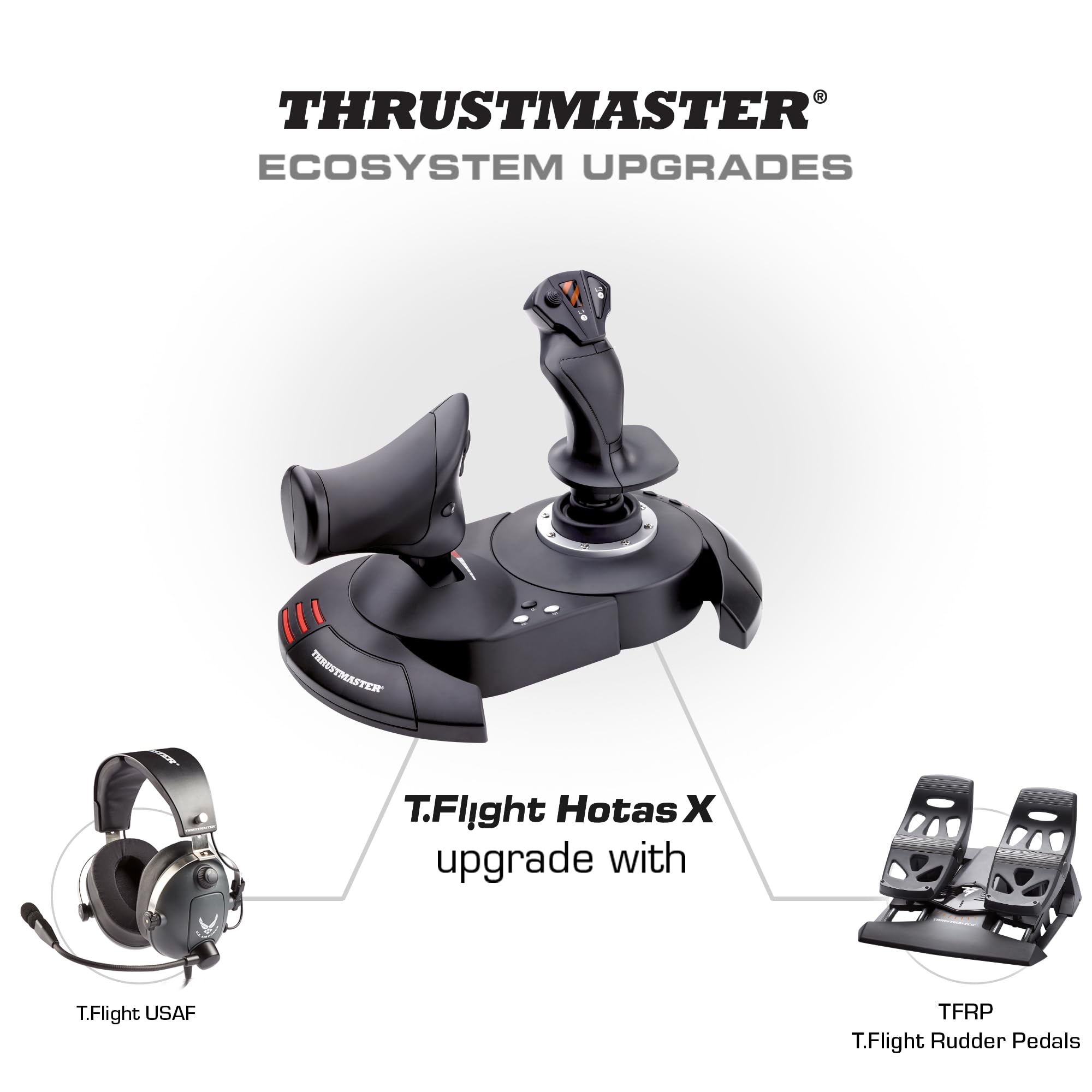
🛩️ Elevate your flight game — precision, comfort, and control in one sleek HOTAS!
The Thrustmaster T.Flight Hotas X is a high-precision, full-size flight simulator joystick featuring 5-axis control, a detachable throttle, and 12 programmable buttons. Designed ergonomically with adjustable resistance and a weighted base for stability, it offers seamless compatibility with PC and PS3. Its exclusive Mapping button allows instant control customization, making it the perfect entry-level HOTAS for immersive and precise flight simulation.


| ASIN | B001CXYMFS |
| Best Sellers Rank | 12,224 in PC & Video Games ( See Top 100 in PC & Video Games ) 41 in PC Joysticks |
| Customer reviews | 4.5 4.5 out of 5 stars (8,196) |
| Is discontinued by manufacturer | No |
| Item model number | 2960703 |
| Language | English, French |
| Product Dimensions | 26.4 x 24.2 x 26.5 cm; 2.16 kg |
| Rated | Unknown |
| Release date | 5 Aug. 2011 |
M**K
Quality Product - Great Price!
Fantastic Product and not only because of it's cheap price. I play Elite:Dangerous mostly and have been doing successfully for over a year with a xbox 360 gamepad. I thought that I wouldn't gain much by getting a joystick for this. I had toyed with the idea but as I was happy and most joysticks are a bit pricey I put it off. Thanks to a link from a fellow gamer I received a link for this item when it was just £20. I am more than satisfied with the purchase. For - The stick, although the PS3 edition, worked perfectly with my PC. I run windows 10 and I literaly plugged the stick in and it worked. Elite:Dangerous even had some basic flight controls pre programmed in but I had to edit a few in the game which can be expected. The build quality of the stick feels solid enough. It has a small alan key in the base that is used if you want to have the 2 sections either attached or seperated, you can fasten it with the inbuilt screws and it won't budge. If you prefer to have the stick and handle seperate that is also an option. I have read somewhere that the cable that connects the 2 isn't long enough but I didn't find that the case. It actually has more cable underneath that just needs pulling out if you want it to go further. The responce time on the stick is instant with no visible lag at all, my gameplay skill has increased a lot with the addition of the stick. I find myself able to make tighter turns and am able to follow enemies in my sight easier. I have no issue staying directly behind other ships now and am out manouvering ships that are supposed to be more agile than mine! There are a large number of buttons on this stick that are fully programable within the game I play so I very rarely have to use the keyboard for anything. Against - The only thing that would improve this stick is an aditional HUD but other than that for the price this is probably the best thing to invest in if you are unsure and want to test using a stick before splashing out larger amounts of money for some of the other sticks!
R**R
An excellent first HOTAS solution at a great price.
I needed a Flight joystick and Throttle for Elite: Dangerous. I wasn't prepared to go for a top class HOTAS at this stage and decided on a lower level. At the price I thought this might be too cheaply made but was not going to lose much if it didn't work out. I was very pleasantly surprised at the quality of the product. Thrustmaster have a very good name and reputation and this HOTAS does not let them down. Build quality is sturdy and the weight is good for stability. Button layout is good and although only12 buttons in all, plus a HAT on the Joystick and a single axis control on the back of the Throttle, there are enough to give a good experience. The only really awkward bit is that the lead between the two parts is not long enough to fit a gaming keyboard in between. However, if you could, the Throttle and Joystick would be too far apart for comfort. I have got around this by using a Logitech G13 Gamepad for additional functionality which I have placed to the left of the Throttle. That allows me to keep hands on with the Joystick at all times in-flight whilst using the G13 for additional in-flight/combat functions. I would recommend this solution to anyone else having problems with trying to use their keyboard with the HOTAS. The G13 certainly fits the bill. All in all I am very pleased with the product and its performance. For anyone wanting to buy a HOTAS for the first time, this provides a very good low cost solution particularly if you already have a gamepad for additional functionality.
M**N
Worth buying for Elite Dangerous fans
LIke a lot of people I bought this exclusively for and because of Elite Dangerous, and despite a few teething problems it is so far pretty worth it (in fairness, I bought this when it was £35, not £55 as it is at time of this review). Setup is exceptionally quick under Windows 8.1 (plug it into a USB 2.0 port, Windows installs the drivers automatically... a few seconds to a minute later and you're good to go) but fine tuning to get the best experience can take a bit longer. There are a few minor issues. Some people, myself included, have found the throttle initially works in reverse - just invert the binding for that. Some people, myself again included, have found one or more axes to be insensitive and/or sluggish - in this case it is well worth calibrating the device by going to Control Panel, Devices & Printers, right click on T-Flight HOTAS and select Game Settings. In the window that opens select Properties > Settings > Calibrate and run through the instructions. You should then find the stick responds more effectively and precisely in game. Another slight issue I've had is the units shifting on the surface - during times of vigorous use such as combat (and a few particularly hairy dockings) I've found the stick unit can shift a little, but this will likely depend on surface and during combat in particular I keep the throttle at a single setting so I can free my left hand to steady the stick unit. I've also found the throttle is a slightly odd, clunky shape but I adapted to it very quickly. Overall I'm very happy with it. In ED I used the various combat training scenarios to test and fine tune the stick and throttle and get used to it, and after maybe two hours I'm comfortable and happy with it - and I've already noted a significant improvement in my combat ability compared to pure keyboard use, particularly my use of yaw (the stick twists to yaw quite easily and comfortably, and the throttle has a rocker switch that is equally easy to use) and how frequently I hit the target. This is a well made, well designed and user friendly way of enhancing your game experience. Given the option I would prefer more buttons and a slightly more ergonomic throttle but all things considered it is a good device for the price.
F**A
Una gran compra de este joystick. Yo lo utilizo para Microsoft Flight Simulator y Xplane 12, ambos en PC, y la verdad es que me ha sorprendido la facilidad de configuración que tiene. El tacto, a la hora de volar, es muy bueno, se puede ajustar la sensibilidad a tu gusto. Otro punto a favor es el poder separar ambos joysticks ya que te facilita el poner en medio el teclado para poder manejar mejor. Recomiendo la compra ya que es uno de lo mas baratos pero muy buena calidad.
M**Y
I love it. Smooth faultless operation, comfortable to handle, strong construction and most importantly works exceptionally well. I use it primarily with Flight Sim X Gold edition on Windows 10. Tip for those having problems using FS X on Windows 10 with registration problems is: To over-come the registration problem run FS X in "Administration" mode and registration confirmation is obtained.
M**N
Çok iyi
M**E
super a utiliser
C**O
Justo lo que quería es de calidad y la marca Thrustmaster siempre cumple sobretodo por el precio
Trustpilot
3 weeks ago
2 days ago