We remain fully operational. Our teams are working around the clock to ensure your deliveries continue safely.

DOWNLOAD THE APP


Customer Services
Copyright © 2025 Desertcart Holdings Limited
DOWNLOAD THE APP


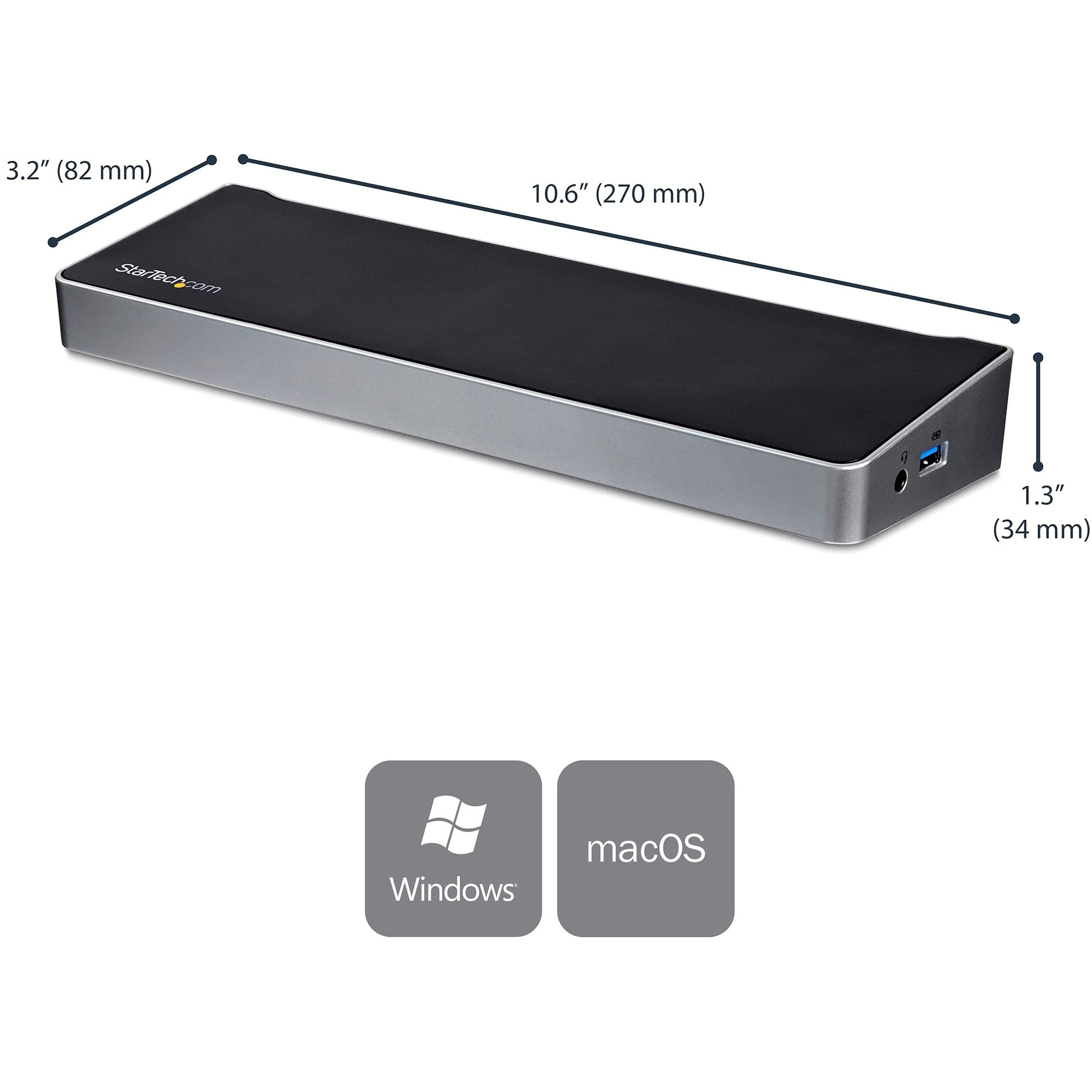
🚀 Triple your screen, not your clutter—power up productivity in style!
The StarTech.com USB-C Triple Monitor Docking Station transforms your laptop into a high-performance workstation with three 4K video outputs, 60W power delivery, and a versatile USB 3.0 hub. Compatible with MacBook Air/Pro M1-M4, Windows, Ubuntu, and ChromeOS, it supports dual or triple displays via DisplayLink technology, making it ideal for creative professionals and multitasking managers. With robust connectivity including Gigabit Ethernet and dedicated audio ports, plus IT-friendly features, this dock delivers seamless productivity and universal compatibility in a sleek, durable design.


























| ASIN | B073X4V5FF |
| Best Sellers Rank | #35,358 in Electronics ( See Top 100 in Electronics ) #494 in Laptop Docking Stations |
| Customer Reviews | 3.9 3.9 out of 5 stars (321) |
| Date First Available | July 15, 2017 |
| Is Discontinued By Manufacturer | No |
| Item Weight | 13.6 ounces |
| Item model number | DK30CH2DPPD |
| Manufacturer | StarTech.com |
| National Stock Number | 0 |
| Product Dimensions | 10.6 x 3.2 x 1.3 inches |
D**K
A fantastic solution to turn your Apple laptop into a desktop solution.
Well made, solid, and most importantly, it works. I have a strange monitor configuration where the three monitors look identical, but look at the inputs and you'll see they're all a slightly different model. This StarTech dock aligned perfectly (two DisplayPort, one HDMI) to the monitors I have. The first thing I noticed when unpacking it, it feels solid and of high quality. I'm using it with a MacBook Air M1, which my first concern was using a single USB-C cable to connect two keyboards (regular keyboard and a numpad), a mouse, USB speakers, USB headset for conference calls, three monitors, and power the laptop .... but it works, and it works well. There's no delay in typing and seeing characters appear on the screen, no audio delays, this dock truly met or exceeded all of my expectations. You will need to install DisplayLink, which gets around the two monitor limitation imposed by Apple by treating the third monitor as a screen share. The good news, you can still mirror your display to another device, you can still mirror your iPhone to the computer, but you cannot have an Apple Watch auto unlock your computer anymore. Again, these are limitations imposed by Apple, so having three monitors working and I have to type my password in ... perfectly fine with me.
T**I
Universal docking station for USB C, USB A and TB3
With the Covid situation going on, I am working from home and I needed a docking station for configuring a dual display set up. I had a startech docking station in office and The office desktop support folks recommended startech for my personal macbooks. I got a loaner from office but it had a TB3 cable and didn’t support my MacBooks. I have a 2017 MacBook with USB C and a 2015 MacBook Pro with USB A. I needed a docking station that could support both. On a whim, I started a chat with the tech support on the startech website. The guy was very knowledgeable and really patient in answering my questions and recommended this docking station instead of buying a bunch of adapters. Although @ $300 this is on the high end and pricy, I decide to give it a try. I configured all peripherals and downloaded the displaylink beta 0.5 version(latest) for OSX 10.15.4. The display works like a charm. Although I am having some problems with the sleep(clamshell) mode of Mac( my laptop locks after a few second after I shut the screen and upon unlocking it, again locks it after a few seconds. The right configuration is done in the energy saver ) I don’t have any complains about the docking station so far. It does support both the 2015 and 2017 MacBooks. Also I have tested it with a windows laptop with TB3 port and it works fine. PS: I will post an update, when I figure out the issue with the laptop locking down. This does seem like a great universal docking station.
A**R
Great so Far (Update: 4/15/2020)
I mainly got this to expand my MBP from just x2 TB3 interfaces to what all this dock offers. Getting a pair of DisplayPort->DVI cables and hoping this product can support that. I don't see why it wouldn't be able to but will follow back up. Haven't used much else on it as I intentionally bought it to expand my screen real estate.. Update - 4/15/2020: This product works well for the most part but am not happy with the latest discovery. For starters, I bought this docking station specifically for the RJ-45 interface - the rest of the options were a plus. Longer story short, I used it just fine to power x2 external displays via DisplayPort and a hard wired internet connection. Today, however, when I tried to use the charging port on the side of the device, my internet connection kept dropping and it was very frustrating. Aside from that, my screens and internet connection have been doing just fine this whole time. This recent discovery isn't a make it or break it thing but am disappointed. Wondering if the 100W variant would have been better but didn't expect this.
M**S
Does not work reliably with Dell XPS 15 9560
This dock does not work reliably with a Dell XPS 15 9560 (i7, 32GB RAM 1TB SSD) with two Dell 4K monitors. There are multiple issues. The latest drivers were downloaded and installed. Audio from the dock is extremely unreliable. Even though the Audio Mixer says the audio is through the dock, nothing happens. Reboots do not help. Video on the 4K monitors is great when it works. Sometimes one monitor will display video, sometime two, once in a while none. A reboot might or might not fix the issue. Then there is the USB keyboard problem. I am using a wired USB keyboard. Randomly it will backspace or delete characters while working in Word. Can't figure this one out. If the keyboard is plugged directly into the XPS 15, there are no issues. Mouse is sluggish. Again, plugged into the laptop directly there are no issues, even through a USB hub. Sent back as defective.
C**E
A solid dock, with some quirks
I purchased this dock alongside a new Razer Blade Stealth a few weeks ago. Thus far it has proved to be reliable and dependable for what I need except for two quirks-- one, setting it up with mismatching displays initially can result in some weird display behaviours, this is minor, and will go away once the system settles once plugged in during subsequent usage. The other, more at times frustrating quirk, is the audio. Using my headphones through the jacks on the back of the dock, I occasionally have to unplug and replug the laptop in typically once, but sometimes more, to get the audio to NOT be choppy/skippy over the headphones. This is a bizarre quirk and I've only been able to see fringe cases with other thunderbolt docks of this happening. Not sure if this is the dock itself, a quirk of the laptop, or a problem with Thunderbolt 3, but while minor, it can be irritating to constantly fix if you frequently dock and undock a laptop.
P**X
Does the Job but would not recommend
Tried it with Macbook Pro 16 Inch. Things to know PROS 1. You can run 3 displays of a single USB cable. 2. Charges your laptop Cons 1. This will not wake ur laptop from shut down state. 2. You need to yank multiple cables multiple times to get it working. Returned this.
ア**カ
耐久性に関しては後日書きます。 自分はMacBook Pro 16インチをつないでクラムシェルモードで使用しています 外部ディスプレイを3枚使うので出力が3つあるのは助かります。 良い点としては ・Macから1本のケーブルで完結するという事 ・Mac用の充電器は必要ありません ドッキングステーションに繋いだAC電源からMacに給電されます。 充電状態はいいえとなっていますが充電されています。 システムにもしっかり100Wと認識されています。 悪い点としては ・オーディオジャックは使い物になりません。 サイトをスクロールするだけでもノイズが出ます。 これは全てのドッキングステーションに共通するかもしれません。 ・TypeCがすぐ使えない。 後ろ側に空きがありますが使いにくいです。 横側にタイプAのものがありますがTypeCの方がよかったです。 ・コンセントが3口タイプ 使用するコンセントが2口タイプであれば3口コンセントから2口コンセントへの変換を買った方が良いです。 ・クラムシェル状態での再起動とシャッドダウンからの起動はできません。 一度本体を開く必要がありますこれは面倒 でもMacはほぼスリーブでシャッドダウンは時たまなので深くは考えません。 アドバイスとしては ・メインディスプレイはHDMIにしてください。 スクリーンセーバー使用の際はHDMI接続したディスプレイのみです ・FireVaultをオフにする シャッドダウン後のログイン時外部ディスプレイを使用できます。 ただし起動時にMac本体を開く必要があります。 Appleマーク表示されたら閉じて大丈夫です Bluetoothキーボードはドッキングステーションに有線接続で大丈夫です。 FireVaultをオンにした状態だとログインの際パスワードを入れないと外部ディスプレイを使用できません
C**T
Works amazing with MacBook. It’s a go to docking station if you want to extend 2 screens on your macbook!! However, for my dell work laptop, connection is not so stable using the thunderbolt 3, I have to restart my laptop whenever I need it to connect. (Might be driver issues on this laptop) Overall super satisfied with this product, beyond my expectations! - have yet to tried all the ports to make sure it’s working! (Only downside is not sure how to activate the 3 years warranty)
S**Y
I purchase the docking station, got help from one the technician to set it up to use with my new Macbook pro and two monitors. The set-up was fast and works well ever since. Startech products are very good.
S**C
I used the StarTech docking station to connect monitors and peripherals to my work laptop. I have connected 3 monitors, webcam, microphone, speakers, keyboard, mouse and an ethernet connection to the laptop via this docking station. It was easy to set up and start using. I have had this docking station for several weeks now and it has worked very well.
J**F
El producto funciona a la perfección!
Trustpilot
1 month ago
2 days ago