Some deliveries may take a little longer than usual due to regional shipping conditions.

DOWNLOAD THE APP


Customer Services
Copyright © 2025 Desertcart Holdings Limited
DOWNLOAD THE APP

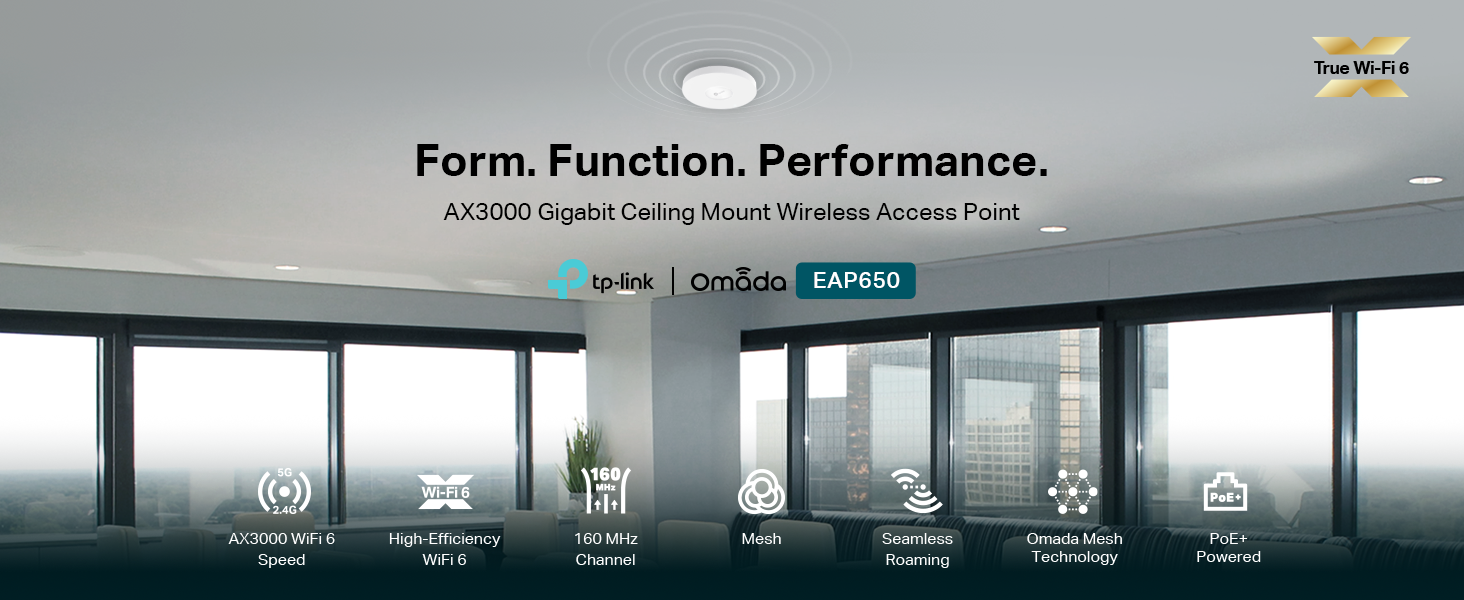
🚀 Elevate your network game with TP-Link EAP650 — where speed meets sleek sophistication!
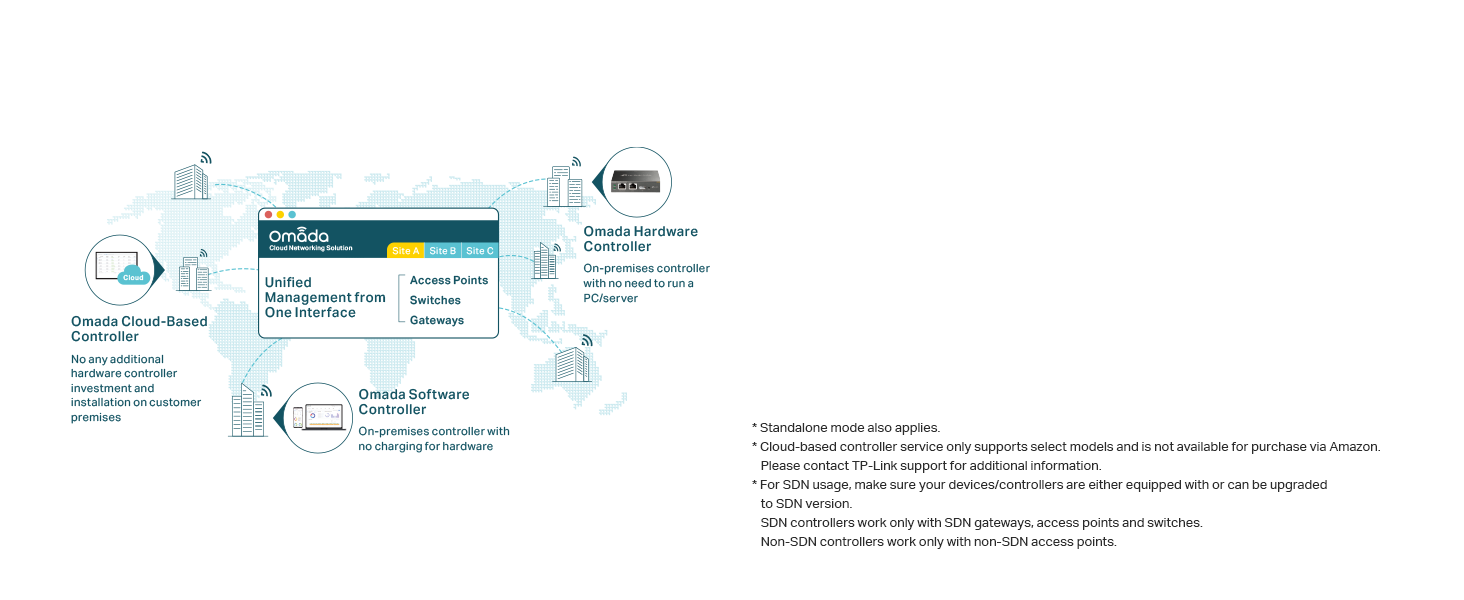
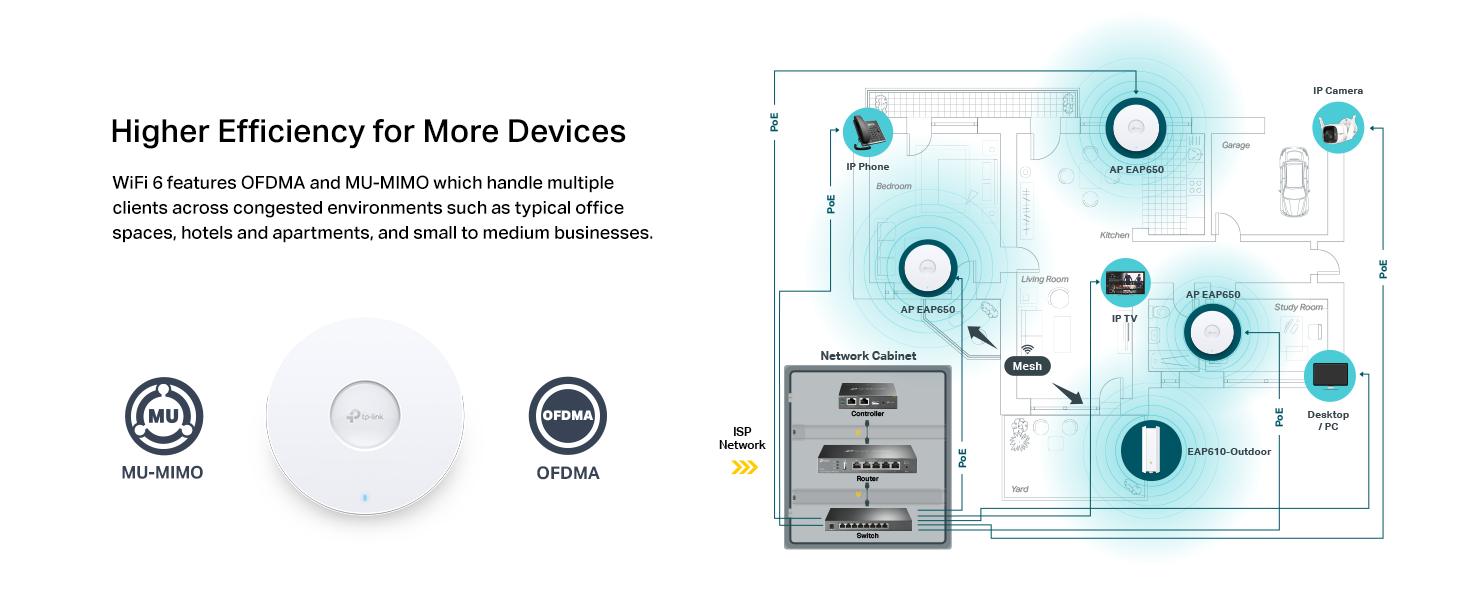
The TP-Link EAP650 is a top-tier WiFi 6 AX3000 wireless access point designed for professional and home environments. It delivers blazing dual-band speeds up to 2976 Mbps, supports seamless mesh networking and roaming, and offers flexible power options including PoE. Managed effortlessly via the free Omada cloud platform, it combines ultra-slim aesthetics with advanced security features like WPA3 and MU-MIMO, all backed by a 5-year warranty for reliable, future-proof connectivity.




| ASIN | B0B12R9CYH |
| Best Sellers Rank | #1 in Computer Networking Wireless Access Points |
| Brand | TP-Link |
| Color | PVC |
| Customer Reviews | 4.6 4.6 out of 5 stars (558) |
| Date First Available | May 18, 2022 |
| Item Dimensions LxWxH | 6.3 x 6.3 x 1.32 inches |
| Item Weight | 13.7 ounces |
| Item model number | EAP650 |
| Manufacturer | TP-Link |
| National Stock Number | 0 |
| Operating System | Linux, Microsoft Windows XP, Vista, Windows 7, Windows 8, Windows10, Windows 11 |
| Product Dimensions | 6.3 x 6.3 x 1.32 inches |
| Series | EAP650 |
| Voltage | 12 Volts |
| Wireless Type | 802.11ax |
C**N
EZ setup, works with xfinity, guest network works with desired protection, speed, range.
I just wanted a simple guest network for my kiddo and guests to use with my leased Xfinity Innomedia MTA6328 box and couldn't find any coherent advice whether this would be possible or compatible nor any advice what to buy. After struggling 6 hours unsuccessfully then returning a new WAS210 then unsuccessfully trying an old EX7000 I bought and tried this TP-link EAS650. It took literally 20 minutes to configure and install without experiencing a single obnoxious timeout! A single 650 in a corner of the house next to the modem now covers the entire 1300sqft 3br 3ba 2 story townhouse with a separate guest network to replace the beyond awful unreliable marketing "hotspot" built into my leased Xfinity/Comcast box. https://tp-linkeap.net did not connect to the config page for configuration, so I had to use the Xfinity app on my phone to find the DHCP assigned IP address to use to setup the 650. I ignored the Quick Setup pamphlet which was useless and did not even mention Guest mode, and the QR videos which I couldn't access, I used "standalone mode" to configure the 650 without using any controller and without any Omada App and without bridge mode. I have the Network ID and pw set the same for both frequencies and guest mode is turned on for both frequencies. Devices on the 650 see the internet but cannot seem to see each other nor see any resources connected to the Xfinity box upstream of the 650 which is exactly what I want on for security on the guest nw. The Xfinity box speed is 1.3Gb download/100Mbps up. My cellphone on the 650 from the opposite corner of the house gets 350Mbps download / 40up even when my son is gaming. I should now be able to watch streaming movies in a lounge chair at the pool downstairs while sipping Margaritas!!! :P Thank you for a fabulous product and a wonderful configuration experience TP-Link I wish I could give you more than 5 stars!!! Thank you thank you thank you!!!
R**W
Reliable AP. Reasonably Priced. Good Performance.
For my home, I prefer a traditional access point connected via Ethernet to a stand-alone wired router rather than an integrated consumer appliance. After 5 years with WiFi-5, it was time to upgrade to WiFi-6. The EAP650 supports that newer standard, providing an improvement in overall performance. In use, it has been completely reliable, with no slowdowns or lagging. Provides a strong signal throughout the house. Supports VLANs, and multiple SSIDs on each frequency band. Easy to configure using a web browser. Firmware can be updated through the UI without needing to download the file to a PC first. Very nice.
A**E
great product
5 stars for me on everything. 1.Very easy setup 2.remote ssh management 3.Base off a linux kernel 4.fast and stable so far 5.low profile with mounting hardware ass. inbox 6.both internal and boardband speeds are there as listed. 7.impressed
T**M
A Homeowner’s Perspective
I added this access point (EAP650) to my home network to provide better Wi-Fi coverage throughout my one story home. The physical installation wasn’t too complicated. I already had a POE+ ethernet switch in my wiring closet, so I simply needed to run an ethernet cable through my attic from the wiring closet to the point on the ceiling at which I intended to mount the access point. I used a circular ceiling box for the mounting. I did find that none of the mounting holes in the supplied mounting plate actually lined up with the holes in the ceiling box, but I was able to make it work. It was simply slightly off-center. Still, the ceiling box is not visible, as another customer had complained. (See photo.) The network installation took a little bit of doing, especially for an average homeowner who is not a network expert. I wish I could say that it was as simple as plugging it in and everything was good to go, but it does take just a little bit more work than that. I assigned the access point the same SSID and password as my router (using the Omada app), and I assigned it a fixed IP address at the router. One frustration I encountered is that I had copied and pasted over my network password, which resulted in the addition of a space at the end of the password. So none of my devices would connect initially. Once I figured that out and removed the space, everything was fine. I had to restart my router and the access point a couple of times throughout the process, but once everything was set the network was running smoothly. Now, a majority of smart devices in my house are connected through the access point, as reported by the Omada app.
K**R
Quality AP, Old Version
The AP works well and has all the specifications as described. My big complaint is that the hardware v1 model was shipped while Omada is currently selling the v2.6. I'm a little disappointed that it wasn't clear which model revision was being sold.
C**S
Better than expected!
Works better than I expected. Connected to AT&T fiber and almost doubled the speeds in our extended family room. Super quick install super quick mount and works effortlessly. May get another one for our basement.
D**L
I love my wireless access points
I had been planning on upgrading my home Wi-Fi, I have two access points in the house and one in the shed in the back. I'm using a power over Ethernet multi gig switch and the omada controller, being able to control the Wi-Fi from anywhere is fantastic, we never lose signal and have excellent coverage using the roaming feature of the device. We have a ton of connected devices and gigabit data, most devices can pull 600-700 Mbps with very low ping so the speed is solid. Their app is great and full of features. I had some issues with being connected to the wrong access point in the beginning and very unstable connections, but I reached out to customer service and I love that they were able to remote into my cloud controller and fix what I screwed up, now the stability is perfect. I recommend this brand without question
B**A
Great product.
Works great. Easy to setup.
M**D
من افضل الاكسس بوينت اللي شفتها ، يدعم تقنية المش والتنقل السلس ، تقدر تشبكة عن طريق محول الطاقة او عن طريق كيبل الاثيرنت اذا عندك السويتش يدعم POE ، راح تستغني عن محول الطاقة . وحجمة صغير وجميل على السقف افضل من الاصدارات السابقة
J**D
J'avais un Apple Extreme qui fonctionnait bien mais je savais que ses jours étaient comptés (2013). Et sa vitesse n'était plus idéale comparativement aux capacités de mes appareils. Mon réseau est dans l'écosystème Apple avec plus d'une trentaine d'appareils HomeKit (dont plusieurs via Homebridge) et deux Airport Express pour diffuser de la musique. J'ai déjà un routeur filaire qui fonctionne très bien, je ne voulais pas refaire toutes mes configurations. Et je trouvais un peu bête de payer pour un routeur wifi complet quand je pouvais simplement avoir un point d'accès. Je dois dire que j'ai essayé des systèmes mesh Deco et Lynksys et les résultats étaient nettement inférieurs à mes attentes. J'ai d'abord connecté la EAP650 à mon ordi via la connexion filaire. J'ai mis à jour son firmware et configuré son IP pour qu'il s'intègre comme il faut à mon réseau. L'interface web est bien faite et conviviale et elle est largement suffisante pour une utilisation domestique. VLAN, filtrage d'adresses, etc. J'ai installé une nouvelle prise de courant et une prise réseau au dessus d'une armoire (En attendant un routeur POE). Une fois installé et testé, placé au centre de ma maison, transmettait jusqu'à une trentaine de pieds à l'extérieur. J'ai même pu baisser la puissance de sortie un peu et conserver la distance de transmission que je souhaitais. Et du même coup prolonger la vie du routeur en faisant travailler ses amplis de transmission un peu moins fort. Il est entièrement compatible avec l'ensemble de l'écosystème Apple; HomeKit, Homebridge, Zigbee, Matter et Airport XPress. Sans aucun soucis avec vitesse et connexions parfaitement stables. Seul bémol; Pour une installation au mur, pour que le nom de la marque s'affiche à l'endroit, les fils doivent sortir par le haut. C'est, en ce qui me concerne, le seul défaut de conception ou d'ingénierie de cet appareil.
V**V
Upgraded from Deco M5 due to high ping times at random intervals and spotty wireless quality and teams/zoom were unstable. After upgrading i can max out 5G at 160MHz with 2400Mbps. 2.4G max speed is 600Mbps. When I'm far away it uses 80MHz 1200Mbps link speed and massively reduced connection drops and all issues. Completely standalone and no cloud stuff.
H**.
سهل الاعداد، شكله أنيق للمكان، قوي الاشارة، سريع الاستجابة
R**5
Quite easy to set up (changing DNS and passwords). Works great.
Trustpilot
1 month ago
2 days ago