We remain fully operational. Our teams are working around the clock to ensure your deliveries continue safely.

DOWNLOAD THE APP


Customer Services
Copyright © 2025 Desertcart Holdings Limited
DOWNLOAD THE APP
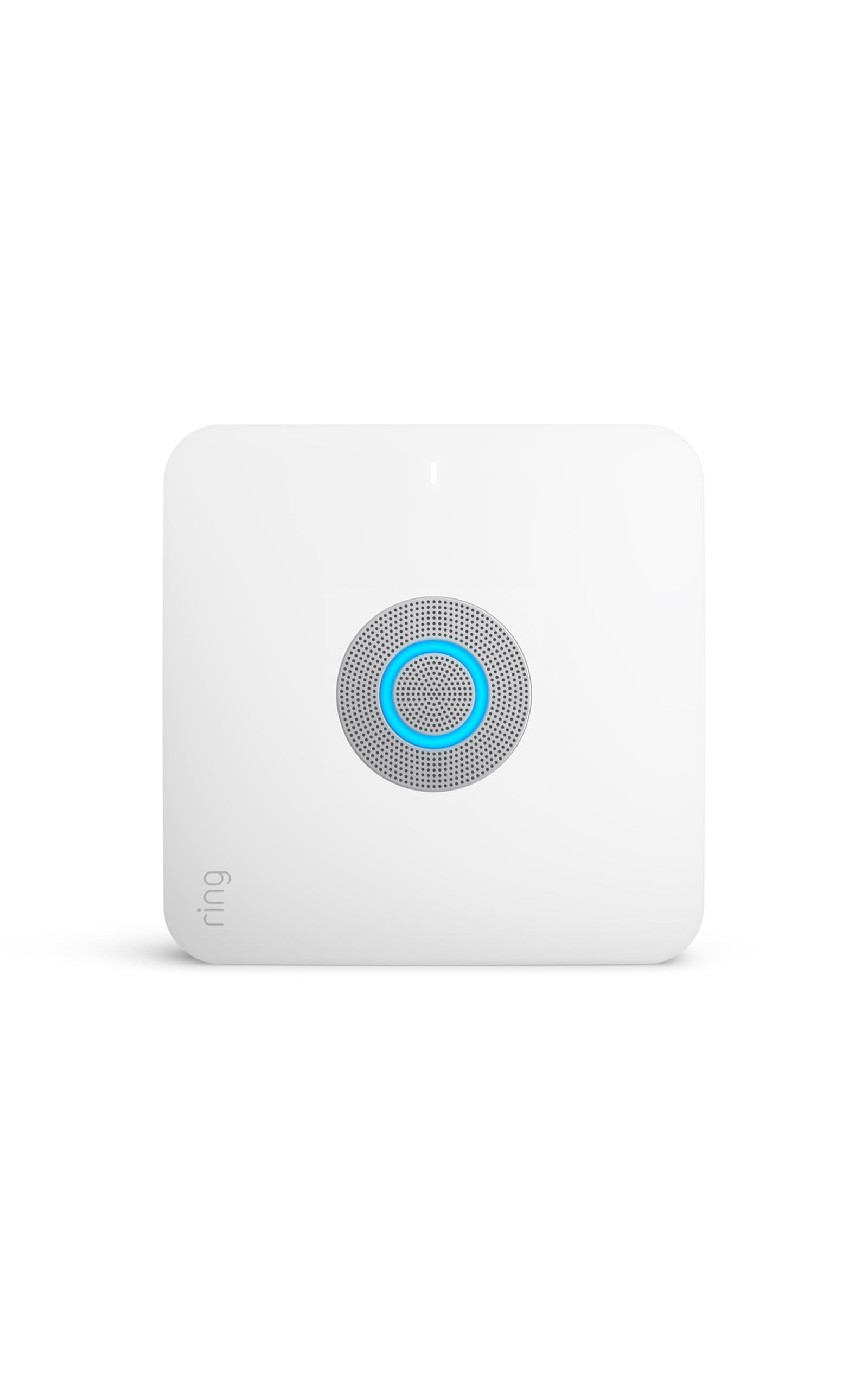
🔐 Elevate your home security with smart speed and seamless control — don’t get left offline!
The Ring Alarm Pro Base Station combines a professional-grade security system with a built-in eero Wi-Fi 6 router delivering up to 900 Mbps speeds and 1,500 sq.ft. coverage. It offers 24-hour battery backup, customizable device integration, and remote control via the Ring app. Designed as a primary router replacement, it supports cellular backup and professional monitoring (subscription required), making it a comprehensive smart home security and connectivity solution.
| Router | Built-in eero Wi-Fi 6 router. Wifi speeds up to 900 mbps, and coverage of up to 1,500 sq. ft. Add additional eero 6 Extenders for more coverage. |
| Power | 100-240V 50/60Hz AC Adapter included |
| Battery life | Rechargeable 24-hour battery backup⁵ |
| Operating conditions | Indoor use, 32°F to 104°F (0°C to 40°C) |
| Dimensions | 6.65 in x 6.65 in x 1.46 in (168.9 mm x 168.9 mm x 37.0 mm) |
| Installation | Place on any flat surface, such as table tops Ring Alarm Pro is designed to be used as your primary router and must be directly connected to your modem, replacing your existing network. |
| Connectivity | Ethernet, wifi, Z-Wave, Bluetooth for setup (plus Cellular Backup with Ring Protect subscription). Works with Ring certified (WWR) with Kwikset Smart Code Touchpad, Schlage Connect Smart Deadbolt, Yale Real Living Assure, Dome Siren, and First Alert. |
| Warranty and service | Ring Alarm Pro includes 1-year limited warranty and service. Use of Ring Alarm Pro is subject to terms and conditions. |
| Support | Click here to view more information on the Ring Alarm Pro support page. For monitoring licenses, visit ring.com/licenses. |
| Software security updates | Learn more about software security updates. If you already own a Ring device, visit Software Security Updates in Ring Control Center for information specific to your device. |
| Generation | Ring Alarm Pro Base Station - 1st Gen - 2021 release |
| Disclaimers | 1Professional Monitoring is an add-on plan that first requires a compatible Ring Home subscription. Both sold separately. Service available within the U.S. (all 50 states, but not U.S. territories) and in Canada (excluding Quebec). Ring does not own its monitoring center. Smoke and carbon monoxide monitoring is not available for business or commercially zoned addresses. See Ring Alarm licenses at: ring.com/licenses. Additional fees may be required for permits, false alarms, or Alarm Verified Guard Response, depending on your local jurisdiction. 2Built-in eero mesh wifi router provides up to 1500 sq. ft. of coverage. Use as an extender requires an existing eero network; adding eero extenders expands coverage in larger homes. Internet connection speeds depend on your internet service provider. Maximum wireless signal rates are derived from IEEE standard 802.11 specification. Specifications assume wired ethernet connection, experienced speeds may vary based on network configuration. Coverage estimates are based on normal use conditions. Actual range and performance can vary, including due to factors such as interference, connected devices, device usage, building materials and obstructions. Specifications are based on use of a Wi-Fi 6 or later generation client device. Use of eero products and services, including the eero wifi router, requires creation of an eero account and agreement to eero’s Terms of Service, found at eero.com/legal. You can review eero’s Privacy Notice at eero.com/legal/privacy. 3A compatible Ring subscription required, (sold separately). Alarm Cellular Backup uses a third-party carrier. 4Free trial is not applicable for locations with an existing subscription. Your free trial begins as soon as you activate your Ring product. 5Your Ring videos in the cloud are stored temporarily, up to 180 days. Changing your video storage time will only affect videos that are recorded after you adjust your storage time setting. Check Ring Subscription Plans for more information. |
J**N
Updated: Needs work, but now working optimally
I am updating my review. Originally I gave this a bad review as you can see below, but have since been able to resolve my issues. Here are my updated comments. 1. The modem my provider, provided is presently incompatible. Spectrum gave me a Hitron which seems to be causing problems for many. Spectrum can't control which modem they send out, so I purchased a Netgear Nighthawk AC1000 and that fixed all my issues. 2. As far as the Ring migration, if not for the modem compatibility issues I would not had to engage Eero support and their tech would not have walked me through factory wipe. 3. I will say that Eero needs more training on this. I went to Best buy to buy a mesh extender and ran into an Eero employee, and they did not know the Ring Alarm Pro even existed, much like the tech. Ring and Eero need to get their people trained in this. Now, I am having a great experience with the Ring Alarm Pro, the wifi, and all the benefits that come with this solution, which is why I am giving it 5 stars. Get past the lack of training and the modem compatability, all which will be resolved in time, and this was totally worth it! I'm satisfied! ------------Old review below------------- I bought through best buy because I had the rewards. Took 7 hours to start from scratch after Eero support wiped out migration from previous ring alarm. Eero has no training or support on this device. Went back to best buy and ran I to eero rep on site, and they had no idea this existed. I have it up and running now, but if my modem or device restarts, it doesn't switch back from cellular unless you disconnect modem from ring, reboot both, with 5 minutes, and then reconnect the Cat5. Ring and Eero support are useless because not one side is an expert on this solution. I can't get help, and are stuck hoping a patch will come out to fix the carrier switch back from cellular. Did I mention that I am a Senior Network Engineer, so I have tackled this from an experienced level. The reason I thought of the disconnect and reboot devices, was because I experixne with a Cisco and SonicWall device having similar conflict in the past. This is not ready for mainstream.
J**1
Updated Update: I wish I had never “upgraded” to the Pro
See latest update at the bottom. I had a Ring Alarm System. I had an Eero 6 Pro Wi-Fi system. Putting the two together seemed like a dream come true. But not so much. First of all, while you can admittedly find this in the documentation, they do not make it very obvious that this is NOT an Eero Pro device. It’s more comparable to the 2 channel Eero WiFi 6 gateway/router. Secondly, l previously paid $100/year for Ring monitoring and $30/year for Eero Secure +. However, when you install the Ring Alarm Pro, they automatically discontinue your Eero Secure + and make you sign up for a more expensive monitoring plan that costs $20/mo or $240/year. Wait what? That’s right, I now pay $90 more a year for essentially the same service. This would have been nice to know before they just automatically did it. Oh, but there’s more. It took me about a week to notice that I couldn’t access Live mode for any of my cameras. I also noticed that it wasn’t recording events. It turns out that, although this was nowhere in the installation instructions so let me save you the call to tech support, I have to place all of my cameras in setup mode and reconnect them to the internet. Are you kidding me? Nope. You can’t make this stuff up. So yeah, I had to pull out the ladder, go to each device, place it in setup mode and reconnect to the internet. What a hassle! Finally, the Ring Alarm Pro gives you the nifty capability to store your videos locally. Wow, great right? Not so fast there pardnur. You have to buy that there upgraded monitoring packing and have just the right kind of SD card. Not that they tell you that up front. So you may ask, “Why do you need to upgrade your monitoring package to store video locally? Good question. Well, I suspect that they are still maintaining a cloud copy of all of your videos. So much for privacy. So hey, if you are the kind of person who loves to pay a premium to beta test pre-release hardware then you should totally get this. For everyone else… wait. Wait until they work out the installation bugs. Wait until the pricing plan makes something akin to basic intelligence. And maybe wait until the Ring Alarm Pro is also an Eero Pro. Ta ta. Update: So it has been a few months since I “upgraded” to the Ring Alarm Pro and I’m just going to come out and say it. It still sucks. I routinely have to drop off my Wi-Fi and connect to 5G on my mobile devices to read an article or launch a game. Ring had a rep contact me and there really isn’t much the rep can do when the product is just bad. They did offer to refund my purchase, but they didn’t create a process to walk back to your original setup so I would have had to start from scratch to reinstall all of my Ring hardware. I opted to keep it despite of how bad it was with the hope that they would fix the connectivity issues, but like I said the connectivity is still hit or miss. About a year later and it still provides a crappy inconsistent connection. Just today (Nov 22)it struggled to connect to Prime video.
Trustpilot
5 days ago
1 month ago