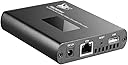
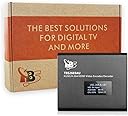
🚀 Elevate your live production game with pro-grade streaming power in a compact powerhouse!
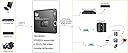
The TBS2603au is a cutting-edge HDMI video/audio encoder and decoder supporting NDI|HX2 and multiple streaming protocols. It delivers full HD 1080p60 video with efficient H.265/H.264 encoding, versatile USB recording in multiple formats, and flexible audio input options. Designed for professional streamers, broadcasters, and content creators, it offers intuitive web control, multi-platform streaming, and advanced features like overlay insertion and video rotation—all in a compact, lightweight device.
| ASIN | B089N6LRFN |
| Best Sellers Rank | #580,394 in Industrial & Scientific ( See Top 100 in Industrial & Scientific ) #204 in Switch Encoders |
| Customer Reviews | 4.2 4.2 out of 5 stars (9) |
| Date First Available | March 16, 2016 |
| Is Discontinued By Manufacturer | No |
| Item Weight | 1.43 pounds |
| Item model number | TBS2603au |
| Manufacturer | TBS Technologies International LTD |
| Package Dimensions | 6.38 x 6.38 x 3.19 inches |
O**.
An excellent product for e-deejays and not only
What a powerful device... this is the equivalent of having an capture card which automatically sync with usb input and hdmi input and a third party audio input source to a single software interface, and can even do picture-in-picture, live keying, titles, and a media queue for intros and product videos. Honestly just incredible what can be done these days... when I started working as a freelancer it took an entire truck to do what this thing does! Now I can use a powerful cameras to livestream events anywhere I can find wifi and ethernet and power. A phenomenal option for social media streamers, twitch streamers looking for a serious production upgrade (have more cameras or input sources ready if you get this!), or broadcast tv crews looking for a simple yet powerful livestreaming option for social media and tv via RTMP restreaming. Just imagine that you can stream to 5 FIVE streaming platforms simultaneously from 2 different video input + 1 different audio source. Works great with almost all streaming platforms. Thank you very much TBS Tech team for fast professional support assistance and thank you very much to UTA Shop for fast delivery and exceptional communication post sales service.
C**K
It's okay.
This is priced annoyingly linear with the product quality, so it's hard value this above or below other competitors. For +$100, you can get a full-NDI magewell. And second-hand could be an even more economical solution. So yeah, just keep it in mind. Some thoughts. I was hoping this encoder's lesser NDI HX1/2 encoding bitrate (50Mb/s max) would be acceptable for A-camera transmission, but it's ultimately not, unfortunately. Probably fine for B-camera. For A-camera-quality video encoding, look to full NDI (+100Mb/s), from something like Magewell/Birddog/Haivision. The image quality from the encoder is ehh. Image quality would change when the thermals raised, so I put a 40mm blower fan on it, and that stabilized it. I stuck with 50Mb/s CBR@1s. VBR was as expected; fine when the image was nearly-static, but then shockingly blocky pixelation upon change. I don't remember what ABR resulted with, but I remember specifically not using it. (sorry) CQP/CRF seemed to add latency and dropped frames right around level 18 when it started looking better, so I avoided it using it. It did look decent though, but with the risk of inconsistent frames. By the way, if you want inexpensive but high-quality NDI encoding and have tons of space and don't mind a little Frankensteining, you might could just use an old computer with a GPU/fast-CPU paired with a HDMI capture device. I did this in a pinch, and it was surprisingly acceptable. HDMI->Capture device->into OBS->out using NDI. With tweaked settings, you can get under 5fps frame-buffer. Magewell capture devices (about $80) are USB UVC and can capture at about 1.5 frame latency. My Elgato capture devices appear in software as NDI devices, and was ok in latency, like 2-4 frame delay. Maybe a computer can bridge the internal NDI device directly to the LAN network at lower latency? idk, maybe test this idea if you're in this boat. I still have this device, so I can answer more questions if needed.
N**N
Not user friendly
Awful control panel with no clear instructions. Have tried using this thing for over a month now and may one day find a way to get it to work. Missed the return window so now I'm stuck with it and will one day to find a use for it. Should have gone with Blackmagic's Streaming Bridge -- and still may after selling this off for half it's value.
P**V
Quality on Encoder is not that great!
I used that encoder for gaming and Image quality wasn’t that great. My settings was 1080 60, 6000 mbps 1 sec. any recommendation from tbs what settings to use for better quality?
Trustpilot
2 days ago
3 days ago