🌡️ Elevate your environment with precision and style!
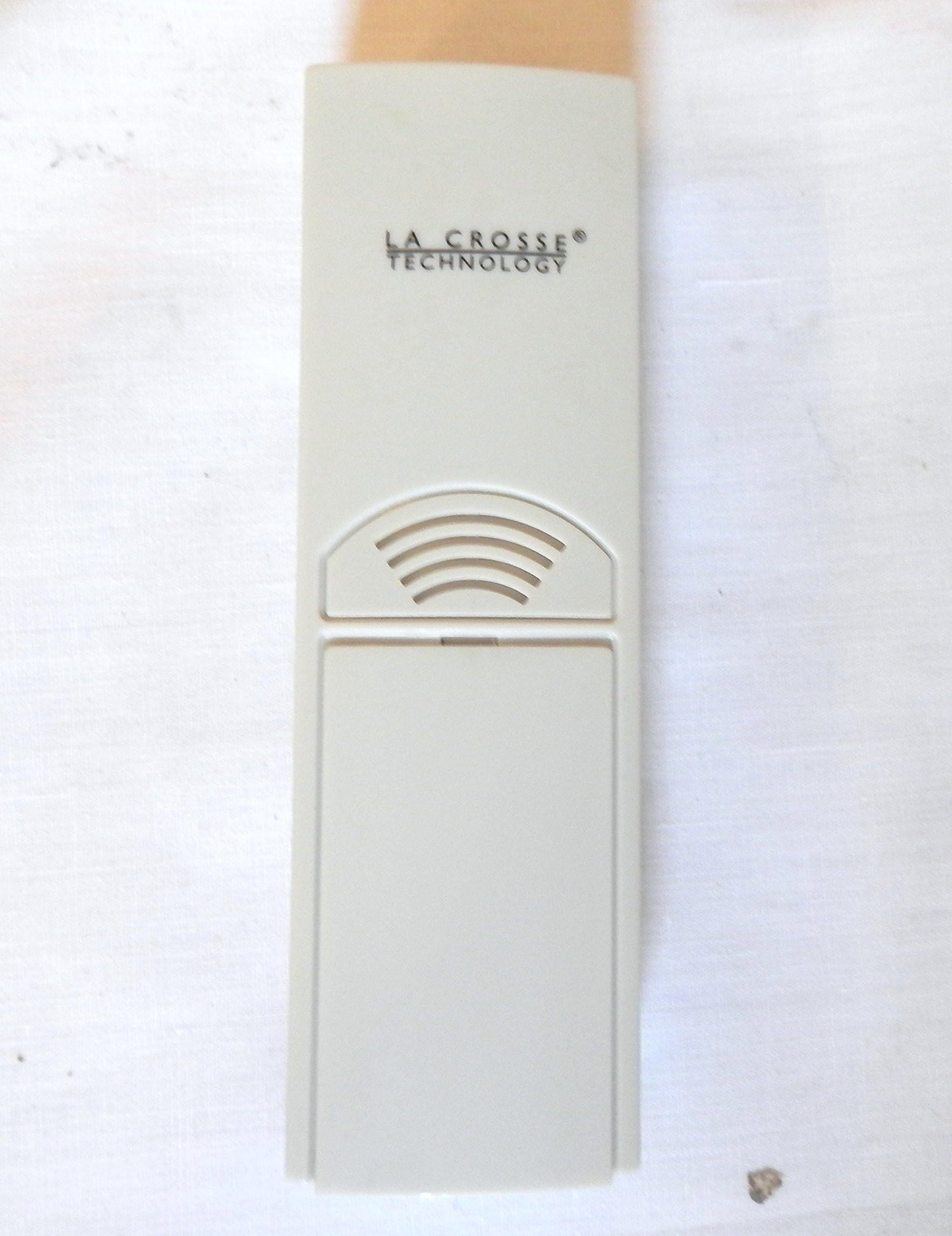
The La Crosse Technology TX6U Wireless Temperature Sensor is a reliable wall-mounting device that transmits temperature data up to 80 feet. Designed with a weather-resistant case, it ensures durability in various conditions. With a compact size of 5-1/2 by 1-1/2 by 1 inch and a one-year warranty, this sensor is compatible with select La Crosse Technology models, making it an essential tool for accurate temperature monitoring.
| Sensor Technology | RF |
| Are batteries included? | No |
| Temperature Accuracy | [Estimated] ±0.5 degrees Celsius |
| Power Source | Battery Powered |
| Additional Features | Temperature Monitor, Weather Resistant |
D**G
Double La Crosse: La Crosse Technology TX6U Wireless Temperature Sensor for 433 MHz units only [ Photos ]
I am sure this has happened to everyone. You buy the electronic thermometer sets and after many years, say10-12 years or so, the outdoor sensor/transmitter eventually dies after someone pressure washes the housewithout telling you. Well, do you buy another set? Nope, you say; replace the outside sensor unit of course.What if you have two very different models from the same manufacturer, La Crosse, purchased at differentyears? I figured the odds of finding one sensor/transmitter unit for both receivers was slim to none. I had asensor unit for each different La Crosse indoor sensor but one died and found that the other sensor workedwith the newer indoor sensor. Cool. Now, let’s see if that will still apply in the 21st Century?The Amazon web site has all the (“a select few”) compatible models listed but I wanted to cross check thatinformation with La Crosse.So, I went to the La Crosse web site. (Thank goodness for the web) Read the specs and model numbers off ofboth my indoor sensor/receiver units with a magnifying glass discovering that they are both 433.92 MHz units;it looked like I only needed one outdoor sensor/transmitter for both. Hmm, this seems TOO easy to me. Doubtstarted to sink into my psyche.Thank goodness La Crosse had the older units listed that were compatible with their current outdoor sensors.I confirmed that the one new sensor would, allegedly, be compatible with both my old temperature units andflashed the card. I figured if it didn’t work for both I would buy another sensor.When the new unit arrived I just followed the same procedure as always in activating the units and Voila! Yes,they all worked together in harmony. I was a little dubious but they worked without a glitch or failure. After 2months the units are still actively harmonious.If this will save you time I will list my two very different La Crosse receiving units (see photos)::: Model WS-7049U – Hour, Minute, Indoor Humidity, Indoor Temp, Outdoor Temp, Visual ....Weather Indicator:: Model WS-7034U - Hour, Minute, Indoor Temp, Outdoor TempI love it when it’s that easy. So, 5 Stars for the single sensor unit working for both units and kudos to La Crossefor the fine support. The 2 Hamiltons were well worth the money.
S**S
Functional Replacement
I wasn't certain when I ordered this sensor, whether it was a match for my discontinued WS-8056U weather clock, whose sensor had failed after years of outdoor service. The store description of the sensor didn't list every station for which it was compatible. And, while the label on my clock indicates that it operates at "433.92 MHz," this sensor is described as appropriate for "433 MHz" units, — I wasn't sure whether the difference was significant. Also, this model is different, in size and proportion, than the sensor that originally came with the clock, and uses two AA batteries rather than the AAA batteries.So I ordered this sensor with fingers crossed (La Crossed?). When I received it, and installed the batteries, nothing happened — the clock was not receiving a signal. So, I logged onto to the La Crosse website, which still offers the manual for the WS-8056U. I was reminded to 1) Have the clock and remote temperature sensor 3 to 5 feet apart; 2) Remove batteries from both units for 10 minutes; 3) Place the batteries first into the remote temperature sensor, THEN into the clock; 4) Not press any buttons for 10 minutes.That did the trick. When all else fails, read the directions! The La Crosse website also shows this sensor as the companion for my clock, so I needn't have worried, if I had just gone there first. Both the clock and the sensor have worked perfectly since.
J**S
Works well but doesn't seem to have the range that the specs state.
I luckily found this on Amazon to replace the original sensor that went with my lacrosse Atomic Clock with indoor/outdoor temp display and weather forecast. The original sensor drowned in Hurricane Katrina, while somehow the clock itself survived in water flooded to the ceiling (go figure.) I got this temp sensor for a great bargain at about $7.00. I didn't even know they sold these separately, as I had searched to no avail in a number of local stores that carried lacrosse items. Rather than spending $50.00 on a whole new clock with sensor, I hit the internet for more research and got lucky.It was easy to get working with my lacrosse clock and very simple to mount. It worked well until someone took it down for some unknown reason, resulting in my dog deciding it would make a tasty chew toy. I found it in the grass after a rain with the case cracked and pieces broken off and batteries missing. Just for kicks I dried it out, put new batteries in it, held it all together with a rubber band and low and behold it worked! However, this was only short-lived, probably because of the cracked and broken case allowing too much exposure to the elements.So on to replacement number 2 which I also purchased on Amazon, but for $14.00 this time, (still better than the retail price.) Easy to install and get working just as before, but this one sometimes gives me the temp and sometimes it doesn't. I'm in a different house than before now, yet the walls aren't as thick on this house and I had the sensor installed only 10 ft. away from where the clock is mounted on the wall inside. There is a window on one side of the clock and a door on the other. When the main door is open and only the outer plexiglass door is closed, it picks up the signal just fine. Ultimately, I had to move the sensor to a post on the porch almost right outside the window, about 5 ft. away from where the clock is mounted inside. It works fine now, the temp is usually pretty accurate (comparing temps with another wired outdoor thermometer in a back room and the temps reported by my GPS.)The only things that bother me about this sensor is the range and the fact that it is an outdoor thermometer - yet it was not built to be waterproof or UV resistant. Lacrosse states that it is weather "resistant" and fog and mist won't hurt it, but to keep out of rain and direct sunlight. (Although the unit before this one DID make it through some severe punishment.)As for the weather resistance, I'm ok with having it mounted underneath the cover of my porch, although this will basically give me the temp in the shade, and not the temp out in the sun. But this is better than nothing and still nice to have.The issue of range varies for different types of walls, windows, locations, etc. But the Lacrosse web page for my model of clock states that the transmission range is up to 330 feet (unobstructed). This is not correct, it is the newest models that operate on a higher frequency that have the 330 ft. range. The Lacrosse web page for this TX6U sensor (which is what came with my clock) states that "the remote sensor has a range of 80 feet. Any walls that the signal will have to pass through will reduce distance. An outdoor wall or window will have 20 to 30 feet of resistance and an interior wall will have 10 to 20 feet of resistance. Your distance plus resistance should not exceed 80 ft. in a straight line." So, with one exterior wall to pass through, let's say that narrows my range to between 50 - 60 feet. Then there should be no problem whatsoever in getting the signal when I had it placed 10 ft. directly outside from where my clock is mounted. Yet in order to get a constant signal and reading, I had to move it right next to the window about 5 ft. away. It could just be this particular unit, it could be interference from some other signal or maybe some type of metal around it interferes. It could be this clock, but the clock was working well with the sensor I had before this one at a distance of about 20 ft. and through one outside wall.Nevertheless, I'm glad to have found this deal and be able to use the outdoor temp function of my clock again. More range and more weather resistance would be nice, but costly as well, so I'm satisfied with this for now. The range may not be an issue at all for other people with different setups in different areas. If you're missing this from your compatible unit, it's worth it. You may have to experiment a little to find the best place to mount it and also the best place to put your clock or whatever type of device you will be using with it.
Trustpilot
1 week ago
1 month ago