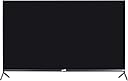
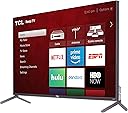
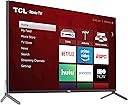
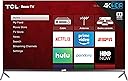
📺 Elevate your binge game with cinematic brilliance and smart ease!
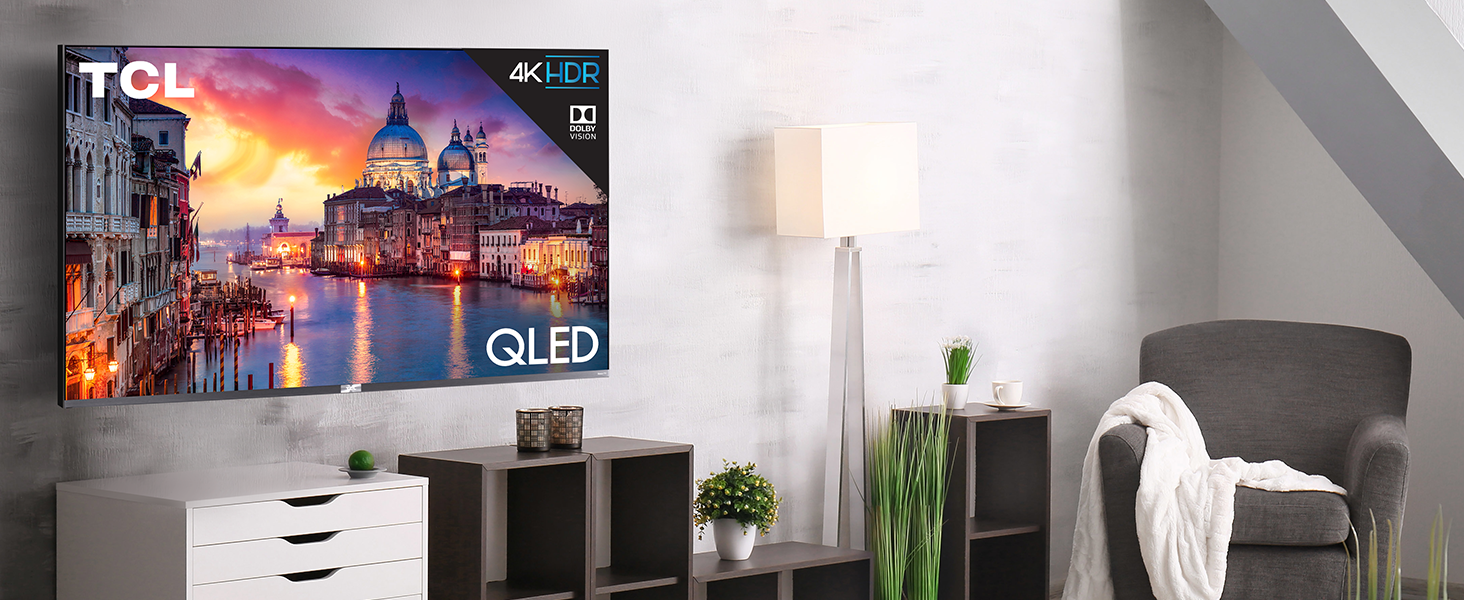
The TCL 65" Class 6-Series 4K UHD QLED TV combines advanced QLED color technology and Dolby Vision HDR for exceptional picture quality. Featuring 120 contrast control zones and the award-winning Roku smart platform, it offers seamless access to over half a million streaming options. Its sleek edge-to-edge glass design and voice control compatibility make it a stylish, future-ready centerpiece for any modern home entertainment setup.


| ASIN | B07V4TC9V8 |
| Aspect Ratio | 16:9 |
| Batteries | 3 AAA batteries required. |
| Brand Name | TCL |
| Color Name | Black |
| Customer Reviews | 4.4 4.4 out of 5 stars (3,049) |
| Date First Available | September 17, 2019 |
| Item Weight | 24584.71 Grams |
| Item model number | 65R625 |
| Number of Component Outputs | Optical |
| Product Dimensions | 65 x 9 x 43 inches |
| Special Features | Flat |
| Standing screen display size | 65 Inches |
P**E
Cord cutters delight!
As an octogenarian I am not especially up on technical electronics so this is going to be about my experiences with this machine. For starters 10-15 Mbps will get you full HD but not 4k so if you are unsure of signal strength at your planned location you might want to measure it before you click on "buy now". TCL says 25 Mbps is needed and this is easily measured with a lap top, smart phone with speed app or a TV with speed test up loaded to a fire stick. You may need to upgrade your WiFi as I did. If you are reading this you are an Amazon customer and likely as not a Prime member so I am going to treat this as such. We are strictly streaming and OTA here. OTA on this machine requires a click on the antenna icon in the main menu and another on "search channels". The TV quickly finds and organizes stations in a menu showing what is playing and what is up coming. The voice remote can be used to skip around in the menu. Channel changing brings a brief display of info and a signal strength icon. If it is high and the broadcast is HD the picture will be as good or better than you have ever seen OTA. A press of the asterisk button on the remote allows adjustment of video and audio parameters to your taste. You have now cleared the hurtle of local channel programming for the price of an antenna. If you have a Roku account get out the info for it. If not your are going to have to create one. Amazon Primers will find Amazon video and music apps in the Roku main menu which work seamlessly with the Roku remote. Don't throw away your fire stick as you will need it to access what is not included in these two apps. Roku does not have a browser so if you want to surf the internet you will have to use Firefox or Silk with your fire stick. If you want to stream 4k you are going to have to pay for it. Some is available from Amazon, mostly recent Prime Originals. Your Netflix account will need upgrading to top tier. Roku has 4k platforms organized for you to chose from. There are many options. I added a TCL Alto 7.0 sound bar and the audio is greatly improved over the TV speakers. The Alto works seamlessly with the Roku remote. We subscribed to YouTube TV before I bought the 4k Roku but with its OTA system we could go to cheaper options which don't provide local stations. This by far and away the best TV I have ever owned and I have payed nearly three times as much for some. Picture quality, ease of use and options are all excellent. Value for price is very high for this machine.
T**I
Awesome ONLY AFTER the SETTINGS ARE FIXED! Super bright, excellent image quality + Roku built-in!
Pros: - Excellent brightness. This TV at top brightness will actually hurt your eyes in a dark room. So if you have a very bright room, this TV set at a high brightness will be great. - HDR content looks incredible! But you'll probably need to upgrade your Netflix account to the 4K Ultra level to take advantage of it. It's worth it for supported content! - Local dimming works very well. Keep it at medium level for most content, especially HDR. - Off-angle viewing is not bad at all. Unless you're going to be sitting pretty decently off to the side, the picture isn't going to be too distorted. But this absolutely NOT for people who have seating on the edges of the screen. The picture looks absolutely best when viewed within 15-20 degrees off center. Cons:* - Default motion settings are set 100% WRONG and give EVERYTHING that awful soap-opera effect. It looks AWFUL! Here's how to fix it: 1) Go through each of your devices (Roku allows you to set the video settings for each input individually, which is amazing!) and click the asterisk key on the remote and look for the video settings and Advanced video settings, they are often is separate sections of the menu. 2) Set picture mode to Movie if available 3) Disable "Action Smoothing" 4) Disable LED Motion Clarity - this depends on the person, but my eyes see flickering with these fake high-refresh rate settings. 5) Disable Dynamic Contrast 6) Test enabling "Natural Cinema" which typically does a better job of removing artifacts from judder, but won't be to everyone's liking. I prefer it on when available. 7) Enable Game Mode for any consoles| 8) Set the Backlight to 100, Brightness to 50, Contrast to 100, and Tint to 0 9) Set Local Contrast to Medium (though play with this for HDR content!) 10) There is a separate brightness setting you choose from 6 levels from Darkest to Brightest. Dark is usually my go-to for non-HDR content. *OK, so to be clear, the only real "CON" here is that the out-of-box settings are terrible, even though with the right settings this TV is absolutely awesome. The blacks are extremely dark, the brights in HDR are incredible. This TV performs much higher than it's price tag. And honestly most people will have a hard time discerning much difference between this and a MUCH more expensive OLED panel. Unless you're a cinephile, this TV is going to be absolutely amazing. **Another useful note: If you're using a non-TCL soundbar, you're going to be best off if it supports HDMI Arc, as it will allow you to control the soundbar volume through the Roku remote. If you're using a non-TCL soundbar and optical is the only connection, you'll have to use a separate remote, or a universal remote. Not a big deal, but can be for some.
R**R
A great tv for the money
The set arrived from Electronic Express in excellent condition. It was double boxed and well-packed. Set up was easy and quick. The picture quality was very good, especially with 4K or Dolby Vision source video, with vibrant colors and good brightness. Others have commented on the presence of motion problems but I have found, to my eye at least, these are not severe or distracting. Only occasionally will I see a motion artifact. The up-scaling of lower resolution video was acceptable. I also detected no vertical banding on the panel when displaying an all white picture. A little vignetting was noticed in the corners of the screen but were within an acceptable range. The sound quality was good but not great. A sound bar should help. Also the screen is fairly reflective but only noticeable in darker areas of the screen. If you have a very bright room you might want to consider a TV that is less reflective. Finally, as others have indicated, the Roku operating system is superb and easy to use. In summary, a great picture for a small price. You will have to pay at least double to find another brand of equal size and quality. In summary, a great value.
Trustpilot
4 days ago
1 month ago