Buy anything from 5,000+ international stores. One checkout price. No surprise fees. Join 2M+ shoppers on Desertcart.
Desertcart purchases this item on your behalf and handles shipping, customs, and support to Brazil.
⚡ Power your home network like a pro—fast, stable, and future-proof!
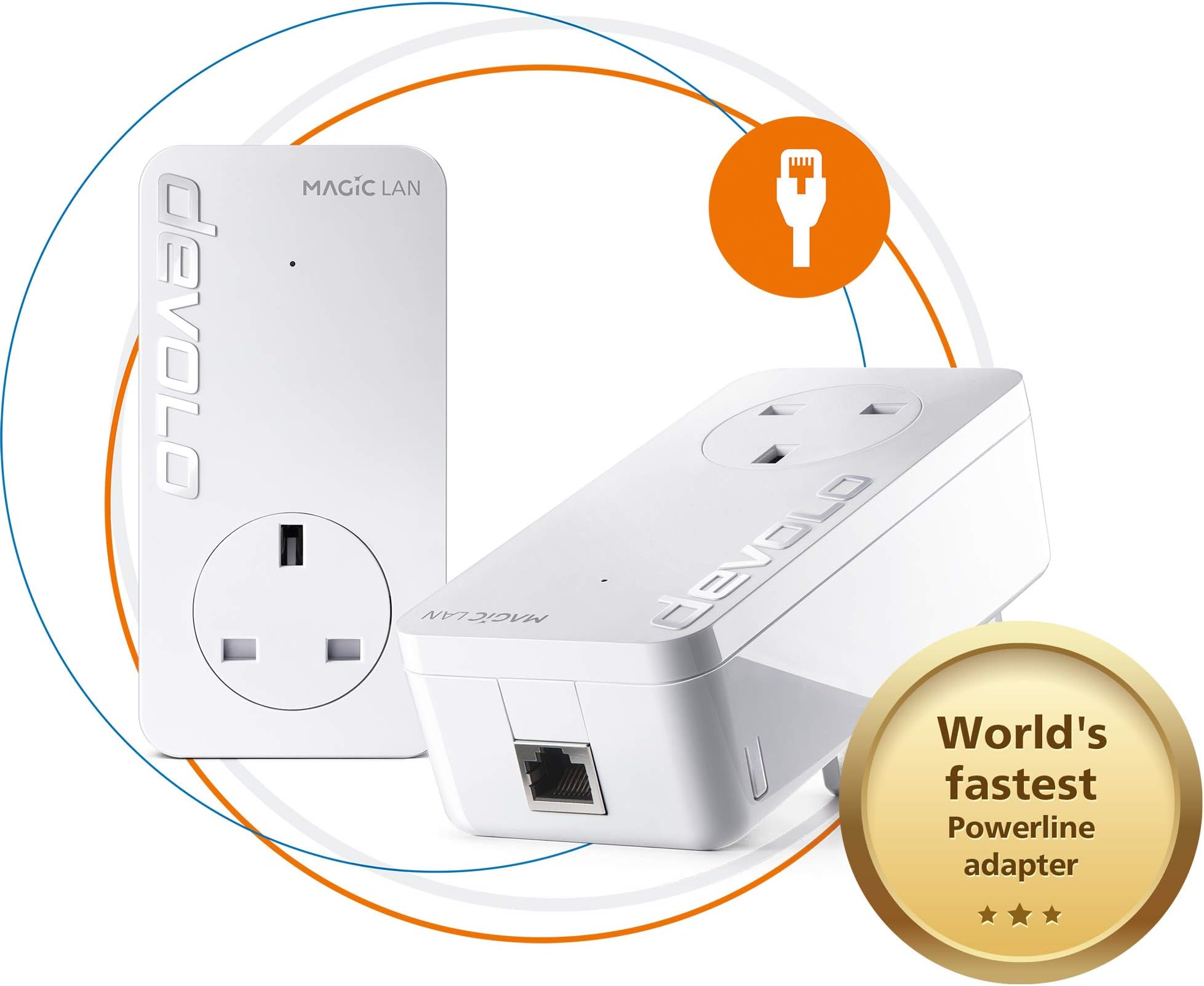
The devolo Magic 2-2400 LAN Powerline Starter Kit delivers ultra-fast internet speeds up to 2400 Mbps using advanced G.hn technology over your existing power lines. Featuring gigabit LAN ports and a simple plug-and-play setup, it’s ideal for 4K/8K streaming, online gaming, and stable remote work connectivity. Compatible with all devolo Magic adapters, this kit future-proofs your home network with reliable, wired-speed internet in every room—no new cables needed.


| ASIN | B07H5VNN3T |
| Best Sellers Rank | 2,069 in Computers & Accessories ( See Top 100 in Computers & Accessories ) 15 in Powerline Network Adapters |
| Box Contents | 2 x Ethernet Cable, 2 x devolo Magic 2 LAN Add-On Adapter, User Guide |
| Brand Name | devolo |
| Color | White |
| Compatible Devices | Desktop |
| Compatible Operating System Family | Linux, Windows |
| Country of Origin | China |
| Customer Reviews | 4.0 4.0 out of 5 stars (1,886) |
| Data Link Protocol | Gigabit Ethernet |
| Data Transfer Rate | 2400 Megabits Per Second |
| Hardware Interface | Ethernet |
| Item Dimensions L x W x H | 42L x 66W x 130H millimetres |
| Item Type Name | devolo Magic 2 LAN Starter Kit |
| Item Weight | 530 g |
| Manufacturer | Devolo |
| Manufacturer Part Number | 8262 |
| Minimum Required Operating System Version | Mac OS 10.15 Catalina, Mac OS 11 Big Sur, Mac OS 12 Monterey, Mac OS 13 Ventura, Mac OS 14 Sonoma, Ubuntu 20.04 Focal Fossa, Ubuntu 22.04 Jammy Jellyfish, Windows 10, Windows 11 |
| Model Number | 8262 |
| Product Warranty | 3 years |
| Unit Count | 1.00 count |
D**F
Superior connectivity over cable and WiFi, but setup not easy
I had been using TP Link devices, to get cable bandwidth over my mains sockets at the other end of my house to where the router is located. However, I started to get low signal strength and disconnecting, which rendered them useless. Having done some research, I decided to take the plunge, and try these powerline devices. Initial setup failed completely, so I decided to follow the manual process for pairing the devices, which worked perfectly. I did notice you must have them not all on the same circuit, especially if there are lots of other mains devices connected, as it will cause a weak signal warning over the cables. I placed the 2 Wi-Fi/LAN devices in the same sockets where my TP-Link devices were, and they both connected to the device at the router end perfectly. To configure the Wi-Fi on them, I strongly recommend you download the app 'Devolo Cockpit' onto your mobile first. It will automatically detect the Wi-Fi and allow you to configure and make changes to SSID and password, so you will not need the key from the back of the devices. It is a brilliant app, and easy to use, but sometimes you need to keep re-connecting until it recognises the devices, so be patient. I get nearly 100MB on Wi-Fi, and full bandwidth of 200MB over the cables. Expensive, but well worth the money, as you are paying for superior performance and signal quality.
M**S
Worked in a challenging situation!
Fibre router in one corner of a wide house, needed wifi in the furthest far corner of the building (above a garage) for a cinema/gaming room. Sky Q mesh couldnt reach it effectively, if at all. Was slightly dubious the devolo system would work (it was having lots of items (6) plugged into a 8way multisocket attached to it's pass-through, on both ends of the system, and the sheer distance), but it did. Not mind-blowing speeds (probably for the reasons just mentioned) but I can now watch 4k video no probs. I didn't set up the seamless wifi system (well not yet anyway) so I found initially my devices still wanted to connect to the router across the house - I assume the mesh system devolo uses would sort this. Im currently operating the devolo wifi plug as a separate wifi network with its own passcode, to keep the cinema/gaming room discrete from the rest of the house network. All-in-all, very pleased. It was easy enough to set up using the app, and a few youtube videos. A bit nervy waiting for things to sync and connect as they give you a countdown timer for things working. Recommended, but with the caveat - certaining home wiring systems might not work with it very well.
J**D
DONT LISTEN TO THE BAD REVIEWS > THEY ARE GREAT BUT.....
Upgraded from develo 1200 and they are literally twice as fast. Setting them up is more of a pain there is no longer a manual add facility using the code off the back of them you have to press the button on one then on the others. If you buy the WIFI ones TURN OFF YOUR MAIN WIFI, it conflicts with the MESH , the 1200's did exactly the same thing and it degrades the WIFI massively. Our conservatory which is a mega long cable run used to get 30MB and now gets 60-80MB which is plugged into our sky box films now download twice as fast. If you DONT use the wifi version anywhere IE are LAN only > the app doesn't work on IOS or Anroid > Only deverlop Cockpit desktop for PC or MAC> its been waiting for a firmware update from develo since September > appears it needs at least 1 wifi point for the management app to function on mobile device> seems they didn't expect anyone to not want there "crappy" wifi > and it is crappy. I initially bought the wifi version but the "mesh" wasn't very good, lots of signal loss , bad handover, no WIFI 6 / AX > so sent them back and bought the LAN version (which is brilliant) and then replaced my router with a Netgear RAX200 WIFI 6 router and hung another RAX200 Netgear WIFI 6 router (set in AP access point mode) off a LAN MAGIC 2 the other end of my house - Net result is rock solid Ethernet Everywhere I need it in the house and mad fast WIFI 6 AX covering the whole house. What I'd like to see for Magic 3 1- is a 1/2.5GB port on the ethernet LAN port and on the triple - as although the LAN triple can do 2400MB's it can only do 1GB per port > with routers / Access points now supporting 2.5GB this would save me having run a cat 7 cable in my house to the secondary Access point - which defeats the object that Magic 2 is supposed to avoid 2 - On the WIFI version Wifi 6 / AX with ideally triple band and 6 or 12 streams and work on the "mesh" handover between wifi points and automation around channels 3 - more speed you can never have enough speed :) 4 - A less flakey cockpit 5.1.3 it crashes lots on windows 10 , 5.1.2 runs fine > no idea why or the difference Summary is LAN MAGIC 2 ones are brilliant , WIFI ones are "OK". You'd probably be better of buying the 1200's if you just want wifi as I couldn't see any difference between magic and 1200's but if you want rock solid LAN performance then Magic 2 is the way to go use your existing wifi and hang a "matching Access point / AP or router in running in AP mode" off the other end and you'll get amazing matched mesh wifi (assuming your router and AP are decent)
A**R
المنتج جيد لكن ترد. المنتج 50Hz لا يتوافق مع تردد مصدر الطاقة في المملكة العربية السعودية 60Hz
F**S
Devolo claims "up to 1000Mbps LAN speed". I've tested multiple combinations of power sockets across rooms, real world speeds I got: - 35 Mbps - 58 Mbps - 98 Mbps - 115 Mbps - 237 Mbps - 289 Mbps Even when connecting both devices at neighbour outlets, the "best" it can give is ~500Mbps. This is at best, false advertisement, at worst, malice. If they were upfront saying "real life speeds between 35-250Mpbs", I'd never have bought it. Glad to have used Amazon, returning it.
J**5
Achtung - Gerät ist aufgrund UK Steckdosenanschluss nur für den Gebrauch in UK geeignet - das geht nicht unmittelbar aus der (deutschen) Beschreibung auf dieser Seite hervor.. Der Irrtum kostet einen dann in der Rücksendung 30 EUR
Trustpilot
5 days ago
1 month ago