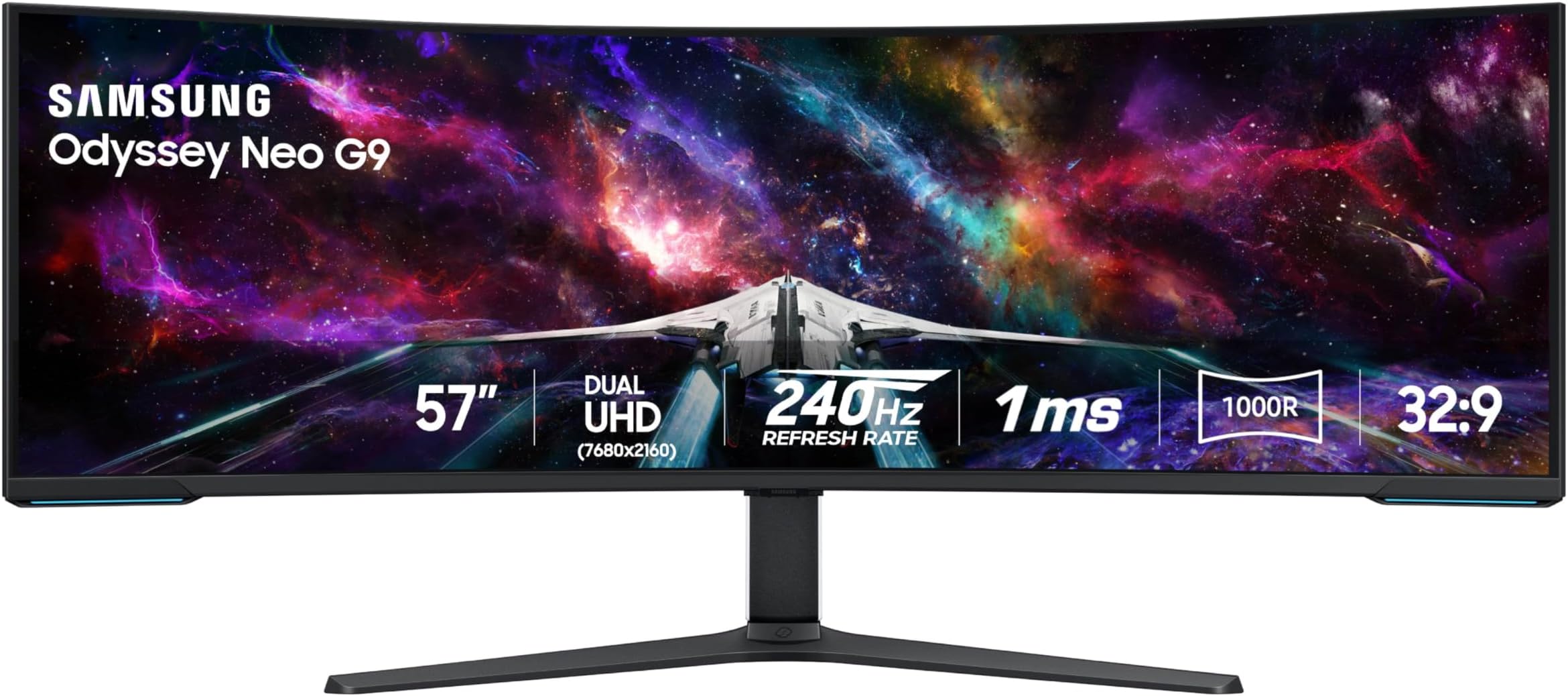
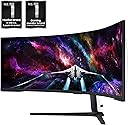
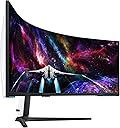
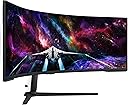
Buy Review: If you are looking for a monitor for productivity/working and gaming, this is unequivocally without hyperbole the best monitor that you can buy, and for a great price. I purchased it recently and have nothing about amazing things to say. The size of this thing is so perfect that once you start using it you'll never want to go back to any other sized monitor. And the resolution and pixel density is absolutely stunning, this thing looks better and more dense than most 27 or 32 inch monitors which is a feat with how big it is. I use mac and although you can only get max 120 HZ, you still can get full native resolution 7680 x 2160 as long as you use DP2.1, which is more than enough for just working which I presume is what most mac users will be doing. The brightness, colors, contrast and HDR on this thing is also amazing everything looks so vibrant and this monitor has an extremely high max brightness. And for work it is SO convenient having literally two 32 inch screens side by side and having this much screen space, you can have so many applications open at once. As long as you have the money to afford this monitor, the desk space to have the monitor on your desk (which is important because the stand takes up a lot of space and this monitor is very heavy so I wouldn't trust it with an arm), and a rig that can run this at full resolution with good FPS/refresh rate, it is an absolute no brainer in my opinion and is one of my favorite purchases that I've ever made. The build quality does feel a bit flimsy I will admit, but honestly it doesn't matter when the monitor works and performs as well as it does. Just make sure out the box that you calibrate the picture settings, enable HDR, set your Display port/HDMI input to 2.1 (by default it is on 1.4), and tweak the settings to your liking. For me I am using original picture mode, 50 brightness, 50 contrast, 10 sharpness, 22 color, local dimming on HIGH (very important setting), contrast enhancer off, active HDR tone mapping, natural color tone, and native color space settings with the rest of settings on default. Make sure to DISABLE any eye care settings for best quality. Review: This monitor is amazing! It replaced my dual screen setup, and while in terms of screen space I have neither gained, nor lost, it does have flexibility to split my screen into 3 or 4, which is very handy. Though I believe it is marketed as a gaming monitor, I use this monitor almost entirely for productivity, and a little bit of media. The curvature is great for me, no eye strain and I do not have to swivel my neck around which is great as I have some neck issues. Text, and I work with text all day long plus some, is very clear. The instructions for assembly were clear, and while I could do most myself, I did need to get someone to help me actually lift it out of box and onto my desk. It is heavy! I have a sit-stand add-on on my desk and this monitor is too heavy for the sit-stand to "lift" (maybe I can adjust with settings though I suspect I exceed the weight limit). A sit-stand desk may be better in that case. Also be prepared to have a lot of room to set up and breakdown materials, as this is a big monitor in a big box with a lot of protective wrapping. I am so pleased I went with this size. It was expensive ($2,199 at time I purchased, though $1,998 at the time I am writing this review) however I have zero regrets. It was well worth it as it has really boosted my productivity, and even made my day job more pleasurable. I'd recommend this even for the non-gamers amongst us who are more interested in productivity uses. If you work in a relatively boring office environment though, be prepared for people to ask when your space suit is coming back from the dry cleaners. The rear of the monitor definitely has a futuristic look.












| ASIN | B0CDQM55C9 |
| Aspect Ratio | 32:9 |
| Brand Name | Samsung |
| Customer Reviews | 4.2 4.2 out of 5 stars (445) |
| Hardware Connectivity | DisplayPort, HDMI, USB |
| Has Color Screen | Yes |
| Item Weight | 19.01 kg |
| Model Number | FBASAMLS57CG952 |
| Response Time | 1 Milliseconds |
| Screen Size | 57 Inches |
| Total USB 2.0 Ports | 2 |
| Total USB Ports | 2 |
| Total Video Out Ports | 3 |
| UPC | 887276756738 |
| Voltage | 240 Volts |
O**N
If you are looking for a monitor for productivity/working and gaming, this is unequivocally without hyperbole the best monitor that you can buy, and for a great price. I purchased it recently and have nothing about amazing things to say. The size of this thing is so perfect that once you start using it you'll never want to go back to any other sized monitor. And the resolution and pixel density is absolutely stunning, this thing looks better and more dense than most 27 or 32 inch monitors which is a feat with how big it is. I use mac and although you can only get max 120 HZ, you still can get full native resolution 7680 x 2160 as long as you use DP2.1, which is more than enough for just working which I presume is what most mac users will be doing. The brightness, colors, contrast and HDR on this thing is also amazing everything looks so vibrant and this monitor has an extremely high max brightness. And for work it is SO convenient having literally two 32 inch screens side by side and having this much screen space, you can have so many applications open at once. As long as you have the money to afford this monitor, the desk space to have the monitor on your desk (which is important because the stand takes up a lot of space and this monitor is very heavy so I wouldn't trust it with an arm), and a rig that can run this at full resolution with good FPS/refresh rate, it is an absolute no brainer in my opinion and is one of my favorite purchases that I've ever made. The build quality does feel a bit flimsy I will admit, but honestly it doesn't matter when the monitor works and performs as well as it does. Just make sure out the box that you calibrate the picture settings, enable HDR, set your Display port/HDMI input to 2.1 (by default it is on 1.4), and tweak the settings to your liking. For me I am using original picture mode, 50 brightness, 50 contrast, 10 sharpness, 22 color, local dimming on HIGH (very important setting), contrast enhancer off, active HDR tone mapping, natural color tone, and native color space settings with the rest of settings on default. Make sure to DISABLE any eye care settings for best quality.
A**A
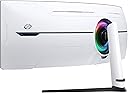
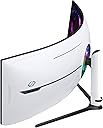
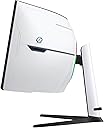
This monitor is amazing! It replaced my dual screen setup, and while in terms of screen space I have neither gained, nor lost, it does have flexibility to split my screen into 3 or 4, which is very handy. Though I believe it is marketed as a gaming monitor, I use this monitor almost entirely for productivity, and a little bit of media. The curvature is great for me, no eye strain and I do not have to swivel my neck around which is great as I have some neck issues. Text, and I work with text all day long plus some, is very clear. The instructions for assembly were clear, and while I could do most myself, I did need to get someone to help me actually lift it out of box and onto my desk. It is heavy! I have a sit-stand add-on on my desk and this monitor is too heavy for the sit-stand to "lift" (maybe I can adjust with settings though I suspect I exceed the weight limit). A sit-stand desk may be better in that case. Also be prepared to have a lot of room to set up and breakdown materials, as this is a big monitor in a big box with a lot of protective wrapping. I am so pleased I went with this size. It was expensive ($2,199 at time I purchased, though $1,998 at the time I am writing this review) however I have zero regrets. It was well worth it as it has really boosted my productivity, and even made my day job more pleasurable. I'd recommend this even for the non-gamers amongst us who are more interested in productivity uses. If you work in a relatively boring office environment though, be prepared for people to ask when your space suit is coming back from the dry cleaners. The rear of the monitor definitely has a futuristic look.
R**K
Great Monitor
M**.
I've had this monitor for 3 months now and I am very pleased. I really have no significant complaints. The only down side so far for me is that my video card supports a max of 120hz at 7680x2160. That's no fault of the monitor but rather a limitation of my RTX 4080 Super. Beyond that, there are only positives. Most of my time is not spent gaming so it's important that the monitor does well at non-gaming tasks, which is really does. Text is beautifully crisp, colors are vivid - just a pleasure to use every day. Gaming performance is excellent - best screen I've had to date. Just beautiful. Overall, a monitor I can easily recommend based on my experience to date. Well worth the money.
K**.
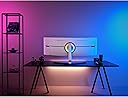
I can't help but love this monitor. There are few flaws but nothing that detracts from the experience when using this beast for work or play. My work laptop is using integrated intel graphics, and has no problem running the full resolution albeit at a refresh rate of 60Hz. My gaming PC, equipped with a Nvidia 4080 runs full resolution at 120Hz. A few examples of gaming performance on the 4080 running max resolution: Forza Horizon 5 locked at 60 fps no problem. Final Fantasy XIV variable from 60 to 85 fps. Typically around 80Hz. Games that support the ultrawide display are gorgeous. Having so much displayed in your field of view really helps with emersion in the game. The quality of the screen really shines. Deep blacks, with little halo effect. Color reproduction is really good. Brightness can be blinding, I typically have brightness set to about 15 out of 50. Text is sharp. For work, having this much real estate to play with is great. I went from running 3 27" monitors to this single setup. No breaks for bezels, and being able to throw windows around anywhere is a game changer. When working with large datasets, or those horrible spreadsheets that are 50 columns wide, max the window and see everything at once. I see the other reviews where people are experiencing flickering, strange gray lines, or bad pixels, but luckily I have had none of those issues. For the bad: The 3' Display Port cable that comes in the box. This is unacceptable as half that length is just getting it from the input on the monitor through the cable management, so you only have maybe 18" to play with getting it to your device. At this price point, Samsung could do better. Only 1 display port on the monitor. HDMI works fine, but I would have liked at least 2 display ports. Not a deal breaker, but a "would have been nice" item. Firmware really needs some work. When waking the computer from sleep mode, the monitor does not come off standby mode automatically unless you have Auto Source Switch+ turned on. But if the work laptop wakes while I am in the middle of a game, I really don't want the monitor to switch automatically to the new input, so I like to keep that off.
Trustpilot
3 weeks ago
4 days ago