


🔒 Elevate Your Security Game with 4K Precision & Zoom Power!
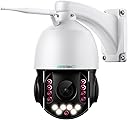
The SV3C 4K PTZ 36X Zoom Outdoor Security Camera delivers professional-grade surveillance with 8MP 4K resolution, advanced 36X optical zoom, and robust IP66 waterproof metal housing. Featuring smart humanoid and vehicle detection, two-way audio, and dual-band WiFi connectivity, it offers seamless remote monitoring via the CamHiPro app and supports up to 128GB microSD and cloud storage. Designed for quick setup and reliable all-weather performance, this camera is ideal for homeowners and businesses seeking crystal-clear, intelligent security coverage.


| Asin | B0CZ6J7GMR |
| Date First Available | 4 November 2024 |
| Item Model Number | C25 |
| Product Dimensions | 14 x 19.99 x 24.97 cm; 1.6 kg |
User
The Real Deal! A Game Changer for Business Applications as Well as Home Use!
So, I just Got this new cam, SV3C 4K 36X Zoom, 10X Optical Zoom PTZ Camera Outdoor, 8MP Dual Band Wi-Fi Security IP Cameras with Floodlight Color Night Vision, Humanoid Vehicle Detection, Auto Tracking,2-way Audio, ONVIF, RTSP, Cloud & SD Card Storage a couple of days ago. First let me say this is the fourth SV3C outdoor cam I have purchased and have been very pleased with the quality and reliability, study construction and features of their products. I have other brands but for my money SV3C is one of the best out there.This my second try at posting my review due to the clarity of the videos I uploaded! Street addresses and license plates are unintentionally captured and readable and my videos were rejected for that reason. So, I have included a snapshot and video of a mundane object/scene! One is a snapshot from a video that detected someone next door. In the video the cam followed and auto zoomed in on the person driving out of the driveway. I can’t show the whole video due to the fact that identifying information was also captured.This cam was super easy to set up Using their App CamHiPro on my phone. They also have a browser for the PC, Hip2P available on the SV3C website that works well. Only download it from their website. This cam was super easy to set up Using their App CamHiPro on my phone. The app on my phone was very easy to use and has all the settings that you will need to set up and operate any of the SV3C cams and you can have all your cams on the app in one place! The app, or the PC software, has all the settings to turn on and off the humanoid or humanoid and vehicle detection under “presets”.The clarity of this cam is amazing! The 10x optical zoom with auto focus along with the humanoid detection feature is incredible. Once I set up my home viewing area the humanoid detection detects a person, it starts following the person and automatically zooms in capturing great detail of the individual. The auto zoom and auto focus easily captured the license plate on their car about eighty yards away! I would guess that some of the images of people have enough clarity so that facial recognition could be used to identify them in the case of a crime. If I owned a business this cam would be my choice for surveillance because of these features and clarity. One thing I learned was to set my “home” image to a wide enough field to be sure if someone enters it that the camera will then zoom and track them until they are no longer in view and the return to that home image.I use Blue Iris to playback alert clips and for general viewing and exporting of clips when needed. A couple of settings had to be adjusted. My Internet is FIOS 500MB and I am running four cams. I had jerky playback on recorded clips and to solve that I did the following;Go to “RECORD TAB”; Set the “Stream buffer time” higher.Also, you should set up “Sub Streams” and “Direct to Disk Recording” for all the cams on your network. This will reduce the “Overhead” on your computers CPU. I was able to find a lot of information on the Web for issues with Blue Iris. Also under the "RECORD" tab in a sub-menu.While the humanoid detection may be a little quirky occasionally it definitely has a lot of value. In a business setting indoors I believe it would be very stable. The clarity of the images and the optical zoom are worth the price of admission. The quality of construction and the customer support are outstanding!
User
Good Camera - Difficult System Integration
The camera itself is good quality. It has a good image and moves smoothly from position to position. Zoom works well. Night visions is good and the IR LEDs really light up the area it is facacing (so much so that another of our cameras, whose IR LEDs stopped working, can record at night thanks to the brightness of the SV3C's LEDs lighting the front yard).My main issue with it, is that it is very hard to configure with my Synology Surveillance Station. It does not natively allow for its motion detection system to integrate with the Synology Surveillance Station. With several hours or work and help from various AI, I was able to gerry-rig a setup, using Synology's motion detection system instead of the native system in the camera. It is less than idea, because every time the camera pans on its programmed patrol sweep, it triggers it as a detected motion and starts recording.Because of the hassle with the setup, I probably wouldn't purchase it again. Before buying, make sure that your camera management software natively supports this brand of camera. Yes, it has ONVIF, but using that loses the built in features/functionality of the camera itself and relies on your management software doing all the heavy lifting.
User
Excellent PTZ Camera
It was easy to setup with the CamHiPro App. I like the fact that it can connect with 2.4ghz or 5ghz WiFi. The 8MP lens gives it great image quality for videos and photos. Most cameras have infrared mode at night, but this one also gives a full color mode or, the one I like the best, Intelligent mode. What this does is when it senses that someone is approaching, it activates a bright light and then stars recording in full color. This may scare someone who doesn't have good intentions. The AI alarm allows you to pick Humanoid recognition, vehicle recognition, or pet recognition. I always use the Humanoid option. If you watch my video you will see how it follows the person across the yard, even as he goes behind the tree. It automatically zooms in and out and focuses as the person moves. Here is a tip for just recording people. Turn the motion detection off in the app. Leave the AI Alarm on. Move the camera to your start or home position with the app. Then go to the preset area, on the app enter 92 and hit the setting button. Clear it out then type in 92 again and then hit the transfer button. I also like the fact that it will email alerts that can include photos or video clips and that I can view the security camera live on my phone.
User
Extremely capable and good value
SV3C Surveillance Camera Review – Model C25This is a high-end surveillance camera, loaded with powerful features and able to be accessed by most camera applications, (CamHiPro, (cell phone), HiP2P, Onvifer, direct HTML access etc.). The frame and camera body are cast metal, and the entire camera is well made and robust. It is quite heavy and needs a suitably strong vertical surface for mounting. The picture quality is excellent and the surveillance features such as programmable pan/tilt/zoom cruise paths are comprehensive. It offers excellent value for money for its build quality, performance and features. This is very much a pro level camera and is considerably more capable than a consumer device, (e.g. it supports programmable scan/cruise routes).Initially, I set up the camera in my office using an ethernet cable to make connection via the camera’s UID software and explore the software and features. It can be powered by POE if you have ethernet available at the camera location. However, since I mounted it remote from an Ethernet connection, I switched to WiFi when installed. Once Wifi access was established I use CamHiPro on our cell phones for viewing, remote control, and changing settings. It can be accessed simultaneously by two users but with some confusion if both try to zoom or pan at the same time which it supports!I live in a rural area and have a meadow behind my house with a run of trees about 100 yards away. The run is full of wildlife including foxes, deer, ground hogs, rabbits and squirrels which I wanted to be able to watch and capture on video and pictures, I also use this camera for normal security monitoring with on board storage of captured images and video.I mounted the camera facing a run of trees which are about 100 yards away from the camera. The optical zoom is superb and at this distance I can zoom in sufficiently to clearly resolve small creatures such as ground hogs, foxes and large birds. A mature deer occupies 30% of the height of the frame at maximum zoom at this distance! Amazing! Color rendition is excellent in moderate light and its IR illumination allows night viewing although without color rendition.Below is a short video showing a deer that inhabits the tree run. Note that the distance from the camera to the deer is approximately 90 yards!Summary: An outstanding and full featured product, well made, robust with great performance. My only caveat is that if you are not a network/computer expert, make sure you have one handy when you install it. FIVE STARS ALL THE WAY!!
User
Dual Wi-Fi bands, 18x optical & 18x digital zoom, humanoid, vehicle, and pet detection
This camera is rich in its features. I like that it is dual band Wi-fi. Because I live in a townhouse community, Wi-fi interference can be very high, so I’m moving to 5 GHz devices. Another thing I like is that the antenna is mounted on the front, not the rear. This gives the Wi-fi signal less interference, and I can beam the signal towards my router. The 18x optical zoom and 18x digital zoom are very useful. It moves smoothly and swiftly. When coupled with humanoid, vehicle, and pet detection and auto tracking, it gives me great flexibility in my security environment. One downside is that when fully retracted, the lens field of view (FOV) is narrow. That can be improved.Some other features I like include the two-way audio, the high-quality 4k video, and most importantly, it works well with my network video recorder (NVR). The setup was easy. They recommend using Camhipro software, however I used the web interface directly instead because of my experience. No issues there. I installed a 128 GB SD card effortlessly. It only entails removing two screws, though be careful not to drop the card inside the camera. I like the auto-tracking capability, yet I won’t be using it right away. I have a test bed that I use to set up my cameras and test them before I hang them. It’s a lot easier to fix problems inside on the floor than outside on a ladder.My 12-camera (7 outside, 5 inside) security system has been running since 2016, and I work to keep it up-to-date technically. This camera will watch the west side and rear of my house. I record continuously camera feeds on my NVR and locally on the SD card during alarms only. This is a backup. I have an FTP server set up on a network access storage (NAS) device. I have set this camera to take snapshots every 2 minutes and 3 snapshots with each alarm trigger. All pictures are FTP’d to my NAS. I don’t use the full night color feature because I have neighbors close by.Overall, I think this camera is a very good addition to my security system. It adds a high-quality zoom capability, and other features mentioned above. One thing that could be better is the hanging process. It is a heavy camera to be holding up on a ladder.
Trustpilot
3 days ago
1 day ago