🚀 Elevate your GPU game with LINKUP’s PCIe 5.0 riser — where power meets precision!
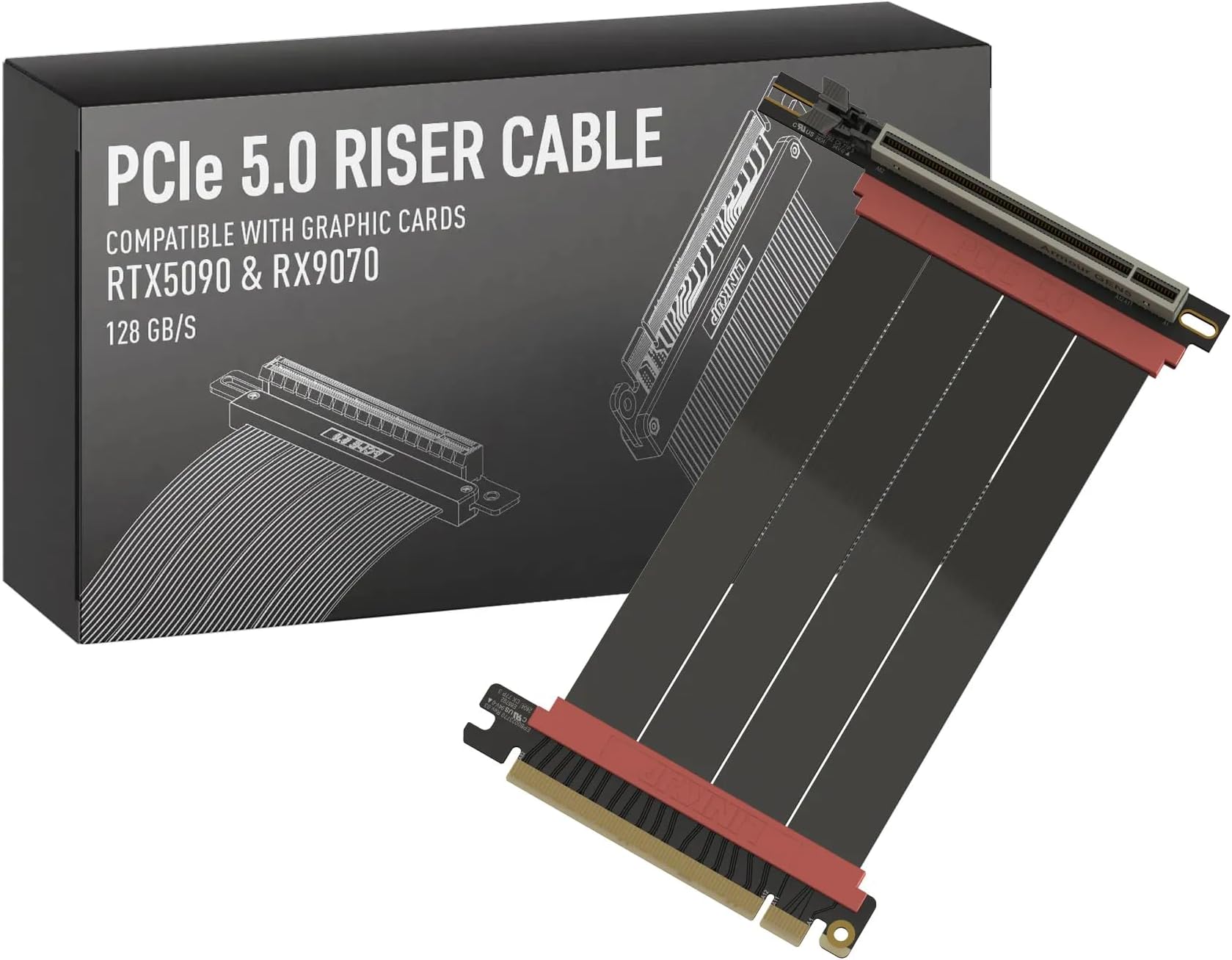
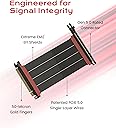
The LINKUP PCIe 5.0 Riser Cable is a high-performance, 90cm left-angle cable designed for vertical GPU mounting in diverse PC cases. It supports full PCIe 5.0 x16 bandwidth (128GB/s) with robust EMI shielding and premium materials to maintain signal integrity. Compatible with next-gen GPUs like RTX 5090 and RX 9070, it offers multiple length and connector angle options for custom builds, enhancing airflow and aesthetics while ensuring stable, low-latency data transfer for gaming, AI, and professional workloads.


| ASIN | B0G229XX7H |
| Best Sellers Rank | #2 in Flat Ribbon Cables (Computers & Accessories) |
| Brand | LINKUP |
| Brand Name | LINKUP |
| Cable Type | Riser Cable |
| Color | Left Angle (v4) |
| Compatible Devices | Gaming Graphics Card, Motherboard |
| Connector Gender | Male-to-Female |
| Connector Type | Pcie-cem |
| Customer Reviews | 4.3 out of 5 stars 921 Reviews |
| Data Transfer Rate | 128 Gigabytes Per Second |
| Frequency | 32 GHz |
| Indoor Outdoor Usage | Indoor |
| Manufacturer | LINKUP Technology Inc. |
| Model | AVA5 |
| Number of Pins | 16 |
| Other Special Features of the Product | Data Transfer, High Speed |
| Recommended Uses For Product | Mounting GPUs vertically in PC cases, Connecting GPUs in various PC case layouts |
| Special Feature | Data Transfer, High Speed |
| UPC | 882991011506 |
E**C
Great length and connector orientation options
I had a PCIE 4.0 riser cable from Corsair that I grabbed when I bought my case way back, but being able to get a more build-specific length and connector orientation was so much better. Yeah, I know that I am probably not even taking advantage of the full bandwidth capabilities with my 5070ti going from a PCIE 4.0 to a 5.0, but I feel like the airflow gains without the previous massively excessive S-bend of flexible riser packed in between my GC and the MoBo isolating the card from the flow was worth the cost. Installed easy, comes with hardware if you need the standoffs/screws to mount to your case. Build quality feels good. So far it works well, looks good to have the GC vertical and not worry about sag, and in my mind now I’m getting everything out of my GPU without any bottlenecks to slow me down.
J**.
Not Magic
It seems a lot of people buy these expecting a miracle. There are lots of things to consider. PCIe, especially Gen5, is particularly finicky about signal integrity. While longer options are offered, what cable length you can get away with will vary wildly by a few factors. 1) Your motherboard / chipset quality, manufacturer, and CPU brand. 2) The slot you pick (huge), as closer to the CPU has shorter traces, and the bottom slot is often controlled by the chipset, which is less reliable. 3) PCI generation. If you're buying this, I assume you want 5, which is harder to stabilize than 4, which is harder than 3. Generally, you might be able to get away with 20-25 cm on the top PCIe slot. On the bottom, you might be lucky to get 10 cm to work. Video is more robust, among other reasons because it has error detection and retry to smooth over signal integrity issues. On the other hand, audio out from the GPU is notoriously flaky. While you may get video working, audio may be borderline or outright broken. Audio is a real-time, isochronous stream. Packets have to arrive on time and do not have recovery mechanisms. Your GPU will receive the information and process it itself, not on a different chip on the board. The GPU brand and generation could easily influence how reliable this is. The audio may be more or less reliable depending on the source. Browser audio, such as Bandcamp, will constantly re-negotiate and sync with a smaller stream buffer. This can cause serious audio cutouts if the PCIe connectivity isn't ideal. Something like a locally installed app, such as MusicBee, will be more reliable, but not necessarily perfect. What can you do to prevent problems? 1) Use the minimum generation PCIe setting you can without running out of bandwidth overhead. Not every use case will require the bandwidth to saturate gen 4, making gen 5 have no benefit while being harder to drive. 2) Use the PCIe slot closest to the GPU, where able. Sometimes you can't because of the lane configurations. Use GPU-Z to check if you're seeing the right lane distribution among your devices. Read your motherboard manual and ask an AI how much bandwidth you need for your monitor's resolution and refresh rate. 3) Measure twice, consider required bends, and buy the shortest possible cable. Even small differences in length mean huge attenuation benefits. 4) Consider if you need HDMI / DP audio out. If so, you need to be stricter. 5) During install, prevent any strain on the cable. Keep them as straight as possible. Gentle bends and nothing sharp to damage them. Straighter cables are more reliable. As far as operating system / driver / BIOS changes: 1) Disable PCIe link power state management. 2) Disable PCIe power saving features in BIOS. 3) If using the chipset lanes, make sure to check for any chipset settings in BIOS that may impact it, particularly power-related. 4) Use the lowest audio format you need for your equipment and source files. No 24-bit, 192k if you only need 16-bit, 48k. 5) Consider turning off AMD ULPS in the registry for the GPU, if using AMD. 6) Also on AMD, turning on audio noise suppression can mitigate flaky audio. This forces a continuous, buffered stream and can prevent the GPU audio processing from idling between packets, smoothing over minor drops.
A**Z
Amazing cable, perfect length, can handle 5.0 easily.
Great product, first one was a mistake, but they fixed the situation extremely fast. Sent the wrong one with a right angle connector, instead of reverse connector. But once the correct one arrived it’s awesome works without a problem at all. until my motherboard gave out, but that’s the motherboard, not the cable. I would definitely buy another cable in the future.
S**E
Perfect for relocating a graphics card
So far this has worked great! Plug and play, no drivers or anything like that. Extends out my pcie lane for my graphics card, and it's completely unnoticeable. Great price. The seven inch long version still had some slack for the bends, which was a perfect length and fit.
J**M
Great little item, somewhat decent value
Great cable, very solid quality built. I have bended several times and no issues whatsoever, the only thing is that for the length this is some what pricy, so not a good value, however this give me no issue right out of the box.
A**R
Awesome
Works as intended, and great quality!
Y**G
Stable 28.8Gbps bandwidth with Dual GPU setup (x8/x8)
I have a dual GPU setup for LSFG, so I needed a long riser cable. I used one from AliExpress, but it caused numerous minor/major issues. That's why I ended up buying a LinkUp cable. I ordered a 70cm right angle one for the 5090 that is installed on the upright kit. Their support team was amazing—they even tested my exact setup and sent me photos before I bought it. I have already used a 15cm Linkup PCIe 5.0 riser cable for the 5070 Ti on the typical riser slot. Under the bifurcation x8x8 mode, it shows me very stable 28.8Gbps single-way transfer bandwidth when I check the PCIe bandwidth. I don't have any doubt about the quality of Linkup products. It was worth buying from this brand. Now, my 5090 works with the 5070 Ti great.
T**.
Update - Does work! (Original title: Cable did not work even after two different cables.)
Update - Was able to acquire a 3rd cable, but this time directly from the vendor. The cable that shipped directly from the vendor worked as advertised on the very first try and without any issues. Looks like the problem was instead with Amazon sending out cables as "new" even though they were used. I wish I would have marked the boxes as such before returning them, but at least one of the two that Amazon sent me had a shipping label directly affixed to the product box that was covered up with another label to protect the privacy of the original recipient. Short and sweet, amazing customer support and the product does indeed work, plus their original suggestion fits like an absolute glove in what I thought would be an awkward case to fit a cable into. Original - Tried two of these cables, neither worked. System -would not boot- at PCIe5, 4, or 3. Went back to the original cable the shipped with my case and everything worked at PCIe4. Their email support was generally helpful in suggesting the correct cable for me which fit my system like a glove even though they didn’t have it previously tested. I provided them a link to my case and to the cable the case shipped with. But this review is about the product not the support. Product did not work under two different cables (same model, just the original order and a replacement order after the first didn’t work), but their email support did help in suggesting the correct cable.
Trustpilot
3 weeks ago
2 months ago