

Desertcart purchases this item on your behalf and handles shipping, customs, and support to Brazil.
🚗✨ Drive smarter, stream cooler — your car’s new entertainment hub!
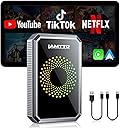
The LAMTTO Wireless CarPlay Adapter transforms your wired CarPlay or Android Auto system into a wireless powerhouse, enabling seamless access to navigation, music, and streaming apps like Netflix and YouTube. Featuring dual-band WiFi for uninterrupted connectivity, plug-and-play setup, and USB drive support for offline media, it’s designed to elevate in-car entertainment for every journey—just ensure your vehicle supports wired CarPlay and note it’s incompatible with BMW and Tesla models.


| ASIN | B0DNFLM91K |
| Additional Features | Built-in Netflix, YouTube, TikTok, Disney+, and Prime Video Apps, Dual WiFi 2.4G and 5G, OTA Online Upgrade, USB Drive Support, Wireless Apple CarPlay Adapter |
| Audio Output Mode | Stereo, Surround |
| Audio Output Type | Speaker |
| Best Sellers Rank | #13 in Car Audio & Video Input Adapters |
| Brand | LAMTTO |
| Built-In Media | 1x Instruction manual, 1x Pin Tool, 1x TYPE-C to TYPE-C cable length 250MM, 1x TYPE-C to USB cable length 250MM, 1x Wireless Carplay Adapter |
| Color | Black |
| Compatible Devices | For iPhone 6+ and IOS 10+, For wired CarPlay cars, this is not compatible with built-in wireless CarPlay or BMW/Tesla vehicles. |
| Connectivity Technology | USB,Bluetooth,WIFI,Type-C |
| Connector Type Used on Cable | HDMI, USB Type C |
| Control Method | Touch, Voice |
| Controller Type | Button Control, Voice Control |
| Customer Reviews | 3.4 out of 5 stars 864 Reviews |
| Hardware Interface | USB |
| Item Weight | 0.11 kg |
| Manufacturer | Lamtto |
| Model Name | Magic AI Box Video Player for Streaming Netflix/YouTube/TikTok |
| Number of Ports | 3 |
| Special Feature | Built-in Netflix, YouTube, TikTok, Disney+, and Prime Video Apps, Dual WiFi 2.4G and 5G, OTA Online Upgrade, USB Drive Support, Wireless Apple CarPlay Adapter Special Feature Built-in Netflix, YouTube, TikTok, Disney+, and Prime Video Apps, Dual WiFi 2.4G and 5G, OTA Online Upgrade, USB Drive Support, Wireless Apple CarPlay Adapter See more |
| Supported Application | Spotify, Apple Maps, Waze, Netflix, YouTube, TikTok, Disney+, Prime Video |
| Supported Media Type | bluetooth |
| UPC | 765463556814 |
| Unit Count | 1 Count |
| Warranty Description | 2 Year Manufacturer |
| Wireless Communication Standard | Bluetooth |
| Wireless Compability | Bluetooth |
S**.
A lot of bang for you buck for Entertainment Options in your Vehicle
Purchased this LAMTTO CarPlay adapter to be able to 'stream' videos to the display in our SUV. ** if you need to use ANDROID AUTO, when you plug in the unit, you simply use the SIM Key that is included in the package and there is a small button on the side of the unit that you press in and hold for about 5 seconds to change the default boot-up to be Android Auto. After booting up, it will then show Android as that is the Op Sys. I am familiar with CarPlay adapters and have tried several different ones in our cars over the last couple of years. I say this as I am familar with all the different types of installs and connections that a person may have to go thru to get connected to your vehicle. This review is in regards to connecting up to our wired-only (does NOT have wireless) CarPlay in our 2022 KIA Telluride. Connecting the LAMTOO up and actually connecting to CarPlay was one of the easiest setups I have done! To use any of the CarPlay units, including this one, you have to connect your phone to both Bluetooth and WiFi in order to be able to use the device as a wireless unit. For the use of streaming, you WILL HAVE TO HAVE a mobile plan with a HOTSPOT. These units, like any other that can stream video, need to have a mobile connection and in order to do so, they need to be able to connect using your phone as the HotSpot. * make sure your plan has this if you intend to stream I did not have HotSpot already on my phone but I did sign up for it which was only $10 per month and then was able to connect to Amazon Prime and YouTube without any issues. Some pictures were taken at night and some during the day after which is when I activated my HotSpot; one pic even shows the No Internet Connection which is what made me realize what I needed to do to change that. You can literally watch music videos and movies thru your display in your vehicle now. :) I wouldn't advise you drive and watch them yourself (haha) but it is nice to have for others riding in your car to be able to watch something if on a road trip, especially if you dont have the super expensive headrest displays. The smoothness of the video (latency) will fully depend on your mobile internet connection so if you aren't getting 5G you may have a slight buffering or lower resolution video. As for the CarPlay side though, it is flawless and super smooth with no hiccups. I like that the main home screen allows you to select if you want to use CarPlay or just go right into using YouTube, NetFlix, Amazon or a slew of other video apps. You can also opt to play music from a USB Flash drive that is plugable into the back end of the LAMTTO unit. If going into CarPlay and then wanting to exit back out, there is a 'CAR' Icon showing in CarPlay that all you need to do is click and it will take your right back to the home screen. for the most reliable, non streaming unit that I could find, I paid $50-60 for it but for this unit which does it all its only about $20 more ! Not only does it allow you to stream but what I like, and because I have only 1 data comms USB in our vehicle, it allows you to plug in a USB flash drive into the LAMTTO itself and run music and video off of that! AWESOME!! For the money and the compact size, this unit is a Win Win Win! Any negative reviews are likely from people that either are not familiar with internet/ Bluetooth/ WiFi connections or how to navigate Android based systems. I did have to update my Prime app and when doing so it showed me that I signed in via Pixel 6. so, that tells me that the Android system on the LAMTOO unit is legit and not some hacked up version. Bottom Line, I am happy with my purchase and suggest it to others. *** please forgive any typos or grammar mistakes
P**2
Disappointing — couldn’t get it to work after repeated attempts
I bought this LAMTTO 3-in-1 Magic Video Box for my truck because I already use a similar adapter in my Challenger that works great. Unfortunately, this one never worked for me. It’s supposed to be a simple plug-and-play setup, but no matter how many times I tried, I couldn’t get it to connect properly. Durability & Reliability: Physically, it looks well-made, but the performance was disappointing. It wouldn’t sync with my system, and I could never get any of the apps (Netflix, YouTube, or CarPlay) to display correctly. Ease of Setup & Use: Setup should have been straightforward, but despite trying multiple cables and restarts, it just didn’t function. By the time I realized it wasn’t going to work, my 30-day return window had already passed. Overall Quality & Value: For me, this product was a waste of time and money. I ended up throwing it away after a week of trying. I’ll be switching to another brand that hopefully works as well as my Carlink adapter. Q&A Q: Was installation easy? A: It’s advertised as plug-and-play, but I couldn’t get it to work despite multiple tries. Q: Did it work with your vehicle? A: No. I tried it in my truck, and it never connected correctly. Q: Would you recommend this product? A: No — based on my experience, I’d look for another brand that’s more reliable.
C**B
Very nice
I've been really impressed with this adapter. Setup was straightforward, and within a few minutes my wired Apple CarPlay was working wirelessly. The connection has been stable, and it reconnects automatically every time I start the vehicle. One of my favorite features is having access to streaming apps like YouTube and Netflix when parked, and the wireless convenience means I no longer have to plug my phone in every time I drive. The interface is responsive, and the OTA updates are a nice bonus for keeping everything current. If your vehicle already has factory wired Apple CarPlay and you're looking to add wireless functionality along with additional entertainment features, this is a great upgrade. Overall, it's been a worthwhile purchase and has made using my infotainment system much more convenient.
L**S
Streams CarPlay Apps Smoothly—Great for Long Trips
Picked up this LAMTTO “Magic AI Box” right before a 9-hour drive with two kids in the back seat. I was doubtful a little dongle could handle full-blown Netflix, YouTube, and Disney+ on my 2019 Hyundai Santa Fe’s factory screen—but it came through in clutch fashion. What impressed me ↳ Plug-and-play with wired CarPlay ports. Booted in under a minute and paired to my phone’s hotspot or the SUV’s built-in Wi-Fi with zero drops. ↳ Full streaming apps, no lag. 1080p YouTube news clips and Pixar movies stayed smooth; audio synced perfectly with the car speakers. ↳ Road-trip sanity saver. Kids watched Disney movies, my wife and I switched to a show when they zonked out—all without juggling tablets. ↳ Works with MFA log-ins. Google’s two-factor verification required one extra step during first-time sign-in, then the box remembered my creds. ↳ Compact & stays out of sight. Lives in the center-console USB port; no extra wires cluttering the dash. Could be better ↳ No split-screen view. Navigation disappears if I’m streaming, so I still prop my phone up for maps. ↳ Basic UI skin. Functional but feels Android-box generic, once you’re in an app, you forget about it. Quick tips ↳ Tethering from an iPhone worked fine when we lost the car’s Wi-Fi signal. ↳ If you use multi-factor log-ins, set up the box at home first so you’re not fumbling on the driveway. ↳ Keep the included USB drive handy for offline movies, great when the signal fades in rural areas. After testing a handful of CarPlay gadgets, this one tops my list for reliable, on-the-road streaming. Minor interface quirks aside, it turned my stock head unit into a rolling entertainment center and made a long haul feel a lot shorter.
J**D
Worked great the first time… then went downhill fast
I was really hopeful about this LAMTTO Wireless CarPlay adapter. The very first time I used it, it worked excellently and connected without any issues. After that initial success, though, the performance dropped off noticeably. Apps started taking 10–15 minutes just to load. It refuses to automatically connect to the saved Wi-Fi network, so I have to dig into the settings every single time to get it online. It also randomly kicks me out of apps, and downloading anything new takes forever. Overall I’m very disappointed with how it performs after that first use. At this point I’m not sure it’s worth the money.
G**E
It was difficult to set up but it does work.
It took me a while to figure out. My car radio toggles between apple carplay and android auto. I had it set to android auto because I have an S25 ultra. I switched the stream box to android auto and connected it to my phone with Bluetooth but I couldn't get the stream box to show up on my car. I messed with it for a while and I was able to get it to work. I changed my radio to apple carplay and changed the stream box to apple carplay and I finally could see the stream box screen. It has an app in the stream box for android auto and it works flawlessly despite my radio screen being in carplay mode. Screen mirroring also works though the video is a bit delayed from the audio. I haven't had a chance to try the other apps in the stream box but I'm sure they'll work great. I gave this product 4 stars because of the difficulty of the set up. It is possible the issue with the stream box android auto mode is with my vehicle, but I have had other wireless adapters that worked fine with my radio set to android auto.
C**6
Works Well, but Feels Limited
The LAMTTO 3-in-1 Magic Video Box works well overall and performs as advertised in my 2019 Ram 1500 Bighorn. Wireless CarPlay connects reliably, and streaming apps like Netflix, YouTube, and TikTok run smoothly without major issues. Setup was straightforward, and once it’s running, it’s pretty seamless for everyday use. The biggest downside is how limited it feels. I really wish there was an option to add more apps or customize it further. You’re basically locked into what comes preinstalled, which makes it feel restrictive for a device with a lot of potential. Overall, it’s a solid product if you want simple wireless CarPlay and basic streaming in your vehicle, but the lack of app expansion holds it back from being truly great. Good functionality, limited flexibility.
P**E
Apps fail to update making it pretty useless - Mirroring is its saving grace(need hotspot)
tl;dr it works to pass-through android auto but cheaper devices do that. can't launch or update video apps so THAT is USELESS Mirroring your phone screen works BUT - Most phones won't let you mirror while hot-spotting from the phone So you have to have a hotspot device (sold separately) - Then connect the aibox to the hotspot device, and your phone to the hotspot device. - Then connect only bluetooth on your phone. Then wait anywhere from 30s-3m for the aibox to show up in your mirroring list. -- I got mixed results, may be phone being slow (it's an s24 ultra) but sometimes the audio wasn't syncing on video being mirrored. Sometimes it worked flawlessly. Updated Conclusion - It's an expensive option that I probably won't use except for on those few longer roadtrips taken a few times a year. I drive alone 99% of the time, so it'll be a nice dangerous distraction while on auto-cruise. -- -- ***The device is locked down, I got to an app loader, but it fails to sideload AND Google Play fails to install/update too ***Removed 1 Star because I tried to launch the apps but Prime Video & Netflix etc fail to load because the apps need to be updated, but then google play fails to update them so the video streaming services are useless. --- --- **Mini-HDMI** Checked manual and it's an output only, was hoping I could plug a device into it to show up in the ai-box screen but nope. It goes the other way (out not in duh) ---- ---- I'm going to see if I can side-load apk on to it but I doubt that'll work I'm a tinkerer and like to see what I can do with devices n such ---- **Original Review** This was a bit of a 2am random impulse buy. I already had a Motorola Sound MA1($54) to make my wired android auto wireless in my 2020 Ford Mustang. But I wanted something that could stream video. I saw this, and out of all the off-brand adapters it had a good rating. - ***What I should have looked at more carefully*** I expected it to be a basic "full android" platform. I thought I could go to the Google Play store in the device and just download apps to it. That is incorrect. It has limited video and music streaming apps. Video: It has Disney, Prime Video, Youtube, TikTok and Netflix. It can also play video files from the device but who really is going to put a video file on their phone, then move it to the small storage on this box? Nobody. I primarily use Plex, which is not on the device. You can mirror your phone, but the audio via bluetooth lags a good 1 second making it uselss. --- Music: It does NOT have Spotify, Pandora etc. - Not a huge deal cuz you can still passthrough to android-auto but what's the point of the device having its own interface you just go through it to get to what was already there? **Getting to Android Auto** My motorola Dongle would connect pretty quickly, maybe 5 seconds after car startup. This dongle uses CarPlay to sync so there's just more hoops for the phone/box/car to go through. This causes it to take more like 15-30 seconds to get synced up. - Not a huge deal but still, I may just end up using my Motorola Dongle and seeing if a friend wants this. I'd even give it to them for free honestly lol. - But if your money is tight and you're looking for a more robust streaming adapter, I would suggest looking elsewhere. The OttoAiBox P3 is a strong choice but it it about twice as expensive :(
S**.
Big AI Power in a so Small device
I was doubting about all the Power advertised by this Small AI box. You have to understand it’s not a car screen like some tought. You must have yours. It’s more adding all you want and could not access by you Car Play. Plug in your USB car is very simple and Will automatically Power on the colour ring of the device. You Will than immediately been ask to update the device. You previously had open and Linked your Bluetooth. Updating is quiet long process. Dont disconnect!! About 3-4 min. After that your car screen Will show a lot of available softwares, settings and phone. But what I prefered was the mirroring with your phone. You can than access Waze or other favorites not included in device softwares. It’s kind of tricky because you Will have to find and allow the mirror function on your phone and link with your wifi. Good news because after that this ingenious box Will recognize on the spot for next times. You could than let plug in your box and as it so Small you Will find a place. After a few days I must admit there is plenty Power of AI in this so Small box and I am truly satisfied. I recommand without a doubt.
P**A
So Small and Powerfull AI device
Everybody are talking about this new trend regarding car connected AI devices. This time very different from bulky wires carscreen. All opposite: small as a chewing gum pack and, after pairing with your car and phone that will recognize next time, a simple USB connections and, like me, you can even hide the device as it is so Small…. But so powerfull! In fact what it adding is the possibility to play everything stock on your phone, which was impossible before (example Netflix). You can set the neon colours and the template. Play your videos and music, make and answer calls, using Waze…etc.. Pairing using Bluetooth is simple. Than, updating took 5 minutes. Open you wifi for more possibilities and that’s it! Start with personnalizing and… ENJOY this fantastic AI device. Strongly recommanded
Trustpilot
3 weeks ago
5 days ago