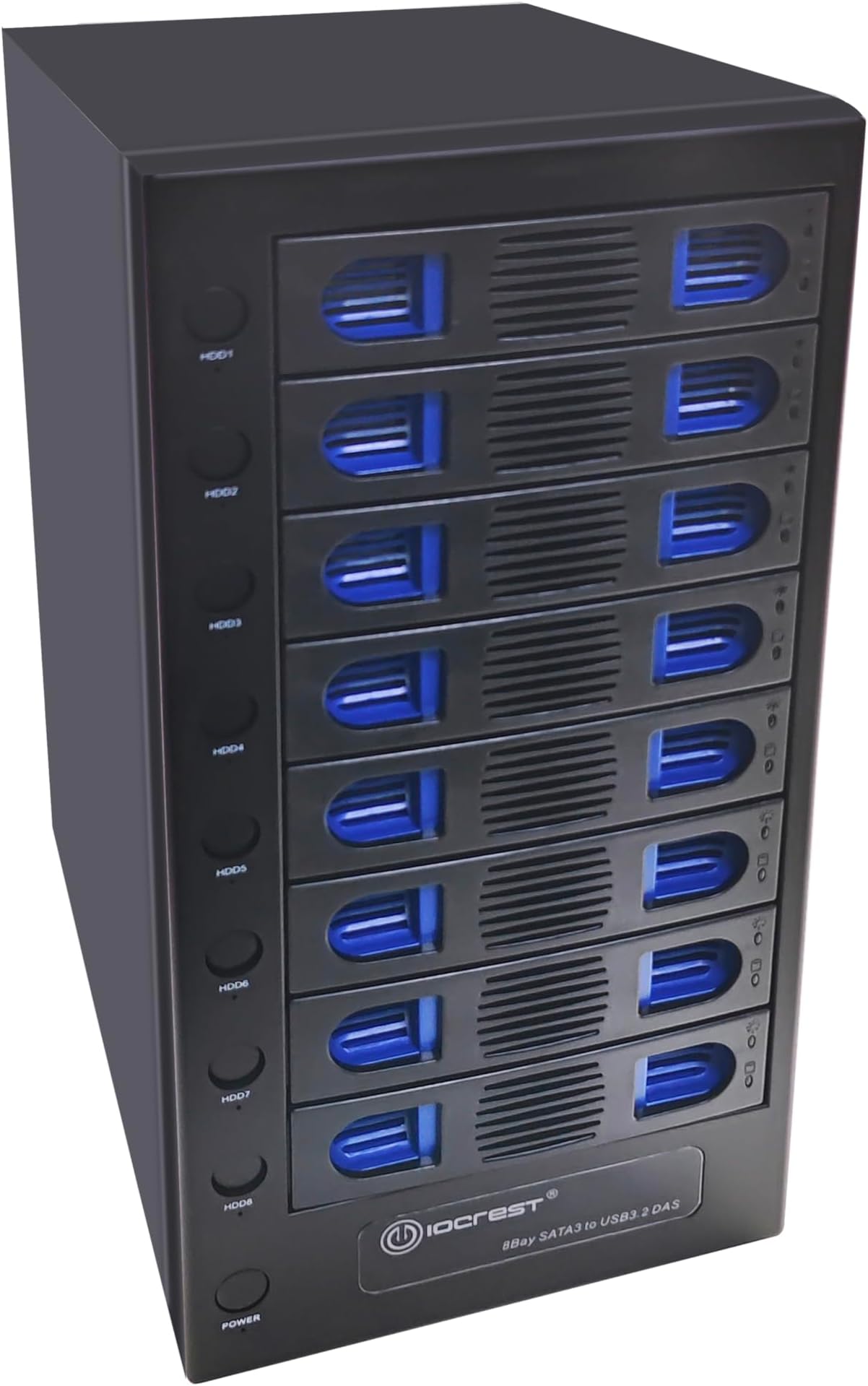
My purpose for this unit was to use it as "just a bunch of drives" and clean up the 6 external enclosures, usb hub and repurpose some old SSD's. I have no intention of swapping drives on a regular basis. I don't have experience with server grade trays and enclosures. So I can only assume server grade is more heavy duty and uses more metal in the construction. MY SETUP I am on a Mac and I attached the 8 bay via the thunderbolt 3 port which also acts as USB 3.1 Gen 2 (up to 10Gb/s), for what that is worth. Currently I have the unit fully loaded with three 8TB, three 2TB rotational drives & one 256GB mSATA & one 120SSD. I will eventually swap out the smaller SSD's & 2TB drives with larger when needed. My backups are handled with Goodsync Software - I run non-critical backup jobs monthly, or when I remember ¯\_(ツ)_/¯ and automate the import data more frequently. The speed of my backups has not changed and may actually be faster since some of these drive were on USB 3.0 ports. Like I said I am on a Mac so if you are on PC your results may be different. TRAYS: I saw reviews about the cheapness of the trays and plastic drive clips. All I can say is for my purposes it is completely acceptable. The 3.5" drives clipped in very easily and held firm, for the 2.5" drives, you remove one of the blue plastic clips (the plastic is flexible enough and you don't feel like your going to break it when you pinch the clips) - then you place the 2.5" in place and use the provided screws to hold the drive to tray. The trays click into place with a nice clicky sound. Probably not like super expensive metal trays but I still has a satisfying click. POWER BUTTONS: I was concerned about the power buttons to the left of each tray, would I accidentally power a drive off if I bumped into it. But I was happy to find when the power in engaged the button pushes in and stays recessed and to power off you need to use your finger to poke it. So no worries about accidentally hitting power with your foot if the unit is under your desk, or your cat rubbing up against it. I took a photo of the buttons from the side, pictures from the front are deceiving and you can't see the recess when the button is pressed. SPEED: I tested all my drive speeds with Blackmagic Speed test Tool before removing them - then I re-tested after, and all were within fractions of percentage higher or lower (the test never seems be exactly the same on each run) so if a rotational storage drive was about 112MBs average write before the swap and after the new enclosure was 106-116MBs, I considered that the same. I do audio work and I kept my higher speed drives with my sample libraries, audio read/write drives etc. on their own usb buses. (I actually don't know how Apple shares the ports across my computer) But I wanted to keep the 8 bay for backups and my daily everyday coding files that don't need SSD or high speed drives. My fastest drive in the new enclosure is an old mSATA SSD I had lying around, it does 475/515MBs read/write. NOISE: My Intel iMac fan is so much louder when it kicks on. I wouldn't worry about the sound + there is a dial to slow the fans down to a crawl if you want it even quieter. I have the fans set full up and like I said earlier, my computer and my keyboard typing is much, much louder. I suppose if you need ABSOLUTE dead silence in a recording environment, your computer is already out of the room. I would still record in the same room with it and not be concerned unless it was a voice over with no other tracks. Then I would need to re-evaluate. SLEEP/WAKE: The hard drives seem to sleep and wake properly. I saw that this was an issue with a competitively priced brand so I gambled with this company instead. I have no sleep/wake issues. FINAL All in all I am pleased with the unit so far. It does exactly what it says on the tin. If you are an IT specialist used to working with full metal trays and that is important to you then you will need to pony up another couple hundred dollars and buy one of the big boy brands. For me this was perfect. I still thought it was expensive when I first started looking, until I dug deeper and the other name brands can be double this price. For my use I didn't need the name brands and besides my wife would've smacked me across the back of my head.