Buy anything from 5,000+ international stores. One checkout price. No surprise fees. Join 2M+ shoppers on Desertcart.
Desertcart purchases this item on your behalf and handles shipping, customs, and support to Brazil.
🖨️ Print smart, live smarter — your all-in-one wireless powerhouse!
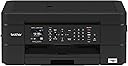
The Brother MFC-J491DW is a compact, multi-function color inkjet printer designed for home and office use. It features wireless and USB connectivity, automatic duplex printing, a 100-sheet paper tray, and mobile printing compatibility with AirPrint and Google Cloud Print. With direct cloud scanning and desertcart Dash Replenishment for ink, it offers seamless, efficient printing and scanning with minimal hassle. Ideal for professionals seeking reliable, cost-effective printing with smart features in a sleek footprint.


| ASIN | B07C4V4WWF |
| Additional Printer Functions | All In One |
| B&W Pages per Minute | 1 ppm |
| Best Sellers Rank | #184,516 in Office Products ( See Top 100 in Office Products ) #131 in Ink Tank Printers |
| Brand | Brother |
| Built-In Media | Inkjet Cartridges, Installation & Documentation CD-ROM for Windows and Mac OS®‡, Product Registration Sheet, Quick Setup Guide:Product Safety Guide, Telephone Line Cord |
| Color | Black |
| Color Pages per Minute | 1 ppm |
| Compatible Cartridge | LC3011BK, LC3011C, LC3011M, LC3011Y, LC3013BK, LC3013C, LC3013M, LC3013Y |
| Compatible Devices | Laptops, PC, Smartphones |
| Connectivity Technology | Wi-Fi |
| Control Method | Voice |
| Controller Type | Amazon Alexa, Vera |
| Customer Reviews | 4.2 out of 5 stars 5,220 Reviews |
| Display Type | LCD |
| Dual-sided printing | Yes |
| Duplex | Automatic |
| Global Trade Identification Number | 00012502651147 |
| Hardware Interface | USB |
| Ink Color | Black |
| Item Dimensions D x W x H | 6.8"D x 13.4"W x 15.7"H |
| Item Type Name | Brother Wireless All-in-One Inkjet Printer, MFC-J491DW, Multi-function Color Printer, Duplex Printing, Mobile Printing |
| Item Weight | 18.1 Pounds |
| Manufacturer | Brother Printer |
| Maximum Copies Per Run | 100 |
| Maximum Copy Resolution Color | High Resolution |
| Maximum Copy Speed Black and White | 1 ppm |
| Maximum Media Size | 8.5 x 14 inch |
| Maximum Print Resolution Black and White | 600 dpi |
| Maximum Sheet Capacity | 100 |
| Maximum print Resolution Color | 1200x1200 dpi |
| Model Name | Brother |
| Model Number | MFCJ491DW |
| Model Series | MFC |
| Number of Licenses | 1 |
| Number of Trays | 2 |
| Other Special Features of the Product | Auto-Duplex |
| Paper Size | 8.5 |
| Print media | Paper (plain) |
| Printer Connectivity Type | Wi-Fi |
| Printer Output Type | Color |
| Printer Type | Inkjet |
| Printing Technology | Inkjet |
| Processor Count | 1 |
| Scanner Type | document |
| Series Number | 491 |
| Special Feature | Auto-Duplex |
| Specific Uses For Product | Home, home office |
| Total USB 2.0 Ports | 1 |
| Total Usb Ports | 1 |
| UPC | 012502651147 |
| Unit Count | 1.0 Count |
| Warranty Description | 1-year limited warranty |
| Warranty Type | limited warranty |
N**K
Fantastic printer. Don’t listen to hater reviews. Get this printer.
Only had this a few days, but I love it so far. It was ridiculously easy to set up. No driver needed for Mac or iPhone. Both print via AirPrint, right out of the box. Print quality is fantastic. I like how the ink is loaded from the small front panel. This is much better than my last printer. Replacement ink is available on Amazon and inexpensive. What more do you need? Update: I’ve had this printer for around 6 months now. The top review for this is very negative, saying something about the printer shutting down for ink?? I haven’t noticed anything like that. I print a normal household amount (not running a business with constant printing everyday), and I’ve replaced the black cartridge twice. I have not replaced a color cartridge yet. The generic inks work just fine. Can’t tell a color difference (maybe that depends on the ink though). The printer alerts you when it’s low on ink, but it’s still printing like any other printer. A really nice feature - to replace the ink there’s a little door on the front. Just open that and pop out/in the ink. Done. Much easier than the canon I had (life up the top, wait for the print head to center, blah blah blah). Also I haven’t noticed the printer doing any ink maintenance or whatever it says in the top review. I didn’t turn any setting off - not sure what the problem was that dude had. This printer just freakin works. Print from my phone - immediate, print from a laptop - immediate. All good quality prints. All fast. I love this thing.
M**E
Replacement seems much better
Update 2-27-2021 I am so happy with is excellent printer for $80.00 a steal of a deal. update 2-1-2001 I have this three weeks and have used much more than expected. I am very happy with this the performance and uses small amount of ink. If I printed what I have on my old printer I would of need to replace, I still have 3/4 left. Only draw back making endorsement on back of personal checks it cannot print as paper is to small. I really like this printer so far. I received a new one this past Tuesday and so far I am very happy with it I know not enough time to tell. I do like all the features and the quality of the print. I most like that I can and have bought extra large ink 3013 and have been printing a good amount with minimal ink use. I also like that this unit also includes a fax built in. I am not sure what others such Epson no longer have built in fax. For me that was a deal breaker. The wifi seems to work well also. Like I said I like this unit even though not a fast printer but I do not need speed I want a good all in one and so far I am very happy with this unit. I will update in future. PS I will buy the extend warranty that will cover it out 4 years I think that is a no brainier. Thank you hope this helps ------------------------------------------------------------------------------- 1 St old review 12-30-2020 I ordered this with the hope it was as good as the reviews are and wanted to write a good review. I like the printer a lot print quality is very good speed a little slow but that fine for me The problem is when I went to have print on both sides of paper it jammed I un-jammed it only to have it happen over and over again then it would not un jam so I returned. I reordering hoping that one was a bad unit and if the new one is good I will write a good review. My worry is that this is a design flaw as others have complained about unit jamming as well. PS Bother tech support was not helpful at all, many hours on hold to have several BAD reps too good reps
S**N
Works Fine For me, Fantastic Price, a Few Caveats
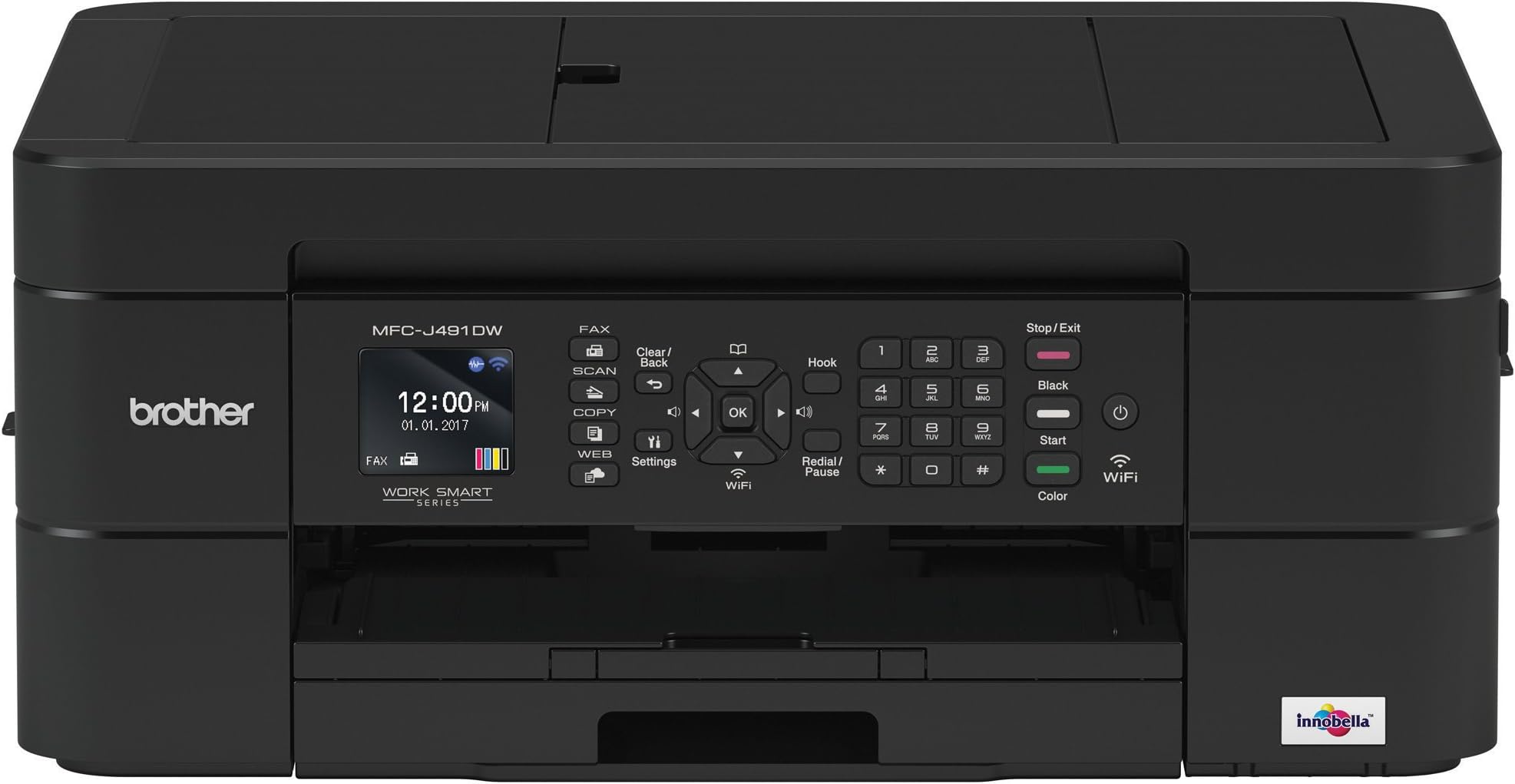
Overall impression, this is a fine printer for the price. Print quality was great for color and normal black and white. Plenty fast for both color photo and black and white. Scanner works fine, copier function works fine, prints from cell phone fine. Haven't tried NFC as I added it to my phone on the LAN and haven't tried the fax machine function using cellphone yet. I don't have a land line to hook it up to either. Printer is very compact and sturdy. Does not feel like thin plastic and nothing sticks out of it when not using scanner to snag or break. A very thoughtful design, it does not look like a big clunky office machine but certainly works aw well. Perfect for an individual or a home office . Only because of the following setup caveats I gave it a four star rating. Overall device, print quality, speed, and other Brother software (scan) rate a five star review. But I can't do that and I do understand the frustration of lots of folks who can only follow instructions for this sort of thing - like me and any sort of plumbing, just not my thing. LAN Setup was super easy, but there was a catch. I didn't mess with supplied CD, just uploaded latest software from the Brother site, which I recommend to get the latest version. Big hint here for setup: It couldn't find the printer via the install software (no surprise, I've never found a new printer right off, and if you think about how security and networks REALLY work, you can't without doing something physical) so I had to do it manually on the printer itself (add SSID and password) and although that would work, there is a printer control panel option for WPS. Choose it, press the WPS button on your router, tell the printer to use it and your done. No finding the SSID, entering the password via the arrows and OK buttons, etc. Then you can complete the installation normally as it sees the printer on the LAN at that point. Other PCs on the LAN will see the printer and all goes fast. I added the printer to remaining four computers in under 30 minutes, and added it to my phone at the same time. Why the quick start doesn't talk about WPS, I have no idea. Alternatively, you can hook up via Ethernet cable to the LAN or hook up via USB once to configure printer for wireless access, but you don't have to at all. Compared to other wireless printers I have (a bit older so not as feature rich I suppose) this was a 10 out of 10 install because I did not have to hook up via USB or RJ45 connection initially. WARNING: USE WPS WITH CAUTION. ONCE YOU PRESS THAT BUTTON, YOU WIFI LAN IS OPEN FOR A BIT AND IF YOU'RE IN SOMETHING LIKE A COLLEGE DORM OR APARTMENT SETTING, YOUR LAN CAN BE ENTERED AT THAT POINT. IF YOU'RE WORRIED, USE USB OR HARDWIRE TO ROUTER TO ADD IT TO YOUR LAN SECURELY. Another LAN downside maybe - i have a slower 2.4 GHz and a fast 5GHz WiFi LAN and it doesn't see the 5GHz SSID, only the 2.4GHz one. All of my other printers only see the 2.4GHz SSID as well, so not unusual, but I'd have expected it to see the faster one. Physical setup was simple. Do what the quick start says to do, period. Put the ink in, put the paper in, took off all the transport tape strips on doors/access panels and it worked. Again, one caveat here - when it auto registered, it prints out a test page to show that everything is aligned - reminded me of the ancient HP500C. Anyhow, see attached photo. It is SUPPOSED to look like six solid blocks as the screen on the printer shows, not the dashed and angular print. But I noticed that the image on the bottom (innobella) was properly aligned black & White and color so I said it was ok, I could always fix it later. It was OK as is. I printed out a picture and it was flawless. So the alignment thing is bogus. Again, because of the way the cartridges are detached from the print head (they're just ink tanks it looks like) it HAS to be aligned. It's not like you can align the cartridges at all so not even sure of why this is tested and part of the install process. Other color ink jets don't. I read other reviews that gave Brother high marks because their printers will use generic cartridges with no problems. My HP (one I replaced with this one - my fault not the printer because I dropped it and it exploded into lots of plastic bits) would only use genuine HP high $$$ cartridges and that stunk. But actual Brother ink cartridges are cheap enough that I'm going to use them and not chance using knock offs. Knock offs are not that much cheaper that it's worth it to chance clogging the printer with inferior ink. I haven't had the printer long enough to comment on ink life or sturdiness of the unit. It does appear to be more solid and feels sturdier than the one I replaced, certainly smaller for sure but not much lighter- one third the size of the monster HP 8710 I dropped. I don't know about the reviews that say it "eats ink". But, I have to say that unless you are a low volume user (like < 10 pages printed a week) and mostly use for scanning, I wouldn't use this as my primary printer - this or any inkjet for that matter - the cost per page is too high and changing cartridges is a pain. if you do print a lot, get a laser and have at it. Make sure it uses knock off cartridges (both my Samsung's, a B&W one and a color one, do just fine with them) and print away. If you have kids who print a lot, definitely get a color laser for the cheapest cost per page.
K**S
Update: This is a great printer!!
UPDATE: After 4 months, we love this printer. We do have to reset the wi-fi connection once in a while, but that is so easy to do, since our modem has a WPS button. Unlike HP, the ink lasts forever, and is much less expensive than HP. It is also VERY user friendly, despite our initial setup difficulties. It prints double sided with ease. It prints from both our computers. Copies and scans are a breeze. I have not used it to fax anything, but that's because I have had no need to. UPDATE, AS PROMISED: Due to weekend we could not get support from Brother, but we DID from Amazon! Amazon techs actually stuck by us for more than an hour to get the printer up and running the way we needed it to. Solely because of their knowledge and assistance, a one star review became a 5 star. Thank you, Amazon!! We had an HP 6500 connected to a home network. Windows 7 computers. It died. We specifically wanted a printer that we could connect to home network (ethernet to cable modem), and searched for printers that would work. This one popped up. Great idea to get away from overpriced HP ink. BUT! No ethernet connection. Wireless connection might be possible, but instructions are to connect computer to modem via USB cable. Great, except our 1 year old cable modem does not have a USB port. OK, so alternative is to set up manually. Except printer cannot be set up on network before installing ink cartridges, but I don't want to open the ink, in case this does not work for home networking, and I have to return it. Literature all talks about printing from mobile devices, which we never need to do. We want to print from 2 different computers. It is possible this might work, but no way to find out without installing ink; cannot go to "Setup" or "Wifi" or even power off--must install ink FIRST! Tech support only available on weekdays, no Saturdays. Bah. If I solve this problem and it works, I will update.
H**D
TL:DR - Don't buy this.
Don't buy this printer, and I recommend reading up on any other brand, period. It only exists to covertly suck up your unused ink, and disable the entire machine whenever it wants until you feed in another cartridge. This is not just an exaggeration by disgruntled commenters. The reviews on this printer seemed, overall, to be positive when we first bought it. Immediately after purchase, the bad business practices started rolling in hard. There are surely many reviews with this information, but the more the better. 1. This printer periodically sucks up ink as part of its "maintenance schedule." Even if you print nothing, it will be empty in a few months. Where this ink actually goes is a mystery. 2. The printer will not print (!) once it has seemingly arbitrarily decided that it is out of ink to do so. Who knows how many more pages worth of ink are still in the cartridge. Everything still prints solid blacks up until this point. The machine has decided you must now buy more ink. 3. We have printed, maybe, an initial test image with any color ink, and now some months later the cyan and magenta inks are "low", and the yellow is "out." At that point, a B&W-only mode activates, unless of course four weeks goes by, or you unplug the printer (like I did, trying to bypass its belligerence. The machine actually wouldn't even "allow" me to turn it off), or you select the wrong paper type, or drop too many f-bombs in its direction. At that point, you cannot even print in black and white until the color cartridge is replaced. (We don't currently have any, as we never use color prints. We do, however have plenty of black ink on hand, and really need these 20 pages printed out.) This particular episode was the big reminder that I have been forgetting to leave a review on Amazon. I very much wish I had known these quirks before we bought the printer. They are not feature-driven, but indicative of the very worst example I've seen of predatory business practices now infamous and seemingly ubiquitous in the printer market - how to force customers to buy more ink more often. We will not be buying any more Brother products.
A**W
Boy this Brother, hooked another Brother Up!!!
Decided to go for this printer since most of the reviews were positive. Most of the negative reviews, I felt people were purchasing this printer which was on sale for $49.99 and thought there were getting a Laser Jet valued at $349.99. This expectation is way too high. My expectations weren't nearly that high. I print typically in a month 10-15 pages. I never print photos with any printer I buy because it eats up way too much inch and never as good as having them print at a store. The cost versus value doesn't make sense. In other words, if you're printing photos, go to Ex. Walgreens, Sams or Staples. So regular Black & White and some color is all I need. Plus I do scan regularly and fax 2-3 times a year. I didn't need a laser jet, or high end ink jet printer. (most of those reviews for those printers were mixed just like this one). So I went for this Brother. It's a very nice printer! Prints Black & White prints very well. (with better resume paper, can be resume quality too). Color is nice too, but not professional photo quality as mentioned earlier where to go. Scans images right to my PC and with my mobile phone, can print and scan. Haven't used the fax yet, but it ready and set up. (get a dial tone). The ink refill for this printer is also very reasonable versus $75 on my previous Canon. Laser Jets range around $179.99 to refill too. This one is about $36.99 for the original ink, not a knock off. Does it all and it's not too big versus my prior Canon. Overall I'm very pleased with this printer. I would recommend to a college student, home office, and to most people. So if you're looking for a great value grab this one!!! More professional business printing and/or commercial use, you have to come out the pocket and spend more. If you're expecting $49.99 to get you a laser ink jet valued at $349.99 keep looking. To me it's a homerun!!!
C**R
Don’t listen to the negatives..... this is a fantastic printer!!!!
I like to wait until I’ve used the product, especially anything electronic until after I’ve had a chance to put it thru it’s paces. I have not been paid in anyway to write this review so please know it’s a down to earth honest review. I purchased this back in November 2019 so I’ve had the chance to use it a lot. Setting up this printer is a breeze and I know nothing about this kind of stuff when it comes to WIFI. But, let me tell you that I had it up and running in 20 minutes once the unpacking etc was done. The print quality is superb, I did a lot of pictures for Christmas (some of them 8X10’s) and the print quality and color were outstanding. I was proud to give them as gifts! I do a lot of home printing for a small business in town and this printer always comes thru for me. I used Kodak printers for years and was truly upset when they stopped manufacturing their printers; they printed good quality and didn’t use a lot of ink. I think that this Brother model has them beat! I am still using the ink that came with the printer and have quite a lot left if the print gauges are correct. The only pitfall is this does make a bit of noise when printing but weighing the good against the bad that is nothing compared to the quality of print and the use of ink. If you want a great small office printer or just one to have in your home you cannot go wrong with this printer. The ink is not expensive to replace and believe me when I say it doesn’t use a lot of ink as I print a lot. Don’t listen to the negative reviews ~ I didn’t and I am very happy that I chose this printer.
R**T
Works in Linux and Windows over WiFi
I got this because I needed a good printer. It works very well in Linux (OpenSUSE LEAP 15.2) over WiFi, which is a huge plus. It also works well in Windows over WiFi. The top feeding scanner only scans one sided, but that's not a huge issue because it scans to PNG JPEG and PDF, so you can either rename the files to match pages (PNG) or get the updated version of Adobe Acrobat to reorganize the pages. The Brother iPrint&Scan will save to PDF and use OCR to make them searchable pages, but you cannot reorganize the pages before printing, unless you want to insert pages one by one to scan double-sided. This is why I recommend saving to PDF and using Adobe to reorganize, or saving to PNG and renaming files in order to input into Adobe. Anyways, it worked right, it worked well, and setup was easy. I've had zero problems with it, and I really like it! EDIT: UNTIL I tried to scan documents using the top feeder. Scanning in a document, it jams once every ten pages, and mutilates your pages in the process. You might as well name this printer BobMarley on your LAN because it's always jamming. So the top feeder is pointless. But have fun scanning large documents into it one page at a time. So much for saving me time. So far every batch of 10 pages one jams and gets trashed, and these pages I'm scanning are pristine. In fact, I need to stop writing this so I can clear yet another jammed page.
L**E
Best Printer on The Market!
I use this printer for my home office. It prints, scans, copies and faxes like no other printer I've ever owned. The paper tray is designed for easy loading and yes, it prints on both sides....with ease. The ink is easy to load. It's the perfect size too. With the paper tray pulled all the way out to receive copies the printer sits about 19" out from the wall. It's 16" across and about 7" high. It's very user friendly with wifi set up and an easy-to-read display panel. There is absolutely nothing bad about this printer. Worth every penny. Don't even look at another printer. Get this one. You'll love it.
P**L
Best Home Office Printer
Take my word for it, if you have a university student, or you have a home office that requires quality print outs with all the features of scan, photocopy, fax with multiple page sheet feed, this is the printer. Although I prefer brand name ink the great thing about Brother printers is they are generic ink compatible with still the same print quality with NO MESS! My only beef is that after changing ink cartridges you have to realign the heads every time, its a simple task if you know how....I was able to talk my daughter through the process over the phone in mere minutes, but again, not very user friendly in that regard. I have one, my daughter has one, we've both had them for years and still like them. Photos....excellent question! set print for high quality, insert you favorite photo paper and print, that simple. My family needed a quick photo for a funeral and I was only given minutes to prepare, no problem the photo was like it was done by a lab. My son says " you keep photo paper on supply?" my response was, "You don't?"
A**R
Easy to set up but print quality is meh and USB not included
I was a little worried before purchasing this machine because some reviews complain how hard it is to set up. I bought it anyway and was pleasantly surprised! Got it up and wireless printing and scanning was done in 1 hour (this includes unboxing the machines, scan thru manual and set ip wifi access). I succcessfully made a photocopy and wirelessly printed a photo from my iphone in 1 hour. From my experience so far, set up is easy. Print quality, however, is ok. Not crisp and clear so I guess it’s acceptable for printing text documents. If tou are looking at printing pictures, I will suggest find better quality model. I only need it for documents and occasional color print so Im more than ok with this. Mind you though, no USB wire is included, and I didnt miss it, the manual itself doesnt in mention a usb cable so if you need to connect this to your computer with usb, be prepared to buy one or hopefully you have one ready from previous printer. But with wifi, i really dont know why usb is necessary. My wifi is super low speed, just 10 megabit/sec and it took less than 30 secs to print a picture from my phone, which is really good. Overall, I’m happy with the purchase, good for occassional use.
P**N
save yourself a headache
was under the impression this copier was easy on ink usage. It's a pig. Going aftermarket for refills. Won't reward Brother for shipping a printer with barely any ink to get started. Other than that the printer is easy to set up, it's wireless, and the quality is ok. -update 6 months later: this printer has not worked properly from day one; works only when it feels like it- somedays it's missing a driver and prints nothing, some days it prints something from a few days prior; if you are like me and require a printer a few times a week, stay clear of this Brother: even when it is not in use, it gobbles up the ink (colour and black) in scheduled cleaning; can't get it to just print b&w without it telling me to refill the colours as well. This is my second Brother printer- the first one lasted 10 years and it was great, but I'm never buying Brother again.
M**Y
Excellent product
This printer is so convenient and easy to use, with awesome features. 2 sided printing is the bomb. It is super fast too. The app for operating it couldn’t be simpler. It will even show you exactly how much ink is left in each cartridge. From what I can tell, it is really easy on the ink. We have printed off a ton of stuff already, and the ink cartridge is still almost full. There is just one thing: I don’t think it can be set to print in greyscale by default, or I just haven’t figured it out yet. I have to select it each time I print.
Trustpilot
3 weeks ago
2 weeks ago