Desertcart purchases this item on your behalf and handles shipping, customs, and support to Brazil.
๐ Elevate Your Data Game with UGREEN NAS DXP4800 Plus โ Speed, Space & Smarts in One!
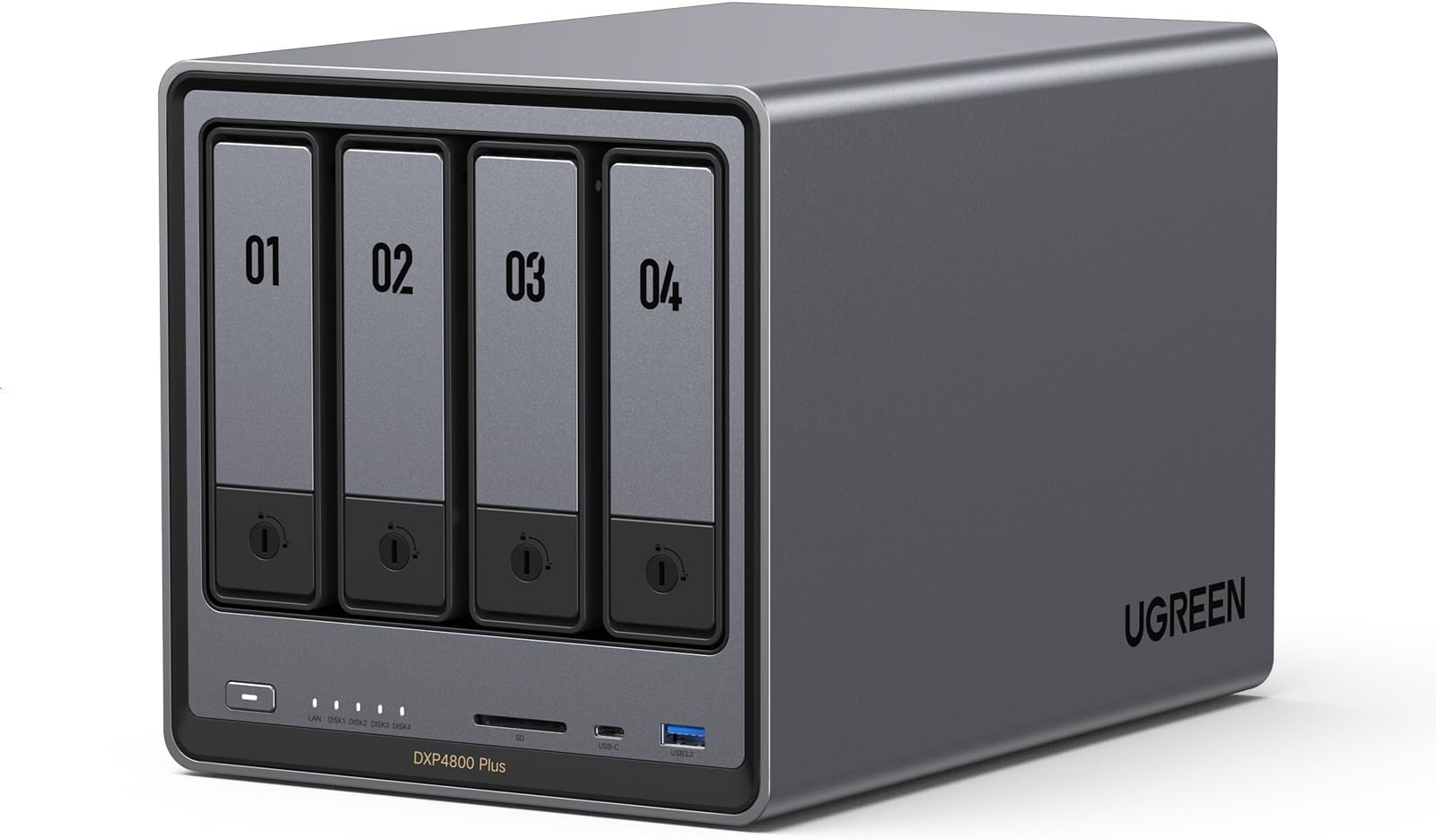
The UGREEN NAS DXP4800 Plus is a high-performance 4-bay network-attached storage device powered by an Intel Pentium Gold 8505 5-Core CPU and 8GB DDR5 RAM. It offers up to 144TB of scalable storage, ultra-fast 10GbE and 2.5GbE network connectivity, and advanced features like Docker support, AI-driven photo management, and robust encryption. Designed for small offices and power users, it ensures seamless cross-platform compatibility and secure, centralized data management with a sleek, quiet, and energy-efficient build.


| ASIN | B0D22JRHZB |
| Additional Features | Intel 5-Core CPU, 8GB DDR5 RAM, 1x 10GbE, 1x 2.5GbE Ethernet, 128G SSD, 4K HDMI, SD 3.0 |
| Best Sellers Rank | #6 in Network Attached Storage (NAS) Devices |
| Brand | UGREEN |
| Built-In Media | Power Adapter, Quick Start Guide, Screwdriver Kit, USB Cable |
| Color | Grey |
| Compatible Devices | Desktop, Laptop, Smartphone, Tablet |
| Connectivity Technology | Ethernet, HDMI , SATA, USB |
| Customer Reviews | 4.6 out of 5 stars 657 Reviews |
| Data Transfer Rate | 1250 megabytes_per_second |
| Digital Storage Capacity | 144 TB |
| EU Spare Part Availability Duration | 2 years |
| Enclosure Material | Metal |
| Form Factor | 2.5-inch, 3.5-inch |
| Hard Disk Description | Mechanical Hard Disk |
| Hard Disk Form Factor | 3.5 inches |
| Hard Disk Interface | Serial ATA |
| Hard Disk Rotational Speed | 7200 rpm |
| Hard-Drive Size | 128 TB |
| Hardware Connectivity | Ethernet, SATA 6.0 Gb/s, USB |
| Installation Type | Internal Hard Drive |
| Item Weight | 3.79 kg |
| Manufacturer | UGREEN |
| Mfr Part Number | DXP4800 Plus, 4-Bay |
| Model Name | DXP4800 Plus,4-Bay (Diskless) |
| Model Number | DXP4800 Plus,4-Bay(Diskless) |
| Number of Items | 1 |
| Read Speed | 1250 megabytes_per_second |
| Special Feature | Intel 5-Core CPU, 8GB DDR5 RAM, 1x 10GbE, 1x 2.5GbE Ethernet, 128G SSD, 4K HDMI, SD 3.0 |
| Specific Uses For Product | Business, Office, Multimedia, Home, Personal |
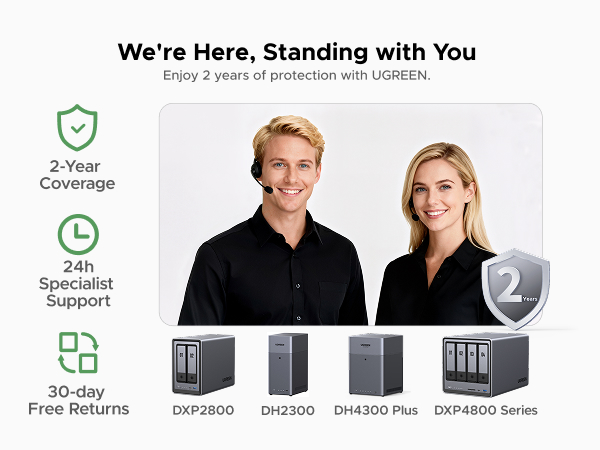
| Warranty Description | 2 Year Manufacturer |
C**C
Excellent Plex NAS โ Powerful, Flexible, And A Big Step Up From Synology
1) PLEX DOCKER SETUP: Using Docker with the most popular Plex container (linuxserver/plex) on the Ugreen NAS was straightforward. I pulled the container from the builtโin Docker interface, pointed config and media paths to my shared folders, set network mode to host, and left almost all defaults. Even with my custom usernames and permissions, everything just worked. No hacking, no odd workarounds. 2) STORAGE CONFIG: Iโm running two Seagate IronWolf Pro 28TB Enterprise NAS drives (ST28000NT000) internally as Drive 1 and Drive 3 in a JBODโstyle setup (data on 1, backup on 3). For future expansion Iโll add Drive 2 as data and Drive 4 as backup. The IronWolf Pros have been flawless so farโquiet, cool enough, and fast for Plex streaming and backup. 3) INTERNAL VS USB BACKUP: I also tested one of the 28TB Seagates in an OWC Mercury Elite Pro external enclosure (USB 3.2 Gen 1, 5Gb/s) as a backup drive connected to the Ugreen. The Seagate fit perfectly, the enclosure worked well, and performance was fine. In the end, though, keeping everything internal (all drives inside the Ugreen) was more efficient and cleaner for my backup scheme. 4) UGREEN VS SYNOLOGY (DS220+): I own a Synology DS220+ and originally used it as my Plex server. I eventually retired it from Plex duty because: (a) Synology was picky about thirdโparty drives and didnโt officially support large Seagate IronWolf Pro capacities the way I wanted; (b) memory expansion on the DS220+ is very limited; and (c) Docker/Plex on the Ugreen feels faster and less constrained. The Ugreen gives me more flexibility with drives, more headroom for RAM and containers, and overall better performance for a multiโTB Plex library. 5) OVERALL EXPERIENCE & TIP: The Ugreen NAS has become my main Plex server and backup hub. Docker Plex runs smoothly, transcoding and library scans are snappy, and the hardware has handled large 28TB drives and backups without complaint. FINAL TIP: Use ChatGPT/AI during setup. I used an AI assistant heavily to walk through Docker, rsync backups, SMB mounts, IP changes, and cleaning up old Synology configsโsaved a ton of time and guesswork.
J**A
Powerful, Quiet, and Perfect for Home or Small Office Use!
I couldnโt be happier with the UGREEN NASync DXP4800 Plus. The setup was smooth and straightforward, and the interface is intuitive even for someone not deeply technical. The Intel Pentium Gold 8505 CPU and 8GB of RAM make this NAS incredibly fast โ file transfers, backups, and media streaming all run flawlessly. Itโs quiet, energy-efficient, and the build quality feels premium. Iโm using it for both personal backups and media storage, and itโs handled everything with ease. The 4-bay design gives plenty of room for future expansion. Overall, a fantastic NAS solution that delivers great performance and reliability. Highly recommended!
E**O
Rock solid quality NAS
I have now had this UGREEN NAS DXP6800 Plus for about six months and it has been rock solid. A quality unit. VERY easy to set up and get up and running. So far I have only installed a couple drives and have not investigated or tried out any of the embedded apps. My original intent was to convert to TrueNAS, but I will leave asis for now as it works well.
Y**K
Beautiful piece of hardware with life changing abilities for regular people
Beautiful hardware. Nearly all of the exterior outer shell is made of grey-painted aluminum, the LED light on the power button gives out a refined light (i believe it can be turned off in settings as well). This looks gorgeous on a desk. When used as centralized external storage/data server only (i.e. not running it as a computer with demanding applications or virtual machine) the fan doesn't come on when in an air conditioned room so it can be entirely silent. My unit is on my desk 3 feet from my ears. I only use it to store data on my home network, a VPN application (NordVPN) is installed on it and I have not heard the fan once. The shell does get warm to the touch. I cannot compare on the speed since my LAN is only 1 GBe which this unit maxes out with ease so does other ugreen nas'es using spinning hard drives. It seems that the RAM is used to cache the SMB file transfers. So as long as your files are smaller than the installed (and free) RAM these units will be faster than a 1 GBe LAN no matter what drives are permanently storing the data. It is a bit pricey but you are getting a great product with very phenomenal hardware (i5 processor, 8 GB of DDR5 RAM, 128 GB boot NVMe drive). If underused as a centralized data storage device, it should last many years working in the background silently. The software is easy to use and beginner-friendly (as someone just merely interested in one's own PC). My only suggestion to UGREEN is to allow a direct option to install programs like NordVPN meshnet or Tailscale to allow personalized remote access. I am running the former by installing it through the Linux terminal (via ssh). Being able to access from anywhere the files stored in my home over a VPN of my choice (instead of the Ugreen app) gives this device a whole new dimension of usabililty: for example NordVPN Meshnet allows other PC and android machines to securely mount shared folders hosted in this NAS like they are on a LAN but from anywhere in the world. This feature is the last piece of the puzzle to replace cloud services. however, the user must have the option to chose their own VPN. So Ugreen, please streamline the installation of VPN such as NordVPN. Configured like this, this NAS is central to my workflow.
R**6
Great NAS for beginners
This is my first NAS. easy set up. App support easy. I'm dropping it down to 4 stars due to some software that doesn't run as smooth (It runs but with tricks) but overall solid pick for a everyday NAS. Not very noisy. Small form factor. So far haven't had any heat issues. Connectivity stable and has support to UPS. Came in premium package. Feels solid of aluminum.
T**R
UGREEN has built a solid NAS and it as become my goto NAS for running Docker and Portainer. โญโญโญโญโญ
This is a beast of a device. It's been out for awhile now, and it has become my main tool for running Docker and overall storage medium. That being said, I still would not be without my Synology NAS for the reliable backup tools. The Ugreen has come along way since it's 1st release however and there has not been a hiccup yet. It continues to mature in all areas and it's a solid purchase for anyone looking to make an investment into a NAS storage device.
K**Z
Great Network storage
I have had it for a few months now with no issues. I think the only thing I'm going to add to it would be a UPS, but even after a few power outages it still works fine. I like the automatic backup and being able to share folders with anyone. It has freed up a lot of space on my phone as I can access all of my files from anywhere. It can be a bit noisy when the drives are being used, but nothing crazy. I do recommend cleaning the dust screen in the back once a month.
J**D
This is well worth the money. Minor issue with 2 apps.
I have had this item for a few months now. Initially, I did some upgrades to the unit with no problems. I upgraded the RAM to 32GB (OWC 32GB (2x16GB) DDR5 4800 PC5-38400 CL40) and installed 4 Seagate Exos X18 16TB Enterprise HDD's in RAID-5 for a massive 48GB storage capacity. I also installed a samsung 990 EVO Plus 1TB NV SSD for caching. I decided to give the UGREEN OS a chance and kept it. So far everything seems very stable and for my use, movies, music and phone backup, this is doing the job really well. I also installed a 22TB external drive to backup my data just in case the NAS failed. All of the built-in software for the backup, moves and music are working very well. The noise level of the unit is very low, especially when the drives go to sleep. There is no noise at all that you can hear from about 5 feet away unless it is reading/writing, then you hear the drives but it is a low rumble that you would expect. The system itself is very easy to setup and once you create the online account, you can access your drive from anywhere. The only tricky part is getting the software installed on the Amazon Firesticks but there are instructions for that. I would definitely say that this is worth the spend. UPDATE: Almost a year in. The unit physically still works flawlessly. I have, however, found a few issues with the two main apps that I use. Theater and Music. First, the apps in general are great but there is a small flaw in teh Theater app where it has trouble detecting movies that have numbers in the beginning or end. The quick fix is the ability to go in and manually detect the movie. The Music app is good as well but has one major flaw that the developers have acknowledged but have not fixed. I have loaded a lot of music in folders (each folder is a CD) and the tracks are numbered. The app will ignore the numbers and only show the songs without it and sort based on that. Any mixed tracks that flow from one track to the next will NOT work since it will sort alphabetically without the numbers in the beginning. Also any tracks that have names that begin with numbers also have them hidden and ignored. I am not sure why this would be a feature, especially when you go to the Folder View tab to view the full name. It makes the app pointless for me. If you are planning on using the NAS for Music or Movies and want to use the UGOS Pro operating system, you should reach out to them to see if this has been resolved. Other than these two issues, the OS itself and the rest of the unit and apps work great.
F**S
Deceiving Description
Very misleading description for anyone not familiar with NAS systems. "128TB included storage" doesn't really work how you'd think.. out of the box there is no storage. Outside of that, it looks very high quality.
A**N
Unmatched quality
Built like a tank. Incredible quality inside and out. This is as premium as it gets for the prosumer. It's unbelievable what ugreen offers at the same price point as the competition. Fast, reliable, and built to last. Beautiful unit. The OS is intuitive, polished, and has everything you need to get up and running in a home environment. These units from ugreen are the new standard now. There plastic box competition is going to have to up their game, or fall by the wayside. If you're looking for an Nas, look no further. Ugreen holds the crown.
T**Y
I Enjoy to use it!
Definitely a solid NAS. I bought it 6 months ago and used a lot to write a detailed review. Pros: +Good quality hardware. +NVME & HDD storage pool options. +Ultra High speed access/transfers with 10Gbit Ethernet on NVME Storage pools. I think this is the key reason I have chosen this NAS. I can easily reach over 1GBytes/sec. speeds over the 10 GBit network (even can go faster with 2 ethernet link aggregation). I almost stopped using my external NVME drives after having this NAS. (This is really Great!!) Before this NAS I was planning to have Synology DS923+ and 10 Gbps network upgrade. But NVME storage pool is not available unless you don't purchase Synology nvme drives which is even more expensive than MacBook SSD upgrades!!! Besides you cannot find any Synology NVME over 2TB!!! Go to hell Synology!!!! +Silent cooling. +Very fast in general and Very fast startup/shutdown. (Thanks to having a separate NVME drive for operating system) Previously with my old QNAP NAS, it takes ages to boot up so I was never shutting it down and the times I don't it was consuming power for nothing. Now I don't hesitate to Shut down, it boots up less then a minute!! +Compatible with all HDDs I have. +Freedom for using and OS you want. Actually I am using with stock Operation System (UGOS Pro). But I have plans to try TruNAS someday. Cons: -Original Operation System is good, fast and stable, But still needs improvements. For example; manually adjusting the fan speeds, Or conditional adjustments like QNAP has "if X drives goes over 40C increase the fan speed". There few more things that I don't see in the their software, so still there is room for improvement. But still at least faster than QNAP's slow QTS system. -NVME cooling is not efficient. Actually fan doesn't have any effect on SSD cooling. Initially I was using 4TB WD SN850X. Several times I heard the FAN speed up when I was writing on SSD. I checked the system if there is another reason, CPU was cool everything was cool but NVME was over 50 C. And due to fan has no effect on SSD compartment it doesn't cool the SSD down and it blows high for nothing during this write process. So you have to find a cool working SSD with this NAS. But it is kind of hard since it is a NAS and the SSD you choose should have DRAM and TLC Nands. Mostly you can find this combination in higher and drives which are generally get hot. Seagate firecuda 530 and Samsung 990 Pro or any other cooler working SSDs are better options for this NAS. - Similer issue with above SSD compartment is very slim and you cannot use SSDs with original heatsinks. I already had a 8TB WD SN850X (with original heatsink) and I couldn't use it as well. I didn't want to remove the heating cuz I know it will be hell hot. In general finding the perfect SSD for this NAS is really tricky. But there are some 3D print options on the web to make this compartment larger to use heatsink or even to attach another fan for SSD compartment, but in my opinion FAN is unnecessary, if you can install a proper heatsink, I believe all SSD will be fine.
W**.
Well built, very good specs for the money, room to grow
I upgraded to this unit coming off a two-bay Synology. I wanted more room for expansion, a bit more headroom on compute capacity, and I was also interested in experimenting with different operating systems. This delivers. Even though it's advertised as four-bay, I would functionally call it a six-bay, because it has two nVME slots, on top of the four hard drive slots. It has relatively good specs (balancing power and energy efficiency, and keeping in mind that most things a NAS does are not compute intensive), has a premium metal case, and noise mostly isnโt an issue (the exception is the dust filter over the fan at the back, it sometimes rattles. I solved that with some double-sided tape to cushion the metal-on-metal contact). Right off the hop, I installed the TrueNAS operating system on this unit, and it was painless. This unit has an HDMI out (an underrated feature) that displays the boot menu when you plug in a bootable USB, and it comes with a writeable SSD drive to which you can install the OS, and keep it hived off from storage. When running TrueNAS, the HDMI out will display the current IP address of the NAS to access its web UI from another device (handy!), and it also has a terminal interface to run various operations with keyboard input. I can't comment on how TrueNAS compares to the UGreen OS (because I never used it), but comparing it with Synology, and having read up on other alternatives like Unraid, my impression is that they're all functionally very similar. Synology has some first-party apps that you won't get anywhere else, but they're not special, there's popular open source alternatives to all of them. Every OS has its library of stock-configured apps (Synology's is relatively small), but to get full utility out of a NAS, you're going to need to figure out how to use Docker (easy if you know what you're doing, immensely confusing *until* you know what you're doing), and every operating system integrates with Docker images in a similar kind of way.
B**N
Sturdy, Performant, and Convenient
Amazing little NAS. Rock solid, performant, and it looks nice too. Installing and removing drives is very easy. Getting at the m.2 and memory is also reasonably easy. It has lots of CPU and memory (though I added another 8GB to mine). I can't comment on the software, as I installed TrueNAS Scale on it without ever even booting to the provided OS. Right now it's running nicely with 4 drives and several apps (Jellyfin, Immich, Syncthing, etc). No complaints!
Trustpilot
3 days ago
1 month ago