Desertcart purchases this item on your behalf and handles shipping, customs, and support to Brazil.
🚀 Upgrade to MSI Herald-BE Wi-Fi 7 MAX — Because buffering is so last decade!
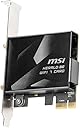
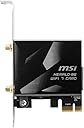
The MSI Herald-BE Wi-Fi 7 MAX is a cutting-edge PCIe network card designed for Windows 11 desktops, delivering ultra-fast 5.8 Gbps speeds via Wi-Fi 7 (802.11BE) with 320 MHz channel widths and Multi-Link Operation technology. It also supports Bluetooth 5.4 for seamless device connectivity, ensuring next-level low latency and network capacity for professional-grade performance.
| Asin | B0DFHRYRH6 |
| Best Sellers Rank | #9 in Internal Computer Networking Cards |
| Brand | msi |
| Built In Media | PCIe WiFi 7 network card; quick setup guide |
| Color | Multicolor |
| Compatible Devices | Desktop |
| Compatible Operating System Family | Windows |
| Customer Reviews | 4.2 4.2 out of 5 stars (544) 4.2 out of 5 stars |
| Data Link Protocol | Wi-Fi 7 (802.11BE), Bluetooth 5.4, 2.4 GHz, 5 GHz, 6 GHz operating frequency, 5.8 Gbps max speed, Windows 11 |
| Data Transfer Rate | 5.8 gigabits_per_second |
| Hardware Interface | PCIE x 16 |
| Item Weight | 0.33 kg |
| Manufacturer | MSI |
| Mfr Part Number | HERALDBWIFI7MAX |
| Minimum Required Operating System Version | Windows 11 |
| Model Number | HERALDBWIFI7MAX |
| Number Of Items | 1 |
| Number Of Packs | 1 |
| Unit Count | 1 Count |
| Upc | 824142377352 |
| Warranty Description | 1 Year |
User
Make sure you have windows 11! Or can install it!
Works amazing boosted my speeds from my B450 motherboard WIFI from 300mbps to about 1200 mbps ( i do have a 1g plan, and a wifi7 router) physical install is super easy and the software isn't that difficult. Would definitely recommend.
User
Great Range and Speed — Works Perfectly on Windows 11
This Wi-Fi card performed much better than I expected. The signal range is noticeably stronger and my internet speeds increased immediately after installation. The connection is stable and fast, even in areas where the signal used to be weak.One thing to note: it didn’t work on Windows 10 for me. I had to upgrade my PC to Windows 11, and after that it installed instantly and worked perfectly. So just keep compatibility in mind.Overall, it’s a high-quality Wi-Fi 7 card with excellent performance. I’m very satisfied with it.
User
Works with AMD & is rock solid
I got this to replace an aging Asus WiFi Wireless AC adapter that had developed connection issues in Windows 10/11. It was a situation that was driving me batty because I would drop and re-connect several times after booting but also sometimes randomly while gaming (definitely not good). One concern was that maybe some recent upgrade (graphics card?) had introduced some source of electromagnetic interference inside the case that was causing issues. The MSI Herald-BE WiFi 7 Max includes a metal shield around the card that may help if that is an issue (the non-Max version does not have the shield). That made it an appealing upgrade even though I don't yet have a WiFi 7 router (but I'll be ready when I do).As some may be aware, Intel-based WiFi 7 cards have issues running on AMD chipsets (won't boot, etc.). While that may eventually be resolved now that WiFi 7 is official and Win11 24H2 supports WiFi 7, this MSI brand WiFi card uses a Qualcomm chipset and works just fine today. Quite literally install card, install drivers, connect to network and go. My system hasn't had any connection issues since. It is rock solid.For those curious, I installed this on a motherboard with the B450 chipset. Due to the size of my graphics card, the only place I could install the WiFi card is in the lower PCIEx16 slot even though the it only uses one PCIE lane. On top of that, the motherboard is limited to running that slot in PCIE 2.0 mode which means the data transfer rate of that single lane is limited to 4.0 Gbps (same as 500 MB/s). This is theoretically lower than that the max transfer rate of this card (which is 5.8 Gbps). As pretty much all of us know, though, you never connect at the full theoretical WiFi rate of a connection. I suppose somebody could probably come up with an ideal test/situation where that 4.0 Gbps limit creates a little bit of a bottleneck, but I doubt it will crop up in 99.99% of real world scenarios. Of course people with newer motherboards that run at PCIE 3.0 and above are beyond this potential bottleneck. More than anything, I'm saying the MSI Herald-BE Wi-Fi 7 Max will work well in an older system. It has for me.
User
COMPATIBILITY ISSUE FOR BLUETOOTH
Gonna crash out for a minute, here's my story with the MSI Herald-BE card. For reference, I spent the better part of a decade in IT/systems before changing professions (couldn't handle any more network printer error tickets), so hopefully my troubleshooting can help save someone else a headache. If not, TL;DR is at the bottom.I spent the better part of tonight trying to get this card to work in my wife's gaming PC. Brand-spankin'-new, fast modern technology. Fire up the PC, Wi-fi picks right up, but no BT. Probably a driver right? Pick up the driver from MSI, run the setup and get a "no suitable drivers" error. Ok, weird. Double check the connection for the provided cable between the card and the board, it's in there. Check device manager, nothing showing with errors. Use the included driver CD (gross, literally had to find my external CD drive) and ran the setup, only detects the Wi-fi portion. Check the support page on MSI (again) and sure enough the BT should be showing up separately from the Wi-fi for drivers. Restart and check BIOS to make sure nothing dumb happened; USB port is active. Restart and go to ASUS for motherboard drivers (ASUS Prime X570-P is the part). Search for chipset drivers and restart, still nothing.I start looking on forums for issues with this card. Most of the "BT not working" trouble was from people not realizing you have to plug the USB cable to your mobo, then it works no problem. Not working for me, so I dive deeper. Cross reference the mobo with this card and there's TWO posts about it (which is 2 more than I expected). One post refers to the other as a solution, so I cross my fingers and read the thread.A few people with the same mobo are trying to figure out what's going on with the USB connections. One user starts testing between the two USB connection ports on the board and finds that one of them works flawlessly, the other not at all. Changes to another device, same outcome, so it sounds like the port. I check the port number (USB11 if you're wondering), that's the port I'm having an issue with too! Sweet hallelujah, we're getting somewhere! Not the somewhere I wanna be, but still it's progress. Since I am using the other mobo port for the USB ports on the PC case itself, I'm stuck figuring out what's up with this second port in particular.Further on someone posts a link to the mobo manual, calls out the page for the USB port connections on the board, and tells everyone to look it over. I get to the page and confirm that's what I'm looking at on my own board, but a bunch of "NC"'s catch my eye on the pin description section. I go back to the forum, and the user explains the NC ports mean there's no connection. NO. CONNECTION. THEY LITERALLY DIDN'T WIRE THE BOTTOM PINS ON THIS BOARD./sighSo I look back at the cable just like the forum users and sure enough, the one provided with the Wi-Fi card uses the lower "NC" pins. Well, at least I know why nothing is detecting. I keep reading on the forum and a few users noted that it's simple enough to just move the wires on the provided cable from the bottom to the top pins, so I give that a shot. It was easier than I expected, and my hopes rise.I plug everything back in; adjusted pin connection to the mobo and original connection to the Wi-Fi card. Fire the PC up and WE HAVE AN UNKNOWN DEVICE! Surely this has solved it. I pat myself on the back, down my Red Bull, and click the BT driver setup once again. I breathe a sigh of relief as the software loads and I click the "Install" button....and nothing happens. The button is greyed out...."No suitable drivers"...This....can't be happening....I take another breath, but this time I'm nervous. I go back to device manager and tell it to update manually, selecting my driver folder. No change. I run the driver CD software, does not detect the BT. I go BACK to the mobo manual and look over the pin values, then double check that I moved the right color wires into the right pins. I spent a few minutes learning about USB cable colors and their corresponding functions (power vs data) to make sure. I got it right, everything aligns. I shut the PC down and pull the cable out again. Maybe I needed to move the wires on both ends of the cable? Worth a shot right?I move the wires just like before and everything lines up just as it did, now just on the top row of pins for both ends of the cable. I triple check and make sure the wires are pushed all the way in, everything feels good. I plug the cable back in and fire up the rig, going straight into device manager. The unknown device is gone!HALLELUJAH! It's gone! It's gone.....it's gone? Where is it? No "Bluetooth" device is listed, nothing new showing up under network adapters...what?I check the cables one last time, they're firmly seated. I swap the ends between the card and the board, scan for changes, nothing. Wi-fi worked the entire time. I am 100% at a loss here, and I know this is absolutely due to the fact that the pins are not connected on that mobo port.TL;DR the MSI Herald-BE Wi-Fi/Bluetooth card isn't compatible with the ASUS PRIME X570-P motherboard because ASUS is cheap and/or stupid.
User
Great performance and value!
Okay, Four stars because I bought two of these and on one of my computers the bluetooth didnt want to work but seems more like a software issue not hardware. Wifi is high quality that increased the bits/sec by a factor of four. Easy PCI bus install. Btw, the PC that had the bluetooth issue was a Windows 11 Pro system and the other system that works was also Windows 11.
User
Awesome Speeds!
When I finally got it working, went from 200Mbps using motherboard wifi to over 600Mbps on the 5GHz channel on a 1Gbps line. Windows would not detect card on a PCIe x4 slot. Had to lower the speed to x2 in the BIOS to get board recognized and then I could install the drivers. Once the drivers were installed I could set the PCIe speed to auto again. Not happy with lack of info about the slot speed but it works great now. Oh, and why does it include a driver DVD? This is 2026 and a latest technology component. Would lower the review but wow the speed is good.
User
Windows10 - no wifi 7 - be aware
Microsoft does not make it possible for windows 10 to support Wifi 7The Wifi part will not work with windows10.The Bluetooth part work fine.
User
Does what it needs to, doesn't cost too much to do it.
Cards like this are mostly just a simple adapter for connecting the underlying WiFi+Bluetooth chip to your computer - PCI Express x1 for the WiFi, and a little USB pin cable for the Bluetooth. As such, there's only 4 ways that they're meaningfully different:1. The chip. There are two WiFi 7 chips generally considered the best on the market today. The standard advice is "get the Qualcomm if you have an AMD processor, or the Intel if you have an Intel processor." This is the Qualcomm one. My system is AMD on Windows 11, and I've had no issues with it at all.2. The included antenna. It's not exactly small, but not huge either. The magnetic base is convenient, but also pretty standard for these. It does what it needs to.3. The drivers. Others have mentioned here that downloading the drivers off MSI's site is a better option than the included disc - which is unfortunate because "downloading" is why you buy one of these things in the first place. I can't really take points off for this, as I didn't even try the drivers on the disc, but keep it in mind if you don't have access to another computer and a thumb drive.4. The price. It may not be true when you read this, but as of 2026-01-30 this is the cheapest I've seen for a WiFi 7 card.If you have an AMD system and a way to get ahold of the drivers, just get this one. It won't disappoint.
User
Excelente por su precio, podría ser mas discreto
Es bastante bueno, sin embargo también es bastante grande...El case es mas grande de lo esperado, es bonito, pero grande, se batalla un poco para conectar el cable de usb por la carcasa
User
ONLY WORKS ON WINDOWS 11
I didn't research enough, In all honesty that's my bad. The wifi card is very good and complaints about Bluetooth are easily mitigated by actually downloading the driver(wifi and Bluetooth are separate drivers. Go to msi's website for this product)But it only works on windows 11, that's no real fault of MSI, windows 10 just doesn't support wifi 7. I do wish there was a way to use this card on those operating systems, even if it was just capping it st wifi6 speed. But I tried installing the driver and had no luck on windows 10. I have to assume the same for Linux unfortunately.I would return it, again, no fault of MSI themselves, but I'm outside of the refund window. So now im stuck either running windows 11 or with an expensive PCI-E paperweight.Connection speed is solid and consistent, no issues there. Compatbility is just a pain right now.
User
High quality WIFI 7 card, chaper then others, but faster and more stable speeds.
The MSI Herald-BE Wi-Fi 7 MAX is an outstanding Wi-Fi 7 PCIe adapter that delivers exceptional wireless performance, modern connectivity features, and excellent reliability for enthusiasts, gamers, content creators, and power users alike.Powered by the Qualcomm NCM865 chipset, the Herald-BE Wi-Fi 7 MAX brings next-generation networking technology to desktop systems with support for Wi-Fi 7, Bluetooth 5.4, 320 MHz channel bandwidth on the 6 GHz spectrum, and Multi-Link Operation technology. MSI has done an excellent job packaging these advanced features into a high-quality PCIe solution that is easy to install and delivers impressive real-world results.Performance is where the Herald-BE Wi-Fi 7 MAX truly shines. MSI rates the adapter for wireless transfer speeds of up to 5.8 Gbps, making it an ideal choice for high-speed internet connections, large file transfers, cloud workloads, online gaming, and 4K/8K media streaming. When paired with a capable Wi-Fi 7 router, the card provides exceptionally low latency, excellent signal stability, and consistently fast throughput.The included antenna system provides strong reception and broad coverage, helping maintain reliable connections even in challenging wireless environments. Throughout extended use, the card demonstrates excellent stability with minimal latency and dependable connectivity, making it suitable for both productivity and gaming applications.Bluetooth 5.4 support is another major advantage. Wireless peripherals such as keyboards, mice, headsets, speakers, and game controllers pair quickly and maintain stable connections. Once properly installed, Bluetooth performance is responsive and reliable, complementing the excellent Wi-Fi capabilities of the adapter.Build quality is exactly what users have come to expect from MSI. The card feels solid, well-engineered, and designed for long-term use. Driver installation is straightforward on Windows 11, and the adapter integrates seamlessly into modern desktop systems. For users looking to upgrade from older Wi-Fi standards or add high-performance wireless networking to a desktop PC, the MSI Herald-BE Wi-Fi 7 MAX is an easy recommendation.Overall, the MSI Herald-BE Wi-Fi 7 MAX delivers exceptional speed, stability, and future-ready connectivity. With its combination of Wi-Fi 7 performance, Bluetooth 5.4 support, premium build quality, and excellent reliability, it stands out as one of the best wireless networking upgrades currently available for desktop PCs.IMPORTANT BLUETOOTH INSTALLATION WARNINGThe Bluetooth USB cable MUST be connected directly to a motherboard USB header.This is critical for proper Bluetooth operation.Do NOT use:USB header splittersUSB pigtail adaptersUSB extension cablesUSB hubsHeader multipliersAny other intermediary connection deviceFailure to connect the Bluetooth USB cable directly to a motherboard USB header may result in:Bluetooth drivers failing to installBluetooth not appearing in Device ManagerWindows not detecting Bluetooth hardwareBluetooth devices being unable to pairComplete loss of Bluetooth functionalityIf Bluetooth is missing, fails to install, or does not appear in Device Manager, the first thing to verify is that the included USB cable is plugged directly into a motherboard USB header without any splitter, pigtail, adapter, or extension in the connection path. A direct motherboard header connection is required for reliable Bluetooth detection and operation.
User
Cuidado
Cuidado. No es la tarjeta wifi7 max de msi, es una tarjeta parecida pero de una calidad muy inferior y desde luego, no por ese precio
User
Article non conforme
Article non conforme, j'ai reçu le modèle BE6500 qui ne correspond pas aux caractéristiques techniques de l'annonce, article renvoyé
Trustpilot
1 month ago
1 month ago