We remain fully operational. Our teams are working around the clock to ensure your deliveries continue safely.

DOWNLOAD THE APP


Customer Services
Copyright © 2025 Desertcart Holdings Limited
DOWNLOAD THE APP



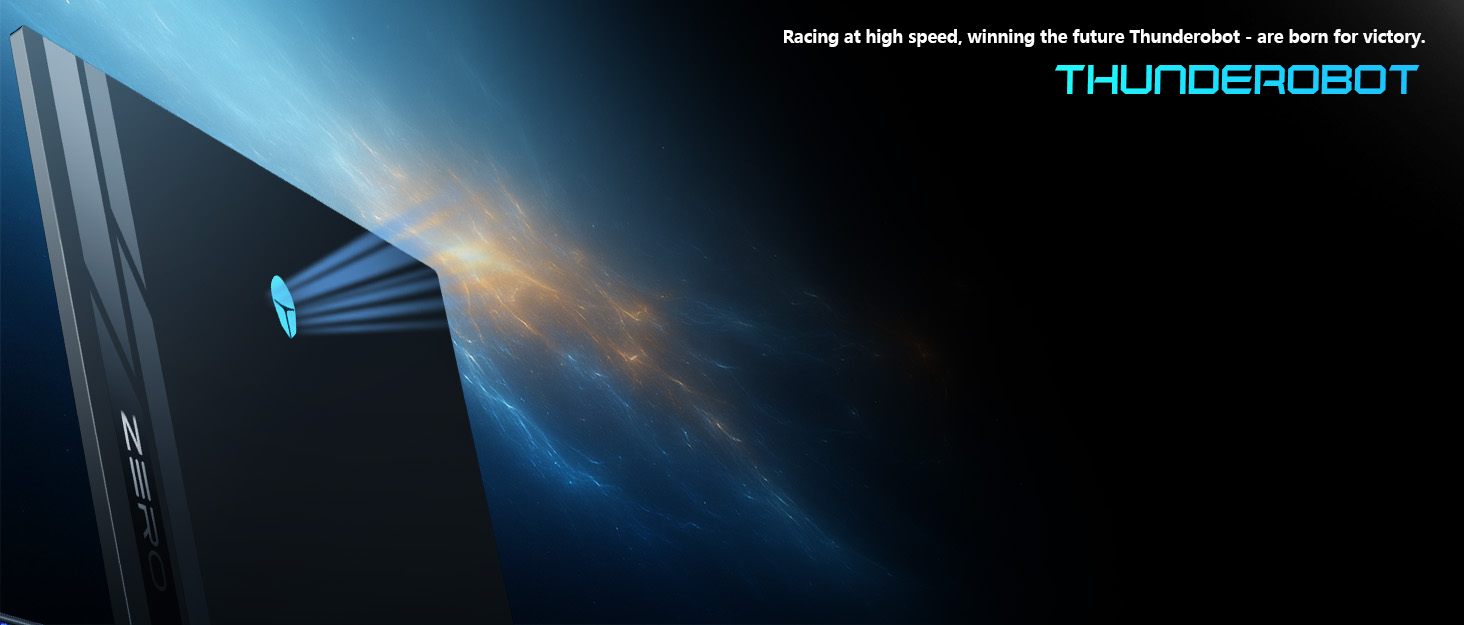
🚀 Zero Limits, Infinite Power — Own the future of gaming and creation today!
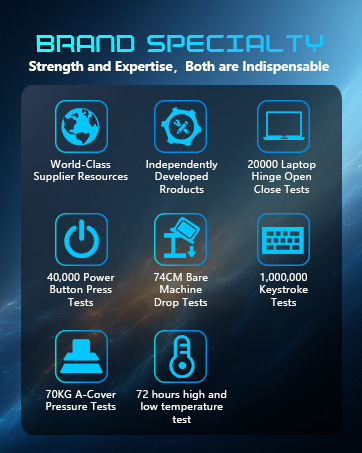
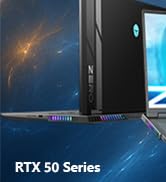
The Thunderobot Zero 18 Pro is a powerhouse gaming laptop featuring a 24-core Intel Core Ultra 9 275HX CPU, GeForce RTX 5070 Ti GPU, and 32GB DDR5 RAM paired with a 1TB PCIe SSD. Its 18" QHD+ 240Hz Hummingbird Eye-Care display offers stunning visuals with advanced eye protection. Designed for professionals and gamers alike, it boasts military-grade durability, extensive connectivity including Wi-Fi 6E, and an advanced 270W cooling system to maintain peak performance during intense workloads.





| ASIN | B0FZTHW8BT |
| Best Sellers Rank | #56,785 in Computers & Accessories ( See Top 100 in Computers & Accessories ) #8,867 in Traditional Laptop Computers |
| Bluetooth support? | Yes |
| Brand | Thunderobot |
| Built-In Media | THUNDEROBOT Zero 18 Laptop |
| CPU Model Generation | 13th Gen |
| CPU Model Number | 275HX |
| CPU Model Speed Maximum | 5400 GHz |
| Color | Black |
| Compatible Devices | External displays, mice, keyboards, storage devices, printers, and other accessories that use USB, HDMI, RJ-45, audio ports, Wi-Fi, or Bluetooth. |
| Connectivity Technology | Wi-Fi 6E, Bluetooth, USB-A, USB-C, HDMI, Ethernet, Audio Port |
| Customer Reviews | 4.0 4.0 out of 5 stars (2) |
| Display Resolution Maximum | 2560x1600 Pixels |
| Display Technology | LCD |
| Display Type | LCD |
| Form Factor | Clamshell |
| Graphics Coprocessor | GeForce RTX 5090 |
| Graphics Description | Dedicated |
| Hard Disk Description | SSD |
| Hard Disk Interface | PCIE x 4 |
| Hard-Drive Size | 1 TB |
| Human-Interface Input | Keyboard |
| Item Dimensions L x W x Thickness | 16.04"L x 11.78"W x 1.41"Th |
| Keyboard Description | Backlit |
| Manufacturer | THUNDEROBOT.Inc |
| Memory Clock Speed | 4800 MHz |
| Memory Slots Available | 2 |
| Model Name | ZERO 18 Pro |
| Model Number | ZERO 18 Pro |
| Model Year | 2025 |
| Native Resolution | 2560 x 1600 pixels |
| Number of Ports | 8 |
| Operating System | Windows 11 Home |
| Other Special Features of the Product | Numeric Keypad |
| Processor Brand | Intel |
| Processor Count | 24 |
| Processor Series | Intel Core Ultra 9 |
| Processor Speed | 5.4 GHz |
| RAM Memory Installed | 32 GB |
| RAM Type | DDR5 SDRAM |
| Ram Memory Maximum Size | 64 GB |
| Refresh Rate | 240 |
| Resolution | 2560x1600 pixels |
| Screen Size | 18 Inches |
| Specific Uses For Product | Gaming |
| Total Number of HDMI Ports | 1 |
| Total Usb Ports | 5 |
| Video Output | HDMI |
| Webcam Capability | Yes |
| Wireless Compability | 802.11ax |
| Wireless Technology | Wi-Fi |
J**R
THe sound crackles, pops, skips, doesn't matter the source.
The laptop comes with HOME 11 installed on it. The services panel had some strang values behind services so I wiped and put Windows 11 Pro on it. Installed all the drivers for the 18" ZERO Pro. THe sound skips heavily, blips, scratches, and it doesn't matter if I'm using headphones that are wired, wireless, or the system speakers. I've used CoreParking to shut down powermanagment on the cores which seemed to help minimally. I've used PowerSettingsExplorer to set the Processor Idle Demote/Promote threshold to 100% once it added to windows power settings control which stopped NTOSML.exe in LatencyMon to heavily reduce dsr/isr and execution count, and i've turned off cpu managment set it to 100% plugged. I uninstalled the sound control pael it comes with thinking it was causing distortion to occur which it didn't make any difference. I installed Equalizer APO to see if tuning it using that would make any difference and it didn't. Someting I've noticed is that only the first (2) cores of the machine are being used with high usage when llistening to music or video audio. It never uses the other cores like it is performing single core actions. My desktop is a 5800x3d and I can't remember the last time I heard a skip. I do music production, but studio and Ai. This basically killing my workflow and ability to hear or make music or video effectively. I was going to use this as a desktop replace inbetween stays but Ive neve experienced anything like this. The Bios does not seem to have updates listed anywhere to try and there is minimal setup compared to most MSI, ASUS laptops. At this point I don't know what to try. I am a master level computer repair tech and I can't think of anything else to try. The laptop screen is gorgeous, the keyboard lights and types great, the fans work great allthough i wish i had more fluid control, all i get is a lower, medium or high. The numbpad numbers could be full size, there is room for it. Battery life is what you would expect with this beefy of laptop. Overall the laptop operates fantastic, but the sound playback is completely BORKED. Thunderobot: I need your help, I don't want to send this laptop back or offer it up for sale but If i can't get the hardware glitching to stop because of bad drivers from you or a lack of bios support I'm not sure what else my alternatie is going to be. I will provide anything I can. But I'm out of hacks and cracks for this fix. If you can help me fix this I'll change my rating to 5. I'd give it 10 if i could, if only the sound worked.
D**D
superb laptop
superb laptop I was able to upgrade to 128gb ram and 4 tb nvme temp never over 40 degree celsius.I will buy again
Trustpilot
5 days ago
2 days ago