Buy anything from 5,000+ international stores. One checkout price. No surprise fees. Join 2M+ shoppers on Desertcart.
Desertcart purchases this item on your behalf and handles shipping, customs, and support to Brazil.
🚀 Quadruple your productivity, not your clutter!
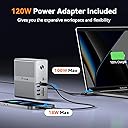
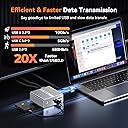
The TobenONE Quad Monitor Docking Station is a powerhouse 18-in-1 hub featuring 4 HDMI ports supporting up to 4 external displays, a robust 120W power adapter for fast laptop charging, and extensive connectivity options including USB-C, USB 3.2, Ethernet, and SD/TF card slots. Compatible with a wide range of devices from MacBooks to Windows laptops and Chrome OS, it’s designed to elevate multitasking and streamline your workspace with professional-grade performance.


| ASIN | B0CSFVR97V |
| Best Sellers Rank | #10,820 in Electronics ( See Top 100 in Electronics ) #174 in Laptop Docking Stations |
| Brand | Tobenone |
| Color | Grey-MacBook Docking Station Triple Monitor |
| Compatible Devices | Apple M1/M2/M3/M4,MacBook Neo and Intel Macs (MacBook Pro, MacBook Air with macOS 10.14 or later), such as MacBook Air Retina 12" (2016, Intel chip), MacBook Air Retina 13" (2018/2019/2020, Intel chip), MacBook Pro 13" (2016/2017/2018/2019/2020, Intel chip), MacBook Pro 14" (2021, M1 Pro or M1 Max chip), MacBook Pro 14" (2023, M2 Pro or M2 Max chip), MacBook Pro 14" (2023, M3 Pro or M3 Max chip), MacBook Pro 14" (2024, M4 Pro or M4 Max chip), MacBook Pro 15" (2016/2017/2018/2019, Intel chip), MacBook Pro 16" (2019, Intel chip), MacBook Pro 16" (2021, M1 Pro or M1 Max chip), MacBook Pro 16" (2023, M2 Pro or M2 Max chip), MacBook Pro 16" (2023, M3 Pro or M3 Max chip), MacBook Pro 16" (2024, M4 Pro or M4 Max chip), MacBook Air 13" (2020/2021, M1 chip), MacBook Pro 13" (2020, M1 chip), MacBook Air 13" (2022/2023, M2 chip), MacBook Pro 13" (2022, M2 chip), MacBook Pro 14" (2023, M3 chip), MacBook Air 15" (2023, M2 chip), Need to install driver before use, Windows 10 / 11 & macOS 10.15.x and later, ChromeOS 100.x. Thunderbolt 3/ Thunderbolt 4/ Thunderbolt 5/ USB4/ full-featured USB-C Microsoft Surface line/HP Spectre x360 series, Dell XPS 13 / XPS 15 / Latitude series, Lenovo Thinkpad T series. Such as Microsoft Surface Book 2, Surface Go, Surface Laptop 3, Surface Pro 7; Dell XPS 13/XPS 15 9300/ 9310/ 9350/ 9360/ 9370/ 9380/ 9550/ 9560/ 9570/ 7390 +more) / Latitude 5310/ 5580/ 7490 +more); HP Spectre x360 13t, Specter x369, Elitebook 840 G5 series, Elitebook X2, Elitebook x360 1030 G3, Elitebook 745 G6, Elitebook 830 G6, 2018 HP Elite 800 G4, Envy x360 Laptop (15z-ds100), Zbook 17 G4; Lenovo Yoga 730/ Yoga 910/ Yoga 920/ Yoga 930, Yoga15 Thinkpad Ultrabook Pro, Thinkpad E590/ Thinkpad P72, Thinkpad T470/ T480/ T490; Thinkpad X1 Carbon; Legion Y530, Lenovo C930/ T480s; Huawei Macbook Mate10 or later; Google Slate (2019); Pixel book go 2019/2020, LG Gram, Samsung Galaxy TabPro S Compatible Devices Apple M1/M2/M3/M4,MacBook Neo and Intel Macs (MacBook Pro, MacBook Air with macOS 10.14 or later), such as MacBook Air Retina 12" (2016, Intel chip), MacBook Air Retina 13" (2018/2019/2020, Intel chip), MacBook Pro 13" (2016/2017/2018/2019/2020, Intel chip), MacBook Pro 14" (2021, M1 Pro or M1 Max chip), MacBook Pro 14" (2023, M2 Pro or M2 Max chip), MacBook Pro 14" (2023, M3 Pro or M3 Max chip), MacBook Pro 14" (2024, M4 Pro or M4 Max chip), MacBook Pro 15" (2016/2017/2018/2019, Intel chip), MacBook Pro 16" (2019, Intel chip), MacBook Pro 16" (2021, M1 Pro or M1 Max chip), MacBook Pro 16" (2023, M2 Pro or M2 Max chip), MacBook Pro 16" (2023, M3 Pro or M3 Max chip), MacBook Pro 16" (2024, M4 Pro or M4 Max chip), MacBook Air 13" (2020/2021, M1 chip), MacBook Pro 13" (2020, M1 chip), MacBook Air 13" (2022/2023, M2 chip), MacBook Pro 13" (2022, M2 chip), MacBook Pro 14" (2023, M3 chip), MacBook Air 15" (2023, M2 chip), Need to install driver before use, Windows 10 / 11 & macOS 10.15.x and later, ChromeOS 100.x. Thunderbolt 3/ Thunderbolt 4/ Thunderbolt 5/ USB4/ full-featured USB-C Microsoft Surface line/HP Spectre x360 series, Dell XPS 13 / XPS 15 / Latitude series, Lenovo Thinkpad T series. Such as Microsoft Surface Book 2, Surface Go, Surface Laptop 3, Surface Pro 7; Dell XPS 13/XPS 15 9300/ 9310/ 9350/ 9360/ 9370/ 9380/ 9550/ 9560/ 9570/ 7390 +more) / Latitude 5310/ 5580/ 7490 +more); HP Spectre x360 13t, Specter x369, Elitebook 840 G5 series, Elitebook X2, Elitebook x360 1030 G3, Elitebook 745 G6, Elitebook 830 G6, 2018 HP Elite 800 G4, Envy x360 Laptop (15z-ds100), Zbook 17 G4; Lenovo Yoga 730/ Yoga 910/ Yoga 920/ Yoga 930, Yoga15 Thinkpad Ultrabook Pro, Thinkpad E590/ Thinkpad P72, Thinkpad T470/ T480/ T490; Thinkpad X1 Carbon; Legion Y530, Lenovo C930/ T480s; Huawei Macbook Mate10 or later; Google Slate (2019); Pixel book go 2019/2020, LG Gram, Samsung Galaxy TabPro S See more |
| Customer Reviews | 4.6 out of 5 stars 305 Reviews |
| Hardware Interface | DisplayPort , Ethernet, HDMI , MicroSD, USB 3.0, USB 3.2 Gen 2, USB Type C |
| Input Voltage | 120 Volts |
| Item Dimensions L x W x H | 1.7"L x 4.31"W x 4.5"H |
| Item Weight | 17.6 Ounces |
| Manufacturer | TobenONE |
| Mfr Part Number | UDS033B |
| Model Number | UDS033B |
| Number of Ports | 18 |
| Product Dimensions | 1.7"L x 4.31"W x 4.5"H |
| Total Number of HDMI Ports | 4 |
| Total USB Ports | 6 |
| Total Usb Ports | 6 |
| Warranty Description | 24 Months |
| Wattage | 100.00 |
M**N
Outstanding dock & support
This is my second time buying from Toben One, and they’ve earned a loyal customer. My previous dock worked great for years until I ran into an issue. I reached out to their support team, and they sent me a brand new replacement at no charge with zero hassle. That kind of support is rare, and it’s exactly why I came back when it was time to upgrade. The new model carries forward the same premium build quality, just refined. I work from home with a MacBook Pro and run dual monitors, and this dock handles it without hesitation. My previous dock from another brand constantly struggled with the second display. It would connect on one monitor fine but the second was always finicky. With the Toben One, both monitors connect instantly every single time. No fuss. I also appreciate the dual USB-C cable setup. A single cable is convenient, but two cables creates a more stable, reliable connection, and that shows in day-to-day use. The compact size is a bonus too. I have mine tucked on a small shelf under my desk with all my cables, and it fits perfectly. If you work from home and need a dependable, well-built dock backed by a company that actually stands behind their product, this is it. Highly recommend.
L**A
A Flawless Docking Station: The UDS038M Exceeds Expectations!
I am thoroughly impressed with the UDS038M docking station. From the moment I unboxed it, the attention to detail in its design was evident; both the docking station itself and its packaging are beautifully crafted, with the Power LED on the front panel being a particularly nice touch. The innovation continues with the power supply module. It's incredibly compact for a 100W unit, boasting a neat design that defies its power output. Even the LED indicator on the power adapter is charming – a small detail that speaks volumes about the overall quality. Functionality-wise, the UDS038M performs exceptionally. I tested various monitors with both HDMI-1 and HDMI-2 ports, and the dock detected every single one without a hitch. Connectivity is ample, with a sufficient number of USB-A and USB-C ports to handle all my peripherals. I particularly appreciate the thoughtful placement of the Audio In/Out and SD connectors on the front, making them incredibly convenient to access. Another standout feature is the dual USB-C cable for Host1 and Host2, which makes connecting to my MacBook computers a breeze. This is a brilliant design choice that enhances usability. Honestly, after putting this docking station through its paces, I couldn't find anything wrong with it. The UDS038M is truly an excellent product that delivers on all fronts – design, performance, and user convenience. Highly recommended!
L**Y
Great docking station, you won’t be disappointed.
I am extremely impressed with this docking station. In actual use, it performed flawlessly and handled everything I threw at it without any issues. I connected through Ethernet and was able to reach my ISP’s maximum speed, which was a huge plus. I also ran dual 1440p displays at 75 Hz with no problems at all. Beyond that, I was able to read both a microSD card and a full-size SD card simultaneously while continuing to use other ports, and the dock never skipped a beat. Everything felt stable, responsive, and reliable throughout my testing. It’s clear this dock is capable of handling a demanding home or office setup. My only complaint is that the plug design interfered slightly with the protective case on my MacBook. If the connector area were just a little slimmer vertically, it would be even better. That said, once I popped off the bottom-left portion of my case, it worked wonderfully. Overall, this is a high-performing and dependable dock, and I would absolutely recommend it to anyone looking for a versatile MacBook docking station.
O**T
Powerful and Ready
Plugged it in and was up and running immediately—dual 4K monitors at 60Hz, fast Ethernet, plenty of ports, and clean power delivery all in one unit: no glitches, no disconnects, no heat issues. Build quality is solid, and it handles a full workday without drama. It simplifies my setup and does everything it claims. If you run a MacBook and want a reliable, all‑in‑one dock, this is an easy recommendation.
J**H
A stable, reliable, and genuinely affordable docking station that holds up under heavy loads
I have been using a fairly expensive ($220+) 'Plugable' brand Thunderbolt dock, primarily for the display connection stability, but I was looking for a dock option with a few more ports. I was glad to find this dock which is a better value, more stable, and more attractive on my desktop. This TobenOne dock has great form factor, including a smaller footprint and smart port layout for the front and back. I also appreciate the inclusion of a power switch, which is essential for restarting if some devices ever struggle to connect. It's physically heavy enough to deal with lots of cables being attached, which has been an issue with other docks. This is a major factor when you have two braided HDMI cables, ethernet, power, and 6 usb cables plugged in. Also not trivial: this docking station runs cooler than the last two models I have used. My Pluggable dock runs almost hot to the touch, which doesn't give me much confidence in its long-term reliability. Most importantly, the dual 4k HDMI displays are working flawlessly with my setup. I keep my MacBook display active and use two large monitors for a three-screen extended desktop. So far, this dock has been more stable and has kept the displays connected properly. I'm surprised it is more responsive with my external displays, considering it isn't using Thunderbolt. My single complaint so far is that the double-headed USB-C power/display cable is just too short. I have my MacBook to the LEFT of the two larger HDMI displays. That means I have to tug on the USBC power/display cable to make it reach the left side of the macbook (where the double USB-C ports sit). The included dock cable needs to be just another 10 or 12 inches longer. Similarly, I wonder if it would be possible for the cable to have a built-in 90degree angle system, which would take some of the pressure off of where the cable bends. For reference, I keep my laptop sitting upright on an elevated stand, so the cable can pass under to the dock, but because there is no 90-degree bend at the cable connection point, the cable is pulled slightly taut, which strains the connection. I've been following TobenOne's products for some time, and this feels like the most stable and reliable offering they've released. It's clear they are responding to user input, and with this docking station, I'd say they are leading a limited pack of affordable and reliable docking stations for dual-screen macbook users with heavy connectivity requirements.
V**K
Excellent docking station
I’ve been using this docking station for daily office work and it has been reliable so far. Setup was straightforward on my MacBook, and it handled multiple external monitors without issues once everything was configured correctly. Build quality feels solid, ports are well laid out, and it has reduced cable clutter on my desk. Performance has been stable during normal productivity tasks like coding, video calls, and document work. It runs slightly warm with extended use, but nothing unexpected for a dock with this many ports. Overall, it does what it’s supposed to and offers good value for the features provided.
G**7
Solid build quality, but check your monitor cables first!
I recently picked up the TobenONE 16-in-2 docking station for my MacBook setup. First impressions were great—this is a very solidly made product that feels premium on the desk. However, I initially ran into some trouble getting it to work, and I wanted to share the solution in case anyone else faces the same issue. I originally tried to connect my two older Dell monitors using their DisplayPort connections into the HDMI ports on this dock (using adapter cables). The monitors wouldn't wake up, and I thought the dock might be faulty. It turns out that was a cabling mismatch. I swapped the monitors for newer Dell models that have native HDMI ports. As soon as I switched to a straight HDMI-to-HDMI connection—hey presto—everything worked perfectly! Now that I have the right connections, the dock works precisely as advertised. If you have HDMI monitors, this is a fantastic choice. Just be aware that connecting a Dell DisplayPort monitor to HDMI on this device/PC can be problematic. Check your cable types before you buy!
S**Z
AMAZING Dock - AMAZING Build Quality
This docking station has completely transformed my workspace. The ability to connect two 4K monitors at 60Hz is a game changer for productivity, and everything looks crisp and smooth. I love that it has enough USB ports for all my devices...keyboard, mouse, external drives, and even a phone charger, and I still have rom to spare. The 2.5Gbps Ethernet port is lightning fast compared to my old dock, and I’ve noticed file transfers and uploads are much quicker. One of my favorite features is the charging capability: my MacBook gets a full 100W, and I can charge my phone at the same time without needing extra chargers cluttering the desk. Build quality is solid, and it stays cool even when I’m running a lot of things at once. I’ve had zero compatibility issues with my MacBook Pro, and everything just works out of the box. If you need a reliable, high-performance dock for a MacBook, this is absolutely worth it. Highly recommended!
J**K
Amazing product... but BEWARE OF THIS ONE TRADEOFF
I have the Macbook Pro M4 pro and this works perfectly well with it. I am able to connect my mouse, keyboard, headphones and other devices using USB, and it powers it perfectly and it has a solid metal build. The reason why I can't give it 5 stars is because it uses DisplayLink to connect your monitors. If you aren't tech-savvy, then this won't be an issue for you, but for someone like me who is a software engineer and on my computer 24/7, you notice that it is really laggy due to the latency of DisplayLink. To fix this, I just connect my two monitors directly into my MacBook using a separate dock with two HDMI cables. This works like a charm, and my monitors are at their maximum performance. I am just happy that this dock is able to support all my USB devices. Suppose you are someone like me and don't want the hassle of unplugging and plugging in a bunch of cables when you need to take your MacBook elsewhere. I recommend you invest in the higher-end docks such as the TS4 or the Ivanky FusionDock Max 1. These aren't cheap, but they are worth the price if you want to buy something that'll never fail you and last you years. You only need to plug one cable connecting your MacBook to the dock, and everything works like a charm. But for me, I'm happy to save hundreds of dollars with the tradeoff that I have to connect and reconnect the HDMI cables directly to my Macbook.
L**O
Muito bom! Serviu bem pro que eu precisava!
Gostei muito do dispositivo. Ele me permite conectar várias telas, que era o meu objetivo principal, e tem entradas pra outros periféricos também. Estou com 4 telas, incluindo a do notebook, e pretendo adicionar mais uma. Como trabalho com programação usar muitas telas é essencial. Um único ponto que observei é que ele esquenta bem, então é importante manter em ambiente refrigerado.
R**S
Excelente produto
Excelente
A**R
Bom
Bom.
D**T
É só instalar o DislpayLink, que tudo funciona perfeitamente.
Podem comprar sem medo. Sei que o preço assusta um pouco, mas o aparelho cumpre o que promete. Tenho um Macbook Air M1 e o único cabo que preciso conectar nele é o USB-C incluso no Docking Station. Ele alimenta a energia e transfere dados rapidamente. Simples assim. Quando preciso utilizar outro computador (utilizo também em um MacMini M4), basta conectar este único cabo e tudo funciona instantaneamente. Vale demais à pena. Eu já havia comprado alguns Hubs e outra boa Docking Station (mas sem DisplayLink), mas nada se compara a esta aqui. Hoje utilizo as três portas USB 3.0, uma porta USB-C frontal, dois HDMI e uma USB-C traseira (ver imagem). Facilita demais a vida... câmera, microfone, certificado digital, monitores, "pen drive". Se houvesse 6 estrelas, este equipamento mereceria.
Trustpilot
1 month ago
3 weeks ago