We remain fully operational. Our teams are working around the clock to ensure your deliveries continue safely.

DOWNLOAD THE APP


Copyright © 2025 Desertcart Holdings Limited
DOWNLOAD THE APP




Buy anything from 5,000+ international stores. One checkout price. No surprise fees. Join 2M+ shoppers on Desertcart.
Desertcart purchases this item on your behalf and handles shipping, customs, and support to Brazil.
🌟 Bridge the gap, boost your network—wireless freedom redefined!
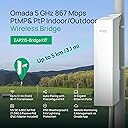
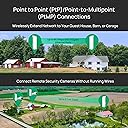
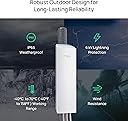
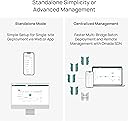
The TP-Link Omada Point to Point Wireless Bridge delivers up to 867 Mbps on the 5 GHz band with a robust 5 km range. Featuring 3 Gigabit Ethernet ports, IP65 weatherproofing, and flexible PoE or DC power options, it’s preconfigured for quick plug-and-play setup and managed seamlessly via the Omada cloud platform. Ideal for professionals seeking reliable, long-distance wireless bridging with enterprise-grade durability and remote management.













| ASIN | B0CX7X1WT2 |
| Antenna Location | Outdoor/Travel |
| Best Sellers Rank | #12 in Computer Networking Wireless Access Points |
| Brand | TP-Link |
| Built-In Media | Solution X discount code for registered accounts, Title (if applicable) |
| Color | black |
| Compatible Devices | IP camera |
| Connectivity Protocol | Wi-Fi |
| Connectivity Technology | 802.11ac, Ethernet |
| Controller Type | Software-defined Network (SDN) Controller |
| Coverage | Up to 5 km |
| Customer Reviews | 4.4 4.4 out of 5 stars (147) |
| Data Transfer Rate | 867 Megabits Per Second |
| Frequency | 5 GHz |
| Frequency Band Class | Single-Band |
| Global Trade Identification Number | 00840030709159 |
| Is Modem Compatible | No |
| Item Dimensions L x W x H | 4.8"L x 2.5"W x 8.9"H |
| LAN Port Bandwidth | 1000 Mbps |
| Manufacturer | TP-Link |
| Maximum Upstream Data Transfer Rate | 867 Megabits Per Second |
| Mfr Part Number | EAP215-Bridge KIT |
| Model Name | EAP215-Bridge KIT |
| Model Number | EAP215-Bridge KIT |
| Number of Ports | 6 |
| Operating System | Linux |
| Other Special Features of the Product | 3x Gigabit Ethernet ports for more high-speed IP camera connections., 802.11ac for up to 867 Mbps on the 5 GHz wireless data rate., Auto-pairing and agile LEDs for efficient deployment., IP65 weatherproof enclosure and 6kV lightning protection ensure all-weather suitability., Ideal for long-range wireless transmission up to 5 km., Supports Omada SDN for remote and centralized management., Supports… |
| Security Protocol | WPA2 |
| Smart Home Compatibility | Not Smart Home Compatible |
| UPC | 840460601542 840030709159 |
| Unit Count | 1.0 Count |
| Warranty Description | 5 Year |
| Wi-Fi Generation | Wi-Fi 5 |
| Wireless Compability | 802.11ac |
B**C
Easy setup. No issues.
Deployed a pair of these to bridge my internet to a building about 700' away from our main house. Not a long distance use for this product by any means but it worked like a charm, getting comparable WiFi speeds from the attached access point as I was getting at the main house. Essentially functions as a really long ethernet cable. I have a few trees and bushes between the two stations, not line-of-sight, but that didn't seem to be any issue - at this distance anyway. No configuration issues. Pretty much just reset the username and password and I was up and running. I use the Omada app for any management of this and a couple of other Omada outdoor access points I have running. The one feature which would have been really handy is a PoE pass through (other brands do have this - not sure about other models from TP Link). This would have made power provisioning for the Omada outdoor access point I have mounted on a utility pole at the receiving end a bit easier.
D**R
Blast the WiFi right where it is needed!
This is an awesome product and an affordable solution. Straight forward & easy setup combined with great performance & tremendous value... cant beat it. HIghly recommend!
E**S
Just what we needed !
Easy to get set up and they work great ! No complaints at all ! Very reliable!
B**Y
Game changer!!!!!!
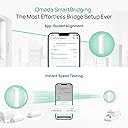
These are surprisingly awesome. Granted, it's good to about 3 miles and I'm only using it for about 350 feet but even when they are not pointed to each other very well, the speed is decent. 'Tune' them up and they work great! The instructions aren't the best but it's an easy install. Just be sure you do all the nerd work setting these up before putting them in their respective places and installing the hardware. The antenna alignment in the App is pretty helpful.....get into the green and your golden. This is a game changer for many of us that have large property and want to save money and connect to the internet without having to bury lines, buy lots of extra equipment and go to school to learn how to connect everything together. And it's priced very competitively!
R**P
Improvement on original. Easy to use.
I have used this guys predecessor and they have improved on a good thing. This replaced the old Omada PtP bridge i had in place for years in a matter of minutes at each location. Paired up easy out of the box and mounted to existing locations. They went away from the old zipties they use to provide to nice stainless worm gear clamps. The range is perfect for what i needed.
A**S
Able to expand my WiFi 300’
Excellent product. Was able to get a good WiFi signal 300’ away. Firmware updates were easy, no problems. I also like the power options, with Ethernet or plug in to a wall outlet (110v) or solar power. Very well built product. Was also able to increase the signal strength to my security cameras. Thanks TP-link.
C**T
Easy setup, wide area coverage
I bought this to extend shared Starlink internet at the campgroud where I have property. The Starlink is installed in a neighbor's trailer approximately 50' from mine. I was getting a fair signal but had some buffering while streaming to my tv. I installed the TP-Link yesterday with the main unit on the same pole the Starlink antenna is on, and the client unit inside my trailer pointing thru a window to the main unit. I now have faster wifi coverage and have a strong signal over 300' on either side of the main unit. This product gives you everything you need in the box except for the network cables needed to connect to the router. It was much less expensive than the unit recommended to me by a Starlink installer in the area and gives better coverage than the other one claims.
J**N
Doesn't Work
This is a wireless network bridge, meaning it will connect your network to a remote location via wireless. Says it works "out of the box". Says it is pre-configured. Plug & Play. Mine did not. Plug and play should mean follow the directions, here to be sure one is set for control and the remote set as such. Plug it into the network, align the units and it should work. It dis not. I went through all the basic troubleshoots. Nothing. Downloaded the software network controller and it found the control device, had to 'adopt' it to the network they said. Did. The remote still lights up but did not connect. Reset manually. Nothing. Checked the wireless signal and it was there. Decided after hours of fooling around with this that it was time to move on. I've been installing network devices for 30 years, not a newbie. My advice is don't cheap out. Get a solid, tried and true device. Very Disappointed.
J**.
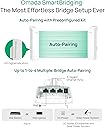
Having used the previous generation of these devices, based on the PharOs platform, these work better than I expected. Those Pharos based ones stopped working after about 8 years in the field (literally a field!) and it could have been a cable fault, but as they’re are mounted about 8m above the ground, in a location not easily accessible, we opted to replace them (and the cabling) with these, to bring them into the Omada platform that we’ve been using for the rest of the site for sometime. The build quality is good, although expect the plastic to yellow in the sun, but it won’t go brittle. They use exactly the same mounts and housing as the previous generation, so you could literally just swap the AP out, if the cabling and mount are good. They’re not certified to transmit as far, I forget the exact numbers, but I think it was about 15Km on the old platform, verses about 5Km on the new. That wasn’t a concern for us, but could be for others. The setup of the devices was a piece of cake, we installed the Main AP on the main building where the Controller is situated, and the client one at the other building. Once the client AP was powered up, using the in box PoE adaptor, they automatically paired and began working. The speed is nothing to write home about at only 800Mbps, but this is 10x the internet uplink, and only needs Kbps to function as intended. All in all they provide great value too, as you get two APs in the box, preconfigured, whereas with the previous generation, they were about 3/4 of the price, but you only got 1, and had to install software to configure them. These are also part of the Omada platform, so you get all the benefits you would expect from using that platform. In addition, the bridge APs also functioned as client APs, allowing devices to connect if there wasn’t a better positioned AP to handle the traffic.
M**A
These devices are awesome. Super affordable, easy to configure, weather resistant and fast. I've installed mine in a heavily-forested rural area about 100 meters apart with excellent throughput and extremely low latency. They've been subjected to heavy rain and snow without skipping a beat.
I**I
سيء جداً المسافة المجربة 1 كم وهو المفترض أن يدعم 5 كم برغم من أن الاشارة عند الاتصال تعتبر قوية لكن السرعة لا تتجاوز 1 ميجا عند الوحدة الطرفية مع أن السرعة عند الوحدة الرئيسية 450 ميجا الاتصال يقطع كثيرا حتى بعد ترقية الفيرموير لا يوجد دعم تقني حقيقي من قبل الشركة أرسلت لهم ايميل من صفحتهم ولم يردو علي. أتصلت بهاتف الدعم الذي باللغة العربية فأجابني شخص " هل تعرف أنجليزي" قلت نعم تفضل. قال "بخلي واحد يكلم حضرتك إنهرضا" ولم يتصل بي أحد , حاولت الاتصال مرات كثيرة في أوقات مختلفة وأختار اللغة الانجليزية ولكن الرد الالي يجيب بأنه لا يوجد أحد لخدمتك حاليا برغم اتصالي في الاوقات المحددة من قبل الشركة
J**N
Keep in mind TP link uses a few different protocols. My Omada system adoped them and they worked! Now I have Wifi 200m away through some trees down in the riding ring.
4**F
FANTASTIC , used from house to my workshop 50m away , no issues at all easy to set up for a novice like me
Trustpilot
2 weeks ago
3 weeks ago