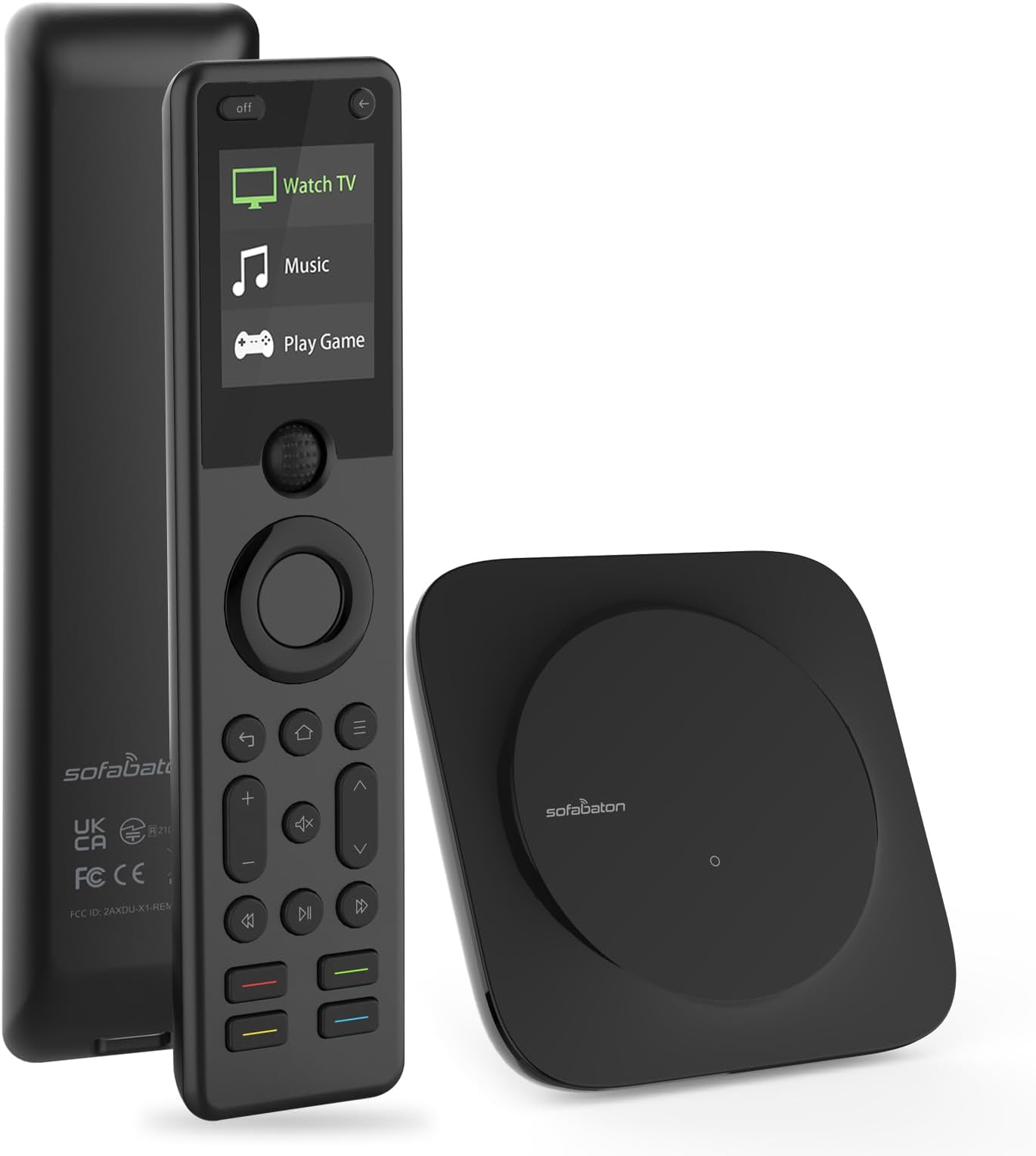
Before purchasing this Sofabaton X1S, I was a satisfied customer of their earlier U1 universal remote. Part of the reason for my satisfaction was the excellent support they provided. Some of my equipment was old, and it wasn't in the Sofabaton database. When I asked for help, they responded right away and entered the data, and it worked. They were a pleasure to work with. I was able to set my U1 control for my Samsung TV, Nakamichi receiver, and Oppo Blu-ray player. I set "activities" for playing a CD, using the Bluray and the receiver, and for watching TV with AppleTV, with the audio piped through the receiver. The one thing I couldn't do is connect to my Sonos Port. I hoped that the next version would be able to control the Sonos as well. When Sofabaton offered me a rebate on the X1S if I agreed to review it, I jumped at the chance. So far, I have had a couple small problems configuring my devices, but was able to work through them with the help built into the Sofabaton app. You do the configuring -- and also testing -- directly through the app, and then that syncs with the remote. Currently, my Sofabaton X1s has absorbed the controls for my TV, AppleTV, Nakamichi receiver, Oppo Bluray, Sangean HD radio, and (sort of) Sonos Port. The X1S works for me a little better than the U1. When I was setting it up, the default menu picks seemed to lead me straight to good settings. With the earlier U1 model, I recall having to do more customization to get things set the way I wanted, adding or changing commands for individual keys. That capability is still present, though, if I need it. I like the new version of the physical remote control better than the U1, because the more rectangular X1S seems more stable in my hand. It feels well-built, and the screen is easy to read. The only thing I would change is that the two little buttons at the very top ("off" and "<-") are slightly awkward for me to reach without shifting the remote in my hand; it would work better for me if these were on either side of the roller ball in the middle of the remote. It's really nice to be able to control several devices with one remote. This time my "Big Screen" activity just came together better than on the U1, and pressing "off" on the remote reliably turns off both TV and receiver. This time, I didn't need to configure a pause between powering the receiver and selecting the input, and it seems to just work. When I start the activity, it turns on the TV, receiver and the AppleTV, and sets the receiver's input to Video. The remote basically controls the TV (and the AppleTV through the TV), except for the volume and muting, which control the Nakamichi receiver. Then I edited the mute button to control the TV -- so I can easily swap between the TV audio and receiver audio, which is handy when I have the receiver going through my headphones. It's easy to edit the buttons in the Sofabaton app. For the Oppo Bluray, somehow I didn't get a working disc eject button, but I was able to select a button and explore a couple settings and quickly found one that works. With my TV, there were two database entries, and I wasn't sure which was correct. The first one worked great except for powering off. The Sofabaton app allowed me to troubleshoot that button, and the first or second suggestion for a change turned out to be the right one. (There are several versions of my LG TV). I found the menus mostly easy to understand. There were a couple places where I wasn't sure which way to go, but I tried a couple things and quickly worked it out. It's not perfect, but it's good, especially when considering the complexity of all the different devices and configurations available. I know that if I ever do get stuck, I can ask Sofabaton for help again, and they will quickly and cheerfully get me unstuck. My hope was to have a physical remote control for my Sonos Port, allowing me to cycle through my saved stations in the Port's app. I couldn't get that to work, but that would be a pretty tall order. The Sofabaton app lets you configure the inputs for a device in several different ways. You can work with devices that have physical buttons (like 1, 2, 3... as with my HD radio) or an "Input" button and then "Next". But the Sonos has no physical controls, and it doesn't seem to have any "hooks" into the app for selecting my stations. What I could do, though, was set the Sofabaton to control my Sonos Port (via bluetooth), and by default, the "next" button triggers the next selection in whatever channel I currently have in the Sonos app. Not bad. I think the X1S is well-designed and well-thought-out and well-executed. I would recommend it to my friends who are into tech. Looking over my comments, I would say that the X1S is not perfection, but it seems about as close as I'll find in any remote that can accommodate all the different devices and use cases that are out there -- with built-in features for fixing and customizing device profiles. I have not mentioned some of the advanced features that I don't yet use, such as integration with Alexa and Google Assistant. I just discovered the "Find my remote" feature (in the app, under Settings): I pushed the button upstairs, and followed the loud beeps to locate the remote, downstairs. I just noticed a feature in the app called "API interface". So there's more to explore, when I have time.