Buy anything from 5,000+ international stores. One checkout price. No surprise fees. Join 2M+ shoppers on Desertcart.
Desertcart purchases this item on your behalf and handles shipping, customs, and support to Brazil.
๐ Upgrade Your Drive: Smart, Loud & Connected!
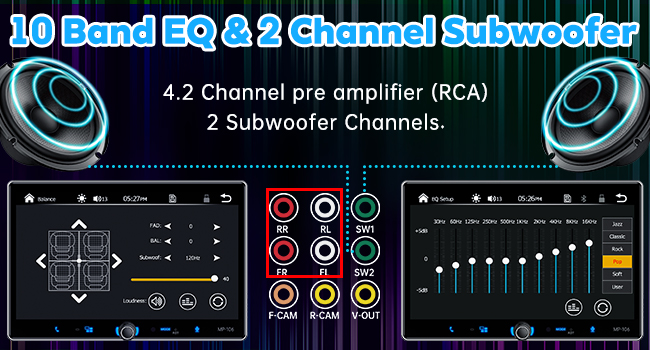
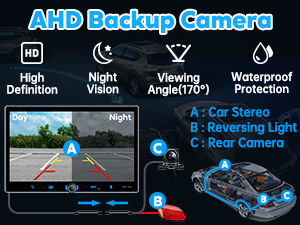
The PLZ Single Din Car Stereo is a powerhouse 10.1" touchscreen receiver featuring wireless and wired Apple CarPlay & Android Auto, Bluetooth 5.3 with enhanced antenna, and a 240W 4.2 channel DSP audio system with dual subwoofer outputs. It includes front and rear backup cameras, steering wheel control support, and multiple connectivity ports, delivering a premium, safe, and immersive in-car entertainment experience tailored for modern drivers.


| ASIN | B0CFHBB4MS |
| Audio Encoding | Stereo |
| Audio Output Mode | Stereo |
| Audio Output Type | Speakers |
| Best Sellers Rank | #2,972 in Electronics ( See Top 100 in Electronics ) #16 in Car Audio Receivers |
| Brand | PLZ |
| Built-In Media | Backup Camera, Harness, In-dash Stereo Screen, Remote, USB Cables |
| Compatible Devices | Amplifier, Smartphone, Speaker |
| Connectivity Technology | Auxiliary , Bluetooth, USB |
| Connector Type | RCA , USB |
| Control Method | Remote, Touch, Voice |
| Controller Type | Android Auto, Apple Carplay |
| Customer Reviews | 4.0 out of 5 stars 2,065 Reviews |
| Format | WMA |
| Manufacturer | PLZ |
| Mfr Part Number | MP-106 |
| Model Number | MP-106 |
| Number of Channels | 4 |
| Other Special Features of the Product | Android Auto, Apple CarPlay, DSP, Screen Mirroring, Voice Control |
| Output Power | 240 Watts |
| Output Wattage | 240 Watts |
| Smart Home Compatibility | Not Smart Home Compatible |
| Special Feature | Android Auto, Apple CarPlay, DSP, Screen Mirroring, Voice Control |
| Supported Internet Services | Maps, YouTube |
| Surround Sound Channel Configuration | 4.2 |
| Unit Count | 1.0 Count |
| Video Encoding | MPEG-4, RMVB, DivX, AVI, 1080P, MP3, WMA, JPEG |
| Warranty Description | 1 |
| Wattage | 240 watts |
| Wireless Technology | AM/FM, AirPlay, Bluetooth |
C**C
Amazing Product for this Price Level
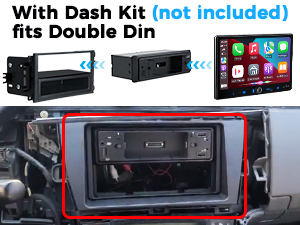
The PLZ Car Stereo was purchased to replace a defective factory Bose Car Stereo in my 2003 Infiniti I35. There are so many things that I love about the PLZ especially at this price point. This is a quality unit indeed. The installation manual is a heavy bound printed booklet with clear instructions and helpful tips to ensure success in every step. You will need some additional accessories depending on your car and your needs: double din bezel, wiring harness, antenna adaptor, and optional steering wheel control adaptor. Once I hooked the PLZ stereo up, my initial reaction was WOW! Boot time was relatively fast. The screen was reactive and bright (even in daylight). The wireless Carplay feature updates the technology in my 23 year old car. It connects effortlessly. The included reverse camera image is amazingly bright and sharp. Once you adjust the angle of the tilt, the grid lines are accurate. I pointed mine as far down as possible just enough to see a tiny bit of the bumper. The sound is loud and clean after some adjustments for the stock Bose amp & speakers (see below). I love streaming spotify (no more FM bluetooth adapters) Added bonus is the customer support. You email the person to get a custom logo done plus an updated firmware. I was able to follow the directions and the update was flawless. The person even followed up to make sure that my update was completed successfully. Overall, the PLZ unit is worldclass. I am super surprised and happy with my purchase. The company obviously thought of everything to make a quality product at the cheapest price possible. They also go out of their way to make sure that we are successful in installing their head unit and to enjoy it. There are many positive reviews and I fully agree. Some tips for others with old complex Bose Car Stereos: If you decide to replace the head unit only and keep the Bose Amplifier and speakers, use a Scosche SLC4 Line Output Converter. It allows you to boost the 2V output from the PLZ to a level that sounds loud enough using the Bose gear. Add an inexpensive under seat subwoofer, it makes a world of difference to the sound.
N**S
Great budget stereo, easy install, and amazing customer support
Got this for for 2003 First Gen Toyota Tundra and Iโm honestly really impressed with this stereo. For the price, it packs a ton of features. Apple CarPlay, Android Auto, Bluetooth 5.3, backup camera support, and solid audio output with subwoofer connections. Everything works smoothly and the touchscreen is responsive. Installation was actually way easier than expected as long as you have the correct harness and mounts for your vehicle. Once I matched the wiring properly, everything came together clean with no guesswork. Definitely recommend double-checking your harness setup beforehand, it makes the process almost plug and play. What really stood out to me was the customer service. Thereโs a code in the packet you can use to contact them, and they respond fast. Super helpful, patient, and they actually walk you through anything you need. That kind of support makes a huge difference. Overall, this is a solid upgrade if youโre looking to modernize your car without spending a fortune. Great value, easy install, and top-tier support.
A**S
Actually pretty good, especially for the price
My expensive, name brand, stereo decided to become possessed and start doing weird stuff, so I needed to replace it. I didn't have high expectations of this replacement, but I'm pleasantly surprised so far. It was an easy install, as I already had a wiring harness and bracket for the old 7" HU, and previously installed rear camera and wiring. The screen is considerably better than the Pioneer it replaced, and the sound is fantastic. I really like the physical volume knobs and all of the function buttons being on the left side of the unit. I really like wireless Android Auto connection, but it has some issues as detailed below. What I don't like, and why it doesn't get 5 stars: you can't listen to the radio and have android auto running. The old unit, you could. So, you don't get navigation prompts or a map if you want to listen to the radio. That was solved by an I Heart Radio app, and thankfully I have unlimited data on my phone plan. But I can see it would be an issue for some, and should be something a software update could fix. I also have the occasional android auto connection issue. Sometimes it automatically connects when I start the car, sometimes it doesn't, and sometimes it takes 5-10 minutes to connect. It also uses wifi to connect, not just Bluetooth. This is annoying, and sometimes I have to shut the car off, wait for the unitbto power down, and restart the car to get the unit and phone to connect. When it works, though, I really like it. I also HATE the built in mic on the unit. It's tiny, and far away. People say they can hear me, but I sound like I'm in a tunnel. There's seemingly no place to install an external mic (at least no where that I could install my pre-existing external mic). It's functional, but problematic. For the price pf the unit, however, it's not necessarily a deal breaker. Overall, good unit for the price. Now let's see how long it lasts.
M**D
Great unit!!!!!
Great upgrade from my very broken down shaker 500 head unit. Display is very beautiful and the screen is extremely responsive. Easy to wire up ( I needed a special adapter) also needed a special frame that ended up fitting with some help from a dremmel so be careful if you have to order one and check the size of the unit. The unit itself was super easy to connect to my phone and the sound quality was great especially after I tweaked the equalizer. The company is also very responsive if you need any help. Last cool thing you can have them do a custom boot up image, and can also customize your background image through the usb port. I canโt speak for longevity but bang for your buck you canโt beat it.
J**Y
2001 Tahoe Upgrade!
Iโve wanted an upgrade for a while now and I finally got to it! I was going for low cost with decent functions. I bought a new external amp a while ago just to get some sound and recently upgraded to a double din dash. With my new setup, I really donโt think I couldโve done better than this for the price. I know my truck has greater than 14V, so I went ahead and installed a 13.8V voltage regulator (per seller recommendation) before my radio head unit and another between my backup camera and reverse light. I havenโt had any problems with it so far. Itโs been responsive and CarPlay function has been great and all that I needed. Since I have a road trip coming up with my kids, Iโve been thinking about a setup for watching movies and such for them in the back seats. The unit already has an RCA video output, so why not?! I also got an ATOTO CB6 (Magic AI box) I got cheap with a nice promo that allows me to use streaming services like Netflix and is compatible with the stereo wonderfully. I mean, with technology nowadays, the different setups are endless and starting with a low-cost head unit is the way to go. I also have it setup with a BT mouse that the kids can use in the back so I donโt have to do anything. I can save movies on the AI box as well. I also got a BT OBD2 adapter and BT tire sensors that Iโm excited to use. Iโm only talking about all these things to show that this unit can easily be upgradable! Going from a factory stereo to a double-din stereo in my truck has been a huge upgrade! Super happy with it. Lastly, I just want to add that customer support has been very responsive and very accommodating from their FB page. I reached out to get a software update and custom wallpaper and I got it next day. Update 5/8/26: I got rid of the mouse and got a Doohoeek Travel Keyboard with touchpad instead. Itโs way easier to use than the mouse and itโs smallโso much better! Everything still works great!
B**Y
Amazing Single DIN, Digital Screen! Easy to install!
Overall, I thought this digital car display was an excellent product! I thought it was appropriately priced and does everything it says does. I was a little hesitant that it would fit my car which is an old 1999 Toyota Corolla, however, it fit very well, although I had to take the harness that it came with off. I was also surprised that the brackets for the original cassette player that I was replacing this digital display with fit perfectly on this device. The dashboard cover mostly fits back onto the dashboard, except a little on the b bottom, but it's not really noticeable as the screen covers that; the vents also still work well. I also had to go and buy a cable that converts the connectors in my Toyota Corolla to the standard ISO connectors that connect to the back of this digital display (labeled A and B on the back of the device). For anyone interested, I got it for $12 here: https://a.co/d/0x2yaST This connector works for most Toyota models (the supported models are listed on the item page, but I'd still recommend checking to make sure they will work for your car model). The display is a little big for my car, as shown in the pictures since it covers the vents and some of the air controls below. I don't really mind this, however. I like that it's a really big display and easy to see. The display has a micro SD card reader and can also read from USB drives. From this, you can play videos, view photos, and listen to music stored on the device. The radio works fairly well and the original radio antenna fits into the back of this digital display. The sound from the radio is a little muffled, however, but I don't really use the radio much, so it wasn't a problem. A phone connected with Bluetooth has two ways of interfacing with with digital display. The built-in software of the device can do some basic functions like play music, receive calls, and make calls, which seem to work fairly well. I don't really use this feature as Android Auto has all of these features, plus a lot more. The device supports both wired and wireless Android Auto and Apple Carplay. However, I had a lot of trouble getting the wireless Android Auto to work well with my LG G8 phone. But, the wired Android Auto basically works instantly when I connect my phone and the digital display with a USB-C cable. As a plus, the digital display has a fast-charging, 3A USB port in addition to the regular port used to connect wired Android Auto. The Android Auto seems to work really well. The audio from the music is very clear, sounds really good and its loudness is ample. Google Maps is very handy and works very well, very similar to how it works on your phone. The Google Assistant is nice when it works, which usually does work for me. I have had an occasional bug where the Google Assistant responses can't be heard. Disconnecting Android Auto and reconnecting, however, seems to fix this. In addition, the Google Assistant voice is a little muffled, but this doesn't bother me that much. I can't really make much use of calling and texting through Android Auto since I have a Google Voice number that I use for texting and calling. There is a Google Voice application on Android Auto, which is nice, however, I can't compose new messages or call people from the Android Auto Google Voice app. I can only reply to messages and answer calls. This is less so a problem with the digital display and more a problem with Android Auto support. I can also customize some of the positions of the widgets and the menu bar from the Android Auto settings page on my phone. My phone is a little older with Android 11 and is no longer receiving updates, so I think that the reason I'm having wireless connection issues is because of my phone and not the digital display. I had a few problems with the wireless Android Auto. First, when I first connected my phone to Bluetooth, even though Android Auto was already installed, I had to manually start Android Auto by going into the phone settings, clicking on "Connected devices", and then clicking on "Android Auto" which brought me to the Android Auto settings page. Then, I found that the wireless Android Auto would work best when first setting up, by going through the Android Auto settings, pressing "CONNECT A CAR", pressing "Connect using wireless Android Auto", and then following the steps to connect with Bluetooth from there. Another error I had was when Android Auto would start to connect, but would then show an error on the phone saying "Communication error 17 - Something went wrong". This would only happen sometimes, however, and I found that the best way to fix this was to go under Developer options and enable the Bluetooth Gabeldorsche feature stack which is basically the newer version of the Android Bluetooth system used on the latest devices. Another thing that I think helped the connectivity was disabling "Media audio" usage for the Bluetooth device. I think when this is enabled, my phone treats the digital display as a wireless speaker, and that inhibits Android Auto from properly recognizing the digital display as an Android Auto device. Again, I think these wireless connection issues were largely due to my older phone and not the digital display. The included backup camera was also easy to install. You do need a tool to strip the ends of the wires to connect to the backup light and one wire going to the digital display. I got the camera working with very little hassle and it is very clear during the daytime. During the night, the camera looks a little hazy, but it still shows you clearly what's behind you. Overall, the digital display works very well and I would highly recommend it to anybody looking to upgrade their car!
R**E
It's as great as you pay for. Not crappy, not overly amazing.
I installed this radio about a year ago, and so have had plenty of time and use to learn this things quirks and features. I'll go into more detail below, but to sum it up, you get exactly what you pay for. This thing is a lot better than the $50 cheapo no name touchscreen units, but it's definitely not kenwood quality. It has occasional glitches and bugs, and isn't a bad unit for the price if you're willing to put up with that from time to time. SCREEN: Honestly, the display itself isn't bad at all. Looks great, usually bright enough, but may do better with a matte screen cover, as it has glare, because glossy. Good colors and pretty crisp for the price. The ratcheting slide to adjust it up and down doesn't seem to want to hold it up on anything other than smooth pavement after while though, as it ever so slowly lowers itself when I hit backroads. Not a big deal, I'm sure something could be rigged to fix that if need be. Screen 9/10. SOUND: Also not bad for the price. It puts out enough power for your standard speakers in most cases, and anyone looking at this radio instead of the expensive name brand units would probably be happy with the sound. The software/menus are missing some settings that could make things sound better. Read on to see what I mean. Sound quality 6/10. SETTINGS/FEATURES: There is no high pass filter setting for your door/deck speakers. It's full pass through, so higher volumes can distort the sound if you don't adjust the EQ some, for those that listen louder. However the EQ also affects the subwoofer output, so dianing down the bass some in EQ to save your door speakers also dials down the bass to the subs, meaning you may have to compensate for that with your amp, which that method won't be perfect. Most users might be satisfied but I'm a little annoyed by this missing feature. It also doesn't have a way to disable the low pass filter to the sub outputs, and only has 3 settings , ranging from 50hz to 120hz. Again, many may not care, but this makes me grumble some. These are basic settings seen even in $30 Walmart stereos, and should really be included. Settings are pretty easy otherwise. Really wish there was a way to adjust the brightness on the bottom buttons. Otherwise anything other than red is too bright at night. Settings and features 3/10. SOFTWARE: This is the main part of my "you get what you pay for" point. It works fine....most of the time. It has its glitched and bugs. Like when it turns on and connects to carplay, every once in a while, I'll notice it refuses to activate Siri or play music. That usually means it's about to crash out on carplay, and the only way I've found to fix that is to turn the car off, let the radio power down, then restart. That fixes it, until it happens again a few days or weeks later. Another one is all be jamming out while driving, and the radio just hard locks, as in unresponsive to everything, and the audio glitches out and starts looping the same last half second of what you were just listening to, over and over and over. Again, only thing that fixes this is powering the radio off by theuong off the ignition. This one is a little more rare but it happens from time to time. You can't even mute it or adjust the volume while it's glitched out like that. I use this car for several hours a day, several starts a day, as I'm a delivery driver, and I'll deal with the first bug maybe every other day, and the second bug maybe every other week. So for those with less frequent use, it may not be so bad. It works fine majority of the time. Better than the 50 dollar no name one I had a while back but not close to pioneer quality there. Idk if it's worth mentioning but I use wired carplay most of the time since it's more reliable and responsive than wireless. Software 4/10. SUPPORT: Support was very friendly, but you can tell English isn't their first language. When I first got the radio, they were more than happy to get me a Toyota boot logo and the update files. When I had issues with FM radio being louder than carplay audio, they also were very quick to help me adjust that by giving me the codes to unlock deeper settings. (Code is 666999 under "factory set" for those who need to do the same, but be careful and know what you're doing. Gain settings.) If only deeper settings included more HPF and LPF options...which I asked them about and if they planned on adding that in any update. They couldn't seem to give me a clear answer. Given the OS on this radio appears to just be a slightly more stable version of the very same OS on some of the no name Chinese $50 touchscreen radios, I would not hold my breath. Since it's been about a year, I'll ask support if there's any updates now and report back. Support is friendly and mostly helpful, but limited as to feedback. Support 8/10. LONG TERM RELIABILITY: So, as I've said, I'm a delivery driver, so I use this thing daily, and lots. I've had it for about a year before I wrote this whole review. How has it help up? Well, the bugs seem to have gotten slightly more frequent, but again, not unbearable for the cost...I guess. Again, I'll ask about updates from support and see what happens there too. The radio is more or less the same as it was when I got it. The ratcheting mechanism that slides the screen ui or down has gotten ever so slightly weaker, so it slowly lowers on bumpy roads, but nothing that can't be rigged where you want it like I said earlier. The volume knob...it's gotten very iffy and is losing reliability. Rapidly spinning it back and fourth for a few seconds helps sometimes, and I may try electronic cleaner spray to see if that helps. Thats the downside of volume knobs, they're moving parts. I'll report back there. But overall it still works 9out of 10 times that I start the car without issues. And if those bugs come up, a restart fixes that too. Reliability 6/10. I hope this helps people make an informed decision.
J**L
Not bad for price, but Audio Quality needs improvement for sure.
-So far everything works great! Install was easy and fit like a glove in my 99 Buick without having to trim anything. Bought a Kit for bracket was simple as always. I really like the Video playback settings, So I can control even when driving for my passengers. I Installed the Unit yesterday and Talked with PLZ Support through Facebook to get the latest updates.. Let me tell you seems like its extra steps or a pain, but they made this easy with very detailed instructions in English throughout the entire Install & Update, was quite surprised honestly. I Got a New boot Logo for my Vehicle Show it shows a Buick Logo on startup, along with the most recent updates. Android Auto works decent wireless so far. USB can also watch Video playback as well easily, and looks great! Had to Convert all my Movies to 720p around 800bit through VLC and for free. Now i have any movie I want to watch on the go. The Mirror App works, though I haven't played around to much to figure out settings for Netflix or Prime wont show anything but black screen on the Head Unit while mirroring. So far for the Price of this Unit and the Customer Service being so quick to respond and help. I give it *4 Stars and will keep updated if any changes. -UPDATE: I'm picky so to me these things matter. When Connected to Android Auto, Youtube Music works and sounds fine. But when making calls through Android Auto or Bluetooth, on Phone, FB, Navigation, or any other App than Youtube Music, I'm getting high pitched distortion which is a bit of a bummer.. Audio Quality goes from good from Music to Bad in Calls or Navigation quick which i use a lot.. I had to to re-do my Subwoofer RCA connection, as i went straight to the Green Subwoofer hookup on the unit, instead of the normal L & R Red & White RCA Audio. Sub sounded great, but It randomly makes my Sub pop when i start the car so I switched and lost sub controls which is a bummer. But rather not have my Sub blow from popping.. The Quality of Audio on Calls and Nav being poor is a bit a bummer so far while Wireless. Will mess around and see if i can tune it better, also need to replace my Tweeters/Speakers before i give up on it and buy something else, and will keep updated, and I will change my stars if i can fix these issues.. Sound Quality in my last Head Unit was a Pioneer, and didn't sound bad using AUX at all. So, I will buy new Speakers/Tweeters since I need them anyways and mess with settings a little more, and will try out AUX as well, But that defeats my purpose of needing Wireless.. Id prefer not to have to buy any adapters. Also hoping the Unit lasts without issues as i saw a few reviews mention not connecting after a few months, and will definitely keep yall updated. UPDATE: Bought bad ass Speakers and Tweeters sound great and not the issue at all.. The unit just has POOR Audio Quality even while using Auxiliary. Customer Service told me to mess with EQ settings which believe me I have.. Its a cheap unit so if I want Quality guess I have to pay for it. Which goes up quite a bit. So if you want a quick cheap setup that works alright, its decent but for a permanent solution I think I'll have to return because I use my radio all day long delivering and the Quality being poor gives me a headache.
Trustpilot
3 weeks ago
1 month ago