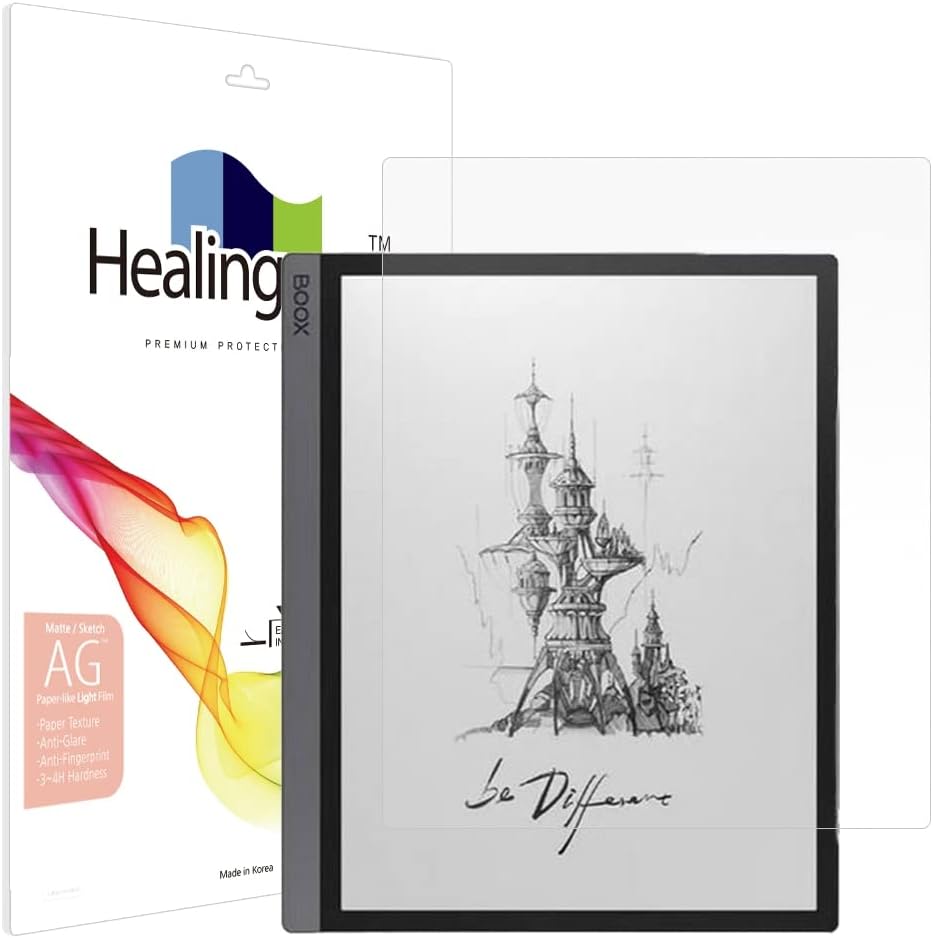
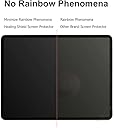
🖋️ Elevate your digital note-taking with paper-like perfection!
This lightweight, matte screen protector for the Onyx Boox Tab Ultra features a unique paper texture that enhances writing and drawing precision. It offers anti-glare and UV protection to reduce eye strain, a 3H hardness scratch-resistant coating, and true touch sensitivity for flawless screen interaction. Designed for professionals seeking a natural feel and durable protection, it also resists fingerprints and dust, ensuring a clean, glare-free display.


| ASIN | B0BWWPDSZR |
| Best Sellers Rank | 79,977 in Computers & Accessories ( See Top 100 in Computers & Accessories ) 1,571 in Tablet Screen Protectors |
| Brand | Healing shield |
| Brand Name | Healing shield |
| Clarity | 10 |
| Colour | transparent |
| Compatible Devices | Onyx Boox Tab Ultra |
| Compatible Phone Models | Onyx Boox Tab Ultra/Tab Ultra C/Tab Ultra C Pro |
| Compatible Tablet Computer Models | BOOX Tab Ultra C Pro |
| Compatible devices | Onyx Boox Tab Ultra |
| Compatible phone models | Onyx Boox Tab Ultra/Tab Ultra C/Tab Ultra C Pro |
| Country of Origin | Korea, Republic of |
| Customer Package Type | FFP |
| Customer Reviews | 4.2 out of 5 stars 159 Reviews |
| Finish Type | Matte |
| Included Components | Screen protector |
| Item Dimensions L x W | 25L x 25W millimetres |
| Item Hardness | 3H |
| Item hardness | 3H |
| Manufacturer | Healing Shield |
| Material | PET plastic |
| Model Name | tab ultra |
| Model Number | ONYX BOOX Tab Ultra |
| Number of Items | 1 |
| Part Number | Tab Ultra |
| Product dimensions | 25L x 25W millimetres |
| Screen Size | 10.1 Inches |
| Screen Surface Description | Matte |
| Special Features | Anti Glare, Anti-Fingerprint, Scratch Resistant, Shockproof |
| UPC | 769675208547 |
F**R
A great screen shield. Works well with my notes
I have really enjoyed using this screen shield for my Boox Ultra. Making notes now feels more like paper. It was easy enough to apply, just take your time. I'll be getting one for my desktop touch screen next.
J**A
Installation
Super hard to install
P**A
Great quality but makes the tablet unusable
Went on beautifully. Great quality. But the touch screen simply does not work well with it on. I struggled for 24 hours then had to remove it. Couldn't even perform the simplest action or gesture on screen. Desperately wanted this to work but the device is too expensive to have reduced functionality like this!! Cannot recommend :(
L**S
Melhor experiência de escrita
Faz o que se promete a fazer, dá um texturado ao ecrã que faz com que a escrita seja muito mais agradável, em especial usando uma ponta de titânio. Não parece riscar-se ou danificar-se mesmo com a ponta de titânio. No entanto, perde-se duas coisas. Sensibilidade ao tacto com os dedos, temos de primir com mais força. Os reflexos estão menos dominados, tornando a experiência de leitura menos boa, e a imagem perde um pouco no contraste e claridade, eu diria perde 3% da qualidade. No entanto, contínuo a recomendar a quem tenha um boox tab ultra C
A**Z
Complemento perfecto
Combinado con las puntas adecuadas en el lápiz brinda una sensación de escritura perfecta. También ayuda a que no queden marcas de de dedos o suciedad en la pantalla. Si lo quieres aplicar bien se necesita paciencia y tiempo, no es algo que quede en 1min, a menos que ya tengas cierta experiencia. Es necesario considerar que las puntas se desgastan más rápido.
F**Y
Leicht zu installieren
Ich kann die schlechten Bewertungen nicht nachvollziehen. Es liegt eine Anleitung bei (gut ist englisch und knapp, aber reicht), es ist ein Reinigungstuch und eine Art Checkkarte zum glattstreichen dabei. (Vielleicht wurde das ja erst jüngst hinzugefügt?) Jedenfalls ist damit die Installation sehr einfach, war mein erstes Mal und hat problemlos geklappt. Zur Qualität: Langzeit Erfahrung habe ich jetzt noch nicht, aber die Folie ist doch etwas dicker und recht steif. Macht einen guten Eindruck und das Schreibgefühl mit dem Boox Originalstift ist auch top. Eine Beeinträchtigung der Funktion von Stift, wie auch Touch, kann ich bisher nicht feststellen.
R**T
Great product overall
The screen protector is clear, reduces glare, and feels almost like real paper—great for writing or sketching. The only downside is that the stylet is a bit less sensitive, so it may not be ideal for tasks that need high precision. Overall, it’s a solid, paper‑like screen protection.
S**R
Good feel, great coverage, seems like a good value for price
This is a near-net fit screen protector on the Onyx Boox Tab Ultra C. There's less than .5mm surrounding it if it's perfectly centered. I see this as a good thing, but other reviewers have complained that it makes it too hard to install. It's actually not a bad install if you use a couple of pieces of masking tape to anchor one of the long sides in place. The writing texture feels good, maybe slightly too rough, but leagues better than the stock glass. Here's the installation procedure that I used for a great install: 1. Thoroughly clean the screen and work area with a lint-free cloth. Use a little rubbing alcohol as the final cleaning pass and let it dry. 2. Place the screen protector over the screen, without taking any of the protective sheets off! Very important that you're able to move it around. 3. Get the protector centered and aligned as you like it. 4. Use 2 or 3 pieces of masking tape to secure the screen protector along one long edge. 5. Carefully lift the screen protector from the other long edge and remove the stick-um cover (labeled '1'). 6. Working from the taped down side, slowly lower the protector down and smooth out the bubbles using the included squeegee. 7. Remove the top protective cover (labeled '2') and enjoy.
Trustpilot
3 days ago
1 month ago