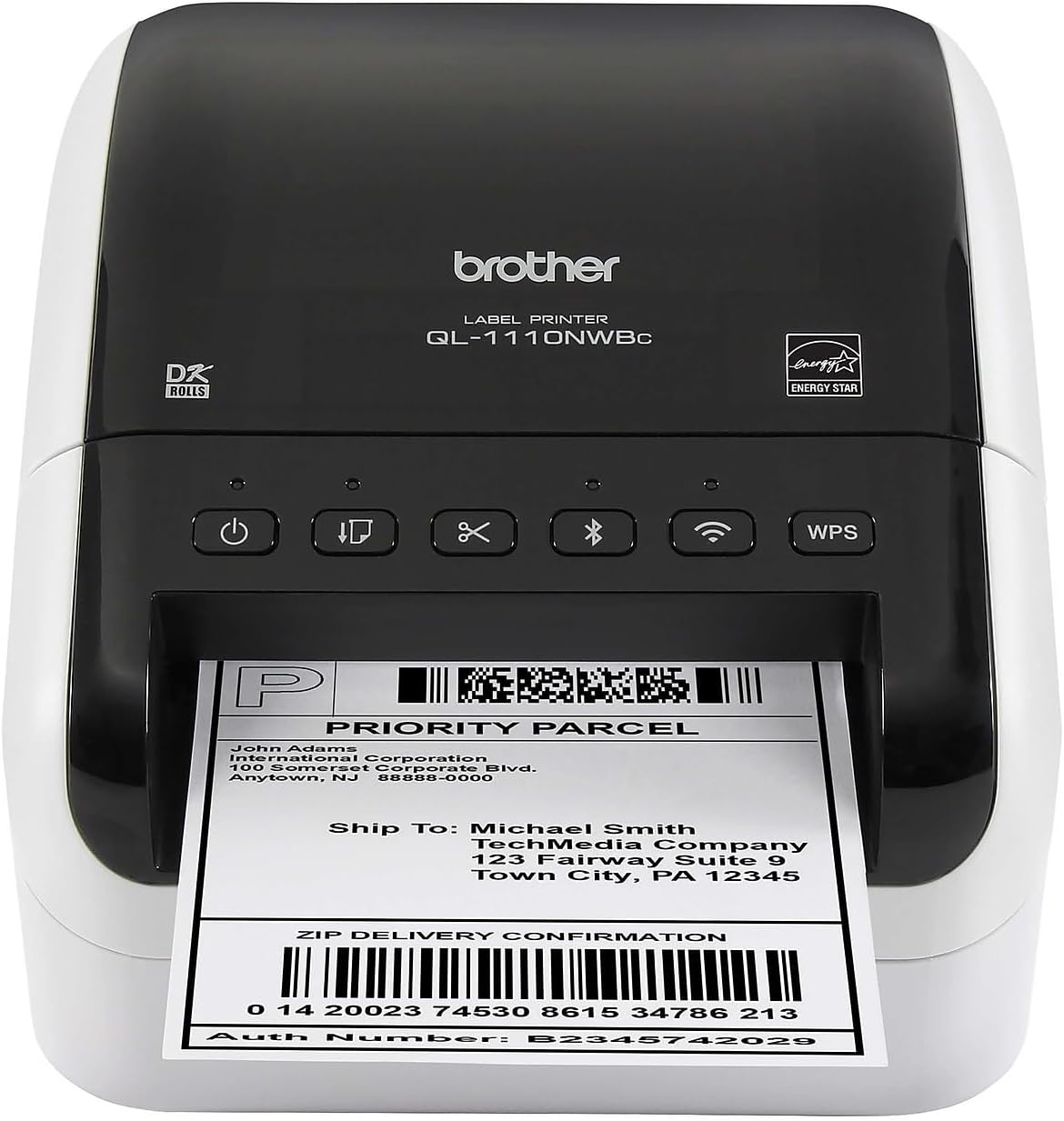
🚀 Elevate Your Label Game!
The Brother QL-1110NWBC is a professional thermal label printer designed for efficiency and versatility. With wireless connectivity options including Bluetooth and Wi-Fi, it prints high-quality black and white labels up to 4 inches wide at an impressive speed of 69 labels per minute. Ideal for shipping and barcode labeling, this compact printer is perfect for busy professionals looking to streamline their labeling process.


| ASIN | B0BTTT33VQ |
| Additional Printer Functions | Print Only |
| B&W Pages per Minute | 69 ppm |
| Best Sellers Rank | #24,466 in Office Products ( See Top 100 in Office Products ) #74 in Desktop Label Printers |
| Brand | Brother |
| Built-In Media | Brother QL-1110NWBC Label Printer, P-touch Editor Software & Driver, AC Power Cable, USB Cable, & Starter Rolls: DK-1247 Diecut Large Shipping Labels (41 labels) and DK-2205 Continuous Length Paper Tape – 2.4" (62mm) x 16.4' |
| Color | Black And White |
| Color Depth | 1 bits_per_pixel |
| Color Pages per Minute | 69 ppm |
| Compatible Devices | Android, Laptops, PC, Smartphones, iPhone |
| Control Method | App |
| Controller Type | Android |
| Customer Reviews | 4.1 4.1 out of 5 stars (41) |
| Display Type | LCD or LED |
| Dual-sided printing | No |
| Duplex | Automatic |
| Hardware Interface | Ethernet, USB |
| Ink Color | black |
| Item Dimensions D x W x H | 6.7"D x 8.7"W x 5.9"H |
| Item Type Name | Direct Thermal Printer |
| Item Weight | 2.5 Pounds |
| Manufacturer | Brother |
| Maximum Copy Resolution Black and White | 300 dpi |
| Maximum Copy Resolution Color | 300 dpi |
| Maximum Copy Speed Black and White | 69 ppm |
| Maximum Media Size | 11 x 17 inch |
| Maximum Print Resolution Black and White | 300 dpi |
| Maximum Sheet Capacity | 69 |
| Maximum print Resolution Color | 300 dpi |
| Model Name | QL1110NWBC |
| Model Number | QL1110NWBC |
| Model Series | QL1100 |
| Other Special Features of the Product | Network-Ready, Wireless |
| Output sheet capacity | 69 |
| Paper Size | DK Series Labels and Tapes |
| Print media | Labels |
| Printer Connectivity Type | Bluetooth, Networkable, USB, Wi-Fi |
| Printer Output Type | Monochrome |
| Printer Type | Thermal |
| Resolution | 600 x 600 |
| Specific Uses For Product | Office, Label Printing, On-the-go Printing |
| Total Usb Ports | 1 |
| UPC | 012502672395 |
| Unit Count | 1.0 Count |
| Warranty Description | 2 year limited |
| Warranty Type | Limited |
T**G
Two Years In—Still Going Strong
We did a lot of research before buying this printer, and I’m glad to say we made the right decision. We’ve been using it for almost two years now, and haven’t had a single issue. The Bluetooth connection is a massive plus—it’s so convenient to print directly from my phone or tablet without needing cables. It’s fast, reliable, and professional-quality. Whether I’m shipping orders or printing barcode labels, this printer handles it easily. Worth every penny if you’re running a small business or need a dependable productivity tool.
D**E
Fast high quality labels
I've got a small business selling items I make. For a few years I've been printing shipping labels onto plain paper and taping them onto the boxes I shipped. I finally decided to bit the bullet and buy a dedicated shipping label printer. The first one I bought was an inexpensive Bluetooth one (not Brother) that I couldn't get to work at all. I'm pretty tech savvy so that was a big disappointment. I finally decided to try again with this substantially more expensive Brother label printer and I'm really glad I did. Setting it up and connecting it to my network was quick and easy. The labels print quickly and are very high quality. The only negative I've got is that setting up some functions of the printer requires me to plug it directly into my computer via a USB cable. I'd really prefer if I could do that wirelessly. Despite that niggle I'm very pleased with this printer and I wish I'd bought it years ago. It's worth the relatively high price.
G**X
Wide Format Beast — Just Bring Your Wallet
I picked this up primarily for shipping labels, postage, and general mailing, printing household lanles and it handles all of it without breaking a sweat. The wide format capability is genuinely a game-changer — no more fussing with awkward label sizes or printing things sideways and hoping for the best. Everything comes out clean, crisp, and properly sized the first time. Print Speed This thing is fast. Like, “blink and your label is already done” fast. When you’re grinding through a backlog of orders, that speed adds up in a real way. No waiting, no babysitting — just a steady stream of professional-looking labels ready to slap on packages. Wide Format The extra width opens up a lot of options for postage and longer labels that a standard label printer just can’t handle. If you’ve ever been frustrated by the limitations of narrower printers, this will feel like a genuine upgrade. The One Gripe The price. Between the printer itself and the proprietary label rolls, this is not a budget purchase. Brother knows they’ve got a good product and they price accordingly. If you’re doing serious volume, the investment makes sense. If you’re printing a few labels a week, you might wince every time you reorder supplies. The wireless connectivity can be a bit tempermental which is disappointing, and a bit frustrating from an HP product. Setup was a bit complex and involved connecting it to a PC for the wireless to function properly. I kind of had to figure it out because the instructions were very vague. Bottom Line A capable, fast, and versatile label printer that earns its place in any small business workflow. Just go in with eyes open on the ongoing label costs. Four stars — it’s excellent, but excellence isn’t cheap.
J**S
Excellent product for small business
I bought this for my husband as he owns a small business. He absolutely loves it, and says it is a game changer for shipping. Some of the other label printers didn't have wi-fi, which I can't imagine going without. The only downside is that we tried a non-Brother paper refill and it wouldn't work with this device. We have to stick with the Brother brand labels, which can be a pain if they aren't in stock. It's also possible that maybe this printer DOES accept other brands of labels but the one we used didn't work. I'm not sure. That being said, I would highly recommend this device: thr printer itself is EXCELLENT, it was easy to set up, works great with wi-fi, and never jams!
A**C
Label maker problem
Tested it for a long time, but the brother programs are a nightmare to use. They are bug-ridden and never want to connect to the device. It prints nicely, but they need to fix the crappy apps. Even being directly wired in it still never connects
I**Z
Been Great for 10 months
I purchased this printer 10 months ago and I've been loving it. I've used it to print hundreds of address labels and a few dozen shipping labels and the print quality is so crisp even on third party paper. It's very easy to load new paper in and it's neatly stored inside of the printer. It is pricier than most thermal printers out there but it's worth the expense. It makes sure that envelopes and packages get to their destination quickly with less errors. No more writing things by hand for me.
T**N
Setup and wireless is buggy beyond comprehension
Can install the printer just fine and get it connected to the wireless network but after 10 minutes or so it goes offline and will not reconnect to Wifi again. Tried restarting computer, router, printer and it won't reconnect. Tried both DHCP and static IP configurations and it doesn't seem to matter. It will disconnect after a few moments and will not reconnect again. However, if I uninstall the printer and reinstall it again it will work for a short amount of time again. If I power down the printer at all it will not reconnect again. Tried to google a solution and people who have reached out to support are being told the printer needs to be within 5 feet of the wireless router. I'm sorry but no. I have 2 wireless Epson printers that have been working flawlessly for months. Another thing to note that I thought was odd, it doesn't show up as Brother under connected devices on my router. Epson shows up as Epson, LG shows up as LG, heck even LIFX shows up as LIFX but this Brother printer shows up as some generic sounding company from Taiwan. Brother is not in the name at all on the connected devices list. Seems sketch. Kinda bummed I have to send it back. I would have liked the 300 DPI. Giving the Rollo Wireless a try next.
Trustpilot
3 weeks ago
2 weeks ago