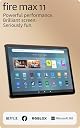
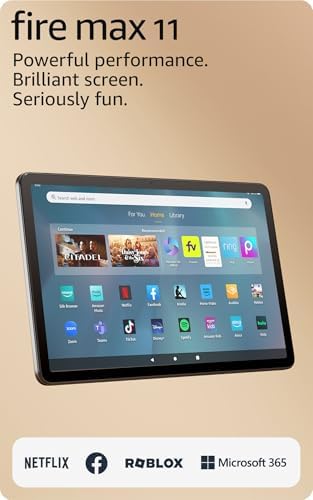
๐ฅ Fire Max 11: Your all-day, all-play powerhouse tablet!
The Amazon Fire Max 11 is a 13th-generation tablet featuring a vivid 11-inch 2000x1200 pixel display certified for low blue light, powered by an octa-core processor with 4GB RAM and Wi-Fi 6 for fast connectivity. It offers up to 14 hours of battery life, 128GB internal storage expandable via microSD up to 1TB, and optional keyboard and stylus accessories. Its sleek aluminum design with strengthened glass ensures durability, making it ideal for streaming, reading, gaming, and productivity without lockscreen ads.
| Display | 2000 x 1200 TรV Rheinland for low blue light certified (213 PPI). |
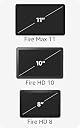
| Size | 10.2โ x 6.44โ x 0.3โ (259.1mm x 163.7mm x 7.5mm) |
| Weight | 17.28 oz (490g) Actual size and weight may vary by configuration and manufacturing process |
| CPU & RAM | Octa-core processor - MTK8188J - 2x Arm Cortex-A78 up to 2.2Ghz and 6xArm Cortex A55 up to 2Ghz. 4 GB RAM |
| Storage | 64 GB (54.20 GB available to user) or 128 GB (115 GB available to user) of internal storage. Add micro-SD slot for up to 1 TB of additional storage. Some apps may require that they are installed on internal storage. App or feature updates may impact available storage. |
| Battery Life | Up to 14 hours of reading, browsing the web, watching videos, and listening to music. Battery life will vary based on device settings, usage, and other factors such as web browsing and downloading content. Certain software features or apps may reduce battery life. |
| Charge Time | Fully charge in under 4.2 hours with USB-C cable and 9W power adapter included in the box. Fully charge in under 3.5 hours with 15W adapter and USB type C to C cable (adapter and cable sold separately). |
| wifi Connectivity | Dual-band wifi. Wi-Fi 6 (802.11 ax) is supported. Supports public and private wifi networks or hotspots that use the dual-band 802.11a/b/g/n/ac/ax standards with support for security standard of WEP, WPA3 OWE, WPA/WPA2/WPA3 Personal and WPA/WPA2/WPA3 Enterprise. |
| Ports | USB-C (2.0) connector for charging and audio; micro-SD slot for external storage. |
| Audio | USB-C audio, integrated speakers; external volume controls. |
| Sensors | Accelerometer, ambient light sensor, hall sensor, fingerprint sensor. |
| Camera Specs | 8 MP front and back-facing with 1080p HD video recording and rear auto-focus |
| Printing | Printing documents to a nearby wifi enabled printer is supported. Learn more here. |
| Microphone | 2 built-in microphones |
| Certifications | Fire Max 11 has received the following certifications: ENERGY STAR Carbon Trust TรV-Rheinland for low blue light USI2.0 for stylus protocol |
| Location Services | Location-based services via wifi. |
| Available Colors | Gray |
| Bluetooth | Built-in Bluetooth 5.3 with support for A2DP compatible stereo headphones, speakers, microphone, and LE accessories support. |
| Accessibility features | To enable features that personalize Alexa to your abilities, go to Settings โ Accessibility. โข VoiceView screen reader enables access for customers who are blind or visually impaired. โข Screen Magnifier enables customers to zoom in/out, and pan around the screen. โข Tap to Alexa enables access to Alexa via touch, instead of speech, through on-screen tiles or a keyboard, including the ability to save your favorite actions. โข Switch Access enables access for customers who have motor impairments, and are unable to touch the screen, via compatible Bluetooth devices. โข Kindle Read Aloud will have Alexa read your Kindle books aloud. โข Fire tablet Accessibility features also include settings for Closed Captioning, Font Size, Display Size, High Contrast Text, Color Inversion, Color Correction, and Convert Stereo to Mono audio. (Captions are not available for all content.) |
| **Alexa Privacy Features | Alexa and Fire Max 11 are designed to protect your privacy. For example, you can view and delete your voice recordings or use the Alexa Hands-Free Mode on/off toggle at any time. |
| Warranty & service | 1-year limited warranty and service included. Optional 1-year, 2-year, and 3-year extended warranty available for U.S. customers sold separately. Use of Fire Max 11 tablet is subject to Amazon's Conditions of Use and these terms. |
| Included in the Box | Fire Max 11 tablet, USB-C (2.0) cable, 9W power adapter, SD-card ejection pin, and Quick Start Guide. |
| Generation | 13th generation - 2023 release. |
| Software Security Updates | Learn more about these software security updates. If you already own a Fire tablet, visit Manage Your Content and Devices for information specific to your device. |
D**H
It's good enough at everything, for people who want one device to do anything.
Well, for $190-$230 this tablet might not be the best at one particular thing, but thanks to some common-sense decisions and Amazon's resources and commitment, it's competent enough at everything, all at once. Media consumption, retro games, word processing, digital art, battery life, you name it. For media consumers, it has an obscenely long battery life and a pretty nice screen. Contrast is surprisingly good for an IPS display (the black areas look black), colors are very poppy, and the 5:3 aspect ratio means you're not losing much space on either 16:9 or 4:3 content. For retro games, let's talk about the processor. It has a Mali G57 MC2, 2 Cortex A78 cores, and 6 Cortex A55 cores. Anyone who keeps up with Android hardware will know this is a bizarre setup. The Mali G57 MC2 and Cortex A55s are all modest, cheap, power-sipping technology. While the Cortex A78s are freakishly fast for this price point. But I'm certain Amazon did this on purpose, and it's responsible for the great battery life, which is essential for what is basically a media consumption tablet. The modest GPU and high number of "little" cores keep battery drain minimal (this is a 5w chip, in a tablet, where 7-10w chips are the norm) while 2 A78s give it some serious oomph for the right sorts of tasks. This accidentally makes this little tablet a retro gaming powerhouse, as that relies heavily on single-core performance, with the GPU and secondary cores being an afterthought. So, it's a tablet that just excels at anything where you'll be using the screen a lot. Reading, movies, old games, etc. It may struggle with native Android games due to the weaker GPU, but compared to retro games there aren't a lot of worthwhile Android games anyway IMO. The keyboard and stylus are also very well executed. I'm typing this review on the keyboard case, and the keys are a nice size thanks to the TKL form factor, with short travel and a nice tactile, springy feel. The trackpad is small, but accurate and doesn't "lose" my finger. The stylus itself uses a user-replaceable AAAA battery. I like this decision, because small Li-po batteries wear out fast, and the AAAA means that the stylus has a super long life without worrying about whether you'll be able to find a replacement in a few years. The stylus is also magnetic and clips to the side of the tablet. The stylus is pretty accurate. I don't notice much parallax or judder. My Galaxy Tab S8 actually had slightly more parallax. However, there is more input lag than you'll get with something like a Galaxy Tab S8 or iPad with Apple Pencil. It's a quite noticeable amount of input lag compared to those two. I will mention, this tablet is about 1/3 the price of those devices and actually has a longer battery life. So it's still better than you expect for the price. But will definitely be more of an "entry level" art tablet instead of something outstanding. All in all, I still think you're getting a lot more for your money with this tablet than the others available. Amazon's reach with e-readers, with keyboards, with stylus peripherals, with tablets, and their resources and supply chain (ie, being able to order unusual tablet SoCs) has definitely given the Kindle Fire 11 a wider spread of abilities and better quality than your ordinary budget tablet. I can't really name anything I'd expect to be better for the price. The only real flaw is software; since Google Play is not preloaded and Amazon is not putting a lot of effort into their own App store, be prepared to sideload some apps if you want to use the broader spectrum of abilities this tablet has.
C**K
Puts most other Android tablets to shame
Short and to the point Review: Great tablet for consuming media and playing games. Well built, fast and responsive. Recommend purchase. Bought 1st tablet in Oct 2023. Very satisfied. Long and Rambling Review: My wife had been using an older Fire Pad 7 that we bought as a test platform to see how well they worked back in 2019. For $30 at the time of purchase it was worth it. I did sideload the Google Playstore for some apps that Amazon didnโt have. As time went by, I decided to give my wife a new pad even though she didnโt want one. I reviewed Android pads from Lenovo and Dell. They cost much more than I wanted to pay and had less ability. Then I saw this new Fire Max 11 and was an early adopter. I paid $199 for preorder and went for max memory and no ads. Was a good choice. Ordered a good case for it at the same time. Blew my wife away when I gave it to her, and she started using it right away. Instead of the frustration of using the old, slow pad, she fell in love with it right away. Itโs fast, high definition for consuming media, and has decent sound. Amazon clearly defined this device with a detailed description of everything it could do on the web page, unlike their competitors. Decided against sideloading the Playstore as all the apps are very responsive and nothing else is needed at this time. I like the fact that itโs registered right away, and you can deactivate it in case of theft remotely from your Amazon account. (I deactivated two old Firepads this way and was offered a $20 trade in for each). Which leads to my second purchase. My grandson had his iPad stolen a few months ago. Police and Apple could do nothing to locate it as he didnโt know he had to opt-in for this function to work. Pretty backwards Apple. As he was using the iPad for media consumption, I thought this was a good replacement. So, I bought a second Fire Max 11 for him with the max memory and no ads for the same $199 and same case. He is extremely happy to have it. Now the grandgirl dropped momโs iPad in the bathtub so I expect there will be another purchase coming. Items that I am interested in, I put in my wishlist and monitor the prices until the right price comes along. Prices can change daily, so if you know what you want and are willing to wait, the savings can be substantial. The Fire Max 11 at the regular price is still the best deal out there. Retired Military Aerospace and Industrial Manufacturing Engineer
C**D
Better, Stronger, FASTER!!!
This is my 3rd Amazon Kindle Fire since about April of 2013. When I wear one out I get a new one. THIS model blows the 7th gen model 10 away! The speed with which the new AKF accesses web-sites is ASTOUNDING!!!! This is due to the octa-core processor (8 cores) and 4GBs RAM, as opposed to the quad-core processor (4 cores) and 2GB RAM on the one I just retired. It probably also has to do with updates to the operating system. A quick example is the Internet Movie Database. When watching a movie or tv show on my tv I'll often want to look it up on my Fire. The old one could take several minutes just to load the home page. The new model loads it in seconds. Sound also seems to have been upgraded as I have been taking the old one to work with me for a year and a half in a warehouse and playing music through the Sirius Satellite app. The sound on this one seems to be just a bit more powerful which not only I but also my coworkers appreciate. If I leave my cart with the device on it near the center of the warehouse we can hear it all over so we never miss Led Zepplin, Warren Zevon, Heart, Meatloaf... you get the picture. And I don't do a lot of gaming on it other than when I'm in a restaurant or maybe lying in bed unable to sleep, but the one game I do have (Titan Quest) does seem to run better due to the aforementioned tech specs as well as the new GAME MODE which optimizes memory and performance, hides notifications, and disables Alexa (which I have shut down anyway but if you do some gaming on yours I'm sure you'll appreciate it). For security it also has a fingerprint reader built into the power button. In short, this model AKF is absolutely worth the investment.
D**H
Affordable Productivity Tablet with crappy App Store but there's a way to get around that
I bought this tablet with the intent of using it for school (note-taking, pdf annotations, etc...) and it was definitely the cheapest and best quality of the tablets marketed as "productivity tablets". However I do most of my work using google suites and the Amazon Appstore has no google products whatsoever (no chrome, drive, youtube, etc...) and you're restricted to what meager few apps it has and Microsoft Office Suite. However, I've discovered a work around this by downloading the google play store from the web (there are a lot of instructions online on how to do so) and it only took 5 min and now i have access to all of the apps that I need. Once you do this, all the main drawbacks of this tablet are essentially non-existent making it on par with an iPad or Samsung Tablet for a quarter of the price. If you're not willing to go through this process however (and there really is no reason not to), the tablet itself is not bad for casual activities like streaming and games (although the games it does have are also limited and some are just bad off shoots of more popular games). I bought the stylus and it works well though it does lag at times but it get's the job done. The screen quality, battery life, and overall feel are all great. Overall, if you download the google play store you have access to nearly everything you would have with any other device and it has all the necessary amenities for half or a quarter of the price for other tablets on the market, so I would definitely recommend it. *** Edit: ive been using this tablet for a while now, and there is an additional issue with the Google play features. A lot of the apps u download once u get Google play, can have an error/arent compatible (e.g. Google calendar and drive) so they shutdown frequently and you have to repeatedly clear cachet and stop the app to restart it. Maybe this is an issue I have because I downloaded it wrong, but that is a major drawback of downloading the play store.
S**8
Surprisingly good tablet for productivity from Amazon
Purchased this tablet as an upgrade for my wife, who has the 10. Pros: *The HD screen is amazing and vibrant. It shows off media very well and is bright even when outside. It's also nice and big as well. *The speakers are fine (they won't be winning awards, but it's a tablet and does the job) *The processor is snappy, my wife hasn't run into any lag issues. It's fast and responsive. *MS Office (being able to use office suite is what sets this apart.) Works great with the keyboard you can buy. *If you buy the pen, it adds another layer of productivity to it. *The overall slim design. It doesn't feel cheap, or like a toy like older models which had those plastic backs. CONS Keyboard not included-I understand that no tablet really comes with one, but I feel it should. When you add the keyboard to this tablet, you really have the option of being very productive and utilizing MS office to its max. no pen included-seems like something that should be included, they aren't that expensive to add. Amazon App store-Why amazon still refuses to allow the google play store is beyond me. You are still locked into the Amazon app store. While most people won't have a problem with it (most of your content consumption apps are available) you will find yourself running into a few apps that you use on your google phones, that you won't be able to have on your tablet. Overall, nothing that I criticized about the tablet are deal breakers. Amazon runs specials that bundle keyboards and pens with the tablet all the time. Overall, this seems like the table that most people should buy, it's light, responsive and best of all, waaay cheaper than an ipad, and does most, but not all that an ipad can do.
S**L
Finally, something with performance.
***Notice: on March 6th, 2024 I have updated this review. I would append the original version, but combined with this would be too much text. If you wish to view the original version, I would suggest using the way-back machine found on the internet archive.*** Preface: I have been using this tablet on-and-off for about 9 months as of the time of writing. I actually went and bought the (2023) Pixel Tablet, and installed LineageOS on it for a clean android experience, and even though not always mentioned, it is the basis of comparison for a lot of my complaints. Above all else however, it is important to note the price disparity, $230 for the Fire 11, versus $500 for the Pixel Tablet - To some less privileged, that might be enough to make it affordable whilst keeping food on the table. Chassis: Unlike any other Amazon tablet to date, this device is supported by an aluminum body, with only a single plastic insert near the top, where the speaker holes are. My only qualm is the camera bump - the rear facing camera has a bump, despite having the same resolution (8 megapixels) as the selfy camera which is flush under the screen's glass. Display and Sound: It's display is adequate, it's efficient and gets bright enough to do any task in nearly any lighting condition. The resolution however brings mixed feelings; I can notice slight aliasing (where smooth curves and angled lines can look like stairs, with distinct steps/layers) of icons on the homescreen, but not when reading books or viewing content. Since most content is produced in either 4k or 1080, increasing the resolution any higher would make the device more expensive and produce weird aliasing until you scaled the screen to 4k. Even the pixel tablet doesn't reach 4k, with a 2560x1600 screen and providing a smoother homescreen but aliasing for content if you look closely at it. Sound quality is surprisingly good. This isn't something that will rival a dedicated speaker, like an Echo or something from Bose, but I've enjoyed many a night laying in bed, watching YouTube and other content on it, without any concerns for the sound quality. Software: FireOS 8, based on android 11. It seemed palatable at launch, and it's going to be less so as the device ages, considering android 14 launched later in 2023. I'd be more mad about the version, except that there's been no interesting or really major changes in android since android 11, which has the side effect of allowing various apps an easier time maintaining compatibility. I would highly recommend anyone who's interested look up the Android Police's articles on installing the Google Play Store, it will make your experience a lot nicer (although I do note that sometimes the Google Play Store does not like it when you install SD cards, you may wish to get the 128GB model). Make no mistake however, I am thoroughly irritated at Amazon's update policy; They promise software updates and support for 4 years after the device is last available for purchase, which is industry-leading. This however does not include major OS version updates: My Fire HD 10 (2021), is still running FireOS 7, based on android 9, much to my annoyance. For a device this expensive, Amazon should be able to provide the same software support other vendors do, and update it to FireOS 9 whenever that comes out. The UI is simplistic, with a homescreen that an apple user would find familiar, but with the android controls that any lifelong android user would be able to navigate with ease. I wish Amazon would port gesture navigation, to bring the device up to parity with any Android and Apple phone released in the past 5 years, but I'm instead given 3-button navigation, which sometimes leads me to accidentally swipe backwards ineffectively. I did once complain that the Google Play Games login did not work on the device, but Amazon actually seems to have resolved that in an update released shortly after launch. I can now play Homeworld mobile, and have my progress saved across multiple devices. Performance: The processor is fast enough to not only navigate the UI, browse the web using Chrome, but even emulate some DS games (with Drastic), and play some dedicated android games. I still maintain that a device with 4GB of ram shouldn't be expected to run modern Android apps, but that's the price issue. Of slightly more annoyance, is the WiFi adapter: I've tested it and found it tops out at around 50-100 megabits per second, which is enough to stream content (1080p content is less than 5), which is weird since I have devices that adhere to the same WiFi 5 standard, that are able to download much faster. I can only presume that internally the WiFi adapter is either budget, or is connected to the processor via some really slow bus internally, like serial or something. Accessories: Amazon offers a stylus and keyboard folio. The stylus is rather interesting as Amazon includes handwriting to text conversion on the device, allowing you to write in any text box you want. I've used it a few times to take notes quickly before sending them to someone via Discord. It uses the rather rare AAAA battery, which is annoying to source replacements for, but I'd rather replace the battery than be stuck with an internal one like Apple does, since Apple's stylus will become a paperweight once the battery dies. The keyboard however is the star of the show - I love how it's folio is 2-piece, allowing me to remove the keyboard and toss it wherever if I don't need it, yet retain the (very stable) kickstand of it's backing piece. The feel of the keys themselves are meh, and I'm annoyed by the function key where the CRTL key should be, but it's not enough of a problem. It finds frequent use, allowing me to write messages on Discord, or handle other tasks without needing to bring my bulky laptop with me. The trackpad however, is useless - Android doesn't need it, and it feels a bit weird and rough. Features: This is the first tablet Amazon has released with a fingerprint sensor, and I'm honestly surprised by how reliable it is. Amazon's on-device messaging with the fingerprint sensor is also helpful (for example, it will inform you that it's been more than 72 hours since the PIN was last used, and for security reasons, forbid further fingerprint unlocks until you unlock it with the PIN at least once). It's extremely fast and seamless, immediately dropping me to the homescreen with a gentle tap of the sensor - I don't have to actually click the power button down. Desires: I understand wireless charging is an impossibility with the aluminum chassis, but I really wish Amazon released a charging/speaker dock for this thing. There's already pogo pins on the bottom for the keyboard, it wouldn't be hard to repurpose them for a dock, and it would encourage users to use it in the "show mode" that Amazon advertises this thing is capable of. I'd also really want major version updates. When FireOS 9 comes out, I want that on this device, not to be stuck on android 11 forever. This is Amazon's flagship, and it's powerful enough to handle it. Above all else however, I want Amazon to let me unlock the bootloader. I understand these devices are likely sold at a loss, so maybe let me buy an un-refundable unlock code for my device to make up the difference for Amazon, but let me do it. Conclusion: There's a lot of gaps where this device falls short, but it's basically unbeatable at this price range. If $500 seems insurmountable for your situation, or you want a disposable device to give a family member or child, you can't go wrong with this. My complaints whilst numerous, are not enough to drop it's rating from 5 stars in my eyes - it's still found a happy home with me.
C**N
UPDATE: Bug fixed...Best Fire tablet yet but a bug in the current os build for it (8.3.2.0)
******UPDATE******* When I posted a negative review, due to the weird bug I describe below, Amazon customer support called me and asked if there was anything they could do. I'm not sure but I think the bug is likely due to my side-loading Google Play on the device. They were very courteous and asked if I'd like to return the tablet. I said I'd keep it and hope they fixed the bug. When the next release (8.3.2.1) came out, it was fixed. It still does it pretty rarely but Force Stopping the app fixes it straightaway. I can definitely live with it. Happy again and I love the tablet. First customer service experience was very bad but the second one made up for it. I've bought over a dozen of these over the years, for my kids, as gifts and for myself. When it works properly, the Fire 11 Max is the nicest, most powerful Fire yet. However, it has a sporadic issue where when I launch an app, it launches for 1-3 seconds, then minimizes like I've touched the circle button that shows the desktop. When I try to re-maximize the app, it does the same thing. It's maddening. It doesn't do it for all apps and it sometimes does it with apps that were pre-loaded on the tablet, so it isn't due to the apps I'm using. Tried reloading from factory and doing a hard reset on it (hold down power button for 30 seconds and restart) fixes it sometimes, sometimes not. It does it when I take it out of the case also. Sometimes, it quits doing it on its own only to start up again. I work in IT so I'm fairly adept at troubleshooting but I can't find a root cause. I do know a bug in software when I see it. I got a replacement, which worked perfectly... then it updated to Fire OS 8.3.20 a few days later and it started all over again. I tried to return it, described the issue to customer services and tech support, including what I had tried to fix it (reload from factory) hard resets, etc.) and they said too much time had passed since the first one was purchase so TOO BAD. Now I can't return it, even though it is mostly unusable. The absolute worst customer service. They didn't seem interested in letting the developers know about the bug either.... or they just didn't have access to them to let them know about the issue. I'm a very avid Amazon customer. I've done hundreds of orders a year through amazon every year for going on two decades now. Big dumb company. Thanks for nothing, Amazon. I can only hope the developers catch wind of the issue and fix it in an update. I keep checking to see if there is an update but it is still on the same one.
S**T
Great as a Kindle ereader, but very limited functionality as a tablet. Alexa no longer works.
I've had the Fire Tablet Max for several months now. Initially, I really loved it. I wanted an ebook reader with a large enough screen to read my Kindle books, plus I wanted the functionality of having a Personal Assistant. Plus, I wanted something I could go online with. At first, the Fire Max 11 provided, well, 2.5 of the 3. As an ebook reader, it's great. With the larger screen, I can easily read books from my Kindle library, so I'm very happy with that. I can go online BUT the Fire Max 11, like all Amazon tablets, uses only Amazon Silk browser and only apps from the Amazon App Store. Many apps I would like to use are not available, like Dropbox, Adobe Acrobat (to read pdf's), Internet security, and many othes. And while it has Bluetooth, I've thus far not been able to pair my laptop with my Fire tablet. My computer will pair and connect but the Fire Max Tablet will NOT, even when the "numbers" match on my computer and tablet. So there's no way to share files except with the USB. I haven't tried that yet, so can't speak to whether it works or not. However, because most of the files I want to view on the Fire Max 11 tablet are pdf files, there's no way to read them without a PDF viewer. So, that's a downside, as well as the limited apps from the Amazon app store. Also, there's no way to add an antivirus or firewall or adblockers, either. So going online is extremely limited without the security one would like to have. Finally, Amazon Alexa. Initially, she was a godsend. I could be reading an article on the NY Times or Washington Post app (both of which are available in the app store), ask Alexa a definition of a word, and she would give it, all while my Fire Max 11 stayed on the article screen, which provided a streamless reading experience. Since I could choose to have Alexa respond even when the device is locked, I could wake up in the morning and ask her the time, the temp/weather, and she would respond immediately. I could set reminders and alarms and she would give me my reminders even when I wasn't using the Fire Max 11 tablet and the screen was locked. The same with alarms. So if you wanted to set an alarm for each morning, that worked quite well. The only issue I had was that for some unfathomable reason, Amazon designed the cover for the Fire Max 11 to actually cover the speakers, so that the sound is greatly reduced and sometimes hard to hear or even miss. The cover should open and close on opposite sides to work well with the speakers. However, since Alexa's latest update a few days ago, all that functionality is gone. Frankly, I'd fire the tech team that came up with this update. I've come to the conclusion that Amazon intends to phase out having Alexa function as a personal assistant on the Amazon Fire tablets, much as Microsoft Windows phased out Cortana from functioning as a personal assistant in Windows (a big mistake, imo). The first thing I noticed after the update is that when I spoke Alexa's name, a textbox, much like the one you'd see on your phone if sending a text or using Messenger to send a message, pops up. So, if I'm reading an article now on the Washington Post, NYTimes, etc., and ask Alexa for a word definition or who a person mentioned in the article is, the screen reverts to Alexa's text screen immediately. Their customer care team says that's so we can "see what we say and how Alexa responds" - which I think is idiotic. However, since the screen leaves the news app, in order to get back to the article I was reading, I have to close out Alexa's "new" text screen, go back to the home screen on the tablet, select the news app again, and go back to the article I was reading. WAY TOO MUCH hassle, does NOT make for a seamless reading experience, and frankly, it's just as fast to use an old-fashioned dictionary. So that functionality is lost. Perhaps more importantly, Alexa no longer works when the device is locked. I don't know about you, but I don't use my tablet 24/7. There are times during the day when the screen is inactive or when the cover is closed. Since I want to protect the screen on my tablet from spills, accidental falls or something falling on it, and prevent cracking or breaking, or getting liquid from say, coffee or water on it, I close it when not in use. Closing it automatically locks the device. Not sure if it used to in the beginning, because Alexa would still work back then, even with the cover closed, but it does now. Also, the device automatically locks after a period of time - which I can set at certain increments between 5 min and 30 minutes. There is no option not to lock the device at all after a period of inactivity. And why would I not want to have that security? First of all, to keep the Fire Tablet Max always active, would take up alot of battery power. That means I'd have to keep it plugged in all the time or be constantly recharging it, which wears down the battery. And the purpose of a tablet is to have a mobile device, so keeping it plugged it makes it more difficult to use, especially because the charging cord is less than 3 ft long. I'd say more like 24 -28 inches. So, that's not really feasible. And again, probably not good for the battery. However, since Alexa no longer responds from the lockscreen, it's not just that she doesn't respond to questions, but the reminders and alarms no longer work now, either, unless the device is active and I'm using it. That rather defeats the purpose, since if I set an alarm to wake me up, I'm sleeping and so not using my Amazon Fire Max 11 tablet - meaning it's locked and the alarm won't work. If I set a reminder for a birthday, to take out the garbage, a doctor's appt or whatever, I will no longer get that reminder unless I am actively using the tablet. That, too, defeats the purpose of a reminder, because I have to remind myself with some other device, to make sure I'm using the Fire Max 11 tablet at the time the reminder (or alarm) is scheduled, so I can get it. And if I have to set a clock alarm and paste a sticky note on it why I set it, like so that I can unlock my tablet so Alexa can remind me to take a pill or that it's someone's birthday, etc., then I already have the reminder on a sticky note and an alarm clock that goes off so that I'll read the sticky note. No need for Alexa. But also, no functional Personal Assistant, either. So, again, Alexa on the Fire Tablet Max 11, and I'm guessing all tablets, has been essentially neutered in her functionality as a Personal Assistant. So I'm guessing, although customer care denies it, that she's being phased out on the tablets, which I can't understand. Frankly, this update looks more like it should have been only for a phone, and not for a tablet. When I go to the help section now, for example, it gives specific instructions for help with Alexa on mobile phones or on Echo devices, BUT NOT TABLETS. It's as though the update was meant for a different device, but all devices got it. And there's no way to undo it. Here's some of the literally stupid responses I've gotten from customer care: 1. To not see the text box pop up when I say the "woke word", aka "Alexa", they've told me to disable hands-free Alexa. Well, that means the only way I can use Alexa to ask a question, give a command, etc....wait for it....IS TO USE THE TEXT BOX AND MESSAGE HER. So how does that "solution" even made a modicum of sense? IT DOESN'T. If I don't want to see the text box or use the text box, why would I make it so that's ALL I see and can use? Not sure who thought that one up, but it's literally laughable it's so idiotic. A second solution I've been told is to do a factory reset and then Alexa will be in it's original state - maybe. I shouldn't have to tell an Amazon tech specialist why that solution won't work, but I bet most of the people reading this can guess. Yep, once you do a factory reset, you not only wipe out all your data and have to setup the device all over again, BUT all those apps that are installed, including Alexa, will begin to update. (Alexa comes embedded in the Amazon Fire Max 11 software, so it updates automatically.) In a matter of hours, or even days, you'll have to do the reset all over again. Great way to literally ruin your tablet. Or maybe Amazon's plan to have you keep replacing them? Fool me once and all that. There'd be no second purchase. Oh, and as I mentioned, Amazon Alexa is embedded in the Amazon Fire Max 11 tablet software, much like Cortana used to be embedded in Windows (and is now embedded in Microsoft Office 365 and only works with office applications). There's no way to uninstall her and reinstall her. Or even just uninstall her. I suppose I could just disable her, I'm not sure. But again, she can't function as a Personal Assistant if she's disabled. Oh, and here's the final bright solution one tech gave me: "Tell Alexa to exit Show Mode". I tried several times to tell her that my tablet isn't IN show mode, so how can Alexa exit from something that isn't enabled? She kept insisting, though, so I unlocked my device and told Alexa to "Exit Show Mode." Alexa's response: "Sorry, I can't help with that." The agent asked me to do it again (rotflmao). So I did. "Alexa, exit Show Mode". Alexa: "Sorry, I can't help with that." Alexa is officially dead as a Personal Assistant on the Amazon Fire Max 11 tablet. I'm guessing this is true of all the tablets, but I can't speak to that. I just know that functionality is gone on my Fire Max 11 tablet. I've called and complained and told them all of what I've said here, but to no avail. There's no way for me to "roll back" the update to the previous version. Again, my guess is that this update was more intended for Alexa apps on mobile PHONES, but so far I've not gotten an answer on that. But just looking at the "new" Help section, all the solutions or issues listed now are specifically for mobile phones, whereas previously that was not the case. So, while I would have initially given the Fire Max 11 tablet 4 stars, without Alexa, I'm downgrading it to 1 star. In my opinion, buy a real tablet if you want a Personal Assistant. Just don't buy one that has Alexa. Buy one with either Siri or Google Assistant. While one customer service agent tried to tell me they're no good, I know people who have ipads and other Android tablets who use the Personal Assistant all the time, with no problem. Why Amazon would remove itself from this market, i.e., having a tablet with a functioning Personal Assistant, is beyond my comprehension, but that is what they did. So therefore, no longer worth the money. And this is just the tip of the iceberg. Apps that are suspicious and full of ads abound in the Amazon App store, but functional apps like antivirus and security software are nowhere to be found. You can't even find a Starbucks app! So as a tablet, I could not recommend this. Whatever potential or functionality this glorified Kindle reader had is now just that - a Kindle ebook reader. Shame on Amazon. This tablet had real potential to compete with some of the other tablets on the market, but instead, Amazon shows its short-sightedness by taking away even the limited functionality it had in this last update. And don't even get me going on its "customer care". Clearly, that has been outsourced to a planet or country where solutions are not part of the package and representatives barely speaking intelligible English read from lame scripts that are laughable, as in the examples I have already given. After using this tablet for several months now, I've had to downgrade my review down to a 1 star. All that's left on it, really, is the Kindle app. It's great for reading books, but that's all. Of course, Amazon could, in their infinite lack of imagination and competence, decide to take that away, too, at some point. As a Kindle ereader, I could offer some suggestions here, too. All in all, this device does not qualify as a true tablet. The name is misleading and Amazon should really downgrade the description, to be fair to consumers.
Trustpilot
2 weeks ago
1 month ago