![[Auto Focus/4K Support] Projector with WiFi 6 and Bluetooth 5.2, YABER Pro V9 Native 1080P Outdoor Movie Projector, Auto 6D Keystone & 50% Zoom, Home Theater Projector for Phone/TV Stick/PC](https://m.media-amazon.com/images/I/71pxDUhQhbL.jpg)

🎥 Transform your space into a 4K home theater—no cords, no fuss, just pure cinematic magic!
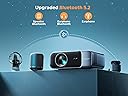
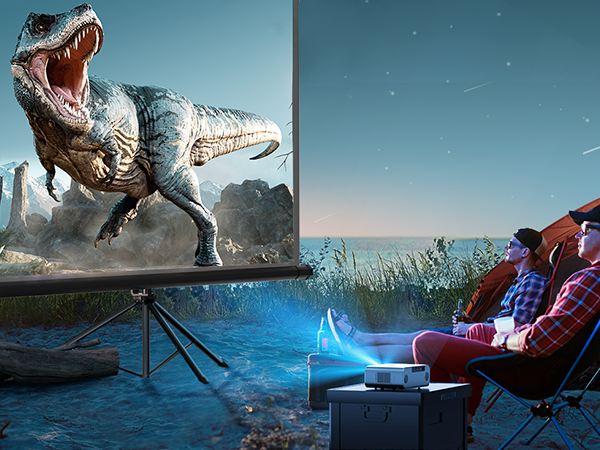
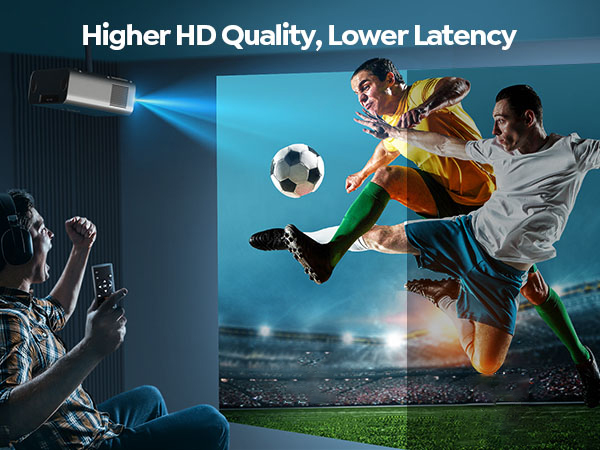
The YABER Pro V9 projector combines smart auto-focus and 6D keystone correction for quick, flawless image setup. It supports native 1080P resolution with 4K playback, enhanced by a 20000:1 contrast ratio and wide color gamut for stunning visuals. Featuring WiFi 6 for ultra-fast wireless streaming and Bluetooth 5.2 for high-fidelity audio connectivity, it offers a versatile, cable-minimal home theater experience. Its fully-sealed optical engine protects against dust, ensuring durability for both indoor and outdoor use.


| ASIN | B0BMT184BM |
| Best Sellers Rank | #234 in Video Projectors |
| Customer Reviews | 4.4 4.4 out of 5 stars (4,485) |
| Date First Available | November 18, 2022 |
| Is Discontinued By Manufacturer | No |
| Item Weight | 6.38 pounds |
| Item model number | Pro V9 |
| Language | German |
| Manufacturer | YABER |
| Product Dimensions | 10.1 x 7.9 x 4.1 inches |
L**M
Come join 2020 get a projector instead of a tv.
I’ve never written a review before. People need to know about this. I decided to redo my room because it was looking drab and saw a video on Tiktok of someone using this projector. It looked decent enough in the video so I decided to check it out. I saw it was only $139 and I had reward points for $100. Surprisingly I got a $30 coupon as well so I ended up only spending $9.00 on it all together. I can tell you that after using this for only a week I would have spent $200 on it if I knew what I know now. Seriously why do people ever buy TVs anymore. I’ll admit I’ve been completely sleeping on projectors because I had all those memories from being a kid and watching ugly grainy movies. Come join 2020. The picture quality on this thing is incredible especially for $130. I’ve seen the price recently dropped down to $80 so seriously what are you even waiting for ? As you can see the brightness is also excellent. The functionality is awesome as well once you know what to do. I had an old Apple TV hooked up to my old 43 inch Samsung tv in my room but it requires too many cords. So I’ll describe my set up to help you guys understand how you can use this to replace your tv and turn your room into a movie theater. Make sure you project it onto a wall. I’ve seen pics of people projecting onto a projector screen and it looks much different . Project onto a wall and you will get a full range of colors and detail. The first few pictures I have are from when I used the HDMI cable to hook up to my MacBook to watch media. It had a pretty incredible picture too but once I purchased a roku streamer stick. I noticed when I turned on HBO the quality got significantly better with a streaming stick attached. The HDMI to laptop is not ideal it’s just an option. In my case I move around too much on my bed and there’s also the fact that you can’t use your laptop while streaming. So do yourself a favor and go pick up a $30 roku streaming stick 4K version is preferable because that model is how you are going to get your sound to an Alexa bluetooth speaker as long as you have an iphone handy. I don’t think the earlier models of roku streamer have the Bluetooth Alexa capability. Then you are going to pick up any of the Alexa speakers anywhere from $20-40. I also am in the process of purchasing a projector tripod stand from Amazon because it’s very important to have a nice straight flat surface you won’t believe how I have it set up right now next to my bed I’m using an old Adidas shoe box to hold it and angle it right now. Silly I know but I had to get the spot I wanted the projector just right so I could apply my pictures to the wall to frame the screen. Anyway the reason I recommend the roku streamer is because it’s cordless. You just plug in the HDMI port and the other end for the power adapter into the USB charging slot and wala you don’t have any extra messy cords for streaming. The only cord you will need to plug into the wall will be the power cord for the projector. Which I confess is a little short but since I had planned to put it next to my bed to project on the wall I have an a outlet right there. So now that you have your roku streamer all set up on your projector you are simply going to pair your Alexa speaker to your iphone . You are then going to download the correct official roku app on your phone. Then pair your iphone separately in the settings on your phone to add a Bluetooth device. Once it’s connected open your roku app which has all your channels like HBO, Netflix etc. Watch your content through the roku app on your phone and hit the headphones button icon. Then bam your sound will play through your Alexa speaker and your video will play through your projector creating a theater like experience in your room. I have a small room as you can see so keep this in mind but the Alexa speakers are portable and small so you could theoretically keep a speaker closer to you if you have a big room. There are other sound options if you are trying to use this projector in a bigger living room setting but I’m simply trying to help out the people who don’t want to spend a lot of money but have a tv replacement that’s awesome . I seriously hate leaving my room now that I have this up. I’m also now looking at my MacBook like it’s obsolete it’s kind of sad. Remember you have to pair your iphone in the Bluetooth settings to your Alexa Dot or speaker first then open the Roku app on your phone. If you don’t feel like using your phone for that then you can just play the sound through your projector which is decent but I prefer the clarity of even a cheap Alexa speaker. All in all I saved about $400 on a new tv by buying this instead. I was looking at 4K TVs so I could watch the new Lord of the Rings 4K release. I would have had to buy a 4K player a tv and of course the movies. What I have now is 10xs better. I have to say I’d much rather be inside of Middle Earth on my wall then far away on a tinier screen that is less immersive. I was shocked how immersive it was. I’m actually not a big movie watcher but I knew part of the reason was because of how far away the movie was from me. I had a TV set up on my dresser across from my bed so this is just a big improvement from what I had. I find myself just zoning out in bed after work and even taking naps which I’ve literally never done in my life. My room is just so relaxing now. Also for all you that watch it Anime looks incredible and is more immersive than you can imagine. I can’t wait to watch the new season of Stranger Things on this thing. Also don’t judge. I’m not finished with my picture wall. My printer ran out of ink and it’s on back order.
A**N
Perfect for game session or movie night!
So I previously owned the Yaber L2s, and this projector is leagues better in terms of quality. The picture is amazing, very bright even in a little bit of daylight, the colors are bright and the blacks are deep to the level of detail is fantastic. I use this with my PS5 and I don’t notice any button delay or lag which is really important as I use the projector as a replacement for my tv. The speaker in it isn’t great, but it connects easily to just about any Bluetooth speaker (which I highly recommend getting a Bluetooth surround sound system if you don’t have one already, I got mine here on Amazon for $120) I have this sitting on a shelf I installed to the wall about 10ft away from the wall if being projected on. There’s no internal apps so you’ll have to have a console or a streaming stick(Roku, fire stick etc) there’s two hdmi ports, two usb ports an optical port and audio jack. You can use the usb to watch files on a usb stick. Something I also thought was cool was that there’s a built in sound equalizer that extends to Bluetooth. If you’re looking for a really good projector on a low budget, get this one, you won’t be disappointed.
G**L
Amazing Quality for the Money
I had originally purchased a less expensive model (Zeacool projector for $54.38 during Prime Day sale), but after I saw the specs for this one (Yaber Y60), I returned the other one and ordered this. It was $55.61 more than the Zeacool, but I think it was well worth it for all the extra features in the Yaber Y60. The Yaber model has native 720p HD resolution, (compared to the Zeacool which only has 480 native resolution with 1080 HD support), 4000 lumens (compared to the Zeacool with 2200), 4000:1 contrast ratio (compared to Zeacool with 3000:1), & 2 HDMI & 2 USB inputs (compared to Zeacool's 1 HDMI & 1 USB) Using the remote, the Yaber model can also reduce the image size by 25% so you don't have to move the projector if you want to shrink the image like the Zeacool would require. The Yaber also has a nice, metal finish on the top (compared to Zeacool's plastic) and a quiet fan. It also has a pair of nice, loud stereo speakers and a 3.5 mm audio jack for connecting the projector to external speakers if needed. When I compared the image quality of the Yaber & Zeacool side by side, the Yaber's was noticeably superior in brightness, color, and resolution. My family & I watched the movie Apollo 13 on a big screen we set up in my brother's backyard and everyone was very impressed with this projector's performance. The other minor thing that bugged me about the Zeacool was that the focus ring would wander when the projector was pointed up at the ceiling due to gravity, whereas the focus ring on the Yaber is rock solid and doesn't wander at all. My daughter and I like to watch planetarium videos from Youtube on our ceiling so it's really nice not having to constantly reset the focus. I haven't tried the Yaber with Powerpoint yet but I am pretty confident that it will do quite well due to the projector's brightness. I found the perfect sized case to go with this projector here: https://www.amazon.com/gp/product/B07F1NG1YR/ref=ppx_yo_dt_b_asin_title_o03_s00?ie=UTF8&psc=1. I highly recommend this projector! 9/18/19 update: I found out you can add Bluetooth capability to this projector by buying one of these: Mpow Bluetooth 4.1 Receiver and Transmitter, 2-in-1 Wireless 3.5mm Audio Adapter, Pairing with 2 Bluetooth Headphones At Once In TX Mode, Built-in Mic for Hands-free Calling in RX Mode https://www.amazon.com/dp/B01KXIKCSI/ref=cm_sw_r_cp_apa_i_QqXGDbE6VRDKA Just switch the Mpow to transmitter mode, plug it into the projector's headphone jack, & pair it with any Bluetooth speaker(s). It works great!
K**A
Nice mid level projector
Updated Review: The projector is a nice mid level projector. Are there better ones out there if you're willing to spend hundreds more? Yes. But for the price, this is a solid choice. This projector is compact, light weight, easy to use, quick to set up, and offers a nice picture quality with decent sound. It also comes with a carrying case which is very nice as well. I will say this projector is best used with non inflatable screens since the fans used for inflatable screens are very loud and even though the projector has a good volume, it can be hard to compete. Overall, I'd recommend this product.
A**R
I bought this projector after having used a cheaper projector for just over 12 months. The other projector had a noticeably lower resolution, so I wanted something that was more clear. I bought a different brand of projector before this Yaber one. Unfortunately it was damaged so it had to be returned. Noise To start with, I can say that all three projectors make about the same amount of noise. This is from the fans to keep cool. It is certainly noticeable. I have an app on my phone that measures sound. Obviously this is not calibrated but at least gives a frame of reference. With the projector on, and about 5 ft above and slightly behind me, it registers 50 dB. When I switch it off, this drops to 30. Seems pretty standard for projectors in this price range. Focus The autofocus setting is excellent. You can fine tune it. I have tried the smallest increment up and also the smallest increment down. In each occasion I went back to the original setting that the projector had selected. I use the projector everyday, and it is in the same place, pointed at the same wall, so there is no reason to adjust the settings. By default, the projector sets the focus every time it switches on. I have turned this off. To save time, and also to save wear and tear. (I have a small security camera that used to do this as well and after a few years it broke down.) Picture The picture is very clear. When it says 1080p, I'm not sure this is quite right. I have watched a few things at 720p, and this is only slightly more blurry than the same thing at 1080p. Nonetheless it is a very good picture. With cheaper projector that I used for the last 12 months, there was no point in going above 480p. Nothing improved beyond that. Despite the other projector saying that 1080p was supported. With this projector, I do recommend using the 1080p option on YouTube etc. I have the projector just behind my bed, projecting onto the wall at the foot of my bed. So the projection distance is less than 7 ft. Because of furniture and curtains, I have reduced the size of the projection to 96% of maximum. It is now the equivalent of a 69 inch TV. As I say it could be bigger, and if I was projecting from a greater distance onto a bigger wall, obviously even bigger again. It is surprisingly bright. Compared to the last projector it is so bright that I have actually turned the brightness down. In a dark room, it is almost a bit overwhelming. Functionality If you play about in the settings, you can get the projector to switch on and select a particular HDMI port. It has two. This means that all you need to do is turn it on and it is projecting from your TV stick or whatever. There is no need to select HDMI or make any changes to the settings. Power on and go. The projector interfaces well with HDMI. I use a fire TV stick. You can press the Alexa button on the remote control and tell Alexa to turn the projector on or off. To turn it off you have to say it a second time as switching off is a two-step process. You can press the Alexa button and say turn up the volume or turn down the volume to adjust the volume. This only works for the volume on the projector. If you link a fire TV to an echo dot for example, the volume that is adjusted is the volume of the projector, even though those speakers are not being used if you are using an echo dot. The projector has two speakers. These are at the back of the projector and face backwards. Turned up to maximum, again using my phone sound app, the volume shows as 89 dB. Loud enough. Setting the volume to 66% of maximum seems comfortable. 50% is a little low. Remote control The fire TV stick remote has infrared options. To set, either scroll down to set up the projector as Yaber TV (scroll to the very bottom of the TV options when doing this) or the IR code is 5575, group 2. This means that you can program a fire TV remote to switch the projector on and off. And also change the volume. The fire TV stick remote works much better for the volume control than Alexa voice commands. If you are using the projector speakers, the remote will adjust the projector volume. If you are using an echo dot, the remote will adjust the echo dot volume. To switch it off there is a two-step process. Just press power button twice. You don't need the OK button from the Yaber remote. Overall I think this is an excellent projector for the price. The picture is clear and bright. The cheaper projector was noticeably more blurry and pixelated and did not interface with the remotes properly. Also there were more steps to get everything switched on and onto the correct screen. With this projector I just need one remote to run the whole thing and many of the instructions can be verbal so just one button. The one and only downside is that it is a little bit noisy. That is not unique to this projector and to avoid that I think means spending a lot more money.
M**E
Ho acquistato lo YABER V9 e sono rimasto davvero colpito dalla qualità complessiva. L’immagine è nitida e luminosa, il Full HD nativo si vede benissimo anche su schermi di grandi dimensioni e il supporto 4K rende i contenuti ancora più dettagliati. L’auto focus e la correzione keystone automatica funzionano in modo rapido e preciso, rendendo l’installazione semplicissima anche per chi non è esperto. La connessione WiFi 6 è stabile e veloce, mentre il Bluetooth 5.2 permette di collegare casse o cuffie senza problemi. Lo uso con PS5, TV Stick e smartphone e non ho mai riscontrato lag o problemi di compatibilità. Anche il design è elegante e compatto, perfetto per un vero effetto home cinema. Rapporto qualità/prezzo eccellente: lo consiglio vivamente a chi cerca un proiettore potente, moderno e facile da usare!
T**S
After much consideration, i have decided to purchase another projector to replace my current, super budget (low $100s), 720p projector. I was realistic with my expections given its price point. But it has gotten to the point where i have outgrown its offerings due to so many things: 1.) Focus: Its either the middle of the screen was focused and the outer edges werent, vice-versa. It was also an analog focus so itnhad to be "refocused" everytime u move it. 2.) The sound: the sound was just a tiny bit better than having to listen through my cellphones speaker 3.) The resolution: Of course, at 720p, the resolution isnt the best. But when purchased about 6-7 years ago, under different circumstances, it was fine. 4.) The keystone settings: it was just a physical dial where u turn left or right and hope you get a square/ rectangle. Naturally, i went on YouTube to see some of the best projectors for your buck from amazon. I decided to give the Yaber pro v9 a try due to its claimed boat load of features and offerings. Upon setting up the projector, to my surprise, it automatically did a focusing process, which i thought was incredible. Then when i moved the projector again, It REFOCUSED AGAIN! i was blown away. Then when i tried to project onto a wall at a weird angle, i hit the auto keystone on the remote and my my, it did its thing automatically 😳. Theres even precision fine tuning for when a situation were to arise where auto keystone doesn't give 100% results. So far so good! i proceeded to watch avatar, the way of the water. My chromecast ultra attempted to cast it in 4k. The projector did a great job translating it to the best of its abilities. Please see my pictures. It was crystal clear through my eyes (but not so much on camera due to auto iso etc etc). In addition, most projectors ive seen are very loud when it comes to its heat management. I build pc's as a hobby so i know the fan inside is essential to ensure proper functionality and heat dissipation. But somehow, the yaber v9 pro was tastefully quiet. I truly enjoyed the experience. The sound, albeit 2x 5watt speakers i think, thrown from the rear, it was more than sufficient for what i needed. Ive no complaints. Nothing but NET with this projector! Its got wifi to cast both our android/iPhone straight to the projector and it even has bluetooth which i paired with my monster boomerang for a splendid 360 spatial sound experience. The bag it came with appeared to be of quality and the presentation and boxing of the projector was well thought out. Easily the best projector ive owned thus far. Highly recommended for those wanting a proper experience at a reasonable price while still having the bells and whistles of other higher price tagged units.
V**K
Awesome projector.. at short distance u get very wide n large screen projection. Initially colour was dull when I put to movie mode...I about to return this projector since my wazatco projector will give more depth of colour than this... But when I searched setting, I could see the colour changing bar, where we can set brightness, colour, contract etc manually too.. which gave me best results as authentic as LED tv. I love this projector output after setting the colour properly. Worth and value for money. Lack of lan port is disadvantage. But wifi works well..
E**X
For a lower budget simulator i will recommend this, its not the best on the market, but it works
Trustpilot
1 month ago
1 week ago