Buy anything from 5,000+ international stores. One checkout price. No surprise fees. Join 2M+ shoppers on Desertcart.
Desertcart purchases this item on your behalf and handles shipping, customs, and support to Brazil.
🖱️ Elevate your workflow with precision and comfort — because your hands deserve the best!
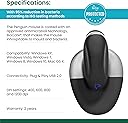
The Posturite Penguin Wired Ambidextrous Ergonomic Mouse combines advanced ergonomic design with high-precision optical tracking adjustable between 400 and 1200 DPI. Its unique ambidextrous layout and central switch enable effortless hand switching, while the BioCote antimicrobial coating ensures a cleaner, healthier workspace. Available in three sizes, this mouse is engineered to reduce wrist strain and muscle fatigue, making it ideal for professionals seeking comfort and productivity on both Windows and Mac platforms.


| ASIN | B007GFYM1K |
| Antenna Location | Laptop |
| Are Batteries Included? | No |
| Are Batteries Required | No |
| Battery Average Life | 8 Hours |
| Best Sellers Rank | 19,719 in Computers & Accessories ( See Top 100 in Computers & Accessories ) 453 in Mice |
| Brand | Posturite |
| Brand Name | Posturite |
| Colour | Black/Silver |
| Compatible Devices | Laptop, Personal Computer, Tablet |
| Connectivity technology | USB |
| Country of Origin | China |
| Customer Reviews | 4.3 out of 5 stars 215 Reviews |
| Enclosure Material | Silver |
| Global Trade Identification Number | 00733657201437, 00859173004069, 05060009940030 |
| Hand Orientation | Ambidextrous |
| Hand orientation | Ambidextrous |
| Hardware Platform | PC |
| Item Dimensions L x W | 60L x 78W centimetres |
| Item Weight | 159 Grams |
| Manufacturer | Posturite |
| Manufacturer Part Number | 9820100 |
| Model Name | Penguin Mouse |
| Model Number | 9820100 |
| Mouse Maximum Sensitivity | 1200 Dots per Inch |
| Movement Detection | Laser |
| Movement detection technology | Laser |
| Network Connectivity Technology | USB |
| Number of Batteries | A batteries required. |
| Operating System | Windows, Mac |
| Power Source | Battery Powered |
| Product Features | Ergonomic Design, Wireless |
| Product Warranty | 2 year manufacturer |
| Range | feet |
| Special feature | Ergonomic Design, Wireless |
| Style Name | Wired |
| Theme | penguin |
| UPC | 778889453421 733657201437 859173004069 |
| Unit Count | 1.0 count |
F**I
Chiropractor Recommended
For months I was struggling with reoccurring RSI. This amazing mouse has solved all those issues for me! I have to work long hours on the computer for my job, regular mouses kept making my RSI worse, but within a few days of having this mouse all my pains and issues are practically gone and I can still work, sometimes even longer now. My Chiropractor recommended this mouse for me and for the life of me I can't understand how these are not used everywhere!!! A truly great mouse. It comfortably fits my hand, glides properly and the scroll wheel and mouse buttons seem so natural once you get used to it. Highly recommended if you need a mouse for long hours which will not strain your wrist/arm!
F**N
4 stars - I keep buying it (there is no other real alternative if you want perpendicular to table)
3.5 solid stars out of 5. And I still buy it without blinking. Why? First of all I bought in 2018, 2 mice (1 medium 1 small. I returned the medium as it was too big for my small hands. I used the small one for two years then the click broke). I am on small mouse number two now. There starts now to be some USB 'connected device not recognised' from what I see, but this has started happening recently (I hope it is not something related to the mouse's software not being compatible anymore with latest updates of Windows 11, but I blame it on age of the mouse). About 'how long a mouse lasts': I think about 2 years and this is, in my opinion, something I accept as normal. I believe, as others have said it in other reviews: when you have twisted hand(s)/wrists (or experience some pain/coldness) you can't be a chooser ("beggars can't be choosers"). I got used to this mouse as it becomes easy to use: it is similar to a joystick, the position/grip feels natural. However, there are some draw-backs: the platform is huge (I guess for stability) and so you MUST make sure you use it on a very smooth surface as the 4 silicone protrusions, fixed on the bottom, which keep the actual base 1/10 of an inch above the surface (like a catamaran boat), because if you wear these 4 protrusions to nothing, you will basically drag and push the ENTIRE base and ALL OF IT will experience friction!! The mouse is already at 3-3.5 times heavier than a regular 'normal' mouse (that the majority of people use, until they themselves twist their wrist and start experiencing pain and coming to buy one of these orthopaedic mice themselves in the near future) and if you do not take care of the friction element, by being protective of those 4 delicate protrusions, you will bin the mouse quite soon! Another thing: this mouse does NOT offer precision. The arrow on the screen stays still, stays still, and then it moved up to a letter on the screen (as distance). What do I mean? Let's take for example letter 'H'. Let's say you have the tip of the white arrow on the screen touching the bottom line of left side of the letter 'H'... you move the mouse a bit, nothing happens, move it a bit more, nothing happens, move it a bit and then it 'jumps' to the other bottom line - on the right side of letter 'H' (so it travelled the '-' dash distance). Which is what? 1.5 millimetres? It is not more precise than this, I'm afraid. So for all of you gamers, especially PC shooters players: Game over! The days of playing full steam are behind you. Same if you are a computer design/paint artist. Time to settle down and work with the mouse on something which requires less precision than to hit one pixel on the screen... (Unless you find other mice that offer more precision AND are as comfortable AND are at a similar price. I, for one, tried the vertical mice and my hand was NOT straight/vertical, but diagonally (30 degrees sometimes (so that is one third of the 90 degrees that means perpendicular)), soooo... for actual vertical position, THIS is the only mouse I am aware of which actually makes your hand be perpendicular to the surface/table when you use/move the mouse.) For me, the mouse being perpendicular is extra necessary as I use a regular keyboard, so it balances the pressure during the day. For maximum long term protection of your wrists, you would need a vertical keyboard, which looks like a belly up catamaran boat - and these look VERY weird and your colleagues ARE NOT ready for you being next to them on one of those... yet... maybe in another 10 years you wouldn't get picked on or stared at for using one of those keyboards... but we are not there yet. Now I am buying my 3rd small Posturite Penguin mouse. I use it for work and it is ok. And remember: NOTHING is better than your own healthy limb, so take care of your body! Start young, avoid bad posture, take breaks every 1-2 hours! I wish now that my mom actually gave me a "clip round the year" or a "slap on the back of the head" when I was a kid and playing THE multiplayer online game of 2000s ("The World of W...") and made me stand properly, and not allow me to play from bed, etc. (instead of just the occasional telling off).
A**A
I love this mouse
I love this mouse, it is a very good product. I am working on computers daily and had pain in my right hand for a while, but after using this mouse, the pain has disappeared. Even with the large base, the mouse is very easy to move around, and there is no delay on the screen either. I bought the wired version, the wire is quite long, which is very good.
S**N
Pretty good but not good value for money
I have a TFCC injury in my wrist, and I bought this mouse hoping it would reduce the strain on the injury. I like the design of the mouse - I've tried other vertical mice, but they are all slanted to some extent which doesn't help me. A few quibbles: * The mouse tapers towards the top so your hand isn't quite at 90° * The mouse 2 button is really fiddly and sometimes gets stuck - it can be hard to press * I wish it had mouse 4 / mouse 5 buttons somewhere, maybe on top * Not worth the £75 I paid for it EDIT: a few other gripes: * For some reason, my computer thinks the ALT key is pressed down when booting with this mouse plugged in. It means my keyboard doesn't work and I can't login until I unplug it * As others have mentioned, the automatic sleep where it takes the mouse a couple of seconds to be responsive. I thought I wouldn't mind it at first, but it just happens too quickly. * The mouse 2 button issue is really grating. Especially considering it's making me overwork my injured wrist.
S**E
Best ergonomic mouse
I love this product. I use one daily at work and am now working from home. This mouse has great movement and leaves my wrist pain free
J**D
Excellent for relieving arm and neck pain
As a Health & Safety advisor, I spend long hours on my laptop, and as a result suffer from severe arm, neck & shoulder pain due to tensed muscles - Despite making sure that my posture and desk ergonomics are correct. I've been using the penguin mouse now for a few days and my arm/neck and shoulder pain has been reduced by 90%. As it is impossible to completely eliminate the stress(s) of desk/computer work - I am looking into buying a stand-up adjustable desk - and liaising with Posturite on a good ergonomic chair so I can alter my work positions and combat further the effects of sitting for long periods of time. Please give yourself a few days to adjust to the penguin mouse as it will take a little time for your dexterity skills to adjust - It will be well worth the effort and patience. I used my old mouse at nearly full speed and found it helpful to use the penguin on 800 dpi as this helped with precision pointing. Good luck if you decide to purchase a penguin - I have researched a lot of other stand-up mice and there is just no comparison.
L**7
Can make a huge difference in easing pain. Comfortable to use.
Excellent for easing RSI or tendonitis. This is my 3rd penguin- the only negative is they last me maybe a year and a half but I use it constantly at work so it receives very, very heavy use. I had a workplace assessment and this was recommended as I have hypermobile joints and chronic lifelong tendonitis. It has, quite honestly, been life changing for me. The pain I used to get-and this would affect my neck, shoulder and forearms as well because of the way I would try and ease the pain in my hands and wrists- is eased considerably. It takes a couple of weeks getting used to it. I swore at it a lot the first couple of weeks-lol- but now this wee penguin is my bestest friend.
G**M
Mine has stopped working before it had got to 20 months old
I'm very disappointed my mouse has stopped working after just 20 months of use. Considering it's in such good condition I'm very surprised, especially as it's so expensive. All previous mice have lasted me about 5 years and have been half the price
S**E
Measured my hand (18cm) but the mouse is too big & uncomfortable
Despite following size measurements, this is too big for my hand (18cm from wrist to middle finger tip). I can't use it comfortably as it's too tall and long, making it harder to reach my fingers around the front, and causing strain on my wrist as I can't rest it at the right height. I'm not giving this one star, as possibly the small mouse wouldn't have these problems, but I'm not sure I'll try it, as this really feels like a lot more effort to move around than a regular mouse, plus it's clunky and bumps into my desk (I use a pull-out keyboard/mouse tray under my desk, and hadn't anticipated that a mouse could be so tall!)
M**N
WIRED version: great, long lasting, ambidextrous mouse (wireLESS not nearly as good)
I've been using Penguin Ambidextrous Vertical Mice since 2013 after ditching the Evoluent vertical mouse. The Evoluent mice did not last and were not ambidextrous. After my second Evoluent mouse died, I decided to try the Penguin. It took some time to get used the trigger-style clicking, but after I got used to it, I much preferred this mouse over any other ergonomic mouse I've tried. I have a detailed review on the Penguin Ambidextrous Vertical mouse here: https://www.amazon.com/review/R3NOKEX2VXB9BT/ref=cm_cr_srp_d_rdp_perm?ie=UTF8&ASIN=B00CA21LMW For those already sold on a vertical mouse and are just looking to choose a style and whether to use wireless or not wireless, I would recommend the Penguin. After you get used to the trigger-style click, you'll note a number of advantages. For one, you can switch from your left to right hand and back again without having to change your mouse settings on the computer. Being able to switch hands throughout the day helps a lot with avoiding overstraining one hand. This also makes the mouse the best ergonomic mouse I've tried for left handers. Second, I find this mouse to be much more sturdy and robust than most vertical mice. It also stays cleaner and is easier to clean. Third, I personally find the wired version to be superior to the wireless version. In the past I tried to avoid wired devices as much as possible. I've since had a change of heart. Wireless is great for printers and other plugged-in devices, but my mouse and keyboard are not wired. I don't have to worry about batteries. Also, many wireless mice, including this one, don't take batteries. If it runs out of juice, you have to plug it in and charge it. With the wired version I never have to worry about it running out of power. This is especially important, because unlike the Apple magic mouse, the Penguin does not give you any warning when it is running low on power. Also, the wireless version of this mouse would often lose its connection to my computer, forcing me to fiddle with the Bluetooth settings to reconnect it. So now I use a docking station with my laptop and have a wired Keyboard (Kinesis Advantage Pro) and my Penguin Vertical Ambidextrous mouse connect to it. My other review complained about the quality of the Penguin mouse, but that was for the wireless version. The wireless version died in under two years, which I find unacceptable for a mouse of this cost, even with heavy use. But my current wired version has been going strong for five years and seven months without a single issue. This is with heavy use and packing it into my luggage for international trips. Because I have to go back and forth between telecommuting in my home country and working overseas for long stints, I'm buying a second one of these mice so I always have one available without having to pack it into my luggage and travel with it back and forth. It is difficult to go back to a standard, horizontal mouse after using this one. I read in some reviews complaints that vertical mice are less convenient for switching quickly back and forth between keyboard and mouse. That will, of course, depend on the nature of your computer use. For me, I tend to try to use the keyboard whenever practical. With the software I use, and my preference for keyboard short cuts, I rarely find myself having to switch repeatedly from mouse to key board. But even when I do, I've never found it much of an issue. Maybe if I were gaming, I could see it being an issue, but I wouldn't buy this mouse for gaming in any event. It just doesn't give the level of fine-tuned control that a gaming mouse does. Overall, the WIRED version of this mouse is a 5-star product. The wireless is a 3-4 star product. I gave the wireless version 4 stars in my review of the wireless version, because it is simply the best mouse form I've found for left handers suffering from RSI. But the frequent loss of connection and it dying on me in under two years, would earn it 2 or 3 stars if just comparing it to mice in general. If having a wireless mouse is not a requirement for you, I highly recommend getting the wired version.
L**.
Ouf !
Un peu surprenant au début forcément, il faut s'adapter au fait de bouger plus le bras/avant-bras que le poignet. Une fois habitué, c'est parfait, ça soulage vraiment articulations et tendons. Je recommande
A**R
Well worth the price
I had wrist pains as a result of ergonomic issues. After an assessment at work this mouse was recommended and it helped relieve a lot of the pain i was having. When i left the job for another i had to give it back and my new employer didn't offer the ergonomic perks, so i went out and purchased one on my own. If you are on a computer all the time it is a worthwhile purchase
S**.
Plug and Play
Da ich auf meinem Rechner im Büro keine Administratorrechte habe, war es für mich wichtig, dass ich für die Maus keinen eigenen Treiber installieren muss. Die Rechts-/Linksumschaltung ist gut erreichbar (die "Fliege") und auch die Geschindigkeit des Mauszeigers (die Übersetzung der Bewegung der Maus) lässt sich mit einem kleinen Schalter im Boden der Standfläche variieren. Der Rücken des Pinguins hat eine angenehm samtige Oberfläche. Als Maus funktioniert er genauso gut wie die Standardmaus, die zu unserer Büroausstattung gehört.
Trustpilot
5 days ago
2 weeks ago