

Buy anything from 5,000+ international stores. One checkout price. No surprise fees. Join 2M+ shoppers on Desertcart.
Desertcart purchases this item on your behalf and handles shipping, customs, and support to Brazil.
Print Your Way to Success! 🖨️
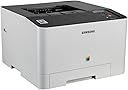
The Samsung Xpress C1810W Colour Laser Printer combines cutting-edge NFC technology with high-resolution printing capabilities, making it an ideal choice for professionals seeking efficiency and quality. With versatile media handling and seamless connectivity options, this printer is designed to elevate your office experience.
| ASIN | B00J9KTAIU |
| Additional Printer Functions | Print Only |
| B&W Pages per Minute | 19 ppm |
| Box Contents | Envelope, Transparent, Label, Plain paper |
| Brand Name | Samsung |
| Color Depth | 24 bits_per_pixel |
| Color Pages per Minute | 18 ppm |
| Colour | Yes |
| Compatible Devices | Smartphones |
| Control Method | App |
| Controller Type | Android |
| Customer Reviews | 3.4 3.4 out of 5 stars (240) |
| Dual-sided printing | No |
| Duplex | Automatic |
| Global Trade Identification Number | 08806085983168 |
| Hardware Interface | Ethernet |
| Initial Page Print Time | 16 Seconds |
| Ink Colour | black, cyan, magenta, yellow |
| Item Dimensions D x W x H | 52.2D x 52.2W x 37.8H centimetres |
| Item Type Name | Colour Laser Printer |
| Item Weight | 36.6 Pounds |
| Manufacturer | Samsung |
| Maximum Copy Resolution Black and White | 600 x 600 dpi |
| Maximum Copy Resolution Color | 600 x 600 dpi |
| Maximum Copy Speed Black and White | 18 ppm |
| Maximum Print Resolution Black and White | 9,600 dpi |
| Maximum Sheet Capacity | 250 |
| Maximum Supported Paper Size | A4 |
| Maximum print Resolution Color | 9,600 x 600 dpi |
| Model Name | Xpress C1810W |
| Model Number | SS204C#EUK |
| Model Series | Xpress |
| Network Connectivity Technology | NFC |
| Number of Drivers | 1 |
| Number of Trays | 1 |
| Other Special Features of the Product | Built-in display^Duplexing:No^ISO standard size:B5^Standard output capacity:100 sheets^Standard printer languages ( Digital sound processing: PCL 5c, PCL 6C, PDF 1.7, PostScript 3, SPL) |
| Output sheet capacity | 250 |
| Paper Size | 210 millimeters |
| Power Consumption Size | 380 Watts |
| Print media | Back print film |
| Printer Output Type | Colour |
| Printer Type | Laser |
| Processor Count | 2 |
| Resolution | 9600 x 600 |
| Specific Uses For Product | Office |
| Total USB Ports | 1 |
| UPC | 191628495962 887276677507 191628495955 |
| Unit Count | 1.0 count |
| Warranty Type | limited warranty |
| Wattage | 380 watts |
M**T
still delighted with it after over a year and a half.
I bought this in October 2015. Since then, I have changed the black toner once (September 2016) and have only just changed the coloured toners (April 21 2017) for the first time, as the original coloured toner cartridges that came with the machine have only just run out. I have two children attending university while living at home and constantly printing essays, etc and I use it myself for various home-related print tasks. While it is not used daily, it does get used frequently and often for long-ish projects (those essays and class projects). It prints crisply and quickly and pairs well with my Chromeboxes, laptop, smartphone etc by wi-fi; it also connects easily with a cable if you don't have wi-fi, though I haven't had to resort to this myself - my son does so, however, and is quite pleased with it. It has a special Bluetooth pair-with-Samsung-phone function which I wish I could avail of, where apparently you just tap the printer with the phone or device, but as my phone is not a Samsung I have to live with that lack of functionality; however, I can see where it would be a great feature. It is very economical with toner, and while the toner is very expensive, it does seem to last for ages, and if you are cost- and carbon-conscious, you can probably take the cartridges to a refill place or refill them yourself for less. I should add that the cartridges are incredibly easy to replace - simply lift the old one out and set the new one in, wait a minute for it to recalibrate and off you go. After more than a year and a half of use, my conclusion is that this is the best printer that I have ever owned (having had Epson and HP printers in the past, and while they were ok-ish at the time, I seemed to be constantly replacing print cartridges and having to cope with poor print quality and slow print speeds), for general ease of use, economy and quality and speed of print.
D**E
Very very very slow
Best quality settings with good quality photo's still look like they're really really blurry. Printing a colour page of text containing one image takes around 3-4 minutes to print EACH PAGE. Even just black and white text on a page does not live up to the 18ppm claim that is stuck to the front of the printer. useless printer. Don't buy it.
M**5
Very nice quality prints and reliable so far.
Had this about a month now and it works fine. I bought this to replace an inkjet printer which had stopped working. I bought a laser printer (rather than another inkjet) as I was fed up of having to clear the print-heads on the inkjet when not used for a few days as they became clogged. This is for home use and I don't print out much or even every day, only turning it on when needed. It works fine, takes about 20 seconds to initialize and warm up to "ready" but prints out very well. Black and white text is very crisp and clean and colour documents look very good indeed. It is so nice to know that if I want to print something I can, and not to have to fiddle about as before cleaning inkjet print-heads every time. It makes a few clunking noises when turned on and initialising but this is nothing to worry about, once in the ready state it just sits there ready with no noise. Wireless was easy to set up also, and I have printed out wirelessly from my tablet (also a Samsung) directly (although for some reason I have yet to look into the PDF I printed wirelessly did come out all blurred, but suspect this is due to my tablet not the printer). I have also printed out some photo's and these came out very well, not quite up to the inkjet quality but I have yet to use best quality laser paper. So we will see. Time will tell how long it lasts and how long the toners last, but if all you want is a reliable printer for documents with colour this is a very good machine.
J**N
A lot of good printer for not a lot of money
When my old colour laser packed up, I spent some time looking for a replacement. I hummed and erred about this for sometime and eventually picked the Samsung based on on-line reviews. I've had it for only a few days but thus far I'm very impressed! It prints quickly and quietly and the print quality is very good. Even photos print with amazingly quality - perhaps not quite up to the best glossy inkjet standards, but pretty good. Installation was quick and easy. I connected the printer to my home network, loaded the CD and everything auto-ran very smoothly. The only thing I've had a problem with is getting the Cloud Print app to work with my phone. It doesn't seem to text me the authorisation code, but I'll keep trying and I'm confident that I can sort it out. However, this is not a critical issue as I'm highly unlikely to want to print from my phone. All in all, a lot of good printer for not a lot of money!
M**G
Printer works well - Toners very expensive - might be ...
Printer works well - Toners very expensive - might be worth looking to see if you can find a printer that uses cheaper toner - £180-£200 for a set of four...
M**E
Not what you'd expect from a Samsung Product
Couldnt get the printer to connect wirelessly and the user interface was extremely hard and not at all what you'd expect from samsung. When I called Samsung for help they said the product was out of warrenty although I had purchsed it as new and they said it had been originally registered in 2017. It was returned and refunded without fuss
J**O
Después de mucho buscar y comparar me decanté por esta impresora. La elegí por tener a priori una calidad de imagen más alta que otras de su misma gama de precios, ya que la necesito principalmente para imprimir imágenes en A4 con una calidad razonable, harto ya de las engorrosas impresoras de chorro de tinta. La instalación en red ha sido muy sencilla, y las primeras pruebas de impresión me han gustado mucho. La calidad del texto es inmejorable, y en cuanto a imágenes a color la resolución es muy buena y los tonos y el contraste bastante adecuados. También muy contento con su potencia y rapidez, muy profesional. Incorpora unos tóneres de cortesía que supuestamente duran unas 700 páginas (1000 el tóner negro). Los recambios no son de lo más barato pero no están mal de precio. Mi sistema operativo es GNU/Linux y es la primera vez que tardo tan poco y me resulta tan fácil configurar una impresora. Me alegra que Samsung se haya molestado en dar buen soporte a este SO.
S**E
This is my second unit and I really have appreciated the speed and quality of the printer.
L**5
je suis très satisfait de cette machine. qualité des impression au rendez vous. rapide. reglage qui permet d'utiliser google print facilement depuis n'importe quel pc...il faut juste savoir que sur google print on peut lier un seul compte à une imprimante. Ensuite il faut partager votre imprimante avec d'autres utilsateurs qui sont un compte gmail si vous souhaitez que tout le monde puisse imprimer. ca se fait dans les parametres de google print bref.. j'imprime de mes pc et Chromebook très facilement
G**T
Lange habe ich gesucht. Bisher hatte ich einen HP Laserjet 1020 und einen Canon MX Pixma 310 Multifunktionsdrucker in Betrieb - beide an meinen PC im heimischen "Büro" angeschlossen. Eigentlich war ich damit auch immer zufrieden: farbige Ausdrucke wurden auf dem Canon erledigt und s/w Ausdrucke auf dem HP. Das Problem: kein Drucken von verschiedenen Geräten. Die gesamte Familie musste bisher für jeden noch so kleinen Ausdruck immer erst den PC hochfahren, etliche Windows-Updates abwarten und dann das Gewünschte ausdrucken. Sehr lästig. Ins lokale Netzwerk habe ich keines der beiden Geräte auf Grund ihres Alters bekommen - auch nicht an den USB Anschluss unserer Fritzbox 7490. Jetzt war zufällig gerade die Tinte vom Canon Drucker leer und bevor ich 50 Euro für Ersatz berappe, kam die Überlegung hoch, gleich einen neuen Drucker anzuschaffen. Einen, der auch im heimischen Netzwerk betrieben werden kann und somit Ausdrucke von allen möglichen Geräten ermöglicht. Die Familie musste ich jedenfalls nicht lange überzeugen :-)) Ich habe im Vorfeld viel über Farblaserdrucker gelesen, diverse Tests studiert und bin bei diesem Gerät hängen geblieben. Am Ende galt es zu wählen zwischen dem Samsung und dem HP Color LaserJet Pro 200 M252dw. Die Wahl fiel auf den Samsung Xpress C1810W. Angeblich hat der HP Drucker zwar eine neuere Druck-Technologie, aber soll eine schlechtere Qualität bei Farbdrucken liefern. Ein weiterer Vorteil bei dem HP Gerät wäre der integrierte Duplex-Druck gewesen. Aber da wir eigentlich nie beidseitig drucken, habe ich den Fokus auf die Druckqualität gelegt. Beim Samsung müsste man tatsächlich das Papier manuell umdrehen, wollte man beide Seiten eines Blatts bedrucken. Wie üblich bei Amazon, war die Lieferung in kürzester Zeit bei uns zu Hause. Auspacken und in Betrieb nehmen hat ca. 30 Minuten gedauert. Wenige Schritte waren nötig: Gerät aus seinem (sehr robusten) Karton nehmen, die sichtbaren blauen Klebestreifen entfernen und (ganz wichtig!) die Tonerkartuschen einzeln entnehmen, die orangenen Kunststoffsicherungen entfernen und jede Farbe etwas hin- und herschütteln. Anschließend Stromversorgung anschließen und das Gerät ist bereit. Etwas überrascht war ich über die doch eher üppigen Ausmaße des Druckers. Ist - verglichen mit unseren alten Geräten - schon ein Klopper :-) Um den Drucker ins WLAN zu bekommen, habe ich die WPS-Schnellverbindung benutzt. Sowohl auf dem Gerät, als auch auf dem Router (Fritzbox 7490) kurz die jeweilige Taste gedrückt und wenig später war der Drucker im WLAN verfügbar. Anschließend habe ich die Konfiguration über die eingebaute Web-Oberfläche des Druckers erledigt. Unglaublich - da haben sogar schon Drucker eine eigene browserbasierte Web-Konfiguration. Davon war mein in die Jahre gekommener HP Laserjet 1020 aber mal meilenweit entfernt :-) Man kann die Konfiguration auch über die auf CD mitgelieferte Software erledigen. Diese hatte ich auch zunächst installiert, bis ich die Web-Oberfläche entdeckt hatte. Das Drucken ist genial - rasend schnell, ziemlich leise und selbst im toner- und papiersparenden Eco-Modus absolute Top-Qualität! Auch der Ausdruck von unseren Windows 10 Rechnern und mobilen Android-Geräten (über Samsung Mobile Print) klappt problemlos. Was die Inbetriebnahme und ersten Ausdrucke angeht, bin ich echt begeistert von diesem Drucker und kann das Gerät absolut empfehlen. Würde ich jederzeit wieder kaufen.
F**O
La Samsung Xpress C1810W è una stampante laser a colori che offre una serie di funzionalità avanzate. Questa stampante è in grado di stampare fino a 18 pagine al minuto in bianco e nero e a colori, con una risoluzione massima di 9600 x 600 dpi. Dispone inoltre di una capacità di stampa fronte/retro automatica. La Samsung Xpress C1810W è dotata di una serie di funzionalità di connettività, tra cui Wi-Fi, NFC e Ethernet, che la rendono facilmente accessibile da qualsiasi dispositivo compatibile. È inoltre possibile stampare direttamente da dispositivi mobili tramite l'app Mobile Print di Samsung. La stampante è dotata di un cassetto carta da 250 fogli e di un alimentatore manuale da 1 foglio, consentendo di gestire facilmente una varietà di tipi di supporti di stampa. Inoltre, questa stampante dispone di funzionalità di sicurezza avanzate come la crittografia dei dati e l'impostazione di password. In sintesi, la Samsung Xpress C1810W è una stampante laser a colori altamente funzionale e versatile, con un'ampia gamma di funzionalità di connettività e di sicurezza.
Trustpilot
1 month ago
2 months ago