Buy anything from 5,000+ international stores. One checkout price. No surprise fees. Join 2M+ shoppers on Desertcart.
Desertcart purchases this item on your behalf and handles shipping, customs, and support to Brazil.
🖱️ Keep your workflow alive—because your productivity deserves a little wiggle!
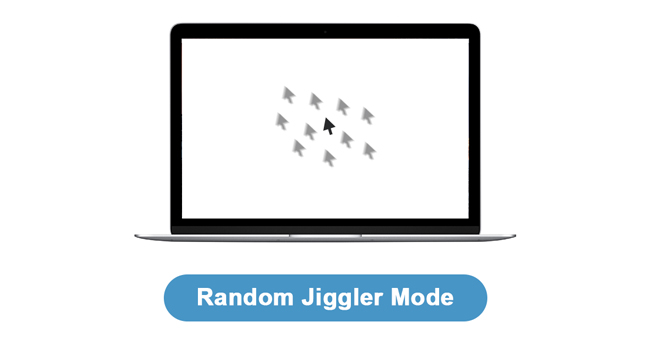
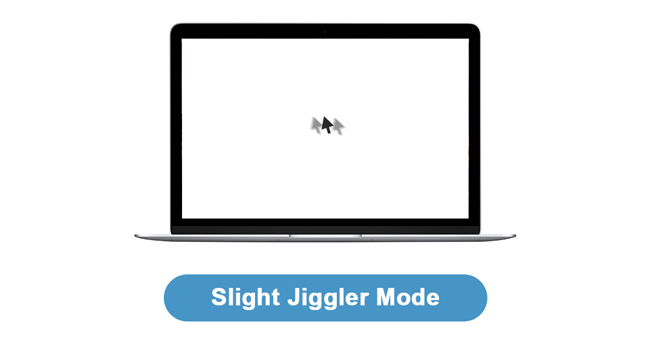
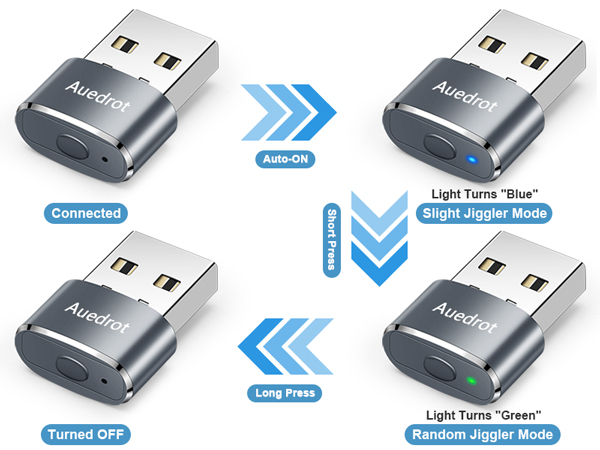
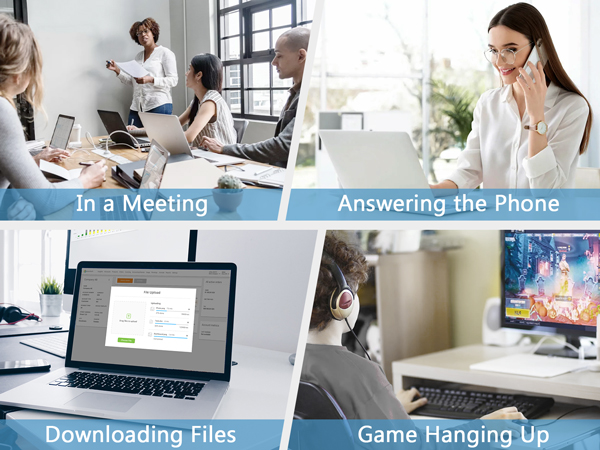
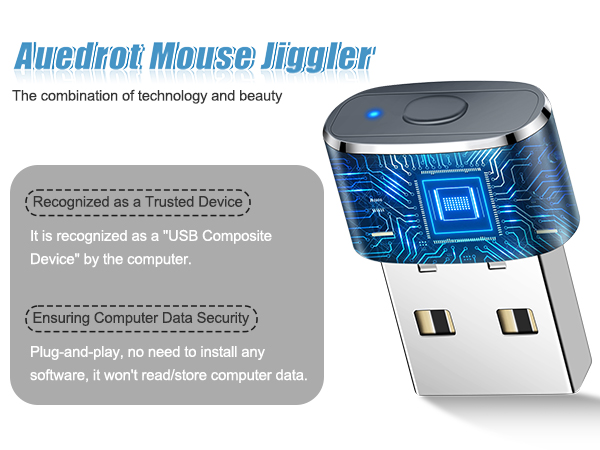
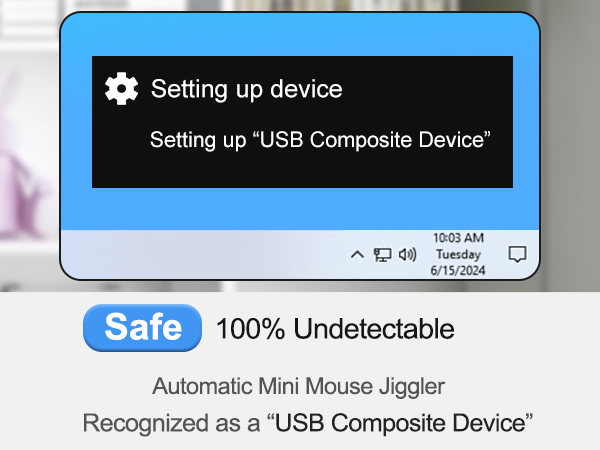
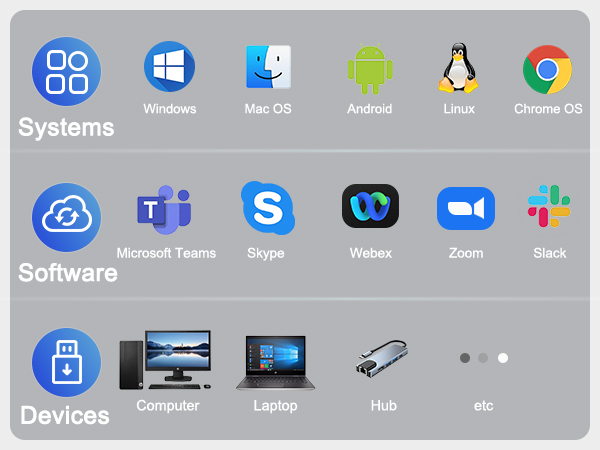
The AUEDROT Mouse Jiggler is a compact, driver-free USB device designed to prevent your computer from sleeping by simulating subtle mouse movements. Featuring two selectable jiggle modes and a premium aluminum alloy build, it’s recognized as a trusted device by your system and compatible with Windows, Mac, and Android. Perfect for professionals running long simulations, remote meetings, or passive media sessions, it ensures uninterrupted productivity without interfering with your work.


| ASIN | B0B7M8GZR4 |
| Antenna Location | Gaming, Office |
| Are Batteries Included? | No |
| Are Batteries Required | No |
| Best Sellers Rank | 1,089 in Computers & Accessories ( See Top 100 in Computers & Accessories ) 56 in Mice |
| Brand Name | AUEDROT |
| Button Quantity | 1 |
| Colour | Grey |
| Compatible Devices | Desktop, Laptop, Tablet |
| Country of Origin | China |
| Customer Reviews | 4.7 4.7 out of 5 stars (1,240) |
| Enclosure Material | Aluminum,Metal,Plastic |
| Hand Orientation | Ambidextrous |
| Hardware Platform | Linux, Mac, PC |
| Item Dimensions L x W | 22L x 16W millimetres |
| Item Weight | 4 Grams |
| Manufacturer | Shenzhen Paisheng Technology Co., Ltd. |
| Manufacturer Part Number | HU-XI-30 |
| Movement Detection | Optical |
| Network Connectivity Technology | USB |
| Operating System | Android, Chrome OS, Linux, Mac OS, Windows |
| Power Source | Corded Electric |
| Product Features | Ergonomic Design, Lightweight, Portable, Wireless |
| Product Warranty | 6 Months |
| Style Name | 1 PCS |
| Unit Count | 1.0 count |
D**E
Great product and works, game changer 🥳
Great product, arrived as expected
M**N
Cool little screen-lock defeat dongle
As an IT-professional I was intrigued by such a device. I wondered how it behaved when working alongside an actual mouse. I want to prevent screen-lock when its inconvenient but I don’t want this to interfere with my day-to-day work. I have to report that it works just fine! It has a tiny switch so you can adopt “Mode 1” or “Mode 2”. Mode 1 moves the cursor by a tiny amount. You can actually see it moving but it is by such a small amount it barely has any detectable effect upon positioning the cursor when using the real mouse by hand. So, you can just leave this little baby plugged in and working all the time. You can switch to Mode 2 if you wish in which case the cursor goes crazy all over the screen. It is fun to watch but it then means you cannot practically use your mouse! The USB dongle is plug-n-play fire-and-forget. I just plugged in and it started working immediately on my work Windows 10 (Enterprise) Dell. There were no pop-ups or anything to do. It just works. Your computer thinks it is a completely benign mouse. However, it all just begs the question: who legitimaly needs this and why? (Anyone using this device to “look busy” whilst “working from home” is asking for trouble and nobody should endorse this or find it funny.) If using your own person PC/Laptop then you can simply disable the screen lock. Most technologies (such as Teams or Click-Share presentation middleware) will automatically disable screen lock whilst using them or in a call. So, we guess this is for corporate users. Screen-lock on time-out is a security feature deployed by commercial IT organisations to help secure their network from outside intrusion. However, unless you fantasise that you are living your life in a “Mission Impossible” movie, these sort of security measures are more-often-then-not pointlessly draconian. You are far more likely to have your device physically stolen than you are to have a stranger sit at it to steal commercially sensitive data. Getting hacked by somebody on the other side of the planet is far more of a big deal. Personally, I find this device useful to keep my second device active whilst working on another. This is so I can monitor emails, messages and take Teams calls whilst working on another machine physically next to it. This is in a safe and secure environment of my own home. Nobody here is going to access corporate data whilst I am sitting here! However, my circumstances might be unique. You certainly do not want to use this device in a public space and using at in the office might lead to a disciplinary if you get caught. Seriously, such precautions are there for a reason. Unless you have a secure lockable workplace then make sure your screen locks if you are going to walk away for any period. ...and switch it off at night too!
A**R
Great
Great item that works well
M**1
Great Product
Good Quality Product allowing me to step away from my computer during breaks and without the need to log back in !
C**C
Great purchase
I recently purchased the AUEDROT Mouse Jiggler Undetectable USB Mouse Mover Jiggler Automatic Mouse Wiggler, and it has exceeded my expectations in every way! First and foremost, the peace of mind it provides is invaluable. As someone who works remotely and often finds myself stepping away from my computer, knowing that my screen won't lock or go into sleep mode is a huge relief. The automatic mouse wiggler function works flawlessly, ensuring that my computer stays active even when I'm away. The setup process was a breeze. All I had to do was plug it into a USB port, and it started working immediately. It's incredibly discreet, so I can leave it plugged in without it drawing any attention. I also appreciate the undetectable feature of this mouse jiggler. It operates silently in the background, without leaving any trace that it's being used. This gives me added confidence that my work is secure and uninterrupted. Overall, I highly recommend the AUEDROT Mouse Jiggler to anyone who needs to keep their computer active and secure, whether for work or personal use. It's a small investment for the peace of mind it provides, and I couldn't be happier with my purchase!
A**R
Laptop
This works really well
J**Y
Great for working smart not hard
Brilliant , best purchase ever
T**Y
Finally I can focus on my series
I wish I knew about this sooner. Everyone working from home knows how hard it is having to keep an eye on Teams to make sure it isn't snitching on you taking the break you deserve. This allows me to finally focus and work hard watching my series, doing the washing, and chilling with the cat. Well worth the money and if anyone asks what it is, just say it's for your wireless mouse. Highly recommend to all working from home.
M**H
działa bez zarzutu, spełnia swoją funkcję
N**M
Llevo ya más de un año usándolo y cumple con su función. Es súper cómodo y fiable
F**D
Ich habe den Mouse Jiggler vor allem für die Arbeit und gelegentliche private Nutzung gekauft, und ich bin insgesamt sehr zufrieden. Das Gerät hält meinen Bildschirm dauerhaft aktiv, was besonders bei längeren Präsentationen, Downloads oder kurzen Pausen praktisch ist. Ich muss mich nicht mehr ständig erneut einloggen, nur weil ich kurz nicht am Platz bin – das spart Zeit und Nerven. Die Bedienung ist denkbar einfach: Plug & Play ohne Treiberinstallation. Einmal angeschlossen, funktioniert das Gerät sofort, und es wird vom Computer nicht als eigenständiges Gerät erkannt – ideal für Arbeitsumgebungen, in denen man unauffällig bleiben möchte. Die beiden Modi zur Bewegung der Maus sind leicht per Knopfdruck wählbar und erfüllen ihren Zweck, ohne die Arbeit zu stören. Selbst bei präziser Arbeit wie Zeichnen fällt die leichte Bewegung kaum auf. Auch das Design ist gelungen: robust, kompakt und in unauffälligem Schwarz. Es passt zu jedem Schreibtisch und blockiert dank seiner schmalen Bauweise keine benachbarten USB-Anschlüsse. Allerdings hätte ich mir eine besser sichtbare Betriebsanzeige gewünscht. Das kleine Licht ist bei langsamen Modi schwer zu erkennen, was manchmal irritiert. Hier sehe ich Potenzial für eine Optimierung. Fazit: Der Mouse Jiggler ist ein zuverlässiges und praktisches Werkzeug, das seinen Zweck hervorragend erfüllt. Für alle, die einen unkomplizierten Maus-Beweger suchen, ist dieses Modell eine klare Empfehlung. Kleine Verbesserungen wie eine deutlicher sichtbare Statusanzeige würden ihn allerdings perfekt machen.
F**L
Si vous avez besoin de simuler un mouvement de souris pour empêcher une mise en veille (mon cas lors de certains calculs qui ne bloquent pas nativement ce processus), alors c'est parfait !
A**T
Nie kupować, przycisk nie działa, nie odskakuje co uniemożliwia korzystanie z urządzenia.
Trustpilot
2 months ago
1 month ago