Desertcart purchases this item on your behalf and handles shipping, customs, and support to Brazil.
🚀 Elevate your AV game with ultra-long 4K clarity and smart power delivery!
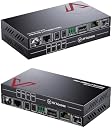
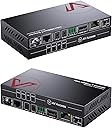
The AV Access 4KEX100-L is a professional-grade HDMI extender that delivers uncompressed 4K@60Hz video and HDR10 over a single Cat5e/6/7 cable up to 100 meters. Featuring integrated LAN, 2-way PoE, bi-directional IR and RS232 control, and advanced EDID management, it ensures seamless compatibility with all major operating systems and devices. Certified for safety with surge and ESD protection, it’s designed for reliable, high-performance AV distribution in demanding professional environments.


| ASIN | B01GYL54JK |
| Audio Output Mode | Stereo, LPCM 5.1, LPCM 7.1, Dolby True HD, DTS-HD Master Audio |
| Best Sellers Rank | 13,124 in Computers & Accessories ( See Top 100 in Computers & Accessories ) 34 in KVM Switches |
| Brand | v AV Access |
| Brand Name | v AV Access |
| Cable Type | HDMI |
| Cable type | HDMI |
| Color | 4KEX100-L |
| Colour | 4KEX100-L |
| Compatible Devices | Laptop, Monitor, PC, Projector, Speaker |
| Compatible devices | Laptop, Monitor, PC, Projector, Speaker |
| Connector Type Used on Cable | RJ45 |
| Connector type | RJ45 |
| Country of Origin | China |
| Customer Reviews | 4.0 out of 5 stars 52 Reviews |
| Item Weight | 0.25 Kilograms |
| Manufacturer | AV Access |
| Manufacturer Part Number | 4KEX100-L |
| Model Number | 4KEX100-L |
| Number of Items | 2 |
| Number of Packs | 1 |
| Number of Ports | 2 |
| Number of ports | 2 |
| UPC | 667673853113 |
| Unit Count | 1.0 count |
R**L
Excellent 4K over LAN solution.
The delivery of tv in my property is difficult due to the construction. The skyQ box can not be next to the TV. I am using the unit over a cat 5e cable with skyQ in 4K pictures and an LG tv. The cable run must be 50m or so buried in the walls. The picture is stable and sound in sync. I can interrupt the signal with interference, but this is a fault of the cable install not the unit. Tip don’t run network cables parallel to power cables! The only problem with the unit was the IR feedback, it was delayed and often did not work. One quick email to the manufacturer and new parts were delivered free. It now works perfectly.
O**O
Works really well
This is my first time using any HDBaseT technology so I wasn't sure what to expect but I had to solve the issue of getting the signal + control from a closet nearby to a wall mounted TV in the kitchen where there wasn't really room to put any shelf or furniture to house the TV components (satellite receiver, IPTV box, Apple TV). This works remarkably well. I am using it with an AV Access 5-1 switch and a Harmony Elite remote. So the Elite hub tells the switch which input to use, the output then goes into this extender's transmitter, through some CAT5E cabling, and out the other end to the extender's receiver hidden behind the TV on the wall. It just works, what more can I say. No discernible lag, I'm also routing the IR controls for the TV via the Elite hub through the transmitter and then the receiver hidden behind the TV transmits this to the TV. Now I want them to make an HDMI 2.0b version of both these devices as at the moment this is 1.4 kit so I'm not yet able to fully take advantage of the Apple TV 4K that I am using.
J**O
Works really well but ensure you use HDCP 2.2 compliant HDMI cables
I have been tearing out what little is left of my hair trying to get this (and other similar devices to work with our new 4K TV. (Very) long story short our setup involved a concealed 10m HDMI cable from our Virgin Media box in another room to our main living room TV. I didn't realise until too late that you can't run HDM over 10m without loss, so our fancy new TV looked rubbish. Short of ripping up floors there was no easy way to replace the cable, but I came across this device. We did (fortunately) also have Cat5e cable run across the same distance, so I was able to make use of this. I couldn't understand why it didn't work initially and spent a huge amount of time troubleshooting, replacing every cable and even running a direct 10m Cat7 cable between the Transmit and Receive devices, all to no avail. It was showing a signal but the HDCP light was off, suggesting no HDMI signal. I did some more research and found not all HDMI cables were HDCP 2.2 compliant, even though I had swapped them out for others they must all have had the same limitation. From Googling more about HDCP I realised I needed a cable which supported this, managed to source one and it's all working fine. The picture is now crystal clear and finally does the new TV justice! I didn't need the remote control function as we have the new Virgin Media 360 box which doesn't use IR line-of-sight remote, but the additional pass through ethernet is good as it allows our TV to have a wired internet connection if we want to watch using the built-in apps.
N**D
but flickers in the menu screen and gives sparkalies on 4k Netflix but is fine with Kodi at 4k
The search continues... I've a 15m usb powered HDMI lead under the house that just about works with Shield TV at 4K 60Hz, but flickers in the menu screen and gives sparkalies on 4k Netflix but is fine with Kodi at 4k. However, XBOX one X won't do 4k of any type over my existing powered HDMI lead and the Virgin V6 box gets in a right muddle and I have to throw a long HDMI lead on to re-set things so there's any picture. So I had high hopes for this as I'd also run 2 CAT 6 cables under the house. However, it can only do 4K at 24Hz with the shield (59.6, 60 and 50 were out), so it's dropping frames on most video and the virgin video stopped working (oddly the menus were there). Swapped back to my old cable and Virgin video was working. Didn't try the IR and Ethernet projection as it didn't meet my needs. PS don't see why reviews for a matrix and a splitter are mixed in with reviews for this, it's misleading.
R**E
Great quality all round
I bought the AV Access to connect my Virgin hub to an independent tv in another room via Cat 5e. Very simple to set up and communicate the link- works perfectly. I had tried cheaper alternatives in the past with limited success and poor quality - you get what you pay for.
P**R
Very good but problems with samsung uhd
Very good but never worked with my Samsung uhd blueray, The recable hdmi work best for 15m or above
H**D
AV Access 4KEX100-L HDMI Extender works perfectly
Reliable (so far) HDMI extender when you connect it correctly. Use your extension RJ45 cable to link the “HDBT out” RJ45 on the TX unit to the “HDBT in” RJ45 on the RX unit. As soon as you power up either end with the included PSU the power (red) and Link (Green) LED’s should light on both units and the HDMI signal will pass through from the TX unit to the RX unit. I haven’t needed the remote IR option so I haven’t tried this yet. I made the mistake of using the ethernet connectors for the link between the Rx and TX units but these are actually for feeding your internet connection from your router (at the RX end) to your PC at the TX end. This is a bonus option if you happen to have your router and PC at the wrong end! AV access were very helpful and emailed me the attached diagram when I couldn’t make the units link.
J**P
I really like the Industrial feel of this unit (screw in power--solid ...
Does it all .....I really like the Industrial feel of this unit (screw in power--solid metal chassis and small--nice feel)....It works great. My tv is 145 feet away thru Cat 6 (Belkin) looks great...really surprised. The HDCP 2.2 is a critical feature and a big deal if you want to use 4k and extend it. I like it so I can distribute my video signals from a single closet. My Rokus, Fire TVs and Dish network all all inputs to my 8 X 8 video matrix (8 inputs and 8 outputs). I use this on the output side so for example I do not need a 8 Dish network units (Hopper3 and Joey) (that would cost $7 each a month X 7 = $49 per month --first unit is included in base cost with dish)--I use two (cost $7 per month) for all of my TVs. I use my phone as my remote using the Dish app--- Functional responses are faster than the IR....not sure why but it is....The Hopper3 was critical to make all this work...
D**M
Ne pas acheter !
Le produit ne fonctionne plus après a peine 7 mois d’utilisation... le câble reliant les deux boîtiers fait moins de 10 mètre et est de catégorie 7. Vérifié par un testeur, j’ai également fait des tests de débit ! Bref ne pas acheter je souhaite faire valoir ma garantie !
R**K
Not compatible with Roku
unfortunately after weeks of trouble shooting, support informed me that this unit the 4KEX100-L is not compatible with Roku 4 devices... as the roku is the #1 streaming player out there, i can't recommend this device to most of my friends. the units plug in quickly and intuitively. no setup is required and the Ethernet pass through works great. the units will get pretty hot at times so something to keep in mind. they work great for 1080 signal from a computer and from an older apple TV (not the 4k). but as soon as I plugged in my new roku 4 for some 4k fun, I started seeing artifacts in the image and frame drops. it all got too much for me and I contacted the support. they send me the 4KEX70-R which is supposed to be more Roku friendly but it doesn't have ethernet pass through and makes things better but doesn't completely solve the issues with the image artifacts. if you don't use a roku, give this a shot. if you do. pass for now and let me know if you buy something that works with all the same functionality.
A**R
Works great, but not at the advertised lengths.
This Product looks like a dream! However, it does not work the advertised distances. The two unit won't even talk to each other at 150' of Cat6a shielded cable. They do work 125' or less, flawlessly might I add. If you don't need the 230 feet, or the 333 feet, then this product does as advertised. I will be returning mine though as I needed to go 150' and 175' and it simply does not make the connection.
A**I
Blinking link light at first use of the day.
Have this for 7 months now. Mostly pleased. Running HDMI over Cat5e from my Cable box and AVR upstairs to my Panasonic plasma TV downstairs. Power light always on at receiving end, but link light flickers and does not show video for a while, 1 minute to 20 minute sometimes. Then it suddenly connects with steady green link light, and video works very well for as long as I'm watching TV. Next time I use it, it either works right away or it does the blinking thing again, unpredictable. It seems more of an issue the first time TV is used in the day. Very frustrating. The quality once the link is steady, is very good. What could this be?
Trustpilot
1 week ago
2 months ago