🔐 Secure your data, speed your success.
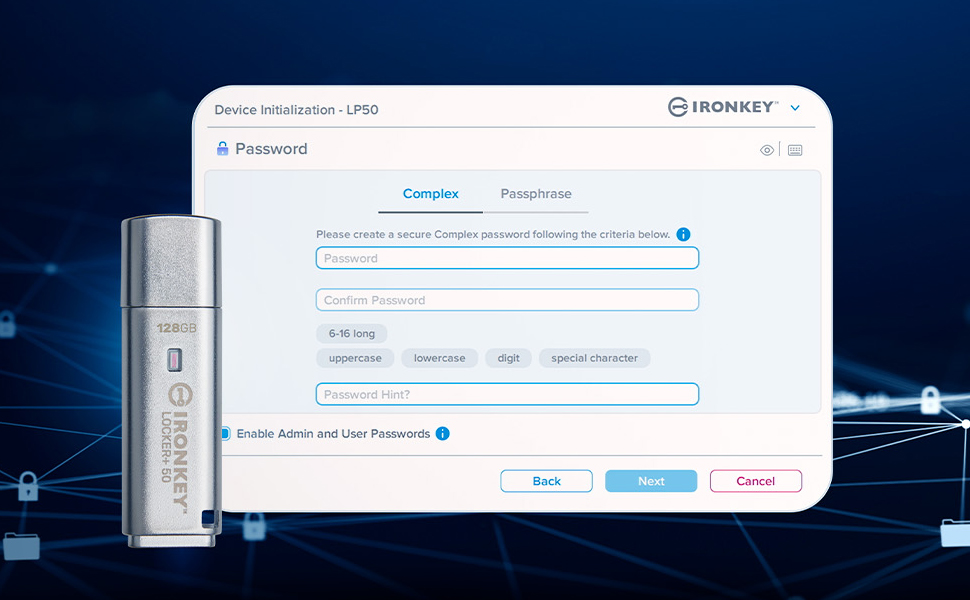
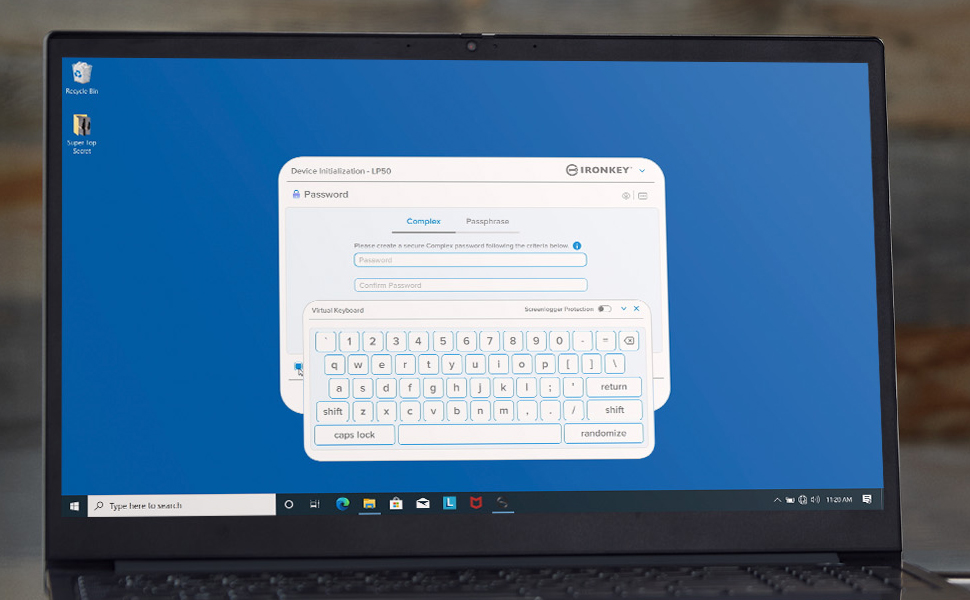
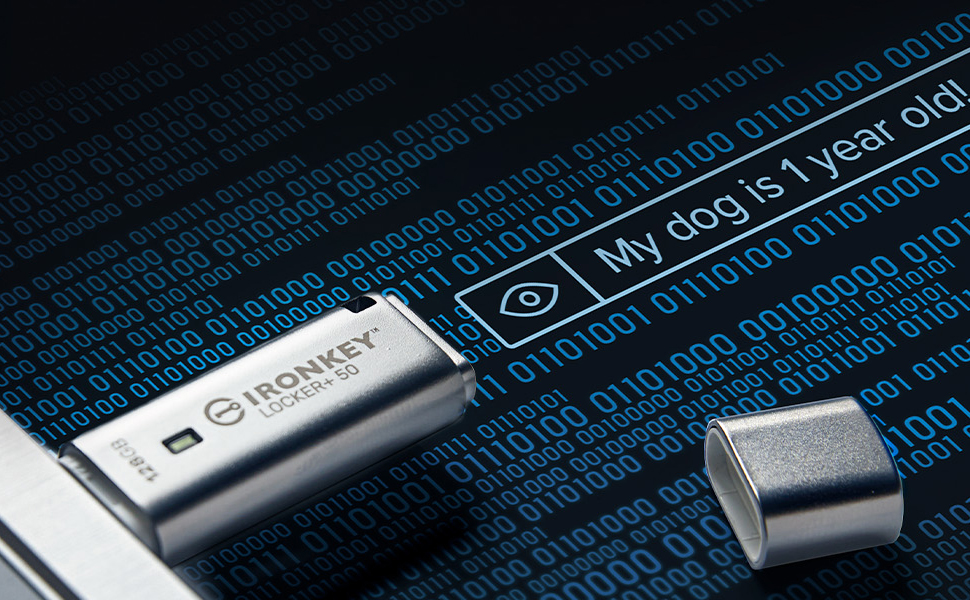
The Kingston IronKey Locker+ 50 16GB USB flash drive combines cutting-edge XTS-AES hardware encryption with multi-password security and a virtual keyboard to protect against cyber threats. Featuring USB 3.2 Gen 1 speeds up to 145MB/s read and automatic cloud backup, it offers a robust, fast, and reliable storage solution in a sleek metal casing designed for professionals who demand both security and performance.


| Read Speed | 145 Megabytes Per Second |
| Connectivity Technology | USB |
| Color | Silver |
| Model Name | Flash Drive |
| Flash Memory Type | USB |
| Manufacturer | Kingston Digital, Inc. |
| Hardware Connectivity Technology | USB Type A |
| UPC | 740617329308 |
| Global Trade Identification Number | 00740617329308 |
| Item model number | IKLP50/16GB |
| Item Weight | 0.952 ounces |
| Product Dimensions | 2.38 x 0.73 x 0.38 inches |
| Item Dimensions LxWxH | 2.38 x 0.73 x 0.38 inches |
| Computer Memory Type | DIMM |
| ASIN | B0B5B4DWC8 |
| Is Discontinued By Manufacturer | No |
| Date First Available | June 28, 2022 |
U**8
Excellent
Excellent quality item that works perfectly. You really can’t go wrong with this brand. Yes, expensive, but you are getting a premium item.
A**N
Easy use and setup
Solid. Body is metallic. Very easy setup and use. 10/10
S**S
Secures my Files
This irony is perfect to secure files and password protect their access. Just what I wanted.
J**J
Seems very secure and works fine... two irritating things, though
Once the drive was connected to the computer and I typed in the password I'd set, data transfer seemed speedy and there were no problems. I carry this drive around with me; it has photos of important documents and other files I might need wherever I am. It's great to be able to connect it to whatever computer I have and get the info... if I tried to keep the info in "the cloud", I'd have to set up whichever computer to connect to the cloud. This is easier! It's also nice to have the data with me instead of trusting that hackers won't break into whatever cloud server. The cover over the USB plug fits tightly; I'm hoping it will keep water out if I ever drop this.There were two irritating things on my computer running Windows 11, though -- which is why I didn't give five stars:1. When I plug in the drive, the computer always pops up a window to ask what I want to do with the drive. I always have to choose to run the IronKey program. If I don't answer quickly enough, that window will close; then I have to open the drive in File Explorer, then double-click the IronKey.exe program file.2. To remove the drive, the "Safely Remove Hardware" icon at the bottom right of my screen (the "system tray") doesn't work. I have to click on the up-arrow at the left edge of that area, then right-click (not left-click!) the IronKey icon and choose the "shut down" option. I forget this step pretty often and try a few times to do a normal removal until I realize I need those special steps. (I've tried dragging the IronKey icon to the system tray area, but it vanishes.)
D**D
Quality product and swrvice
Great quality product and customer service 2nd to none. Customer service is top notch and I will definitely buy from them again.
M**Y
Fast, super easy to install and use, durable
The Kingston IronKey is lightning fast as well as super easy to use and setup. It literally took me 30 seconds to get it setup- there is a video below on Amazon walking you through the process and it works exactly like they show you. The file directory interface exactly like my C drive interface making it so easy to use . You do not have to back-up to the Cloud - like the video below shows you can just click on the decline button if you don't want to back up to the cloud. It is encased in metal and seems very durable. It costs considerably more money than the cheap plastic flash drives available from other manufactures. I originally bought three of the cheap ones made of plastic and all three cost less than this one. But, two of the plastic ones failed within a year, they were difficult to get setup, frustrating to use, much slower, and had bugs. I have used Kingston before and came back to them. I have two Kingston Data Travelers one is 14 years old and the other is 8 years old and they both still work. I just needed more capacity so a bought another one. I am extremely happy with it.
J**O
Nice device, would buy again
Replaced my old USB device. The iron key app is functional. Don’t use the cloud backup app they offer. It’s just a gimmick to get a commission for your sign up for a cloud service.The metal case is really durable.
D**E
Ironkey is super.
Simple to use, create a good password, upload your docs. Lightening speed. Just unplug it when you're done, it automatically requires the password the next time. Plenty of storage for my needs.
Trustpilot
1 month ago
2 weeks ago