📄 Scan smarter, not harder — your portable paperless powerhouse!
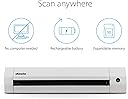
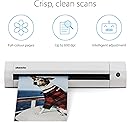
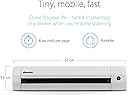
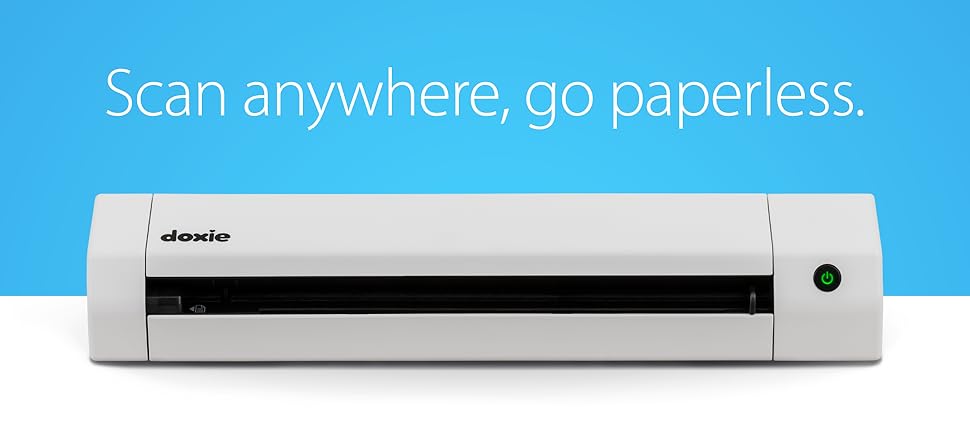
The Doxie Go SE is a compact, rechargeable portable scanner designed for professionals who demand fast, high-quality scans without a computer. It delivers full-color scans in 8 seconds at up to 600 dpi, stores up to 8,000 pages internally, and supports OCR-powered searchable PDFs via its intuitive software. Ideal for home, office, or remote work, it combines convenience, speed, and smart document management with reliable customer support.


| ASIN | B073H7V4DM |
| Batteries | 1 Lithium Ion batteries required. |
| Best Sellers Rank | #37,708 in Office Products ( See Top 100 in Office Products ) #45 in Document Scanners |
| Brand | Doxie |
| Customer Reviews | 4.5 4.5 out of 5 stars (4,138) |
| Date First Available | October 2, 2017 |
| Is Discontinued By Manufacturer | No |
| Item Weight | 1.18 pounds |
| Item model number | DX240 |
| Manufacturer | Doxie & Co. |
| Manufacturer Part Number | DX240 |
| Product Dimensions | 12.2 x 2.25 x 1.75 inches |
| Sheet Size | Letter, A4 |
| Size | Battery Sheetfed |
T**J
We love this!! BUT only after you figure it out a few finer details.
SEE EDIT AT BOTTOM: We love this BUT only after you figure it out the finer details. My wife wants to scan all of our old photos pre-digital so I got her this to help with that mission (we have MANY photos). I have 3 scanners or all in ones in my house and I will say the Doxie Plus is the ONLY way to go for mass scanning images that are 8x10 or smaller. That is all you need to know on the positive and now I will address the issues I had. I am a techi so I assume this can be used without any reading but that is not he case. I did glance over documentation and see that it has built in memory but you can add more via the SD slot. So I grabbed a spare 64gb card and stuck it in there. It would not power on and stop blinking like it was supposed to. After digging I find out that it ONLY supports special SD cards (really!!!!) That is absolutely ridiculous, but there is actually plenty of built in memory. So I removed the SD card and it powers up fine. In the process of trying to figure out the bootup problem (having standard SD card in slot), I tried to locate a "Calibration PDF" on their website. This is the sheet you run through the scanner to calibrate it. Can you believe they make you buy that if you lose it! Another blunder in my opinion. My wife had the calibration page but I am letting you know so if you buy a used one you better make sure the calibration card is in there or your will have to buy another one if the calibration is ever needed again (not sure why you would but just letting you know). Once the scanner is turned on the light is green (300 dpi scan). If you press the button again, it goes to Orange which is 600dpi. They should have a simple sticker above the power button telling you this but they don't and they should allow you to set a default setting which they don't. We are doing photos so we did the scans at 600 dpi which still went plenty fast enough. 300dpi is REALLY fast (ie for documents). After you scan all of your photos, you have to open the software to import the scanned photos. BUT, when you click on the "Import" button in top right corner, it has not completed the import process. After you select all the images on the screen, you have to click on the SAVE button down below actually save them to your local drive. Why they do not allow you to just click the import and have the save process as part of that I do not know. It is just one extra step you have to do to save the photos. But even with these problem I still give this thing 5 stars. My wife is having to use our Epson 7510 for the larger pictures and ones already in the scrap book. The speed and ease of using the Doxie Plus is outstanding. I am sure this product is like everything. The folks who design it and package it, and write the manuals, etc, never actually use it so they have no idea on the simple and stupid mistakes they make. Bottom line, buy one, you will be glad you did :) ----------------------------------------------- EDIT 05-19-2015 1) The Doxie does allow the use of SD cards up to 32GB. And it should be formatted in FAT32. They are considering putting a sticker or some other means of letting customers know that 32GB is the max. In my opinion it might be easier and more effective to update the firmware to allow for much larger SD cards since these are the norm, not the exception in 2015. 2) After doing some extensive scanning of not only photos, but documents (ie medical records), it is evident that the saving process designed by Doxie is most ideal. We scanned many photos and documents and the documents we saved as PDF's where the photos were saved as JPG's. Also, the photos were separated by child and year. So I found my original thought on this to be a little misguided. 3) Doxie has stated that the calibration card has to be the original printed card. It is a heavier card stock and printing on a 8x11 sheet of paper would not work. You can contact them about getting a Calibration card if yours is missing. I take pride in offering detailed and accurate reviews so I wanted to clarify these issues. But nothing changes on the fact that this device is an awesome little scanner and I am sure you will be happy with it.
J**R
OUTSTANDING! (Updated after 4 years of use)
Updated review after 4+ years of use: Bought the original Go with WiFi in 2017 (see review below). Have scanned thousands of documents/pictures without issue. Recently, the scanner started to jamb. I sent a support request describing my issue. II got a response the same day, and after a few diagnostic questions, they offered to send a replacement. I got the replacement in less than 5 days! The replacement not only worked perfectly out of the box, they sent the updated SE WiFi model! Unbelievable support for and incredible product. This company is the best. Original review: I have to say, I am impressed. I have used it for 1 day (approx 100 scans), and it seems to be everything it was advertised to be. Right out of the box, this feels like a premium product (as the cost dictated), the packaging, packing and documentation are all top notch. The device itself is solid, the build quality is quite apparent (no pun intended!) just by holding it and upon close inspection. I followed the quick start guide and scanned a photo in less than 3 minutes from opening the box. The device accepts the media quite easily and quickly scans it. I tried some mangled receipts from my wallet, and it handled them well. You do have to make sure the front edge of the document is clean, for some really badly mangled receipts, I just folded the top back against itself to create a clean edge, and the scan worked just fine (no jamming). The scan quality was better than that of my Epson XP-410, and certainly faster. The software setup was easy (an the online documentation is very thorough. The software is basically a tool to pull the scanned documents from the scanner. It provides some nice features to edit the scanned document and allow for some smart tagging (date/time). The OCR functionality worked better than I thought, even on some really faded poor quality receipts. I guess if there was one option missing, it would be the ability to automatically pull the scans from Doxie (or push from Doxie). There is the ability to manually save the scans to cloud services, I tried the Google Drive function, and it worked flawlessly. WiFi setup was a bit complex if you don't use the default configuration. By default WiFi is configured as a host at 192.168.1.100 as its own network (PC -> Doxie direct, bypassing existing wireless router). So if you have an existing wireless router and it is on the 192.168.1.x subnet, you may have a conflict if another device on your network already has a 192.168.1.100 address. If you follow the instructions, it is possible to add a connection to access it over existing router network, but if you follow the instructions carefully and I recommend that you have your computer connected both via wireless router WiFi and hard wired via Ethernet cable during WIFi setup. Overall, this is a great product. I will be using it every day, so I will report back on reliability if it becomes an issue. Pros: Solid, High quality in every aspect Quick scanning with very good quality Simple yet elegant SW interface Cons: WiFi Setup (relative to everything else) was a bit complex. But this is a one time thing, and it really was not bad as long as you follow instructions. Update 4/22/02 - This thing is a tank. Powers thru scans like hot knife through butter. Use it everyday, and works like a charm. One of the best purchases I have made on Amazon.
F**.
Ero alla ricerca di un piccolo scanner per casa/lavoro e che fosse portatile. C’erano diverse opzioni disponibili ma alla fine ho scelto Doxie GO SE Wi-Fi e devo dire che i soldi spesi valgono assolutamente il prodotto acquistato. Estremamente user-friendly, veloce e di configurazione istantanea, permette anche l’integrazione con il proprio cloud storage preferito. Batteria di ottima durata e capace di sopperire a un notevole numero di scansioni continue (magari accendete il Wi-Fi dopo aver scannerizzato tutto). Il servizio di assistenza mi ha fornito utili consigli per usarlo al meglio e all’interno della confezione ci sono tutte le istruzioni necessarie. Quindi, decisamente consigliato!
M**D
After comparing a lot of other portable scanners I chose Doxie's SE wifi and I am happy with my choice. I have finally gone paperless both at work and at home. The price tag was a bit high but after researching online, it seemed worth it. The portability and the ease of having your scanned documents even on your phone when you are on the move is really a big plus. Lastly I am impressed by their customer service who go to great lengths to follow up on your experience with the product and offer their support. I believe this is unique to Doxie and will make you satisfied that they won't leave you on your own after you have bought their product. Based on my experience, I highly recommend this product.
D**O
Funziona bene ed è abbastanza comodo in mobilità. Istruzioni chiare ed ho richiesto informazioni al supporto su di una modalità particolare di utilizzo; l'operatore è stato gentile ed attento aiutandomi con le indicazioni.
M**A
dieser Scanner ist so klein und handlich, damit ist das scannen nicht mehr so lästig...er startet in null komma nix, die Qualität der Scans ist super, auch die Software ist toll, man kann die Scans in durchsuchbare PDF's umwandeln und danach Texte daraus kopieren (super praktisch bei Rechnungen um die IBAN für die Überweisung zu kopieren), Fotos habe ich noch nicht eingescannt aber das kommt noch....der Preis ist zwar etwas hoch aber ich sehe es als Investition um meine Akten zu digitalisieren...vor allem muss man nicht extra den PC anmachen um zu scannen, er speichert alles ab und man kann es später in den PC laden Ergänzung: Besonders praktisch find ich die Möglichkeit durch die Doxie-App die Fotos (in JPEG) bzw. Dokumente (PDF) direkt auf's Smartphone zu laden. Wenn ich zum Beispiel ein Dokument per Mail verschicken muss, lade ich es auf das Smartphone und verschicke es von dort.... so muss ich nicht extra den Laptop anmachen und später kann ich das Dokument, wenn ich es nicht vom Scanner lösche auch noch mal auf den Laptop laden. Die Optimierungsmöglichkeiten (Kontrast, Helligkeit, zuschneiden usw.) beschränken sich in der App jedoch auf Kontrast Verstärkung und Drehen. Aber für den schnellen Versand reicht das vollkommen aus. Fotos kann ich so auch schnell scannen und per whatsapp verschicken...super easy ;-)! Den Akku musste ich bis jetzt selten laden, benutze ihn jetzt schon seit Monaten regelmäßig. Man kann auch eine SD-Karte im Doxie zum speichern benutzen und diese dan nin den PC oder Tablet stecken und so die Scan's auf den PC oder Tablet laden. Das einzige was ein bisschen stört ist, dass man das Wlan immer ausschalten muss um das Smartphone oder den Laptop mit dem Doxie über das Doxieeigene Wlan zu verbinden. Also am besten den Doxie mit dem Netzwerk verbinden [...]! Hab auch noch das praktische Case für unterwegs, so bleibt der Doxie staubfrei und ohne Kratzer (kann ich auch empfehlen).
C**.
Ich habe den Scanner jetzt schon eine gute Woche und bin sehr begeistert. Ich wollte auf jeden Fall den Bergen an Papier an den Kragen der sich über die Zeit einfach ansammelt. Das Ziel ist also ein papierloses Büro und dafür brauchte ich einen neuen Helfer. Ich hatte zwar schon davor einen relativ guten Canon Scanner der gute Ergebnisse lieferte, aber so wirklich Freude hier seitenweise Briefe/Rechnungen einzuscannen kam nicht auf - wurde eher nur dafür verwendet Bilder oder auch auf die Schnelle Dokumente für den Mail Versand zu scannen. Das lag aber auch hauptsächlich am relativ mühsamen Workflow - das Prozedere Deckel auf, Scannen und dann mit der Software das Dokument verarbeiten und speichern. Das funktioniert zwar auch, macht aber keinen Spaß...mal abgesehen davon, dass der Scanner einen gewissen Platz am Arbeitsplatz braucht. Ich bin dann schon vor längerem auf die Scanner der Firma Doxie gestoßen, aber es gab nur den Weg sie zu importieren und sie sind auch relativ teuer. Am Preis hat sich nichts geändert, aber zumindest sind die Scanner jetzt über Amazon Dritthändler sicher verfügbar. Die Lieferung kam sehr schnell bei mir an und auch die Inbetriebnahme ist völlig unkompliziert - auspacken, aufladen und loslegen. Im Lieferumfang ist alles was man braucht - Netzteil, USB Kabel, Kurzanleitung (mehr braucht man auch nicht), Kalibrierkarte, eine Scanhülle für Fotos und ein Reinigungswerkzeug. Die Kurzanleitung beinhaltet eigentlich alles was man braucht, Aufladen (Scanner kann auch verwendet werden während des Ladens), Kalibrierkarte einscannen und schon kann es losgehen. Die Bedienung ist simpel, es gibt auch nur einen Knopf - etwas länger drücken schaltet das Gerät ein und aus. Ist der Scanner an kann man durch kurzes Drücken zwischen den 2 Qualitätsstufen 300dpi (Taste leuchtet grün) und 600dpi (orange) wählen. Ich kann bestätigen aus anderen Rezensionen und Reviews, es braucht etwas Übung um die Zettel gerade einzuführen. Der Einzug startet ca. 1 Sekunde nachdem das Dokument eingeführt wurde - es ist also von Vorteil das Dokument zügig einzuführen, dann liegt es gerade an der Führungseinheit an und wird gerade eingezogen - geht man zu zaghaft vor kann es passieren, dass der Einzug schon startet und man das Papier noch nicht wirklich gerade angelegt hat. Ist es ein A4 Zettel und man ist wirklich schief, dann kann es schon vorkommen dass der Zettel am Ende am Eck abgeknickt wird, da der Einzug in der Breite nicht all zu viel Spielraum hat. Ich finde man hat den Dreh aber ziemlich schnell raus und nach ein paar Zettel kein Problem mehr. Das Arbeiten mit dem Scanner ist wirklich sehr simpel - das liegt vor allem daran dass man keinen Rechner braucht um den Scanner zu verwenden und an der guten Software. Man kann ohne Rechner seine Dokumente einscannen - egal wo, ob ich mich am Abend vor den TV setze oder das lieber am Balkon mache. Hat man alles gescannt kann es an die Verarbeitung gehen und der Scanner wird mittels USB Kabel an den PC angeschlossen (er kann auch mittels USB Adapter am iPad verwendet werden, das habe ich aber noch nicht testen können). Die Software erkennt den Scanner automatisch und zeigt die darauf befindlichen Scans an. Hier findet auch die Verarbeitung statt - man kann schlechte Scans direkt löschen und es gibt auch die Möglichkeit die Scans zu bearbeiten (zB. Helligkeit usw.). Dokumente die zusammen gehören können gestapelt werden. Hat man das gemacht können die Dokumente lokal am Rechner gespeichert werden (als JPG, PNG oder auch PDF) - die Texterkennung funktioniert wunderbar. Stapelt man Scans in der Software und exportiert es als PDF hat man automatisch ein PDF mit mehreren Seiten - man muss nicht im Acrobat die Seiten zusammenfügen. Zusätzlich hat man die Möglichkeit die Scans an Programme weiter zu schicken - wie Evernote, Photoshop oder direkt in die Dropbox legen. Zusammengefasst kann ich den Scanner nur empfehlen, da er alle Punkte erfüllt die ich von ihm erwartet habe. Vor allem die Größe, Bedienung und auch die Haptik finde ich sehr gut. Negative Punkte habe ich selbst noch keine entdeckt - man könnte hier den Preis nennen. Für das Geld bekommt man auch schon gute normale Scanner- aber die sind auch um ein Eck größer. Den Doxie habe ich in der Schublade und wenn ich jetzt zB. eine Rechnung bekomme die ich zwecks Garantie aufheben muss, dann wird die gleich eingescannt. Man muss die Files ja nicht gleich verarbeiten, sondern man scannt einfach und alle paar Tage steckt man den Scanner an den Rechner und sichert sie.
Trustpilot
2 weeks ago
2 weeks ago