We remain fully operational. Our teams are working around the clock to ensure your deliveries continue safely.

DOWNLOAD THE APP


Copyright © 2025 Desertcart Holdings Limited
DOWNLOAD THE APP



Buy anything from 5,000+ international stores. One checkout price. No surprise fees. Join 2M+ shoppers on Desertcart.
Desertcart purchases this item on your behalf and handles shipping, customs, and support to Brazil.
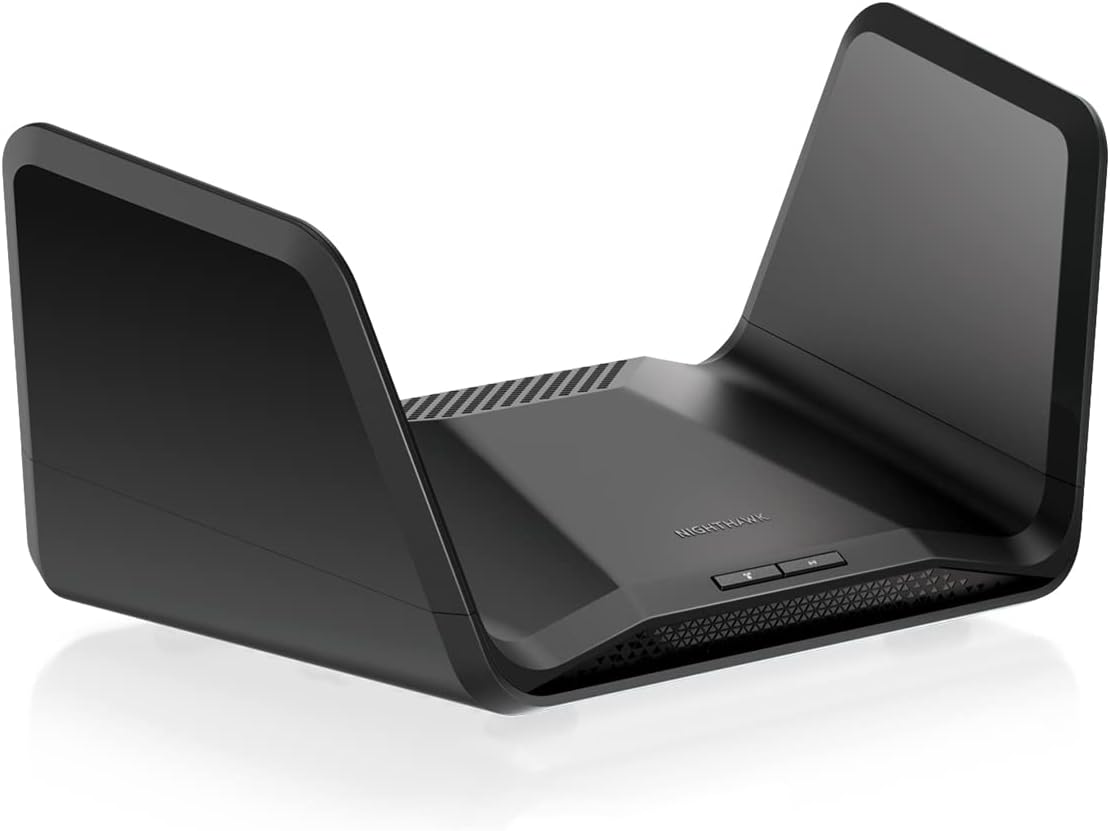
🚀 Elevate your home network to warp speed with Netgear Nighthawk WiFi 6E!
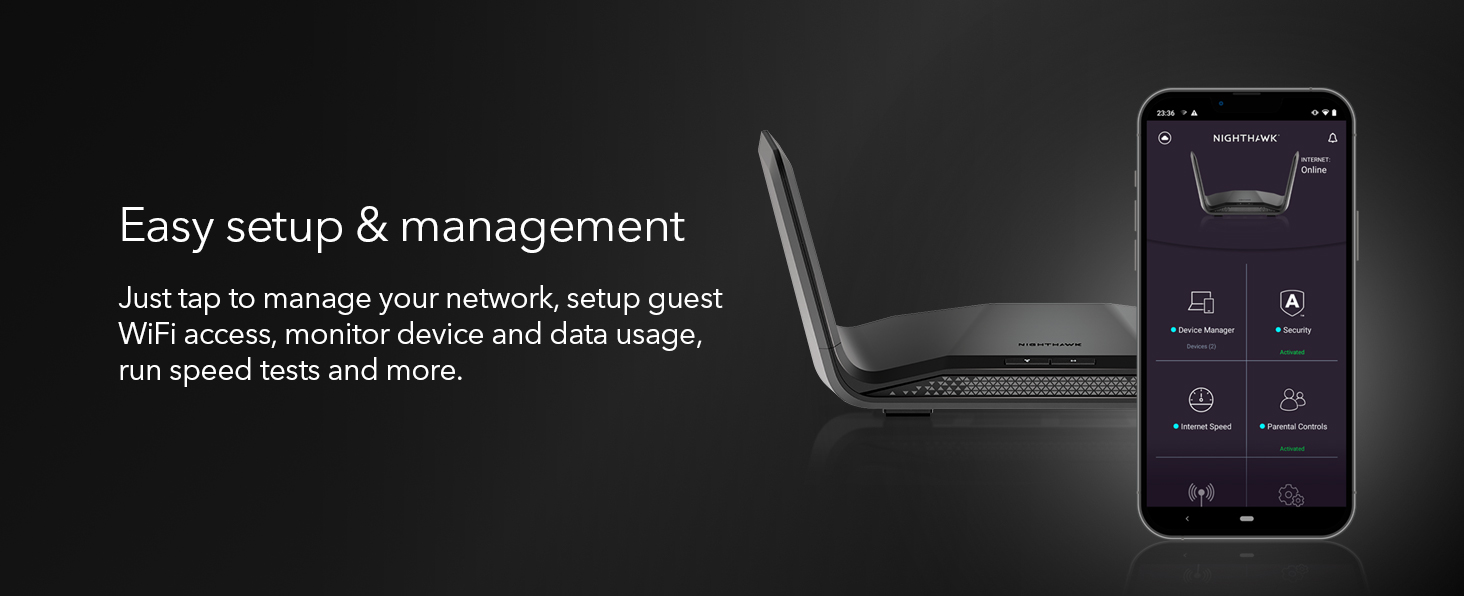
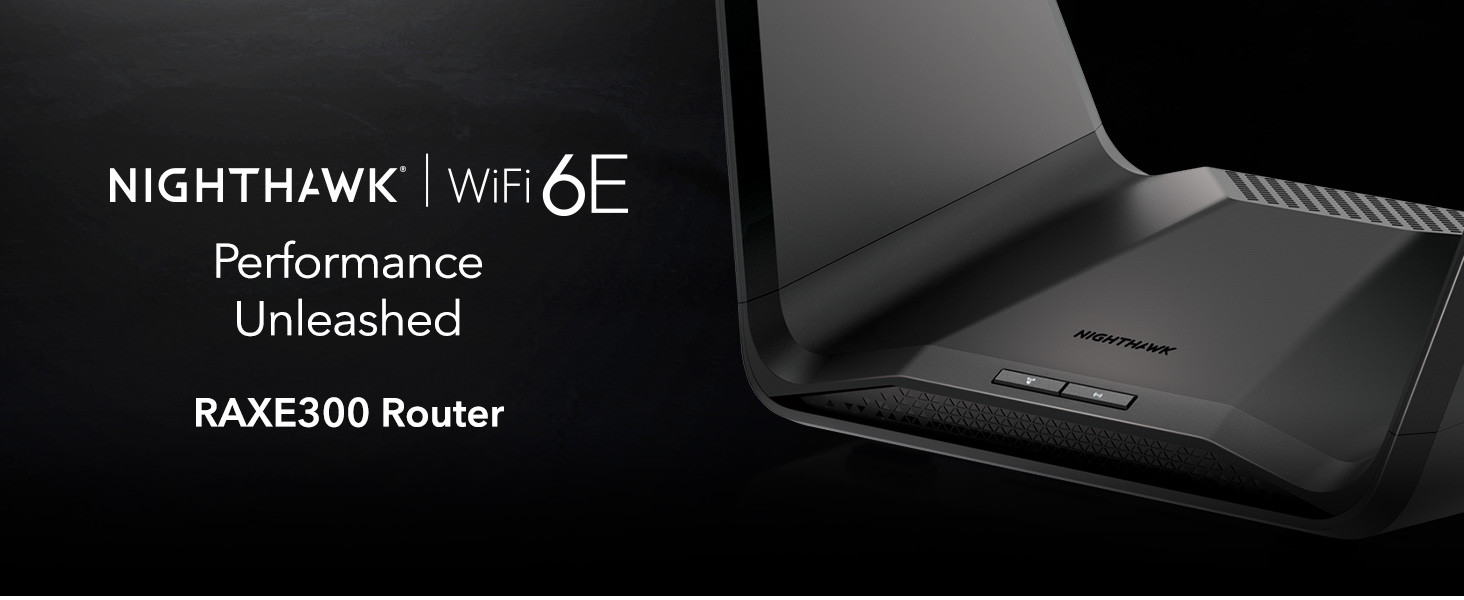
The NETGEAR RAXE300 Nighthawk router delivers cutting-edge WiFi 6E technology with tri-band 7.8Gbps speeds, covering up to 185m² and supporting 40 devices. Equipped with a 1.7GHz quad-core processor and advanced security via Netgear Armor, it ensures ultra-fast, secure, and reliable connectivity for streaming, gaming, and smart home integration. Compatible with all major ISPs and easily managed through the Nighthawk app, it’s designed for the modern connected professional seeking seamless performance and peace of mind.





| ASIN | B0B431KCRW |
| Antenna Location | Gaming |
| Antenna Type | Fixed |
| Best Sellers Rank | 17,069 in Computers & Accessories ( See Top 100 in Computers & Accessories ) 143 in Routers |
| Box Contents | Router, Ethernet Cable, Quick start guide, Power Adapter |
| Brand Name | NETGEAR |
| Colour | black |
| Compatible Devices | Laptop, Personal Computer, Smart Television, Tablet |
| Connectivity Protocol | WiFi 6E |
| Connectivity Range | 185 Square Metres |
| Connectivity Technology | Ethernet, Wi-Fi |
| Control Method | App |
| Controller Type | Amazon Alexa |
| Country of Origin | China |
| Coverage | 175 m² |
| Customer Reviews | 4.0 4.0 out of 5 stars (103) |
| Data Transfer Rate | 6600 Megabits Per Second |
| Frequency | 5 GHz |
| Frequency Band Class | Tri-Band |
| Has Internet Connectivity | Yes |
| Has Security Updates | Yes |
| Is Modem Compatible | Yes |
| Item Dimensions L x W x H | 22.1L x 29.8W x 7.8H centimetres |
| Item Type Name | routers |
| Item Weight | 1.4 Kilograms |
| LAN Port Bandwidth | 1000 Mbps |
| Manufacturer | NETGEAR |
| Manufacturer Part Number | RAXE300-100EUS |
| Maximum Upstream Data Transfer Rate | 250 Megabits Per Second |
| Model Name | RAXE300 |
| Model Number | RAXE300-100EUS |
| Number of Antennas | 6 |
| Number of Ports | 5 |
| Operating System | RouterOS |
| Other Special Features of the Product | QoS |
| Router Firewall Security Level | Advanced |
| Router Network Type | wireless |
| Security Protocol | WPA2/WPA3 |
| Smart Home Compatibility | Smart Home Compatible |
| UPC | 606449158748 |
| Unit Count | 1.0 count |
| Wi-Fi Generation | WiFi 6 |
| Wireless Compability | 802.11ax |
R**Y
Absolute Beast
Been meaning to buy this for a while, as an avid reader of tech magazines I knew this was highly rated consistently. As a software tester I have a large number of devices running at one time my old ISP provided modem could not handle. I now have 20+ connections with no issues and much better home WiFi coverage. It's a chunky boi but not too difficult to set up, was ready to go within the hour.
E**M
Better than isp provided router
I was struggling with Vodafone router, it would not work properly with multiple iPads, cameras and video conferences simultaneously and kept dropping out. Also so slow to stream, just kept getting the spinning wheel of doom. I got boosters off them and it made it no better- the boosters just dropped out. As an experiment I plugged Ethernet cable to back of router for MacBook and everything was lightning fast and full fibre speeds. Please check this and then you know it’s the router. Bought this nighthawk to solve the problem - it has changed our lives. We can have 2x YouTube, switch streaming games, 3 x camera, doorbell, ms teams video call 3 phones and sky connected at same time and super fast and no drop out. And it looks like some kind of spaceship. Set up: ridiculously easy. Download app, then follow the steps. It connects to back of existing router via Ethernet. You can rename your normal Wi-Fi to another name and then name nighthawk with your original Wi-Fi name so everything works with no resets or new passwords. I have set up parent controls too which work well on restrictions. Super happy- wish I had done this years ago. Highly highly recommend.
D**N
Appalling
Bought this thinking I could use both WAN ports. Turns out you can't. Coverage is crap in a small 2 bed apartment. Changed from an old tp link to this and used for 3 hours. Packed it back up and sent back. Range was poor. Throughput was good but not reliable. Looks great but performs poorly. Back using my old tp link without an issue
M**N
It really is that god now 30% price drop
Easy to set up. Easy to use. If you have your ISPs router.... You will notice a step up performance wise. It's alot bigger and with the wings looks a bit ugly and indiscreet if I'm honest... But if in the corner of a room then ok ... I think looking at some other mesh models.... That's worth doing!
S**N
NETGEAR NIGHTHAWK RAXE300
Firstly its look great, secondly on 5g with 1GB Internet i received 950 -mb 980mb and 11 ping. Thirdly, I have signal coverage throughout the entire house, plus the garden, ground floor and first floor. Fourthly, with all these advantages, the price is fair. I highly recommend this product.
P**C
Very surprising speeds and coverage
Speeds are nothing short of amazing through out the house, (large 4 bedroom detached new build). upgrading from a netgear xr500 I wasn’t expecting such a jump in signal distance and speed. Worth mentioning here that I have a Quest 3 using wifi6 connected at 2400mbs to a hard wired pc using virtual desktop. This is great as I can keep it separate from my other 70 plus devices. I will see the benefit of this when my 45 kids are over on the weekend using all of their devices. For reference, I had to enable ipv6 in wan settings to establish an internet connection, this was a little weird as the average human being would not know about this and it almost caught me out, very weird to have to do this out of the box. My ISP is Virgin media with the Hub 4 set to modem only. This was possibly the first Amazon warehouse purchase that came as new as advertised, the box was a little battered. Overall very happy with this purchase.
R**7
Fab router with easy setup, pricey but worth it
Netgear delivers again with this Nighthawk model, over the years the Nighthawk line has been expensive but typically (and again here) worth the additional £s. The router performance is excellent, I am using this with a BT (via Openreach) Fiber 900 connection, virtually all of my home network is wired with only phones/tablets on WiFi and these manage to get a signal right around the house without issue (3 bed detached). The ability to split the WiFi networks between 2.4/5/6Ghz APIDs is very handy, particularly if you’re coming from an ISP router that restricts you to a combi/unified APID.
C**J
Great signal, poor firmware.
Once set up, signal is great and appears to be somewhat better than other routers in its class made by other premium brands (such as ASUS). That said, the firmware on the device leaves a lot to be desired and ultimately ended up in me returning my device and going for an ASUS WiFi 6E alternative instead. When it comes to setting up internet on a Virgin Media connection it was a complete disaster and took many attempts to get the router to shake hands with Virgin Media's DHCP server, even after multiple hard-resets on both modem and router. All-in-all, it took about 4 hours to get it to work initially. What made matters worse however was when my dynamic IP address changed or the connection was dropped I had to go through the whole set up process again because the router would just refuse to hand-shake with the DHCP server again - something that both ASUS and Linksys routers do perfectly fine without any issue (or in the worst case, a single soft-reset of both devices). The same connection has been utilised perfectly fine in the past with 4 different ASUS routers and 1 Linksys router, without any issues, however this particular Netgear device just wasn't happy at all.
F**M
Hatte mir den Router (AXE 300er Version) als Ersatz für meine immerhin 10 Jahre alte Fritzbox 7490 im Amazon Prime Sale für 299€ gekauft, um im Zusammenspiel mit meiner neuen Quest 3 VR Brille, welche ja WiFi 6E unterstützt, die volle Bandbreite und Vorteile des 6 Ghz Netzes ausnutzen zu können und das maximale aus der Quest 3 im PC-VR Streaming via AirLink bzw. Virtual Desktop heraus zu holen. 🔸 Ersteindruck / Verarbeitung / Lieferumfang Verarbeitung ist absolut hochwertig und das Design mit den beiden ausklappbaren Antennen ist sowieso über jeden Zweifel erhaben. Absolut stylisch und kein Vergleich zu meiner hässlichen FritzBox. Mitgeliefert wird noch ein Netzteil, ein LAN Kabel zum anschliessen an das Modem und ein paar Beilagen zwecks Ersteinrichtung. Ein gedrucktes Handbuch fehlt leider gänzlich und kann sich auch nur auf der Homepage des Herstellers als PDF herunter geladen werden. Anleitung ist auch nur in Englisch verfügbar was ich doch etwas schade finde bei dem Preis von regulär 400€ Aber nun gut, die heutige Zeit halt wo gespart wird das es nur geht. 🔸 Anschlüsse Anschlussseitig besitz der Router neben den Funknetzwerken die im 2,4 Ghz, 5 Ghz und sogar im 6Ghz Band funken 4x1Gbit LAN Ports und 2x WAN Ports zum Anschluss an das DSL Modem. Rein theoretisch sind im Grunde sogar bis zu 6 LAN Ports möglich wenn man die beiden WAN Ports als LAN Port verwendet. Da aber natürlich mindestens 1 WAN Port zum Anschluss an das Modem benötigt wird um sich mit dem Internet zu verbinden, sind daher 5x 1Gbit LAN Ports praktisch immer vorhanden. Einer der WAN Ports unterstützt sogar bis zu 2,5Gbit sofern der Internet Zugang so etwas selbst hergibt. Ich selbst kenne aber noch keinen ISP der solche hohen Zugänge anbietet, maximal ist mir eigentlich nur 1000Mbit bekannt. Ich selber besitze zudem auch nur einen 250Mbit Glasfaser Zugang bei der Telekom. Frontseitig sind zudem ein WLAN Ein/Austaster und ein WPS Taster vorhanden. Zudem besitzt der Nighthawk auch Rückseitig einen Ein/Ausschalter, so das man nicht immer den Stromanschlussstecker ziehen muss wenn man ihn zum reseten mal aus und einschalten möchte . Eine Sache die ich bei meinem Fritz Router immer vermisst habe. Weiterhin ist noch ein USB-C 3.0 Anschluss zum anschliessen eines Speichermediums wie einer Festplatte oder USB Sticks vorhanden und ein kleiner Resetschalter zum zurück setzen auf die Werkseinstellung. Diverse frontseitig angebrachte LED Symbolanzeigen informieren einen auch immer farblich und durch blinken/dauerleuchten darüber wie der Status jedes Anschlusses ist. 🔸 Ersteinrichtung mit Problemen Die Einrichtung gestaltete sich dann aber doch unerwartet schwerer als erhofft. Problem ist das der Router selbst direkt keine Verbindung zu meinem Telekom Modem (Modell: Telekom Modem 2) hinbekommt an dem ein Glasfaseranschluss hängt. Mit der Fritzbox 7490 war das überhaupt kein Problem. Am Router leuchtet durchgehend immer die Anzeige "Keine Internetverbindung" in Orange. Durch anschliessendes Googlen dann heraus gefunden dass das Telekom Modem 2 nur mit einer Handvoll Router wie den hauseigenen Speedports oder den FritzBoxen problemlos zusammen arbeitet...na super. Ab diesem Zeitpunkt war ich hier eigentlich schon drauf und dran das Gerät wieder zusammen zu packen und Retoure gehen zu lassen bis mir dann die Idee kam den Netgear Router einfach mal Testweise hinter meine Fritzbox 7490 zu klemmen, die dann vorgeschaltet die Verbindung zum Internet aufbaut. Denn schliesslich hätte ich mit der Fritzbox ja so auch ansonsten nichts mehr anfangen können. Und siehe da, nach dem Einschalten wird mir durch die durchgehend weiss leuchtende Anzeige am Netgear Nighthawk Internetkonnektivit signalisiert, so das ich die Ersteinrichtung über die Nighthawk App am Smartphone auch abschliessen konnte....juhuuu. :-) 🔸 Nighthawk App Die Nighthawk App, die weitestgehend nur zur Ersteinrichtung ausgelegt ist, bietet ein übersichtlich aufgebautes Menü, das gut verständlich ist und einem hilft den Router für die Ersteinrichtung abzuschliessen. Das gilt besonders für die ggf. benötigten Zugangsdaten des Internet Providers wie PPPoE oder per statischer IP Adresse. Ebenso natürlich auch um die Logindaten zum Router via Webbrowser über die IP 192.168.1.1. zu konfigurieren festzulegen. Die weitere Konfiguration des Routers findet dann auschliesslich nur noch über einen Webbrowser statt, wo man den Nighthawk wie auch bei jedem anderen Router üblich sehr umfangreich an seine Bedürfnisse konfigurieren kann. Hier nun aber alle Features und Einstellmöglichkeiten des Routers nochmal aufzulisten würde die Rezension absolut sprengen. 🔸 Brachiale Leistung mit der Quest 3 Im Betrieb selber leistet der Router sehrt gute Dienste im Zusammenspiel mit meiner Quest 3. Hatte zuvor mit der Quest 3 an meiner Fritzbox im 5Ghz Netz immer laut SteamVR Diagnose um die 800- 900 Mbit Datendurchsatz. Fritzbox stand natürlich in der Nähe. Im 6 Ghz Band komme ich hier auf fast 2 Gbit sofern der Router ebenfalls in der Nähe des Spielbereichs der Quest 3 steht. Das ist absolut beachtlich und mehr als eine Verdopplung der Bandbreite wodurch das Spielerlebnis in der Quest 3 natürlich auch nochmal deutlich gesteigert wird, weil eigentlich fast keine Ruckler, Aussetzer und Artefakte bei besonders anspruchsvollen VR Spielen wie dem MSFS2020 vorkommen. Nur ein Beispiel, beim Fliegen im MSFS 2020 via SteamVR und Virtual Desktop hatte ich ständig über die Fritzbox üble Ruckler/Aussetzer und Artefakte was das Fliegen eigentlich fast unmöglich machte. Mit dem Netgear ist das bei gleichen Grafikeinstellungen kein Thema mehr...absolut klasse diese Leistungssteigerung. Mein PC besteht übrigens aus einer GTX 1080TI , einer Ryzen 3700x CPU und 32GB Ram und steht im Obergeschoss meines Hauses und ist mit einem langen Flachband Lankabel quer durchs Haus mit dem Router verbunden um zu meinem PC den maximalen Datendurchsatz ins Internet zu erreichen. 🔸 Fazit 🔸 Was soll ich sagen. Ich bin im Grunde hochzufrieden mir dem Endergebnis. Klar, ich könnte nun aus puren Trotz und wegen Meckern auf hohem Niveau bzgl. der Probleme mit der Telekom und einem fehlenden Deutschen Handbuch in gedruckter Form 1 Stern abziehen. Aber ich mach es nicht, da letztendlich alles genau so funktioniert hat wie ich es mir vorgestellt hab, der Leistungszuwachs deutlich mehr als erwartet ist und ich das Gerät zudem im Amazon Prime Day Sale für 100€ günstiger erworben hab. Daher gebe ich volle Punktzahl und eine Kaufempfehlung.
G**R
Le Netgear Nighthawk RAXE300 est un routeur Wi-Fi 6E de pointe qui offre des performances impressionnantes pour les connexions Wi-Fi et filaires. Il convient tres bien pour votre maison ou apartement car il offre: 1. le Tri-bande Wi-Fi 6E qui prend en charge trois bandes de fréquences : 2,4 GHz, 5,0 GHz et la toute nouvelle bande 6,0 GHz permettant une connectivité rapide et stable, même dans les environnements encombrés. 2. Une vitesse impressionnante avec une vitesse maximale de 7,8 Gbit/s qui gére des flux vidéo 8K et des jeux VR exigeants, donc idéal pour les foyers gourmands en données. 3. Une connectivité filaire solide avec multiples ports Ethernet haute vitesse, ce qui facilite la connexion de vos appareils câblés tels que les ordinateurs de bureau, les consoles de jeu et les téléviseurs intelligents. 4. Un design élégant avec ces ailes caractéristique des modèles Nighthawk. 5. L'application Nighthawk qui vous permet de configurer et de gérer facilement votre réseau. Enfin, en ce qui concerne la sécurité, le RAXE300 est équipé de la technologie Armor, qui offre une protection avancée contre les menaces en ligne. Cela inclut la détection des logiciels malveillants, la prévention des attaques et la sécurité des appareils connectés. Cependant, il est important de noter que certaines fonctionnalités de sécurité, comme le contrôle parental, nécessitent un abonnement mensuel supplémentaire. En résumé, si vous recherchez un routeur Wi-Fi haut de gamme avec des performances exceptionnelles, le Netgear Nighthawk RAXE300 est un excellent choix.
W**D
Finalmente la fibra FTTH funziona come dovrebbe. Eliminato il router TIM e sostituito con questo. Nemmeno paragonabili, acquisto consigliato.
A**L
Venía de otro router Netgear, el R7800, que me ha acompañado los últimos siete años, pero, aparte de que ya estaba tocado y se reiniciaba cuando le daba la gana, quería dar el salto a un router wifi 6E, pero de precio abordable, porque los router wifi 7 de Netgear, o de cualquier otra marca conocida, a día de hoy, tienen precios prohibitivos. El RAXE300 lo adquirí en Amazon a principios de diciembre de 2023, y es ahora, en agosto de 2024, cuando escribo la opinión. Es un router tremendamente estable y de wifi robusto. Nótese que, precisamente ahora, al cambiar de ordendor por un nuevo Chromebook Plus con Chrome OS que no lleva puerto de red, no tengo conectado nada por red, todo por wifi. Este nuevo ordenador tiene wifi 6E, y conectándolo usando la nueva banda de 6 ghz del router, obtengo unas velocidades igual que si hiciera el test conectado por cable, pues obtengo el gigabit simétrico de O2 (mi operador) sin problema. En todo este tiempo no he tenido el más mńimo incidente. No tengo ningún cliente wifi 6, todos son wifi 5, a excepción del nuevo ordenador que lleva wifi 6E. Tanto en el caso del ordenador, como en los demás con wifi 5, la estabilidad del wifi es total. Es un punto a tener en cuenta. El wifi va de lujo. Este router lleva chips Broadcom. El aparato no lleva ningún tipo de ventilador, todo es pasivo, por lo que no vaís a tener ruidos, y el aparato funciona perfectamente. Nunca he notado el rouer caliente. Ni antes, en invierno, ni ahora, en verano. El aparato trabaja muy bien. Al cambiar de Netgear a Netgear, todo es igual, y la interafz y configuración, salvo pequeños cambios y novedades, es la misma. Y se agradece. Yo RECOMIENDO conectar el aparato por cable, sin conectarlo a internet con el rouer de la operadora al hacer la configuración, y hacerlo usando el método de interfaz web, por mucho que os animen a usar la app del móvil. Yo no lo haría. No uséis la app del móvil, ni siquiera la instaléis, no, no y no. Y no uséis, ni activéis, lo del Netgear Amor. Ni de broma. Aparte de que es de pago, aunque os dan un periodo de prueba gratis, eso al final da problemas la conexión. Basta con echar un vistazo a los foros oficiales de Netgear. Yo reomiendo no tocarlo. Si os sale el aviso, de que os dan X tiempo gratis y tal, pasad de ello, ni caso. No lo activéis. Como digo, configurad vía web (www.routerlogin.net) y no tocar el tema del Net Amor ni usar la app de móvil ni loco. Ganaréis en tranquilidad y en salud. Eso sí, si necesitas controles parentales, este router los lleva con el Netgear Armor, es decir, son de pago. Si para tí es algo necesario o importante, quizás mejor mirar otras opciones. Me gustan los Netgear, no dan problemas a la hora de usarlos como routers neutros con las operadoras, cosa que sí ocurre con otras marcas, por mucho nombre que tengan, como los Asus. Los Netgear van perfectos en este tema, y jamás dan el más mínimo problema. Tanto para navegar, como streaming, o para jugar (tengo la XBOX Series X conectada por wifi), el router va de cine. En cuanto al alcance del wifi es similiar al anterior, el Netgear R7800. Es un producto que recomiendo.
T**A
Ich habe den Router erst 4 Tage. 15 Geräte schnell und einfach angeschlossen. Hatte noch nicht 6E geprüft, aber 2,4 und 5ghz funktioniert perfekt. Auf 5 ghz- 2 Räume weiter etwa 8 Meter weg, durch 2 betonwände bei kabeltarif 250/50 mbits, habe ich 243/47 mbits. auf meinem tablet. Nachtrag vom 29.07.24. - Seit mehreren Wochen benutze ich nun 6 GHz auf neues Tablet. Bin begeistert weil 6 GHz genauso schnell ist wie 5 Ghz, und besonders hier mit viele WLAN Geräte im 2,4 un 5 Ghz am höchsten 40 Stück - ist es eine wahre Freude alleine im 6 GHz unterwegs zu sein, keine störenden Radar, und andere WLAN. Auf 2,4 Ghz ist das Gerät etwas schwächer, das stört nicht da meine Geräte auf 2,4 Ghz keine wichtige Funktionen haben, brauchen keine schnelle Verbindung.
Trustpilot
5 days ago
3 days ago