Buy anything from 5,000+ international stores. One checkout price. No surprise fees. Join 2M+ shoppers on Desertcart.
Desertcart purchases this item on your behalf and handles shipping, customs, and support to Brazil.
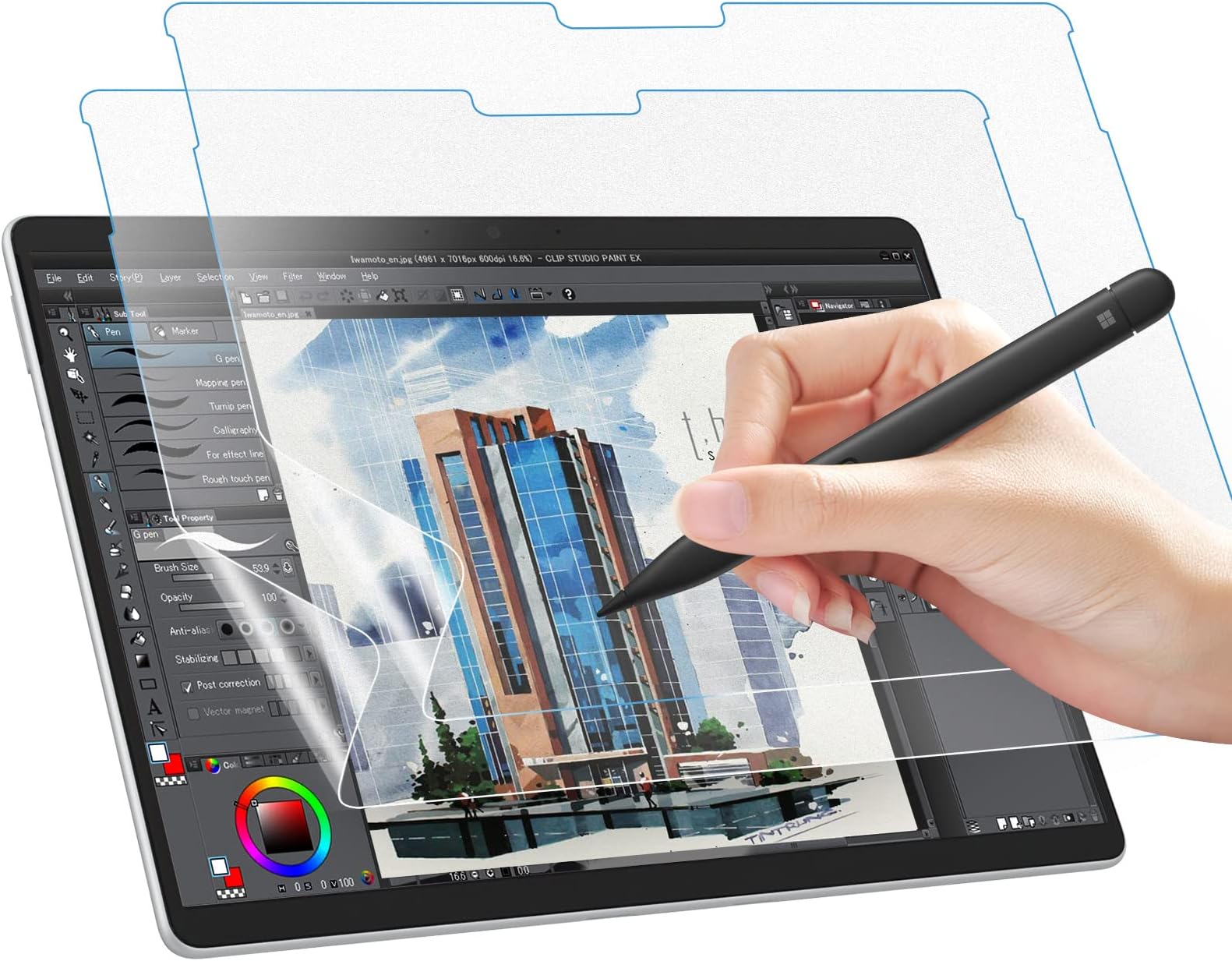
🖋️ Elevate your Surface Pen game—write, sketch, and create like it’s real paper!
The MoKo 2 Pack Paperfeel Screen Protector is engineered exclusively for Microsoft Surface Pro 11/10/9/8/X models, delivering a matte, anti-glare surface with a unique paper-like texture. Crafted from durable PET material with 3H hardness, it protects against scratches while enhancing pen precision and reducing screen reflections. This value-packed duo offers a seamless fit compatible with most cases, perfect for professionals seeking a natural writing experience and eye-friendly display in any environment.


| ASIN | B0B2VVDF47 |
| Best Sellers Rank | #591 in Tablet Screen Protectors |
| Brand | MoKo |
| Brand Name | MoKo |
| Clarity | 95 |
| Color | Matte |
| Compatible Devices | Microsoft Surface Pro 11 2024 / Surface Pro 10 2024 / Surface Pro 9 & Pro 9 5G 13-Inch 2022 / Pro 8 13" 2021 / Surface Pro X Compatible Devices Microsoft Surface Pro 11 2024 / Surface Pro 10 2024 / Surface Pro 9 & Pro 9 5G 13-Inch 2022 / Pro 8 13" 2021 / Surface Pro X See more |
| Compatible Phone Models | Microsoft Surface Pro 11 2024 / Surface Pro 10 2024 / Surface Pro 9 & Pro 9 5G 13-Inch 2022 / Pro 8 13" 2021 / Surface Pro X Compatible Phone Models Microsoft Surface Pro 11 2024 / Surface Pro 10 2024 / Surface Pro 9 & Pro 9 5G 13-Inch 2022 / Pro 8 13" 2021 / Surface Pro X See more |
| Customer Reviews | 3.9 out of 5 stars 245 Reviews |
| Finish Type | Matte |
| Included Components | 1*tablet screen protector |
| Item Dimensions L x W | 11.21"L x 12.3"W |
| Item Hardness | 3H |
| Item Weight | 1.78 Ounces |
| Manufacturer | MoKo |
| Material | Polyethylene Terephthalate |
| Model Name | MoKo Paper Screen Protector for Surface Pro 11/10/9/8/X - 13 Inch |
| Model Number | P840034696240 |
| Number of Items | 2 |
| Part Number | P840034696240 |
| Product Dimensions | 11.21"L x 12.3"W |
| Screen Size | 13 Inches |
| Screen Surface Description | Matte |
| Special Features | Anti Glare |
| UPC | 840034696240 |
| Unit Count | 2 Count |
| Warranty Description | 2 year manufacturer |
D**K
A must-have for pen users; great feel and value
If you use the Surface Pen for writing or drawing, this MoKo screen protector is an absolute game-changer. The stock glass screen on the Surface Pro is slick, which can make handwriting feel unnatural and imprecise. This screen protector adds a subtle, paper-like texture that provides the perfect amount of resistance for the pen tip. It genuinely feels like you're writing on a sheet of paper, offering much better control and making note-taking a far more pleasant experience. Beyond the writing feel, the matte finish is fantastic for reducing glare. Working near a window or under bright overhead lights is no longer an issue, as the screen protector diffuses reflections effectively, which also helps reduce eye strain. Installation was straightforward, and the fit on my Surface Pro is perfect. The best part? You get two in the pack! Considering the high price of other "paper-feel" screen protectors, this MoKo 2-pack is an incredible value. It offers all the benefits of the premium brands—excellent writing texture, anti-glare, and scratch protection—at a fraction of the cost. I highly recommend it to any Surface Pro owner whether using their pen or just wanting to reduce the glare. FYI: I purchased this using my own funds and was not compensated by Moko or anyone else to write this review.
A**N
Great Screen Protector for Handwriting
This screen protector is phenomenal. This screen protector does actually make the display feel like paper both to your fingers and when writing with a Surface Slim Pen. Installation was easy and straight forward, but the instructions were pretty lackluster. Not a big deal if you've ever applied a screen protector before, but might be a turn off for those with less steady hands. (Pro Tip: Before you apply the screen protector, go into a bathroom and run a very hot shower to steam up the room. This will pull the dust out of the air and prevent dust particles from getting stuck under the screen protector when you apply it.) The screen protector also does a great job of reducing the reflections from the Surface's display, but doesn't completely eliminate them. It does reduce image clarity slightly, but not by much and you can still clearly see individual pixels and read text clearly. Overall, I highly recommend this screen protector
R**O
It ain't compatible with Moko's case for the Pro 9
Extremely hard to install (good thing they send two in the box). I was able to get the second one perfectly installed (no dirt, bubbles of whatsoever) after a good 15 minutes being extremely careful. However, the moment I installed Moko's case for the Pro 9, the screen protector started raising from the borders.
D**D
Feels great, LOVE it, but REALLY hard to install straight and without bubbles
I really love the paper texture feel, much nicer feel touchscreen now and reduces glare a smidge. BUT it is exceptionally hard to install without bubbles from tiny dust specks that get under there without a medical grade clean room! No the fault of this product, but I wish there was a mounting template like i had with my Tesla screen protector which lined it up perfectly and made it easier to install clean. I suggest a can of compressed air on hand. Took four tries (had to buy two packs!!) to get it bubble free and its ever so slightly not straight, which will slowly drive my OCD nuts. But I'm not gonna try it again. Each sheet will get ruined if you try and take it off if u notice a bubble. Again, not the fault of the product but I would've paid more for one that comes with a better mounting process.
K**.
Wonderful texture
As someone who appreciates the feeling of writing on paper, this screen protector is fantastic! I recently purchased a surface pro 9 and i was in need of something to protect the screen since I was planning on taking notes for classes with it however the smooth screen was a bit uncomfortable to write on. Looking for alternatives options to the typical slick screen protectors I found these. I saw that there were reviews complaining about the ease of applying the protector so I was a bit apprehensive at first. It took me about 5 minutes of careful cleaning and patience getting things aligned but overall I had no trouble with applying the protector. It feels wonderful when it comes to writing as well as on my finger tip when not using the pen. Overall 10/10 purchase.
Z**R
NOT ANTI GLARE
Update: after a few days of use, the screen protector does provide some reduction in glare. Far from what I was expecting, but it is better than it was. I offer an additional star for the update. Unfortunately, I still have spots on the screen/screen protector that have bubbles I can't seem to get rid of. The application was not as seamless as the instructions suggest. If I had a 3rd screen protector, I would try and reinstall it again, but I'm out as the two offered continued to provide issues. Down two stars, one for the remaining glare, one for the troubled installation. As you may be able to see from my photos, this thing is NOT ANTI-GLARE. Thus, the 3 missing stars at best. That being said, it is a screen protector and does provide a paper-like feel. Thus the 2 remaining stars.
G**Z
Perfect
I spent HOURS looking for a a paper-like-feel screen protector for my new Surface Pro 9. The primary reason for this was because I'm new to writing on an electronic device, and this product works very well with the MSFT Slim Pen 2. It actually feels like you're writing on paper. Installation did take a bit of time but that usually comes down to experience from the person applying. Solid product and just what I was looking for.
J**Y
Works
Pain-free application, a few bubbles but doesn't really affect much. Been using it for a few months, it helps reduce glare and the texture is nice for writing.
I**C
Would have been a great product.
I had to return mine because it shipped with a dent in the packaging and screen protectors which may have happened during transportation. The texture makes it a lot easier to write on the surface pro. I didn't really notice the screen qualitiy diminish after applying the screen protector. It's a little hard to apply but once you've got it on, it doesn't come off easily. There is significanly more friction when writing and I noticed the nib of the slim pen feels slightly ruffer than a new one after writing on the screen protector for a day. But the bright side is, it is a lot more comfortable to write on. There is also 0 interference with touch sensitivity and pen input. Great screen protector for your surface pro if you don't mind having to get new nibs more frequently.
N**L
Brilliant.
Excellent and great value for money. Seller was brilliant well impressed.
P**O
Calidad media. El anti reflejo es muy flojo
Muy facil de poner. El tacto rugoso es muy agradable, pero bastante ruidoso con los dedos (como acariciar un papel de lija). Lo compre principalmente por el anti-glare/anti-reflejo, y la verdad es que hace muy poco al respecto. Sigue reflejando bastante, solo que algo mas borroso.
M**O
Good
This is a good screen protector for my SP11, anti matte and glare are good.
S**A
Mai più senza
Comprata per protezione dello schermo del Surface, ha completamente migliorato la scrittura su schermo. E' leggermente ruvida al tatto, ma non da fastidio. Antiriflesso, non lascia impronte. Facile da installare, seguendo le istruzioni. Nella confezione ci sono due salvaschermo, con relative salviette per pulire. Vedremo la durabilità nel tempo, ma, per ora, è perfetta.
Trustpilot
1 month ago
4 days ago