🚀 Cut the cord, speed up your life with CM600!
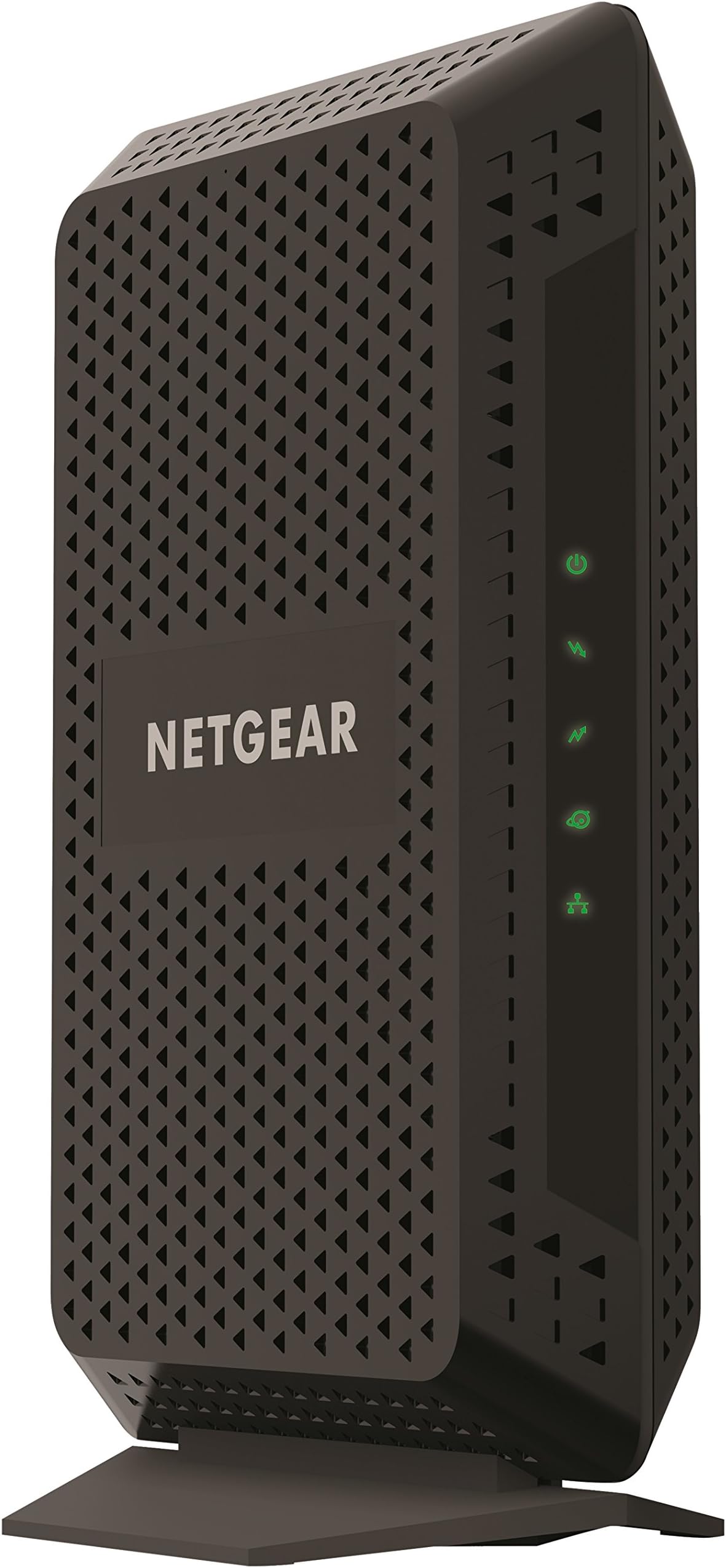
The NETGEAR CM600 is a DOCSIS 3.0 certified cable modem designed for cable internet plans up to 400 Mbps. Compatible with major providers like Xfinity, Cox, and Spectrum, it eliminates monthly rental fees and offers reliable, stable connections through 24 downstream and 8 upstream channels. With a single Gigabit Ethernet port, it pairs seamlessly with any WiFi router, making it the perfect no-nonsense modem for professionals seeking fast, dependable internet without compromise.


| ASIN | B06XGZBCKP |
| Best Sellers Rank | #19,424 in Computers & Accessories ( See Top 100 in Computers & Accessories ) #83 in Computer Networking Modems |
| Brand | NETGEAR |
| Color | Black |
| Customer Reviews | 4.4 4.4 out of 5 stars (2,211) |
| Date First Available | March 8, 2017 |
| Is Discontinued By Manufacturer | No |
| Item Dimensions LxWxH | 5.3 x 8.7 x 2.4 inches |
| Item Weight | 2.01 pounds |
| Item model number | CM600-1AZNAS |
| Manufacturer | Netgear |
| Product Dimensions | 5.3 x 8.7 x 2.4 inches |
| Series | CM600 |
M**A
Using the CM600: What it is; what it isn’t, and why that’s a good thing
The Netgear CM600 cable modem is an ultimately reliable DOCSIS 3.0 cable modem for service speeds up to 300 Mb/sec or faster. Unlike the company’s CM700 model, it does not incorporate the troublesome Intel Puma 6 chipset found in many higher-end cable midems, making it a more reliable choice. There may be a downside for some, having little to do with the CM600. When accessing the CM600 interface, it is noted that ALL firmware upgrades can only be provided by the ISP (in my case, Spectrum). Whether Spectrum will upgrade said firmware (when and if necessary) is questionable, though it would be to their advantage. It has also been explained that Spectrum cannot remotely troubleshoot issues in “non-standard,” cable modem/routers. These being anything other than the standard free cable modem/routers Spectrum installs as part of their service. They can, however, initiate a reboot and validate that the CM600 is functioning. Funny, this seems more like a positive for me! As a trained network support technician, I like the idea that Spectrum cannot manipulate the settings of either my modem or router; something I am more than capable of doing on my own. Setting up the Netgear CM600 cable modem is as easy to setup as plugging it in and turning it on. The CM600 was fully functional within seconds of connecting the Internet cable to the back. The CM600 is a one-trick pony; it is a cable modem and nothing else. It converts cable data into Internet data. Given the specifications and the high-quality components it does its particularly job incredibly well. The CM600 is built to pull a signal out of a weak or “noisy” line. It will continue to provide Internet service when other lesser modems will drop out. Since purchasing this modem, I have had no random cable dropouts from my ISP. Remember, it has no built-in wireless or wired router. Such a router must be purchased separately. A quick aside: The router is the Grand Central Station of your home’s WiFi universe. It takes a tremendous amount of efficient but fast processing power to send and receive multiple data streams quickly and effectively between a houseful of smartphones, smart HDTVs, computers, tablets, cameras and other WiFi-enabled gizmos and the Internet. A router is a radio transceiver. The more powerful it is, the more information it can send through the air over longer distances. The more sensitive it is, the more it can pick up data being transmitted 500+ feet away. To get the best benefit from your Netgear CM600, I recommend the Netgear Nighthawk® R7000P. Built to handle the needs of the tech enabled home, it is a stellar dual-processor performer at an incredible price. No. I don’t work at Netgear!
R**L
Works great.
I bought my Netgear CM600 modem together with the Netgear Nighthawk router to replace a modem that I was leasing from Xfinity (one that died before even a month). I was also looking for a way to get around Comcast's throttling which they're notorious for and I wanted a modem capable of doing these things. Needless to say, I'd read good reviews about the Netgear CM600 and how it sounded like it was just what I was looking for. After making sure that it was compatible with my Xfinity service I went to Amazon to pick one up and got the Nighthawk router with it for the added wifi capability. The items shipped quickly and I received them without any trouble. Opening up the box for the modem the instructions included with it were simple and easy to understand, especially compared with some modems I've deal with in the past. So in no time at all I had the modem setup and working with the router just as easily. The interface to setup your network is nice, clean, and fairly straightforward with a convenient way to setup guest networks too. My only complaint about the interface itself is that when you try to reset the administrator password (since it wouldn't recognize the one that I knew was correct) that it refuses to recognize my modem serial number as valid for some reason. After looking around I read this wasn't an uncommon issue and that I'd likely have to reset the whole modem to setup a new password for it, which is annoying to say the least, but not a deal breaker. Overall, the modem works great and I noticed an improvement in speeds over my old Xfinity leased modem right away which was just what I wanted. If Netgear could fix the weird issue with the serial number not being recognized on the network interface then it'd be perfect. So I would definitely recommend anyone looking to get around Comcast throttling to pick up this modem.
E**R
Solid modem, great price
I had bought a Arris SB6190 in 2017. It was supposed to be top of the line. Over the years, I had dealt with what I came to find out were the Puma 6 chipset issues, namely the latency and intermittent connectivity. When my internet crapped out a couple weeks ago, I did some research and learned about the Puma 6 issues and connected the dots. Ultimately, my internet crapping out was an ISP issue, but I still felt like I should get a new modem. My ISP, Suddenlink, doesn't provide an official list of approved modems. But the CM600 consistently came up on the internet as the most reliable one for my 400mbps plan. So I pulled the trigger. Besides some provisioning issues with Suddenlink (they failed to provision the proper speed and I was stuck at 20mbps for a week), setup was a breeze. Since then, the CM600 has been fantastic. I often get over 400mbps and it's as solid and reliable as can be. All of this despite my lower-than-ideal DS signal levels of -12dB and lower, which are being fixed with a new splitter setup shortly. If you're on Suddenlink and on the 400mbps plan, then this is THE modem for you.
Trustpilot
1 month ago
2 weeks ago