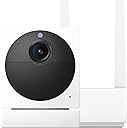
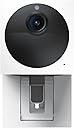
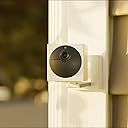
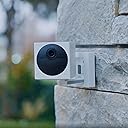
🔒 Stay ahead of the dark with color night vision and zero wires!
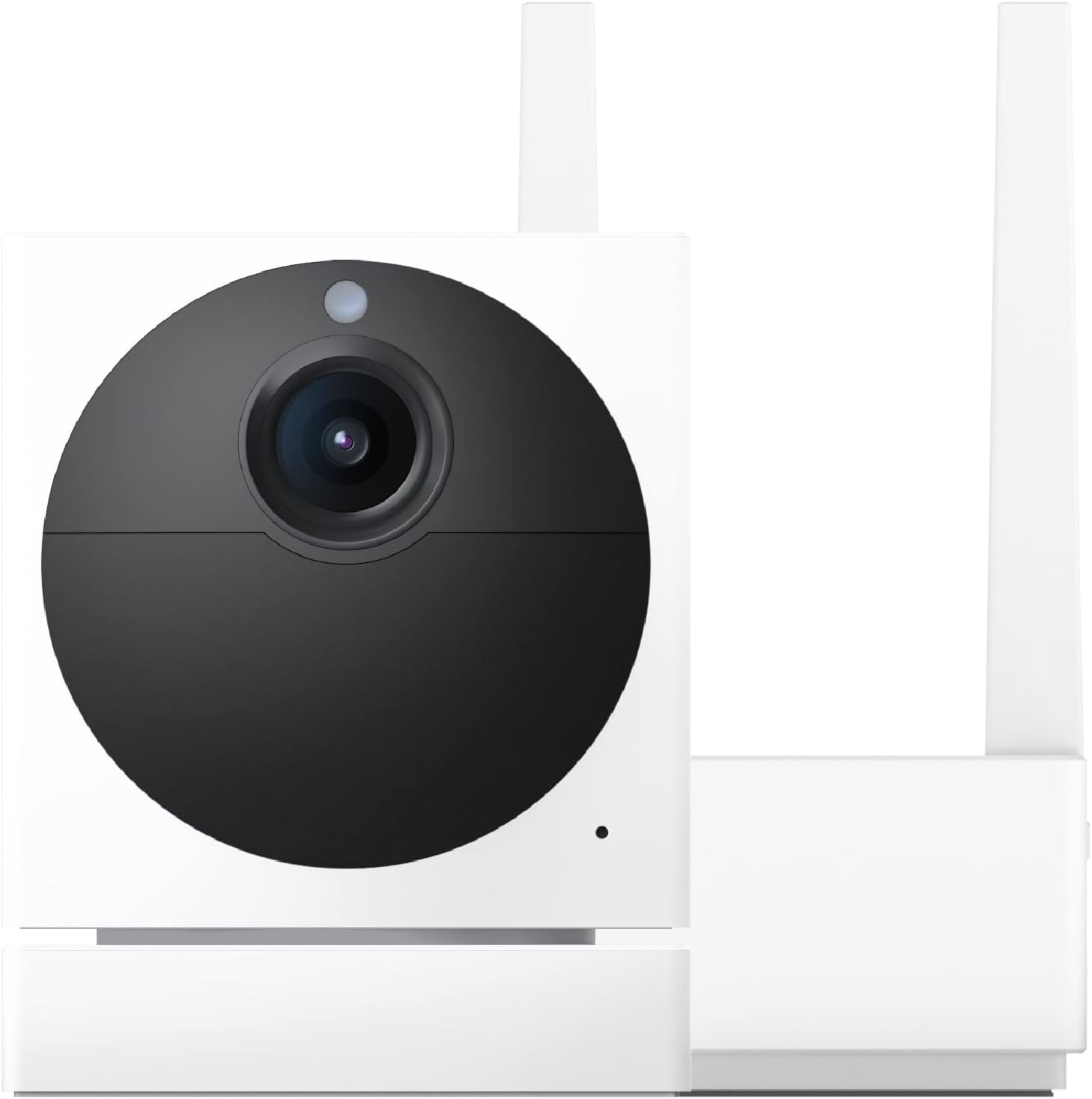
The Wyze Cam Outdoor Starter Bundle v2 delivers 1080p HD video with breakthrough color night vision, a 130° field of view, and up to 6 months of battery life. Designed for easy wireless installation and weather resistance (IP65), it integrates with Alexa and Google Assistant for smart home control. Customize motion alerts and expand your security setup by connecting up to 4 cameras to a single base station, all managed via the intuitive Wyze app.


| ASIN | B09PWH6TTF |
| Alert Type | Motion Only |
| Antenna Location | Indoor Security, Outdoor Security |
| Are Batteries Required | Yes |
| Best Sellers Rank | #1,648 in Bullet Surveillance Cameras |
| Brand | WYZE |
| Built-In Media | Wyze Cam Outdoor v2, Base Station, Base Station Power Adapter, Base Station Ethernet Cable, Camera Charging USB Cable, Quick Start Guide, Screw Assembly |
| Color | White |
| Compatible Devices | Alexa |
| Connectivity Protocol | Bluetooth, Wi-Fi |
| Connectivity Technology | Bluetooth, Wi-Fi |
| Control Method | Voice |
| Controller Type | Amazon Alexa |
| Customer Reviews | 3.9 out of 5 stars 2,772 Reviews |
| Effective Video Resolution | 1080 |
| Enclosure Material | Plastic |
| Field Of View | 130 Degrees |
| Form Factor | Cube |
| Global Trade Identification Number | 00850025015523 |
| Indoor Outdoor Usage | Outdoor |
| Indoor/Outdoor Usage | Outdoor |
| Item Dimensions | 2.3 x 2.8 x 2.3 inches |
| Item Type Name | Outdoor Camera |
| Item Weight | 9.92 Ounces |
| Manufacturer | Wyze |
| Manufacturer Warranty Description | 1 year manufacturer |
| Model Name | Outdoor Camera |
| Model Number | WVODV2B1 |
| Mount Type | Wall Mount |
| Night Vision | Night Color |
| Number of Channels | 4 |
| Number of Items | 1 |
| Other Special Features of the Product | Night Vision |
| Power Source | Battery Powered |
| Recommended Uses For Product | Indoor Security, Outdoor Security |
| Room Type | Bedroom, Kitchen, Living Room, Nursery, Office |
| Special Feature | Night Vision |
| UPC | 850025015523 |
| Unit Count | 1.0 Count |
| Video Capture Format | MJPEG |
| Video Capture Resolution | 1080p |
| Viewing Angle | 130 Degrees |
| Water Resistance Level | Water Resistant |
| Waterproof Rating | IP65 |
| Wattage | 4.8 watts |
| Wireless Technology | Wi-Fi |
R**R
Cam Plus Customer
I have 6 indoor/outdoors wyze cams that work great. I also have had 4 outdoor cams connected to 4 Solar panels all 10 on the plus plan for a year in June. I have had zero issues out of the indoor/ outdoor cams. Some are inside and some are outside where they are either under my deck, on my deck or in my screened in area. (All covered areas but still outside). Now my outdoor cams after almost a year of having I absolutely would NOT recommend. The base constantly has to be reset I am now having to reset the base every 3-4 days. I originally thought the cams were too far from the base. The base I have in my foyer which is front of house dead center. I had a camera at each corner. I moved the two in the front to the front door facing either direction literally a door way away from the base. You can see the signal in photo. Mind you this photo was taken and it shows signal to the cameras except one, there isn’t a signal it’s a totally froze screen none of the cameras are online. If I were to click on one of the cameras it would be a frozen screen from yesterday sometime. I have to go downstairs unplug wait and plug back in for it to work. It will work about three to four days and I’ll have to do the same thing again. I would just buy the indoor/ outdoor ones to replace them but they do not work off of Solar. Extreme disappointment, I’m a patient and humble dude but these things not working will make you throw your hands up because there it’s absolutely nothing you can do other than unplug the base and plug it back in. Reset never works. Please take my advice and don’t get the outdoor cams. Buy the indoor/outdoor and save yourself from any trouble. *Update January 7, 2024* I wouldn’t recommend these cameras nor would I recommend the panv2 as I now have two giving me issues with one coming and going and the second one telling me it can not recognize the network. I’m already bald or I would pull my hair out. I haven’t had outdoor cameras since 12/23/2022 they absolutely just will not connect to the base. The camera only gives one option and that’s to reset which it won’t do because it is not connecting to give me the option of resetting. I also payed 12/1/2024 for another years worth of plus on all cameras, yea dumb decision however they were doing ok at the time. Paying for a service your not receiving really bites. I would recommend the indoor/outdoor cams HOWEVER at this point I wouldn’t recommend anything camera wise from Wyze. I have a spot light and two scales that work great. Just don’t do it save yourself the headache and buy a legit brand.
K**N
Great camera
Great quality camera for the money. I use it to overlook my apartment parking lot to watch my kid and car. It has a very wide angle to see the whole parking lot and being weatherproof is a huge plus. If you have it set to record every movement it, the battery can tend to die quickly, so I paired it with the solar panel and I don’t even have to worry about it anymore. I don’t even need to turn on the black and white night vision since my parking lot is well lit. And because of that I am able to make use of the color night vision and the video looks great!
L**A
Cameras, kind of, when they work
We have a LOT of Wyze cameras. Overall, the company is decent; I wouldn’t really call any of their cameras “security cameras” simply because they don’t consistently work, they lack the most current tech, and many of them stop working altogether within 18 months (from our experience). FWIW we’ve had over 30 of their cameras. These particular (not-so-smart) cameras are below decent. For starters, they’re not really security or outdoor cameras. They’re kinda just batteried boxes with lenses that sometimes are on if the batteries aren’t dead; note you’re not supposed to keep them plugged in continuously. Sometimes they capture motion. But they require the hub, which renders them near useless for any location far from home. If they’re intended to be near your home you’d better hope you’ve got the most incredible wireless network know to man. FWIW we have multiple Amplifi Alien routers (arguably as good as you can get for residential) and all our Wyze cams, these doozies included, lack consistent connectivity. In the most important moments, Wyze has mostly failed us, just like last night when a group of teens keyed our daughter’s car, and ran to the door and pounded quickly before running off. Despite having a Wyze camera facing our front door, and a thumbnail image of the vandal rushing towards our door, the video file only saved just AFTER the person entered and left the frame, rendering the “security” camera footage nil. This is a very common problem. There are threads about this all over the web. If you want cheap toy cameras to place inside your home, or cameras that might deter theft or vandals, Wyze might be a good choice. If you’re looking for actual security cameras, definitely don’t expect Wyze to be a solid solution. And CERTAINLY don’t buy THIS Wyze cam unless you plan to have a mostly inoperable white box hanging from your awning, and a hub somewhere nearby that consistently goes offline.
M**N
Ok - but different
I quite like my Wyze series three cameras and the app on my iPhone, so I bought two of these to mount in remote locations in my yard. They behave differently than their most popular cameras. I still haven’t figured out how to set them up and leave them as I do with their externally powered cameras. They don’t automatically record on motion. You can program them from the app to do that for a period of time, up to a month, but not indefinitely. I also purchased the solar panels, and here in Southern Arizona the batteries are kept full charged, indefinitely, so why can’t they record indefinitely? They have this intermediate receiver unit that has to be indoors, plugged into a wall, but close enough to the camera to communicate with it which puts limitations on their flexibility of use. Both the camera and base station have memory card slots. I have both cameras using one base station. The base station then propagates video data to the hub (I think). I can find no good documentation from Wyze in how these work, so I can better understand how to use them. They operate inside the app that gives an intuitive window into the the conventional cameras, motion and door sensors, but the application behavior with them is quite different and not intuitive to me. It feels like these were poorly integrated into the app, but that maybe because I really don’t understand what they are doing. I inserted sd memory cards into both cameras and base station, but have no idea what’s being recorded and where. A bit disappointing.
J**S
Camera works as expected and stays connected. App is simple and easy to set up.
I purchased 4 starter kits and just used the all 4 cameras on the single base station. It was cheaper to do this than single base station starter kit and add 3 more cameras...something to consider to save money. I guess they discount the starter bundle to get you buy into system. Overall, the camera is easy to install, the base station is stupid easy to attach to your router using ethernet cable. Hanging cameras is hardest part because you have to visualize where you want them and then get up on ladder (assumption on my part) and attach the bases which is actually pretty easy but for some people it might be more challenging. Make sure you link all cameras to base station first (per directions) and you can use the app to preview what camera will see while on ladder. I had a problem with 2 of 4 cameras getting them to link to base station but just give it another go and it should link up after another try. Label your cameras to match the app so you dont have swap locations or names later one. Its been about 2 weeks and cameras have been perfect and have stayed connected to base station. Remember you dont need microSD cards for cameras but you should add them to increase their functionality. The base station does need a microSD card to work properly. Hope this helps someone with their choices.
M**P
Great solution to power unaccessible locations
I have some of these at my house and installed them for family members too. One in my back yard is about 100' from the house and connects easily to the wireless network. At a family members home I installed one looking at the front of her home, we found that being an area of constant use it discharged fairly quickly. Easy solution, I connected it to the Wyze solar panel available for these cameras, they're $30 and are great quality. Being a Wyze product they are plug and play. The camera now stays fully charged.
M**L
There are a lot of cons
PROS: -Small enough for me to place between glass window and window screen. -Screen doesn't mess with picture or motion sensor. -Color night vision. -Nice looking compact camera. -Can be used with or without magnetic adjustable base. -Easy to set up to wifi and pair. -The APP is easy to navigate. CONS: -Very sensitive motion and distance sensors. Takes a lot of tweeking which settings will work for the area you put it in so it doesn't spam you every 2 seconds with nonsense motions like distant car lights, motion sensor lights, rain, snow. -Dont even think about putting this pointed towards a busy street or area because you will have so many "Events" recorded that if something were to happen that you want to catch it would be lost in a sea of worthless snippet "Event" recordings. - I purchased the $20 a year subscription and also used the free trial. I have yet to have any recordings go longer than around 12 seconds and I've been using it for almost a month. The recordings stop whenever it feels like it, with no rhyme or reason. My camera is pointed towards a small parking lot made for around -13 cars. EX: It will catch a person walking into the parking lot and stop recording them when they're around half way through the parking lot. So that person could have done god knows what. So all I'm getting is snippets...not actual full events. -You need to set the "Detection Zone" slightly smaller than you want because it picks up a bit beyond the set parameters. - Sensors do not work through double window panes so you not get any notifications of movement or people. -It needs to be charged frequently. If you are viewing the live or event footage on the app you're drawing from the camera's battery life. -It drops offline a LOT and stops working until you pair it again or get the wifi back. I have an excellent signal and the camera is only 15 feet away from the home base. I can't think of anything else atm but if I do I'll edit this review in the future. Overall, you get what you pay for. It's cheap so don't expect the sun, moon and stars with it...but it definitely will still make a good deterrent when people know it's there. I look forward to updates and hopefully the manufacturer will improve their product so I can have more pros on my review.
N**.
Secure and Steady: Wyze Cam Outdoor Starter Bundle v2
The Wyze Cam Outdoor Starter Bundle v2 is an excellent choice for anyone looking to enhance their home security with a reliable outdoor camera. The included base station and camera set up effortlessly, integrating smoothly with existing Wyze systems. What stands out most is the battery life; it's impressively long-lasting, minimizing the frequency of recharges and ensuring continuous monitoring without interruption. The camera itself delivers clear, high-quality video footage both day and night, providing peace of mind with its robust performance. Whether you’re keeping an eye on your backyard or monitoring your front porch, this Wyze Cam setup works wonders.
G**N
I have an eye on you
Nice camera for our summer trailer in a trailer park
L**.
Good product
Battery life is good had 2-3 weeks with a drop to 80% Easy to set up and mount only flaw does not have playback like other models and requires a micro sd card and you need to set a time period for recording Not a big thing
R**O
Funcional
Se batalla un poco en la configuración de distancia al detectar, depende mucho de la posición de la zona de detección ya que no es en la pantalla completa y esto puede modificar el lugar a colocar ya que también con el infrarrojo para visión nocturna puede verse obscurecido si topa con otras estructuras cercanas. La base funciona muy bien y permite hasta 4 dispositivos, si quieres mas debes adquirir otra base.
C**V
Love this but can be better
I love the concept of this camera. Unfortunately, I still couldn’t get the micro sd card to work on it (to record on the device). Also, the more you check on your live, the faster the battery drains. So try not to watch the live as often.
A**O
Un día dejo de funcionar
Dejo de funcionar y no hay soporte en México
Trustpilot
1 day ago
2 weeks ago