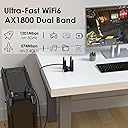
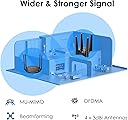
First off... I sure hope the people giving this a bad review because it doesn't light up with flashing blue colors don't vote. haha Alright, so I've had this plugged in for a few hours... We live out in the sticks, so our only option for Internet was DSL. My PC is not a dinosaur, but it's old enough that it doesn't have a Wifi adapter. (It does have USB 3.0, at least lol). So my PC was connected to our router via ethernet, and the entire rest of the devices in the house connected to the router over Wifi. Well the other day we got T-Mobile home internet, and the only spot it got good cellular reception was downstairs and my PC is upstairs on the opposite side of the house. No way to run a long ethernet cable to it, so I had to find a Wifi option for my PC. After much reading, I settled on this one. I liked that it had 4 antennas, and a cable so it wasn't just something stuck right in the back of my PC. I liked that with the cable it had some flexibility to move it around and set it up on my desk. As the title states, I have Windows 10 and I can verify this thing is truly plug and play. I didn't disconnect my DSL, just plugged this thing into a free USB port and in no time when I clicked Networks on the task bar suddenly I could see our current Wifi and the T-mobile one. Suprisingly good signal from the T-mobile one, too... which as I said is downstairs on the other side of the house from me. I'm guessing 50 feet away through several walls and the floor. Clicked on the T-mobile Wifi, typed in the password, and it immediately joined and I suddenly had Wifi access on my PC. I was shocked how easy it was. I'm one of those people that always expects there to be a problem and something to go wrong. But no, it just worked immediately and connected immediately with no driver downloads or fiddling with settings. Now... in the title I said there's a caveat and there is. Using Speedtest.net, on my PC with this adapter I get slightly faster apparent download speeds than my iPhone 11 testing on the same server and right next to this adapter. But my upload speeds, for whatever reason, are noticeably slower and seem to consistently be so test after test. Testing on my iPhone I'll get, say, 38 Mbps down and 9 Mbps up. But on my PC with this adapter (once again, both here in the same room) I'll get 41 Mbps down but only like 3 or 4 Mbps up. For some reason I just can't get the same apparent upload speeds using this, and perhaps there's a technical reason or something a computer expert would understand... but that's above my paygrade. But honestly, I don't care. With our DSL I got 5 Mbps down and .6 Mbps up. Yes, *point* six up. So in my particular case, I'm thrilled even if I don't get the same upload performance as my phone seems to get. Just be aware if you're used to really fast upload speeds with other wi-fi devices, you may not get them with this adapter. So as I said, it's only been a few hours. I've restarted the PC several times just to make sure there's no issue with it re-connection on power up and there hasn't been. I'll update later as time goes on if anything changes, but if you never see me edit this review again then suffice it to say it's working and working well. I'm still in shock how easy this was on Windows 10, and I don't see why Windows 11 would be any different. UPDATE 9/12/21: After several weeks of this thing working flawlessly, I've suddenly developed the issue several other reviewers mentioned of constantly losing the connection. Every other Wi-Fi device is fine, so I know it's just this adapter. I was so happy with it that I've requested a replacement and I'll give it one more try, hopefully just got one with some faulty hardware that didn't hold up. UPDATE 9/15/22: Just received the replacement adapter, immediately plugged it in and I have a solid connection again that isn't dropping out every few minutes. Fingers crossed the other one was just a bad egg, because otherwise these things are really slick. Fast connection and super easy to set up. Will update again if either 1) this one starts dropping out, or 2) a good amount of time has gone by and it's continued to perform perfectly. UPDATE 2/8/2023: 5 months later, and it's worked almost flawlessly the entire team. Every so often upon booting up my computer, the adapter upon powering up will fail to connect to the wi-fi... but a quick unplug from the USB and back in and almost every time it immediately connects that second try. But this doesn't happen all that often, so I'm not worried about it. This adapter has been excellent for the price, utility, and ease of installation. Definitely recommend.