📚 Elevate your reading game—wherever life takes you!
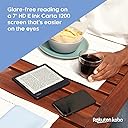
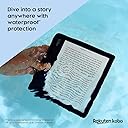
The Kobo Libra 2 is a premium 7-inch eReader featuring a glare-free HD E Ink Carta 1200 touchscreen with fast page turns and deep contrast. It offers adjustable brightness and blue light reduction for comfortable night reading, plus a waterproof IPX8 rating for durability in wet environments. With 32GB of storage, it holds up to 24,000 eBooks and 150 audiobooks, accessible via WiFi and Bluetooth. Its ergonomic design supports both touchscreen and physical page-turn buttons, including landscape mode, making it a versatile companion for busy, style-conscious readers.


| ASIN | B09HSRLQVX |
| Battery Description | Weeks of battery life |
| Best Sellers Rank | #133,393 in Electronics ( See Top 100 in Electronics ) #161 in eBook Readers |
| Bluetooth support? | No |
| Brand | Kobo |
| Built-In Media | Protective Case, Adjustable Front Light |
| Color | White |
| Compatible Devices | Devices with Wi-Fi, Bluetooth wireless technology, USB-C, and the Kobo Audiobook app |
| Connectivity Technology | USB-C |
| Customer Reviews | 4.4 out of 5 stars 5,693 Reviews |
| Display Technology | Electronic Ink |
| File Format | EPUB, PDF, MOBI, JPEG, TXT, EPUB3, FlePub, PDF, MOBI, JPEG, GIF, PNG, BMP, TIFF, TXT, HTML, RTF, CBZ, CBR |
| Global Trade Identification Number | 00681495008438 |
| Human-Interface Input | Touchscreen |
| Item Dimensions L x W x Thickness | 6.38"L x 5.71"W x 0.35"Th |
| Item Weight | 215 Grams |
| Manufacturer | Kobo |
| Memory Storage Capacity | 32 GB |
| Model Name | Libra 2 |
| Native Resolution | 1680x1264 |
| Night vision | No |
| Screen Size | 7 Inches |
| UPC | 681495008438 |
L**T
Very nice reader
So I'm new to "readers," but have read off my tablet for a long time. I'm not a big reader, but I'm trying to do that more, so a nice, light-weight, dedicated reader seemed like it would help. I chose this one because it has OverDrive already in place and ready to go -- and I read mostly library loan books, so I thought that would be more convenient. I had a couple of hiccups getting that working (mostly my ignorance). I don't have any previous experience to compare it to (except it's far superior to reading on a tablet), but I'll say that reading is a pleasure. Good screen, touch-screen or buttons work perfectly. I thought the small screen would bother me, but it's so easy to page up it's not an issue at all. I love that it has auto-rotate, I'm learning that for holding it when I'm reading outside I like vertical where I can hold the large side handle, but I have a "thing" to hold it while I sit leisurely by the window indoors, and then I prefer horizontal. It's okay to be spoiled :-) It has very nice and easy adjustments - just slide a bar to increase type size or brightness. I like their typeface and spacing options. I've had it for four days and I'm mostly playing with it so far, and it's lost half its charge in that time. I don't think that's a huge deal, but others have commented about it. I'm struggling a little about just one thing -- it does not support the X-Ray feature that Kindle has to keep track of characters -- for whatever reason I have a problem remembering the names of the many secondary characters even a day later, and I have used X-Ray pretty regularly to keep up. I like that feature. It may only available on Kindles, but for an expensive and high-end reader, I think it should have such useful features as this. But the quality of the screen (and the bigger size) are top notch.
K**Z
Best purchase of the year
I waited until Black Friday to buy my Kobo, because I thought the original was a bit steep. Now I think of something happened to mine, I'd immediately buy it again. Full price. It is THAT good. I don't even think I need to worry because it's very sturdy, and I purchased a case to keep it in my bag. The Kobo is amazing, the text is pristine and crisp, and it's so comfortable to hold. The buttons are very convenient, too, especially knowing that other brands who offer them, do it for a lot more money. I think the Kobo is currently the best option when it comes to ereaders, so it's worth every penny. Edit: it's been over a month and I'm still in love! I was swayed by the 7' screen and the fact that it's waterproof. I have pretty small hands (I'm 4'11''), so I was worried it'd be too big and uncomfortable to carry everywhere, but it's really not! It somehow looks bigger in pictures, but it's about the size of a paperback, only a little wider. It is pretty lightweight and I can read while holding it with one hand. You can switch up the button commands very easily, I do it a lot when going from holding with one hand to the other. As I said, I have freakishly small hands and I've had no issues so far, I think the size and weight are perfect! The only thing is that the cover does add some weight. I don't know how well they fare with bumps and being dropped (mine feels very sturdy but I worry about damaging the screen), but I keep mine in its case when I'm not using it because of the weight, and luckily I haven't dropped it over since I got it! It's been a joy to have it. I really think you should go ahead and take the plunge!
C**N
Converted from Kindle to Kobo
Let's preface this by saying that I've been an avid Kindle user for the past few years. I started with a Kindle Voyager (wonderful e-reader) and have had two Kindle Paperwhites in the past couple of years - the most recent of which is the Paperwhite Signature edition. The Kobo Libra 2 is my first Kobo. I love it. I love the fact that it's functional for reading. That's why we got e-readers, right? To read things? No BS. No constant advertisements that you need to spend $20 to remove. The ability to borrow books from your library directly from the e-reader is so lovely. The fact that it plays well with other formats. The fact that it feels SO NICE in the hand is probably the top reason I love it. The asymmetrical design (yes - Oasis has this as well...but I don't like the feel of the Oasis...which is also much more expensive) is very comfortable to hold - and the Kobo is light - in many cases, it's lighter than a book! It's waterproof. It has page turn buttons (I thought I wouldn't want those and that they looked silly compared to the buttonless technology we have today - nope. They're nice. Function first). The fact that the screen isn't flush seemed weird, too - but you get a crisper page that way - and, yes, you can notice it. I've been converted. I've tasted Kobo, and I'm not looking back. Will I still keep my Kindle around? Absolutely - I've got quite a few books I've purchased through Kindle that I would like to hold on to - and I still love my Kindle. Could I read those through the Kindle app on my phone or laptop? Absolutely - but I prefer the e-reader experience over a phone screen. But moving forward, I think I'll be sticking with Kobo. Do I still recommend Kindles? Yes! But I just might recommend a Kobo first. And I dunno - maybe this is going to be like the Android vs iPhone or Mac vs PC kinda thing (it probably will be/is). I'm team Kobo. Here's a summary of the pros and cons I've noticed after having my Kobo for a few days: Things that bring me joy: - Very comfortable to hold (for my Paperwhite, I depend on the sleep cover to hold it properly - I don't need that with the Kobo. I also tried out the Oasis a while back, but I didn't like how the back cut into my hand...with the Kobo Libra, my hand stays comfortable, even after reading for hours) - You can rotate the device, and the screen will keep up. I switch from holding it in my right hand to my left hand...the Libra 2 will rotate the screen to accommodate this. Heck - you can even read it in landscape if you want to (maybe easier for certain formats/pubs). And if you don't, you can lock it to be only in portrait mode. - Page turn buttons (that you can program for which button turns the page forward or backward) - No ads - Waterproof (yes - Kindles have this, too!) - Clearer screen (you don't have extra layers of glass/plastic in front of it) - Lightweight (lighter than quite a few books - I legit weighed them out of curiosity) - Direct integration with OverDrive (for you Kindle users out there, Libby now owns OverDrive - if you're used to going to Libby to link your library card to your Kindle, it's similar - but with Kobo, you don't NEED the Libby app on your phone to do this - you just do it from the Kobo) - The power button IS ON THE BACK OF THE KOBO (you don't accidentally tap the power button like you might on Kindle - is that just me??) - Did I mention how comfortable it is to hold? (seriously - I noticed the second that I pulled it out of the box that I was going to prefer reading on this thing) - The ability to easily load fonts (Bookerly is probably my favorite font at this point - I came to love it over the past few years having a Kindle...didyaknow that you can load Bookerly to your Kobo? Name a font, and you can do it in a matter of a couple of minutes. Have done. Works perfectly.) - You can purchase books through Kobo's store, just like the Kindle store (are there as many titles? No - but it's an option when your library doesn't have it) - You can set your sleep screen to be blank. Or you can set it to be the book you're currently reading (without having to spend $20 extra to remove ads) - There's a Kobo app for your phone just like a Kindle app - It's so comfortable to hold! (wait I think I already said that...) - USB -C charging - warm light backlighting - backlight can be adjusted easily by just swiping your finger up or down along the outside of the screen - Uh...32 gigs of storage? Who needs that? But it's there for audiobooks, I suppose. And that's just inherently built in...in case you need to store the entire contents of the Library of Alexandria on there or something along those lines... - Audiobooks - yes, it can store them and play them via Bluetooth...but I personally don't use an e-reader to listen to audiobooks. It's 2023, and I have a cellphone. I personally don't see the point of adding audiobooks to an e-reader (it's an e-reader...not an e-listener). But if others find that a necessity, it's available on this device! - Direct Pocket integration! I'VE YET TO USE THIS FEATURE BUT HEY IT'S THERE! Things that don't bring me joy: - Fingerprint central. The plastic/coating that's used shows fingerprints like nobody's business. I have the black version, so I'm not sure if the white version would be better...but black looks nicer IMO...so fingerprints it is. I don't have greasy fingers (and I live in Colorado...so they're not exactly sweaty either). But man, oh man. It looks like I just polished off a bag of potato chips after I look at all the prints on this thing. - Can be glitchy sometimes. The software experience isn't quite as smooth as Kindle - not gonna lie. The vast majority of the time, It works as it should (yep - page has turned correctly). Rarely, it does freeze. But holding the power button to jolt it back has worked fine so far...will see how things fare over the next several months/year. - CAN feel cheap - I think this might be because it feels lighter - I DEFINITELY prefer the lighter feel of this to the heavier Paperwhite...but it doesn't FEEL like I spent this much money on this device. The plastic sometimes pops/clicks every once in a while. - Pattern on the back - it's got this pattern on the back that I'm not sure if it's supposed to make the thing grippier? Or cool? But dust and crumbs get stuck in it. It looks like the Clara 2E is changing things up a bit, and that looks like a nicer backing - Very few 3rd party accessories - this isn't a Kindle. It's MUCH tougher to find accessories for Kobo products. For a sleeve, I ended up looking for Oasis accessories. I'm personally not going to get a sleep cover for my Kobo (I don't really need one from a grippy perspective - and I don't want to ruin the feel of it in my hands)...but if I did want to get a sleep cover, I found that options are quite limited. Overall Impressions: Yes. I honestly can't wait for them to come out with a Libra 2E or whatever will be next. I love this thing more than I love lamp. And I've been telling all my friend to get one.
I**N
Quite good, but needs work to be perfect.
Pros: easy-to-read screen (I use 25% brightness), large storage capacity, easy navigation, slow battery drain (about 10 days between recharges). These are all heavyweight considerations. Cons: mostly lightweight considerations. (1) Except for this one, which I guess is a medium-weight consideration: it is intended that you create a Kobo account just to be able to use the thing (because tracking!, I guess). There are ways around that, which you can find online. But it's extremely annoying that you can't. just. use. it. out of the box. (2) Rakuten is coy about the battery capacity for some reason -- they won't tell you, even though you can easily google it (or just look here: it's 1500mAh). It's really annoying that they're like that. (3) The area on the screen where you essentially "right-click" to get the options menu for individual books, is *really* small, and if you don't hit it *exactly* centered, it will open the book for reading. I *hate* that. My fingertips are not huge, either. (4) Adjusting selected text is really finicky; not only is it super sensitive about where it thinks the center of your touch is, it lags when making the adjustment, so it's very easy to think you haven't moved your finger enough when really it's just taking its own sweet time changing the selection -- but since you *think* you haven't moved your finger enough, you move it more. So it's not that easy to select exactly the text you want (and because the dictionary can be sensitive to whether the selection includes a terminal 's' [like in plurals] or a period, that can be important). (5) It doesn't honor footnote bookmarks, so good luck finding the actual notes. Other readers do so I don't know what Rakuten's problem is. (6) Oh, you wanted to see the publication date in the book list, or even the book details? Too bad -- no date for you!
C**M
Great e-reader with just a few issues
UPDATE: I'm increasing my rating from 4 to 5 stars after using for months. With software updates, the device has been very stable and a pure joy to read on. ORIGINAL REVIEW: Overall, I think the Libra 2 is a fantastic ebook e-reader, and I recommend it. There are a few things that knock off 1 star from a perfect rating, though. Hardware - The good things: - The screen is amazing. The text is very crisp and dark and the front light is very even (at least on my unit). - The warm light is very pleasing for evening/night reading and works very well. (The evenness of the lighting was ever-so-slightly not perfect with the addition of the highest setting of warm light, but not enough to be distracting). - The rounded corners of the grip side make holding it in one hand fairly comfortable. - The weight of the device is light enough that it can be held one-handed (without a case) in comfort for a while. - The battery provided me 20 hours of reading using very generous front-lighting (probably over 70% most times) (with Wi-Fi turned off). The battery reached 10% at that point and popped up a low battery message. I'm not sure how this compares to other e-readers since manufacturers like to advertise in weeks instead of hours, but using their convention of 30 minutes per day, this would be about 6 weeks of reading between charges. - It's available in white, which is what I got, because it is very good at concealing fingerprints. - The power button's location is well placed. It never gets accidentally pressed and is easy to feel for without looking, and it has a definite click to know that it's been pressed. - The USB-C port is obviously nice to have (vs. micro USB). (Note: The included cable is a USB Type-A to USB Type-C cable, and no charger is included. So you will still need a charging brick with a Type-A port to use with this, and will need a Type-A port (or adapter) on your computer if you connect it to one.) Hardware - The not-so-good things: - The plastic case has a cheap feeling to the touch. It is not as nice as the more rubbery touch of the Kindle Paperwhite, for example. My unit even makes a slight creaking noise when squeezed gently near the corners. The embedded texture on the back helps make it feel a bit less cheap and does help to provide more grip when using without a case, but it still isn't "pleasurable" to the touch. It's just plastic. if you use a case while holding it, this won't be an issue. - The page turn buttons, whether by design or not, have an uneven pressure to them. If pressed toward the inside, it requires much more force to get it to click. If pressed toward the outside, only a light force is required. - When turning the front light completely off, the screen background is grayer (less white, less contrast) than other e-readers I've seen (e.g. Kindle Paperwhite, Kindle Oasis). (But with almost any amount of front light, the contrast is outstanding.) Hardware - One other thing: - The screen is slightly recessed. I personally prefer this to flush-screen e-readers. It doesn't have as "premium" a look, but it makes it very obvious to feel if the touchscreen is being contacted or not and prevent accidental touches. Software - The good things (common to all Kobo e-readers): - The interface is very well organized, clean, and simple to use. - The front light brightness can be adjusted with just a simple swipe up or down along the left edge of the screen, without first dropping down any menu and then having to close that menu. - The header can optionally show remaining pages in the chapter, which I find to be more useful than an estimate of how much more time is left, which can easily be miscalculated. - A subtle book progress bar is optionally displayed along the bottom of the screen. I really like this and prefer it to seeing a percentage. It provides a similar feeling to reading a physical book, where you can just tell how far you are in it, but without having to take any more screen space than necessary. - Kobo's concept of "pages": I really like the way Kobo software determines how many "pages" are in a book. It readjusts this number automatically based on the font size, margin settings, etc., so when it displays the number of pages left in a chapter, for example, you know that there are exactly that many page turns left for the settings you have selected for that book. I find this to be much more useful than Kindle's way of showing pages, which is to correspond to the published physical book when possible. - Built-in Overdrive. It's nice to be able to check out and return books from the library right from the device. - Built in Pocket App support. I have not used this feature, but it's nice to know I can read supported web articles on the Kobo if I want. - epub format support: I've found that some of the classic literature is available in epub (but not Kindle) format, so I can borrow from the library without having to use any conversion software as I would on a Kindle. - Installing additional fonts is simple. Just connect to a computer, create a "fonts" folder, and drag the fonts into it. Software - The not-so-good things: - There are still some bugs (which will hopefully be fixed). My initial experience was not great. But all the bugs I found and list here were encountered during setup and configuration. I have not had any issue at all during reading sessions, which is what is most important. - Upon first powering up and connecting to Wi-Fi, after the device did an immediate software update and appeared to be finished with it, it became EXTREMELY laggy. It would take maybe 30 seconds to respond to actions. Rebooting resolved it. - The device has rebooted spontaneously while searching the Overdrive catalog and locked up completely a couple times (once while in sleep mode and once while changing a setting). - After connecting to Wi-Fi successfully, the device prompted me again for the password the next time I connected and again a third time. Only after that did it finally save the connection settings as it should. - When an Overdrive library book is returned, Kobos automatically download a "preview" copy from their store as a placeholder (supposedly to store annotations, bookmarks, etc, but also I'm sure as a convenient way to purchase the book). That's a bit annoying, and these can easily be removed after being downloaded, but one time it downloaded preview copies alongside their corresponding three library books I had checked out (that I had NOT returned and were NOT expired) and it erased all my progress in them. I have not tested any of the audiobook or bluetooth features. For me, I like the device so much that the issues I listed are easily acceptable. The bottom line is that it is very enjoyable to read on the Kobo Libra 2.
I**H
EVERY deity's gift to bookworms!
I love books. The feel, the smell, nothing beats opening a new book or rereading a beloved favorite for the twentieth time. However, books are heavy, and they take up a ton of space, which comes at a premium when you don't live in the local library/aren't allowed to line every wall with bookshelves by the significant other to make your place feel like a library. Enter ebooks. Yes, I know audio books are a thing and possibly even easier to use, but I read much faster than I listen, and even speeding up the reading I can finish multiple books in the time it would take to listen to the first audio book. So I started reading ebooks on my laptop, and moved to my tablet and phone. It was meh at best, and annoying to always have to drag a power cord for charging everywhere I went. It's also terrible for your eyes. But e-readers were barely better than the tablets, until e-ink technology arrived. But I still held off, until I finally started doing my research at the beginning of the year. Kindle seemed the only real choice, but I already had thousands of ebooks and it seemed a daunting task to figure out how to load them to a Kindle properly, and the thought of paying for a device that came with ads unless I paid even more just made me angry. So I bought a Kobo. And I fell in love. I've been using my Kobo for months, dragging it to work, on planes, to the beach, out to the pool, the local parks, on road trips, to doctor's offices, basically everywhere I go it's in my purse. The screen is easy to read in the brightest sunlight and the darkest nights when I can't sleep without finishing just one more chapter at barely 5% brightness, and the night mode makes the screen comfortably warm so the blue light doesn't bother me. I can easily get a week or more of reading between charges with the wifi turned off, and adding my own books from outside sources is a piece of cake. I can't speak for the audio book usability, but I have hundreds of books on my device with barely a dent in the available memory, and borrowing books from the library with Overdrive is a snap. The feel of the reader isn't a book, but it still feels solid without being heavy or awkward, and I love the buttons for turning the pages rather than being entirely touchscreen. The USB C also makes it easier to charge as most of my other electronics use the same type of cable. The only hiccup is in adding books from Barnes and Noble, as their file type is essentially unusable with anything not running their Nook software, but there are workarounds for everything. The magnetic screen off and on with the case I bought from Amazon is also great because I can close my book at any time without needing to find a bookmark or remember a page number. I can also skip between books to my heart's content and I never need to worry about losing my place because the reader remembers where I am in every book! If you're on the fence about getting an e-reader for reading books, this is the one to try. If you want something that can also browse the internet or have multiple apps, buy a tablet. This thing is solid as a rock for the serious reader. You won't regret it!
J**T
Favorite purchase this year!
I absolutely love this e-reader! My favorite feature is the built-in OverDrive/Libby integration that allows you to borrow a book from your local library (if available) right from the book's listing in the Kobo store and to browse your library's offerings right from the device. I love not having to pull out my phone or laptop in order to check out or return a library e-book. Another unexpected plus has been the integration with Pocket, which was an application I hadn't used prior to purchasing my Libra 2. I installed the Pocket extension on my web browser and the app on my phone, so any time I come across an article I find interesting it's one click and one device sync away from being available on my e-reader for me to peruse distraction-free without the glare of a typical screen. I've found myself reading way more news articles, blogs, etc. this way. Side-loading EPUB files on the Libra 2 turned out to be really easy-- literally just plug into a computer then drag-and-drop. Purchasing from the Kobo bookstore has also been a decent experience on every platform I've tried (Libra 2, web browser, Windows app) and discounts seem easy to come by for all sorts of titles. The battery life has been great. Front lighting can be adjusted to suit a variety of conditions, from reading in bright sunlight to a pitch black room. Seriously, if you're on the fence, I'd encourage you to get one! It's miles better than the Barnes & Noble Nook readers and has some distinct advantages over Kindles as well.
R**D
Finaly a screen with real black letters.
Sept 21st After a month of experimenting and use, I have found other options that make a difference. I found that in beta features > large print mode, which increases the print size of the dictionary popup, very useful because I had trouble reading the small print size. i can also increase the weight of the font (in advanced) which helps make the letters more black for reading. I still think that the e-readers without touch screen have a blacker and more contrasty screen which I miss from my Kindle keyboard. (I think the problem with the touch screen is the extra layer on top of the screen which seems to reflect light inside and makes the letters more grey or washed out) But this format weight option has improved the contrast, and with coming from a 6 inch screen to a 7 inch, I can use a slightly bigger font size to compensate. I could not go back to a 6 inch, and am really happy with the Kobo 7 inch. At first I was reading English language books but later side loaded Spanish books and had a problem with it not reading properly the accents and tildes, and leaving a space before and after the letter. To make a long story short, I found out that the font "AR UD jingxihei" which I was using is for the Chinese language. There was no indication, and I wasted a lot of time trying to find out, so I warn others who might fall into this error. Forget about the internet. Only good for buying books. Received my Kobo yesterday. Very happy, and thrilled. Even more than I expected. More contrast, better definition, than my old Kindle keyboard. (I still think the real black letters of the Kindle keyboard were better than the first "Paperwhites") A little more speed than the keyboard, but nothing special, is good enough for reading. They say it's a little slow on pdfs and internet, but I am not interested in those. The menus are logical, short, and practical. I like the page turn buttons, which work well. I don't know why some reviewers complained about the buttons. Going from a 6 inch screen to 7 inch makes more difference than one would think. Years ago I bought one of the first paper-white with internal lights but was not happy with the contrast, sold it and went back to the keyboard. This time I bought the Libra 2 with a little fear, because of my past experience, but I am very satisfied with the Kobo for reading books. I can't say anything yet about the other functions. I had been studying up on internet and learning how to convert my files not only to ePub but also to Kepub (Kobo-pub) which can show more details on your book while reading: title, chapter, pages and time left to go in chapter, time for next chapter, percent of book read etc. A lot of dictionary s to choose from. I am also very pleased with the Fintie case: 5 stars.
Trustpilot
2 months ago
4 days ago