We remain fully operational. Our teams are working around the clock to ensure your deliveries continue safely.

DOWNLOAD THE APP


Customer Services
Copyright © 2025 Desertcart Holdings Limited
DOWNLOAD THE APP
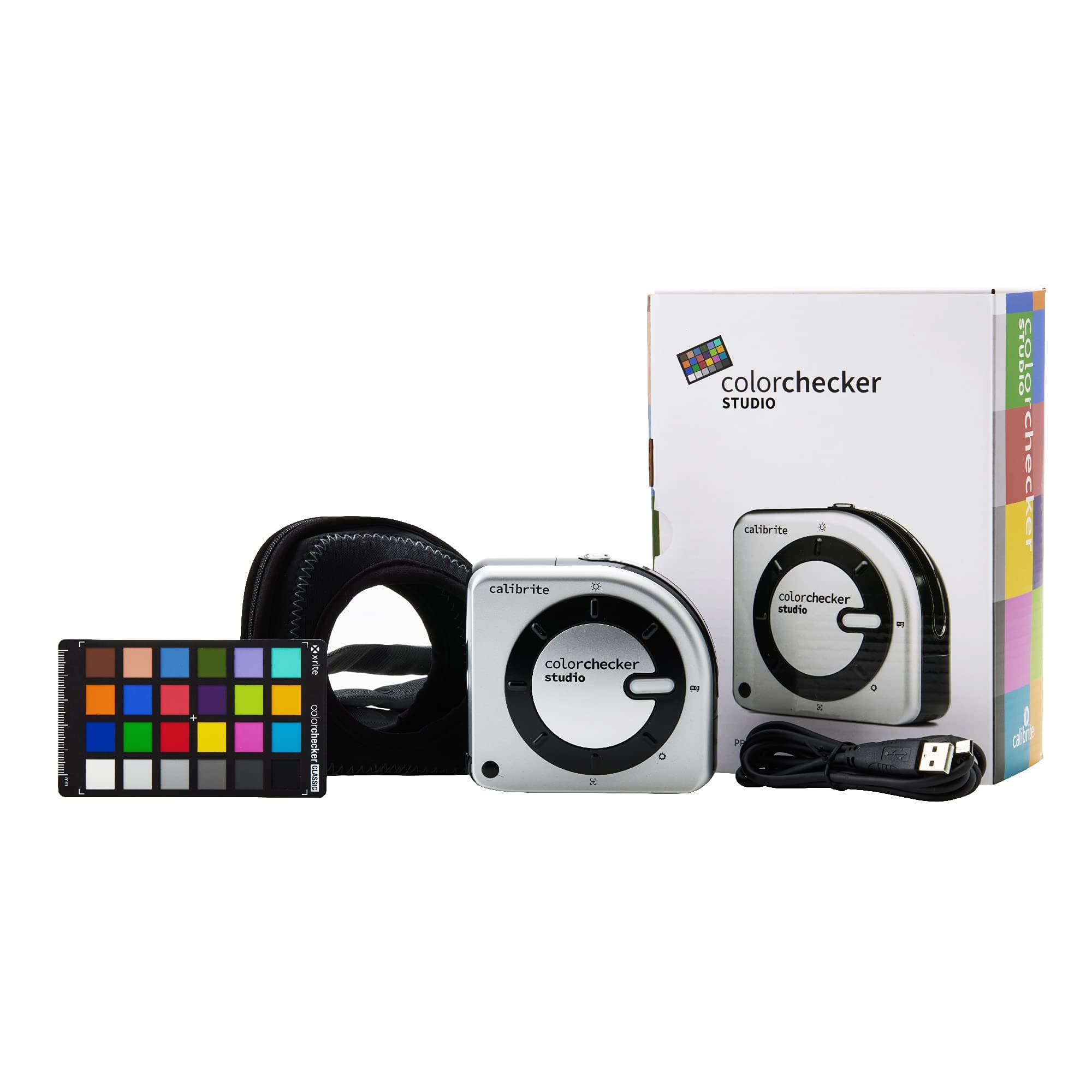
🎯 Master your color universe with precision that professionals trust.
The Calibrite ColorChecker Studio is a comprehensive spectrophotometer designed for professional color management across displays, projectors, printers, scanners, and cameras. Featuring adaptive iterative profiling technology and ambient light measurement, it ensures consistent, accurate color from capture to print. Included with the device is the ColorChecker Classic Mini target for custom camera profiling, making it an essential tool for photographers and creatives demanding flawless color fidelity.



| ASIN | B0973JVF85 |
| Best Sellers Rank | #36 in Photographic Light Meter Color Calibration Charts |
| Customer Reviews | 3.9 3.9 out of 5 stars (80) |
| Date First Available | June 11, 2021 |
| Item Weight | 14.5 ounces |
| Item model number | CCSTUDIO |
| Manufacturer | Calibrite |
| Product Dimensions | 5 x 4 x 2 inches |
J**M
Calibrite Color Easy
Excellent received the item was able to calibrate my monitor and printer out of the box. Getting great print results now. Thank you!!
J**L
The new improved Color munko
I had The old style colored Minkowski photo Just one is 100% better
K**E
Worked well on my MacBook Pro, a bit clumsy, but gets the job done.
I purchased this and used it with a 14" MacBook Pro M3 Pro processor connected to an Apple Studio display, and an Epson SureColor P900 printer. I used a photo of a person holding a Calibrite Color Checker Passport as a guide taken with a previously calibrated Leica M11 camera. For starters, I had zero problems getting this to connect with the downloadable Calibrite Profiler software on Mac OS Tahoe 26.1. I was able to calibrate the Apple Studio Display without any issues, though there wasn't a huge difference as that display is nearly perfect out of the box. Next spent a lot of time getting the printer calibrated and I was able to get it to near perfect prints. It does work quite well overall. Weak points: The turn knob is stiff, there's not much to grip onto and it's a bit hard to turn. It doesn't snap into the calibrate position clearly - it is easy to have it not working when all that's holding it up is the knob is not dead centered on whatever position it's supposed to be in. Very weak design there. The holder for placing it on the monitor looks a bit fragile, handle that with care. I struggled a bit with getting accurate colors with silk Epson Photo paper. When I switched to a high quality paper I got great results. When I compared prints side by side I noticed the Epson paper had a cool cast to it. It seems to be a case of the cheaper photo paper using optical brighteners, and this threw off the calibration. Be forewarned - High-OBA papers are notorious for failing as accurate proofs because their whiteness changes so much with lighting. This thing was fooled by that. Tips: For printer calibration: You print 1 sheet, run the checker over the color patches, then run a second sheet, run it over that again. That creates your basic paper profile. However, there's a third sheet you can print to optimize further - I suggest doing that as well. Do your research into lighting (6500 kelvin), how to view a print afterwards (6500k bulb with high CRI of 95+), setting your monitor so it won't change brightness, etc, etc. Overall it works quite well. I can't give it 5 stars because while it works well, it is structurally clumsy. Further, the software doesn't allow for any kind of adjustment to the profile, I would have liked that to deal with the Epson paper with OBA's.
A**R
Tech support non existent
I was unable to create printer profiles for this device as I kept getting an error message. I contacted tech support and they did not respond after contacting them several times over a period of a week. I was able to create a monitor profile but the main reason for buying this product was was printer profiles.
J**E
Lacking good documentation
When I unboxed the device I was surprised there was no instructions at all included. Just a card that had a link to their downloads section. Going to the downloads I found no user manual. Just the software downloads. There is no documentation that even explains what the buttons on the device do or what the what the color card included is for. I think they expect you to get all the information you need that is embedded in tooltips scattered through the software. To me this is a horrible substitution for a proper User Manual. I can't find a user manual for it anywhere on your website. your Videos section has one "Video Post" with Lorem ipsum, which does not inspire confidence not inspiring confidence. Their whole product and website feels like it's in the alpha stages. I would expect a lot more from a $570 product.
F**D
There do not seem to be many affordable alternatives available for making icc profiles for printing.
The lack of instructions or a proper manual in the box is very frustrating and online information is sparse as well, but after wasting time and expensive paper and ink the device functions well.
I**Y
Save your money. Is flawed and inconsistent.
Could not get it to work on windows 11, even after reinstalling the software several times, and rebooting my computer. Was able to work on MacBook Pro for display profile. But could not make it work on Windows 11, or MacBook Pro for printer profiling. And I watched a ton of YouTube videos to make sure I was doing it correctly
R**S
I have the product but support tell me to change it
This CCSTUDIO product arrived and I used it, it cost me a lot for the device to work correctly, after a while I was able to calibrate the colors of the screen and printer. Three months ago I bought a new Workstation and tried to calibrate again but it gave me a lot of trouble, so I contacted Calibrite Support and after reinstalling the drivers and buying a new cable, they detect that the device has a factory fault and that AMAZON should change the device!!! I haven't worked on the new equipment for 3 months and using the old equipment!!! Amazon does not give this option to change the device! and support tells me that it has a one year warranty
M**A
Bon rapport qualité prix, fonctionne tès bien sauf pour les couleurs très saturées
A**E
Kalibrierung von Epson EP-8550 funktioniert aufwandfrei.
A**ー
一度使ってみました。ウィザードの言うとおりにしてたら、ディスプレイが自然な発色に校正されました。分光光度計で高いですが、正規品輸入でよきです。
C**E
J'ai acheté une imprimante Canon Pixma Pro 200, et j'utilise le célèbre papier hahnemühle. Excellente imprimante, excellent papier, mais les profils ICC intégrés à l'imprimante ou téléchargeables correspondants ne reproduisent pas fidèlement les couleurs de mes illustrations. Sur la photo avant/après l'utilisation du CC studio; l'illustration du haut a les couleurs brûlées, et rend trop jaune. Après l'utilisation du CC, les couleurs sont naturelles et fidèles à ce que j'ai dessiné. J'avais très peur d'acheter un outil de calibration à ce prix là, et que ça ne fonctionne pas. Etant amatrice, je n'étais vraiment pas sûre d'arriver à comprendre comment le paramétrer, et du coup du résultat final. Le CC est en fait très très facile d'utilisation. Dans le logiciel, vous imprimez votre charte sur le papier que vous choisissez, par le biais de votre interface d'imprimante, -sans gestion des couleurs-, vous faites ensuite glisser l'outil le long de la charte. Vous répétez l'opération une deuxième fois. Et voila ! J'hésitais avec le SpyderX, mais je suis vraiment satisfaite de cet achat. Evidemment, un coût moins élevé aurait été encore mieux, mais je recommande le CC studio pour tous ceux qui veulent imprimer de manière qualitative.
A**.
Sigo las instrucciones de la pantalla al pie de la letra, y resulta que sencillamente no hace su trabajo. Guardo el perfil. Abro Photoshop cargo la foto, Imprimo y nada, pantalla impresora no coinciden ni por casualidad. Por supuesto todo esto después de calibrar correctamente la pantalla y correctamente la impresora para un papel dado. En fin tremendo, toca devolución.
Trustpilot
3 weeks ago
2 months ago