We remain fully operational. Our teams are working around the clock to ensure your deliveries continue safely.

DOWNLOAD THE APP


Customer Services
Copyright © 2025 Desertcart Holdings Limited
DOWNLOAD THE APP
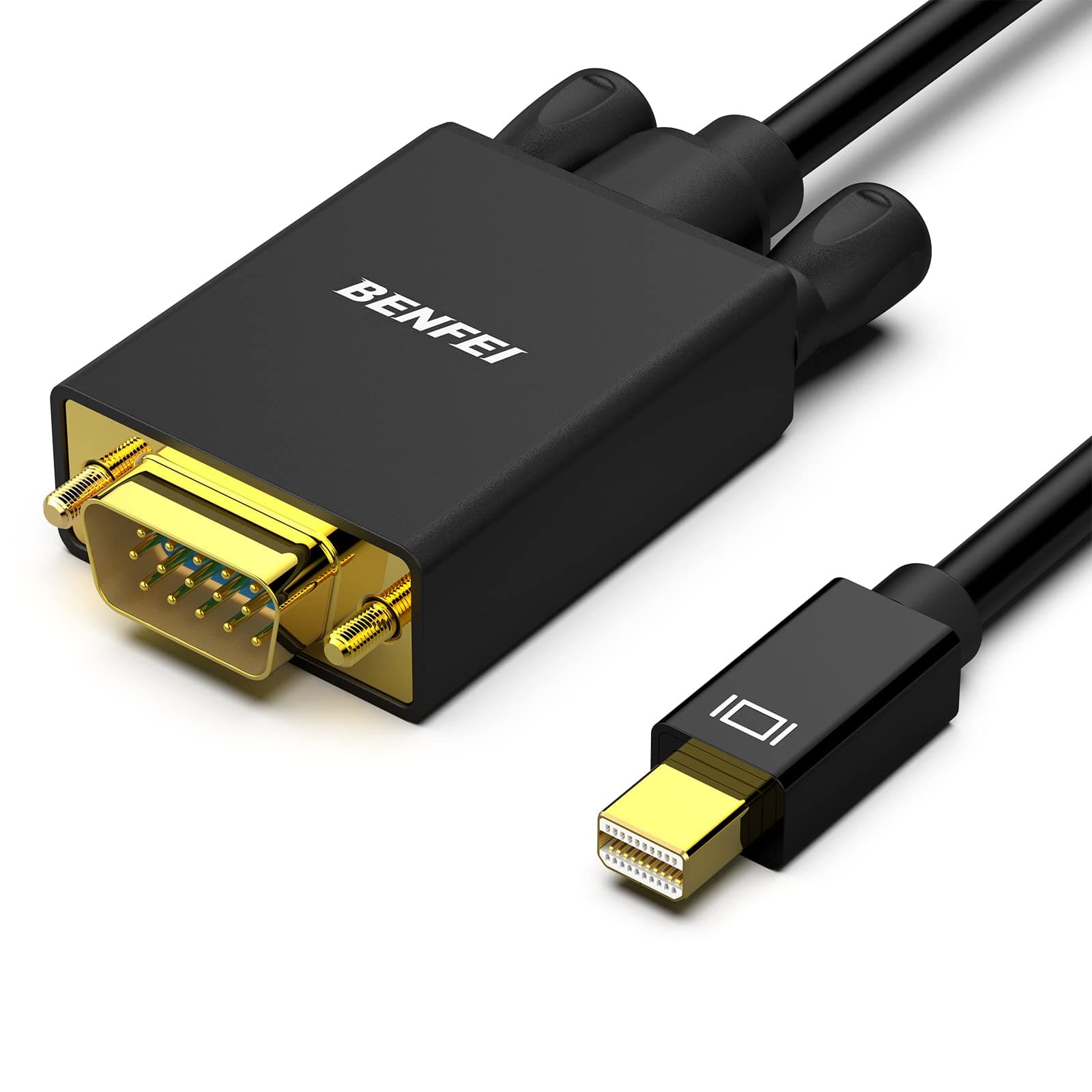
🔌 Connect Like a Pro — Elevate Your Display Game Instantly!
The BENFEI Mini DisplayPort to VGA Cable is a 1.8-meter gold-plated cord designed for seamless video transmission from Mini DisplayPort or Thunderbolt devices to VGA displays. Compatible with a wide range of professional laptops including MacBook Air/Pro (2010-2017), Surface Pro 1-4, Dell XPS, and more, it supports resolutions up to 1920x1200 at 60Hz and Full HD 1080p. Its ergonomic, tangle-free design and durable connectors ensure reliable performance, backed by an 18-month warranty for long-term satisfaction.


| ASIN | B01FX50YT8 |
| Best Sellers Rank | #24 in VGA Cables |
| Brand | BENFEI |
| Brand Name | BENFEI |
| Cable Type | VGA |
| Color | 1 PACK |
| Compatible Devices | Personal Computer |
| Compatible Phone Models | Apple |
| Connectivity Technology | ['Mini DisplayPort', 'Thunderbolt', 'VGA'] |
| Connector Gender | Male-to-Male |
| Connector Type | DisplayPort, VGA |
| Customer Package Type | Standard Packaging |
| Customer Reviews | 4.6 out of 5 stars 4,472 Reviews |
| Data Transfer Rate | 2.25 Gigabits Per Second |
| EU Spare Part Availability Duration | 18 Months |
| Frequency | 60 Hz |
| Included Components | 1 |
| Indoor Outdoor Usage | Indoor |
| Item Shape | Round |
| Item Weight | 1 Ounces |
| Manufacturer | BENFEI |
| Model | 000107 |
| Model Name | BENFEI Cable Mini DisplayPort a VGA |
| Number of Items | 1 |
| Number of Pins | 20 |
| Other Special Features of the Product | Tangle Free |
| Recommended Uses For Product | Connecting and transmitting video between devices with Mini DisplayPort and VGA ports |
| Special Feature | Tangle Free |
| Specification Met | RoHS |
| UPC | 601393862116 |
| Unit Count | 1.0 Count |
| Wattage | 700 Milliwatts |
S**R
Great Value replacement parts
Need to upgrade my computer that is used for Video editing items. The cables worked great and have had no issues. They fit perfectly and were the correct length for my needs. Have had no issues with the performance and quality. Great performance for the cost. A great and easy upgrade.
B**V
Works as intended
Worked as intended to connect a newer computer to an ancient monitor
V**Z
Calidad del Producto
Excelente!!!!
J**A
Works with Mac Air
I decided to work with a big screen and this cable is what I needed to connect my 2014 Mac air to my 27" screen. Connection was easy and really easy to set up. Now I just need a wireless keyboard and I'm all set.
M**D
Worked on my Helios 300
I bought this cable as a last attempt to get dual external monitors for my Acer Helios 300. Since the Helios 300 is a gaming laptop most people would probably not want to set up dual external monitors but I'm using the computer for games as well as work (which is why I really wanted the dual external monitor set up). I was able to get one external monitor via a HDMI-to-HDMI connection. For the second monitor, I originally tried to connect my laptop via a miniDP-to-HDMI but found out that doesn't work. However, this miniDP-to-VGA worked perfectly! I'm very happy to have the ability to use dual monitors! The cons: obviously its not HDMI picture quality and Its a little ugly to have two monitor cables coming out of a laptop. For my laptop, the external monitor connected via VGA only mirrors the laptop's screen. I'm not able to get 3 unique screens.... with that said, all I wanted/expected was getting two screens (in extended display mode) so it's not so much of a con as just an FYI.
M**S
There are so many different connections to monitors
Bought new fancy fast PC with 4 mini port connections. I tried a connection to an adapter then to a standard display port. Nope, found out there are some cables that are only "one way". Used this on the same PC with 4 mini connectores to VGA. A VGA will go up to 1080p and possibly more resolution. That's the difference with min and standard VGA. A mini can do up to 4K as well as standard Display Port. Don't neeg that resolution as the text is so tiny even at 2,400 dpi. So if you want higher then 1080p and your monitor has a DIsplay Port you can buy a mini to Display port or whatever. Just don't try adapters using different cables plugged into one another. Also, the adapter and cable worked on a different monitor (?) but not the one I needed. P.S. There are other monitor cables with pins called DVI.... yes, 3 different kinds of DVI cables, so make sure you get the right one of those. DVI are usually on the monitor and can be one of the 3 that don't fit one another.
A**S
Great for 2nd screen
Works great to add external second screen to laptop
M**A
Justo lo que buscaba!
Perfecto!
Trustpilot
3 weeks ago
2 weeks ago