


Desertcart purchases this item on your behalf and handles shipping, customs, and support to Brazil.
💡 Light up your life smarter, not harder.
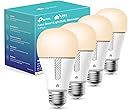
The Kasa Smart Light Bulb (4-pack) offers 800 lumens of soft white light with a wide 1%-100% dimming range, compatible with Alexa and Google Home for seamless voice control. It connects via 2.4GHz WiFi without needing a hub, features energy monitoring and scheduling through the Kasa app, and is backed by UL certification and a 2-year warranty—perfect for modern smart homes seeking convenience, efficiency, and style.


| Accepted Voltage Frequency | 100 to 120 Volts and 60 Hertz |
| Additional Features | Dimmable, Energy Monitoring |
| Asin | B08YP6T6GK |
| Beam Angle | 220 degrees |
| Best Sellers Rank | #2,214 in Industrial & Scientific (See Top 100 in Industrial & Scientific) #180 in LED Bulbs |
| Brand Name | Kasa Smart |
| Bulb Base | E26 |
| Bulb Diameter | 2.39 inches |
| Bulb Shape Size | A19 |
| Color | White |
| Color Rendering Index | 90 |
| Color Temperature | 2700 Kelvin |
| Connectivity Protocol | Wi-Fi |
| Connectivity Technology | HDMI |
| Control Method | Voice |
| Controller Type | Amazon Alexa, Android, Google Assistant, iOS |
| Customer Reviews | 4.4 4.4 out of 5 stars (17,622) 4.4 out of 5 stars |
| Incandescent Equivalent Wattage | 60 watts |
| Included Components | 4x Kasa Smart Light Bulb Dimmable, 1x Quick Installation Guide |
| Indoor Outdoor Usage | Indoor |
| Item Dimensions W X H | 2.39"W x 4.62"H |
| Item Type Name | Smart Bulb |
| Item Weight | 136 g |
| Light Color | White |
| Light Output Maximum | 800 lumens |
| Light Source Type | LED |
| Light Source Wattage | 60 watts |
| Light Type | LED |
| Manufacturer | TP-Link |
| Manufacturer Part Number | KL110P4 |
| Manufacturer Warranty Description | 2-year warranty. |
| Material Type | Plastic |
| Model Name | KL110P4 |
| Model Number | KL110P4 |
| Number Of Items | 1 |
| Package Quantity | 1 |
| Power Consumption | 9 watts |
| Power Source | Corded Electric |
| Shape | a19 |
| Specific Uses For Product | Lamp |
| Specification Met | ul_listed |
| Style Name | 4-Pack (Newer Version) |
| Unit Count | 4 Count |
| Upc | 840030702921 |
| Voltage | 120 volts |
| Wattage | 9 watts |
| White Brightness | 800 lumens |
User
Easy to set and easy to schedule
I’ve been really happy with this smart light bulb! It was easy to set up, and I love being able to control it with Alexa and Google Home. The soft white light is warm and comfortable without being too harsh, and the dimming feature is especially convenient when I want to adjust the brightness. I also appreciate that it doesn’t require a separate hub. Overall, it’s a simple and affordable way to add smart lighting to a room.
User
These work perfectly for me. Set up is straightforward (details follow). I love my new bulbs.
These bulbs are EXACTLY what I was looking for. The soft white color is perfect for a bedroom during wind down and bright enough to do work by. The attached image does not due them full justice). I highly recommend them, if you have a 2G network available. Note: Your mobile device will NOT have to operate on the 2G network. Just the bulb, but be sure you have the network password handy.The instructions that come in the box could be clearer to be sure, but it’s straightforward:1. Install the KASA app on your mobile device (if you don’t already have it). 2. With your mobile device on its usual network, open the Kasa App (make an account or login).3. Select the plus (+) sign4. Choose “Device “> “Smart Bulbs” > “KL100 Series5. The App will set you through the rest of the setup in detail. There are just a few steps (follow from within the app but this is FYI) A. Power OFF your lamp and install your new bulb.B. Power ON your lamp and wait for the bulb to blink 3 times.B. Connect your device to the BULB’S Wi-Fi network (temporarily). Each bulb has its own unique name that starts with TP-Link (something). C. Return to the Kasa app (It will prompt you at the top) D. Assign the bulb a unique name and location and you are good to go. **Important** Any manual light switches must be left “ON” and any manual dimmer controls must be set to 100% in order to control the lamp from your app.Voice control is available from Alexa and Google Home following instruction from those suppliers. I haven’t tested Google Home but I have 3 bulbs working perfectly from the app (Image attached) and Alexa (image attached). I’m extremely pleased.
User
Recommended! Good stuff!!!
We use several of these around the house and love them. One’s on the front porch programmed to go on at dusk and off at daylight. Two others we control with automation. The only complaint- and it’s minor - is that I wish they’d go just a bit brighter than they do. Don’t get me wrong; I still love them and think they’re fairly bright as they are, but I want MORE! MORE! MORE!!! 😀
User
Convenient
★★★★☆These smart light bulbs work well and were easy to set up. They connected without much trouble and respond as expected when using the app or controls. The brightness is good, and it’s nice being able to adjust the lighting when needed.The price was a little high, but overall they perform as intended. A solid product that adds convenience to everyday use.
User
Solid dependable smart lights for use with Google Home
I have used C by GE smart lights with Google Home for many years but they sporadically and often would not respond to commands. However, I noticed smart devices that were by other manufacturers still responded during these annoying outages. So, after just dealing with this undependability for far too long, I switched all of the C by GE lights (20 bulbs) with these Kasa lights. The setup was a breeze and they simply work. The Kasa app is easy to use and the devices easily connected with the Google Home app.Going on a tangent here and ranting about the buggy nature of Google Home. It often goes offline and then magically comes back online. Pretty frustrating. Even more so is the fact the Google Home app doesn't give you an easy way to remove old devices (like the 20 GE bulbs) from your home setup. They literally removed the "remove" option from the device settings. I mean, WTF? Who thought that was a good idea at Google HQ? I had to create a whole other "Home" then move these old bulbs over to that new bogus home rather than being able to simply remove them.Anyway, getting back to these Kasa lights... They are great and I would highly recommend them to anyone that is sick of their lights from other manufacturers not working consistently with Google Home.
User
Love Kasa products!
I use these all over my house and have them set up with routines to turn them on at certain times or change colors with a command. This is the best brand of any smart bulbs that I’ve used.
User
Great value, easy to use. Full control with Alexa and their app.
You need the app, but it's easy to use. I have three bulbs over the kitchen island and a couple of lamps in the same room (combined area family room and kitchen.) So I have three zones - "island" "living room" and "kitchen." I just say "Alexa turn on the island" and I have light. Great when walking in with arms full of groceries. Occasionally they do lose sync - two will turn on and one won't. Then I have to use the light switch to power cycle them. You should also tell your landlord you have these if you rent. Why? Mine came in to do some repairs - I knew he was coming. I was not home, and he kept flicking the light switch on and off to get the bulbs to light. He assumed there was a problem. Well, can you guess what the procedure is to do a reset on the bulbs? Flip the switch a few times! So when I got home I had to recreate the group, re-link the bulbs, etc.
User
Need new firmware to work on larger networks as of 2021-09
Update 2: After almost a month of back and forth with support I finally got ahold of an engineer. The Engineer was very skilled and systematically helped look and check a number of settings and ended up with the resolution of downloading a Beta firmware and loading it onto the first bulb. I completed the remaining updates and so far has been stable for a day. Lots of work to get to this point, I hope they roll out a general update soon. Update 1: Previously I had tried after reading a few reviews, I can confirm what others have found out that if you have a larger home with many Access points, or mine that is old and has heavy plaster walls so I have multiple AP's These WILL NOT work. There is a bug in the bulbs that will not allow them to connect if you have the same SSID broadcasting on multiple AP's. As a test I setup a single AP, with a new SSID and connected my phone and the bulb to that and it worked just fine, however that solution is not a great one. I don't want to setup a separate SSID just for these bulbs on every AP as well as my main SSID. Original review: So I'm 0 for 8 on these lights now unless I use the work around. 2 got so far to upgrading the firmware when they would start, then drop off the network and change their name to the default TP-LINK_Smart Bulb_XXXX then become greyed out and unable to connect again. The other two got to the point there I could rename them then you would get the "something went wrong" and they could never rename them. All 4 actually got stuck at that point but turning two off and on and waiting for them to flash did the trick and they were able to get past that. But I'm an hour and 10 minutes in and so far these are pretty much junk compared to the MANY other TP link switches, dimming switches, plain, and 3 way, many of the plain switched outlets, and 8 or so of the power metering outlets, metering surge strips, the plain 3 outlet surge strips, a couple of the outdoor outlets as well as a couple of the color changing bulbs. Pretty much EVERYthing else from they is awesome working in great harmony with Alexa, and some basic IFTTT simple scripts. I'm about the click another bulb off and on with a second between each power cycle to reset it again, then I will have another 10 minutes to contemplate at it tries to connect to the network again. Hopefully this is a bad batch and has some faulty firmware. My other gripe is for TP-links support is if you send an email, you will get 1 and only 1 response per day, luckily the one previous faulty product I had was from Amazon and I could return it for full refund from them otherwise TP link was going to charge to return. 2 hours in, I'm subtracting a star as these don't even function as light bulbs even once they have flaked out. They have an annoying blink maybe once per minute. I have documented my findings and troubleshooting steps and opened a ticket. I was SO positive about how well all my TP link gear has worked so far that I already tossed the boxes into recycling and I just went to fish them out of the can.
User
Buen producto
El foco en cuestión es como la gran mayoría que existen en el mercado; lo resaltante de este producto es que, es de fácil instalación, su aplicación es muy fluida, se sincroniza súper rápido, la función con Alexa es genial, el brillo es regulable y el tono de la luz es muy amigable a la vista
User
I love these!
I have 8 in my home, indoors and out. They work great!
User
Cumple sin problemas todo lo que un foco inteligente debe hacer
Muy buen producto, facil de instalar, la aplicacion mobil es muy sencilla de usar , programable facilmente y permite el manejo de varias casas a la vez lo cual es muy util. El foco con diferentes tonalidades y niveles de blanco, con muy buena recepcion Wiifi .
User
working fine
working fine
User
Sin problema
No me dio problema conectarlos, y ponerlos con Alexa, dan buena luz, yo los puse para un cuarto de televisión, lámparas de pared, me gusta esta marca porque tengo ya como 7 años con 3 que puse afuera de la casa y no me han fallado y duran prendidos casi toda la noche como desde las 7 o 6pm los programo para que vayan bajando la intensidad mientras pasan las horas hasta que se apaguen a las 4 de la mañana y el recibo de luz sin problema, no hubo cambios desde que los puse, de verdad que no gastan!
Trustpilot
1 day ago
2 weeks ago