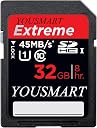

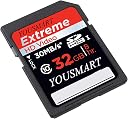

SanDisk Extreme 32 GB SDHC Class 10 UHS-1 Flash Memory Card 45MB/s SDSDX-032G-AFFP
Product ID: 260922
Speed up to 45MB/s read/write Designed with SanDisk's Enhanced Super-Parallel Processing (ESP) technology Now at new Class 10, exceeding high-definition video recording performance requirement Extreme durability from deserts to glaciers, guaranteed Ships in Certified Frustration-Free Packaging Compatible with all major cameras with SDHC format Review: Excellent quality and fast! 45MB/s file transfer speed when used with UHS-1 rated external card reader over USB 2.0 - I am completely satisfied with the SanDisk Extreme 16 GB SDHC 45MB/s Class 10 UHS-1 memory card. I have a few other SanDisk SD cards that have performed flawlessly for years. Thought about saving a few bucks by buying the Ultra version but went with the Extreme as it has a considerably faster transfer rate as well as built in ECC error correction. I generally take photos with my camera's image capture mode set to RAW+JPEG, at 14 bits per channel for RAW. That generates a fairly large image file size so I prefer SD cards with high write speeds. My camera is a couple of years old so it doesn't support UHS-1. My PC is four years old with USB 2.0 ports. Since the internal card reader in my computer is unreliable at times, due to driver issues with Win 8, I bought a Transcend TS-RDF8K USB 3.0 multi-card reader here on desertcart for $16. It is backwards compatible with USB 2.0 and is UHS-1 rated as well. It also has firmware upgrade capability. Amazingly, I get transfer speeds in excess of 45 MB/s when transferring images from the SanDisk Extreme 16GB SDHC card to my computer using a Transcend TS-RDF8K card reader over USB 2.0. This speed is indicated by the Win 8 file transfer dialog box. Don't see any point in using a specific software utility to benchmark the transfer speed with greater accuracy on a four year old PC with SATA 2.0 and USB 2.0. The transfer speed does vary depending upon which internal hard drive I use. One HDD is a four year old WD 640 GB Caviar Black, the other is a one year old Seagate Barracuda 2TB. Both are connected to a SATA 2.0 internal bus. While the WD Caviar Black HDD reaches a transfer speed in excess of 45 MB/s, the Seagate HDD lags behind at around 35 MB/s. That may be due to a firmware issue with the Seagate HDD. There is a firmware upgrade available for it, but I will not upgrade firmware for a HDD that has data on it. It's not worth the risk. Judging from the reviews I've read here regarding SD cards, there seems to be a good deal of confusion regarding what the speed class ratings mean as well as how different capacity cards are formatted. Here's a quick rundown: Rated Speed: 45MB/s, 30MB/s, 20MB/s, etc. Maximum write/read speed of card Applies to still photography. Primarily large image files created when shooting RAW, high resolution, or burst mode. Speed Class: Minimum transfer speed in MB per second in worst case scenario. Class 10 - 10MB/s minimum, Class 6 - 6MB/s minimum, etc. Applies to video capture which is a steady stream of data. Minimum speed required depends on video format and resolution. UHS-1: Up to 104MB/s data transfer rates when both SD card and device support UHS-1. Some newer cameras are UHS-1 compatible, some are not. SD: up to 2GB, FAT16 default format. SDHC: 4GB to 32GB, FAT32 default format. SDXC: 64GB to 2TB, exFAT default format. SDXC and SDHC are not supported by all cameras or devices. Check the specs for your device. Win 7,8 and OS X 10.6.6 and above natively support exFAT as do some Linux builds. Older OS's, such as Win XP and Vista require a patch. Most operating systems support FAT16 and FAT32. Format the SD card in the camera or device it will be used with for best results. A low-level format in camera can be used to revive a memory card which is running slow due to bad sectors. Not necessary to use every time you format in normal use. If the memory card becomes corrupted, it may sometimes be revived by using a computer with a card reader to format first, followed by re-formatting in the camera or device. Review: Latest 45MB/s SDHC - Great Card! - I just received the card today, so not a lot of time logged... But it is smokin' fast! I had some issues recording 1080/30fps on my D5100 with previous PNY Professional card. Several tests with HD video and consecutive still frame bursts never even hiccuped! I'm 99.4% sure this is going to cure all of the past woes. (The PNY is now relegated to my sweet new Samsung TL500. No HD video on it, so No worries!) What I wanted to point out to those looking is that this IS the latest 45MB/s SDHC Extreme 16GB card. AND it's at the same or better price as others selling the previous models! Maybe I'm the only one that's confused about the different versions of the SanDisk SDHC cards. But I searched and searched trying to make sure I was getting the latest card instead of overpaying for old stock. I even contacted SanDisk, and their customer support didn't even know that the Extreme is now 45MB/s! They actually told me that I would have to buy the (now outdated and overpriced) SDSDXP1-016G to get 45MB/s. I researched this for a couple of evenings, and still knew enough to explain to SanDisk that the SDSDXPA-016G is the new version of what they told me to buy, and it's now 95MB/s for the same price! So here's the breakdown of what I found as of 3/22/12: Lower price Extreme SDHC: SDSDRX3-016G - 30MB/s - OLD SDSDX-016G - 45MB/s - CURRENT (Apparently Brand New) Higher price Extreme Pro SDHC: SDSDXP1-016G - 45MB/s - OLD SDSDXPA-016G - 95MB/s - CURRENT The cards are all about the same price if you buy the same classification and GB size. (A 16GB Extreme is going to be twenty-five to thirty bucks regardless if it's 20MB/s, 30MB/s, or 45MB/s.) I don't know if you really need this Extreme card vs. Ultra or Extreme Pro. You can determine that... But don't Overpay for the same performance! Be sure you Get the Latest Version of whichever you choose.
| ASIN | B007M54E1M |
| Best Sellers Rank | #3,472 in SecureDigital Memory Cards |
| Brand | Sandisk |
| Color | Black |
| Compatible Devices | Camera |
| Customer Reviews | 4.7 out of 5 stars 16,295 Reviews |
| Flash Memory Type | SDHC |
| Flash Memory Video Speed Class | class_10 |
| Global Trade Identification Number | 00619659079277 |
| Hardware Connectivity | SDHC |
| Item Weight | 22.68 g |
| Manufacturer | SanDisk |
| Media Speed | 45 megabytes_per_second |
| Memory Storage Capacity | 32 GB |
| Mfr Part Number | SDSDX-032G-AFFP |
| Model Name | Extreme |
| Model Number | SDSDX-032G-AFFP |
| Number of Items | 1 |
| Read Speed | 45 megabytes_per_second |
| Secure Digital Association Speed Class | Class 10 |
| UPC | 619659079277 |
| Unit Count | 1 Count |
| Warranty Description | Lifetime limited |
H**U
Excellent quality and fast! 45MB/s file transfer speed when used with UHS-1 rated external card reader over USB 2.0
I am completely satisfied with the SanDisk Extreme 16 GB SDHC 45MB/s Class 10 UHS-1 memory card. I have a few other SanDisk SD cards that have performed flawlessly for years. Thought about saving a few bucks by buying the Ultra version but went with the Extreme as it has a considerably faster transfer rate as well as built in ECC error correction. I generally take photos with my camera's image capture mode set to RAW+JPEG, at 14 bits per channel for RAW. That generates a fairly large image file size so I prefer SD cards with high write speeds. My camera is a couple of years old so it doesn't support UHS-1. My PC is four years old with USB 2.0 ports. Since the internal card reader in my computer is unreliable at times, due to driver issues with Win 8, I bought a Transcend TS-RDF8K USB 3.0 multi-card reader here on Amazon for $16. It is backwards compatible with USB 2.0 and is UHS-1 rated as well. It also has firmware upgrade capability. Amazingly, I get transfer speeds in excess of 45 MB/s when transferring images from the SanDisk Extreme 16GB SDHC card to my computer using a Transcend TS-RDF8K card reader over USB 2.0. This speed is indicated by the Win 8 file transfer dialog box. Don't see any point in using a specific software utility to benchmark the transfer speed with greater accuracy on a four year old PC with SATA 2.0 and USB 2.0. The transfer speed does vary depending upon which internal hard drive I use. One HDD is a four year old WD 640 GB Caviar Black, the other is a one year old Seagate Barracuda 2TB. Both are connected to a SATA 2.0 internal bus. While the WD Caviar Black HDD reaches a transfer speed in excess of 45 MB/s, the Seagate HDD lags behind at around 35 MB/s. That may be due to a firmware issue with the Seagate HDD. There is a firmware upgrade available for it, but I will not upgrade firmware for a HDD that has data on it. It's not worth the risk. Judging from the reviews I've read here regarding SD cards, there seems to be a good deal of confusion regarding what the speed class ratings mean as well as how different capacity cards are formatted. Here's a quick rundown: Rated Speed: 45MB/s, 30MB/s, 20MB/s, etc. Maximum write/read speed of card Applies to still photography. Primarily large image files created when shooting RAW, high resolution, or burst mode. Speed Class: Minimum transfer speed in MB per second in worst case scenario. Class 10 - 10MB/s minimum, Class 6 - 6MB/s minimum, etc. Applies to video capture which is a steady stream of data. Minimum speed required depends on video format and resolution. UHS-1: Up to 104MB/s data transfer rates when both SD card and device support UHS-1. Some newer cameras are UHS-1 compatible, some are not. SD: up to 2GB, FAT16 default format. SDHC: 4GB to 32GB, FAT32 default format. SDXC: 64GB to 2TB, exFAT default format. SDXC and SDHC are not supported by all cameras or devices. Check the specs for your device. Win 7,8 and OS X 10.6.6 and above natively support exFAT as do some Linux builds. Older OS's, such as Win XP and Vista require a patch. Most operating systems support FAT16 and FAT32. Format the SD card in the camera or device it will be used with for best results. A low-level format in camera can be used to revive a memory card which is running slow due to bad sectors. Not necessary to use every time you format in normal use. If the memory card becomes corrupted, it may sometimes be revived by using a computer with a card reader to format first, followed by re-formatting in the camera or device.
A**R
Latest 45MB/s SDHC - Great Card!
I just received the card today, so not a lot of time logged... But it is smokin' fast! I had some issues recording 1080/30fps on my D5100 with previous PNY Professional card. Several tests with HD video and consecutive still frame bursts never even hiccuped! I'm 99.4% sure this is going to cure all of the past woes. (The PNY is now relegated to my sweet new Samsung TL500. No HD video on it, so No worries!) What I wanted to point out to those looking is that this IS the latest 45MB/s SDHC Extreme 16GB card. AND it's at the same or better price as others selling the previous models! Maybe I'm the only one that's confused about the different versions of the SanDisk SDHC cards. But I searched and searched trying to make sure I was getting the latest card instead of overpaying for old stock. I even contacted SanDisk, and their customer support didn't even know that the Extreme is now 45MB/s! They actually told me that I would have to buy the (now outdated and overpriced) SDSDXP1-016G to get 45MB/s. I researched this for a couple of evenings, and still knew enough to explain to SanDisk that the SDSDXPA-016G is the new version of what they told me to buy, and it's now 95MB/s for the same price! So here's the breakdown of what I found as of 3/22/12: Lower price Extreme SDHC: SDSDRX3-016G - 30MB/s - OLD SDSDX-016G - 45MB/s - CURRENT (Apparently Brand New) Higher price Extreme Pro SDHC: SDSDXP1-016G - 45MB/s - OLD SDSDXPA-016G - 95MB/s - CURRENT The cards are all about the same price if you buy the same classification and GB size. (A 16GB Extreme is going to be twenty-five to thirty bucks regardless if it's 20MB/s, 30MB/s, or 45MB/s.) I don't know if you really need this Extreme card vs. Ultra or Extreme Pro. You can determine that... But don't Overpay for the same performance! Be sure you Get the Latest Version of whichever you choose.
T**R
Excellent for my HD Camcorder, Never Lets Me Down, Never the Bottleneck
SanDisk has never let me down with my HD Camcorder. This card has never been the bottleneck to cause any quality loss or data loss. For vacation video and pictures, I wanted the confidence that my recordings were not going to be lost, or reduced in quality due to card issues to be discovered when I return home. You only have one chance to capture those memories. SanDisk is a great brand. Last year I bought two SanDisk Extreme SDHC 16GB 30 MB/s (the previous model), and this year I bought this SanDisk Extreme SDHC 32GB 45 MB/s (the next model). I recommend reading your camcorder or camera manual, and see what it states as the write speed at the quality setting you plan to use. If it bothers to state it, I believe there is a reason. If not stated, then don't worry, the minimum write speed by the minimum card spec should be fine. For me, my manual (Sony HD Camcorder) clearly stated a write speed at about 23 MB/s for the mode I use, and up to 28 MB/s. So I made sure I had a card that was internally capable of writing at the stated speed. That way the card itself could not possibly be the bottleneck. Now your manual should state the minimum card spec, like "class 6" or "class 10", or "UHS-I". Class 10 refers to a 10 MB/s minimum sustained write speed, and makes indication that your camera or camcorder will actually take any advantage of using more than the minimum spec if it doesn't say otherwise. Personally, I figure if the manual states write speeds separately, and only states a class 6 minimum, I am not taking any chances, as the math doesn't make sense. A minimum spec class 6 could not possibly capture 28 MB/s of HD video over a long period of time without an equally sized internal buffer, or else it would have to degrade quality to keep up. So I would see if you manual actually lists any numbers to see if it would matter in your case. This is a UHS-I rated card, and class 10, and backward compatible. For UHS-I, I believe it is something that the hardware does have to specifically support to use the bus differently. So you are likely to get somewhere less than that for devices supporting only beyond class 10 specifications. I might guess that might mean somewhere near the 30 MB/s of the previous models claim before UHS-I. For more on classifications, wikipedia is a good source. Just do not expect to take full advantage of this card unless you have a UHS-I, or even beyond class 10, depending on device, which might not even be clearly documented. In the end, I am happy with my choice with SanDisk.
T**Y
Great card
Over the years I have bought many SD and SHDC cards including plenty that claim "class 10". However I have always been most pleased with Sandisk Ultra or Extreme. As a general comment I think this is the best card on the market both in terms of speed and reliability. If there is 1 card to get, it's this one. They are more expensive, but you get what you pay for. These come up as Amazon deal of the day or lightning deals on a rare occasion. I would suggest waiting for that or another sale and stock up. I bought 6 of these over 2 sales to replace in all of my cameras and camcorders. Now the older SDHC cards which are fine are backups or spares. SD/SDHC cards can fail or become corrupt. There is software out there that can sometimes restore part of your photos. But I haven't had that happen with one of the Sandisk yet. Not to say it can't, but I am more confident that these are less likely to become compromised. Most of my review is based on years of track record with Sandisk cards vs. competition. But for this particular card, it's fast. I haven't done any scientific tests, but it seems like I'm really getting the 45MB/s as advertised as opposed to the 20MB/s of my other cards which are standard class 10. This means less waiting between photos with the Sandisk Extreme. This is the card to get.
A**R
Buy directly from Amazon, if you are concerned about getting a fake product.
I bought this card as a replacement of my dead sandisk extreme. The old one (sandisk extreme 16 gb 45mb/s) was bought 5 years ago and it had been used heavily (almost on daily basis and occsionally under extreme weather conditions) until it suddenly died a few days ago. Although I was a bit upset since I lost some data with the dead SD card, I still wanted to stick on the same brand and model due to its great overall performance under challenging conditions. Basically, sandisk is among a handful of companies that are famous for the storage devices and that was the driving factor behind this purchase. It came in a frustration free package and the labeling was strikingly different from what is shown on the amazon product page. That picture looks like my old sandisk. This one came with a golden colored tag instead of this red-black classical tag. Another surprising part was the lack of sandisk imprint at the back. It only says' made in China' and a serial number and that does not help much at all.. After a bit of google search I found out that many people receive fake (imitation) storage devices and Sandisk website does not posses a handy mechanism to distinguish the fake from the genuine one. The only recommendation is to buy it from an authorized vendor and a list is given for each country. Luckily, Amazon is among the authorized vendors and if you are buying the product directly from amazon (not a third party seller of the amazon market place) you are doing the best and the only thing you can for getting a genuine device. During my internet search, I found out a highly praised software called H2testw developed by Herald Bögeholz which tests the portable usb devices and memory cards bit by bit against bad sectors and other hardware issues. It also gives write/read speed information (that part you can do by transferring a file between your computer and the sd card and let windows measure the transmission speed for both directions). The software did not find any damaged sector in the device. The actual storage area for 32gb one is around 30430 mb and it writes with a speed of 38-38.5 mb/sec and reads with a speed of 39.5-40.5 mb/sec. These numbers matched exactly with my own test by transferring two video files. These performance ratings are slightly low compared to the product claim of 45 mb/sec but still pretty close. Finally, it comes with a 5 year warranty (what a coincidence my old one died exactly five years after the purchase) if you ever remember to file a warranty claim for such a stuff. As of July 2014, I purchased the 32gb 45mb/sec version directly from amazon for $25. If you can find the same product with a similar price, then it is worth the investment. If not, I would go for other brands like transcend and kingston, this will not live forever anyway
J**O
A very fast, effective card
Updated: 8/7/2013: A few weeks ago I drove up to my summer home and took my laptop as I was going to be there for sometime shooting heavily. Would you believe on the first day there my powerbook broke? Yup. Here I am, with only an iPad to upload my SD cards to, and quickly running out of space. So, using my Amazon prime account I ordered another two cards and had them within two days. As usual, they work fantastically. I swap and format them between my Fuji X-E1 as well as my Nikon D800. They are fast enough for me. I think I have five of them now and will probably get some more for extended shooting. Love these cards, and the frustration free packaging, and price is great. Updated: 5/13/2013: I just ordered my THIRD card. 16G capacity. It works great in all my cameras that use the SD card. No complaints. For the price, it's an awesome deal. Updated: 3/39/2013: This card is fast and works flawlessly. I keep swapping it between my Fuji X-E1, The Nikon D800, and my Panasonic LX-5. I format it in each camera as I use it and it is FAST in each camera. I may order a couple more. I've used this card now for about two weeks in my Nikon D800. It's super fast! Can it keep up in burst mode? Yes. Once the buffer in the camera is full, it takes just a few seconds to be able to shoot another couple of shots. For my style of shooting, especially with the D800, it's more than enough horsepower. Packaging was trouble free, easy to open. I also tested this card in my Lumix LX5 and it was truly a speed demon in that camera. Not much else to say about the card other than it works, it's fast and for the price it really can't be beat.
J**O
Perfect for LAPTOPs
Initially I purchased this card to use it with my Nikon Coolpix S9100 (Still images camera), unfortunately the camera did not accept this card, so I reviewed the Camera manual and found that this camera is compatible with only SDXC 64GB, so it was my mistake. later on I inserted this memory card in my laptop (Dell Latitude E6410) and started to test the speed, The card is showing 20 MB/s for continuous read and for continuous write, the problem that this is the maximum speed of my laptop internal hard disk, so I will test it soon with different devices and update my feedback. The card is showing tremendous performance with random read write, even better than SSD can do, so I found the perfect usage of this card as following: 1- This card will remain permanently inserted in my laptop 2- From Properties -> ReadyBoost; I've enabled ready boost up to 32GB --> great great added value to my laptop performance 3- All my business activities are on Virtual Machine (XP Mode) about 50GB, so I moved this Virtual machine to this memory card, and the virtual machine itself started to show much better performance. May be the developers of this Card, designed it for camcorders but it is an added value for a laptop permanent usage. I give it 5 stars for everything (Size 128GB is great, speed and performance are very nice) One downside is the price, it is much expensive than it should be. ($180 when I bought it) Go for it, I recommend it.
L**E
Fantastic, but check compatibility with your computer.
I ordered two of these memory cards to go in my Nikon D7000. They work as advertised, storing a ton of pictures with speed. I got these because I felt they were the perfect balance of performance and price. I wanted something a bit speedier than standard class 10 memory cards, but I didn't want to spend a fortune. They work flawlessly, although some macbook pro's do not recognize them. My friend's 2011 MBP wasn't able to read them, so I had to get a usb card reader to plug in, but they work perfectly in my 2010 MBP. I'm not sure why. They are massive, at least for shooting pictures, and each stores around 6.4 thousand pictures for a 16.2 MP camera at JPEG normal, but since they're so big I took the opportunity to shoot in RAW/NEF where the camera says they store around 900 pictures, but I found I was able to put around 1400 on the card, even with a few videos. Not sure why, but it's cool. The fit and finish is excellent, not that it really matters, but I definitely trust the SanDisk name with my once-in-a-lifetime shots. The amazon frustration free packaging was great, and I would recommend it if it's cheaper which it sometimes is. If you're going on a big trip and are wondering how much memory you'll need, I bought to of these to go to Europe for a month. I ended up only filling one, but I copied my images to the other and kept it in a different spot in case my camera got stolen. You can also get memory cards abroad in case of an emergency, but you know, nothing is going to be as hilariously cheap like it is on Amazon. I went to Best Buy a few days after I bought these, and they were 'on sale' there for $99, when I got them on here for $33, go figure.
J**R
Big fast memory card holds many photos and transfers them quickly
Does everything I needed. I expected good quality from SanDisk brand and have had no issues with this card so far. 45mb/s made a big difference to the save time on my X-E1 (which has a horrible "quirk" where the whole camera locks up while writing, making this important), at least compared to the old 4GB "class 10" card I had. I'm not sure if getting the 95 mb/s one would have made it go any faster.
V**S
buena y barata.
De las mejores tarjetas de memoria del mercado y a un precio buenisimo. Muy rapida en Raw y rafagas. Recomendable.
L**I
Ottima scheda, affidabile dopo quasi 2 anni e oltre 100.000 scatti registrati. Consigliata
Faccio fotografia a livello amatoriale, ma mi capita spesso di fotografare eventi mondani, sportivi e concerti, pertanto può capitare di portarmi a casa oltre 1000 scatti in una sessione. Ho acquistato questa memoria SD da 32GB a metà 2014, da utilizzare all'epoca con una Canon 550D, in quanto cercavo una buona SD capiente e veloce, in grado di gestire al meglio la scrittura di files RAW provenienti dalla macchina. Da gennaio del 2015 la utilizzo con una Canon 6D, sempre lavorando in RAW e con una raffica più veloce, riesce comunque a star dietro al flusso di dati. Anche la registrazione dei video non da alcun problema di latenza: in passato, con la 550D e schede SD più vecchie e meno performanti, mi capitava che mentre registravo dei video si interrompesse la registrazione in quanto la scheda SD non era in grado di star dietro al flusso di dati che gli passava la reflex, con questa SanDisk Extreme non ho mai avuto problemi in tal senso, ne con 550D ne con la 6D. Ad oggi, questa SD cart ha sulle spalle oltre 100.000 scatti, senza contare le migliaia di cancellazioni di foto direttamente in macchina e le varie formattazioni, posso dire con cognizione di causa che è una scheda davvero affidabile: chiunque faccia foto, anche a livello amatoriale "avanzato" (tranne chi si può permettere un corpo macchina con doppio slot...), sa che perdere il frutto di una nottata appostati in montagna al freddo per fare degli startrails o dei time lapse, oppure perdere le foto di un concerto o di uno spettacolo, per un malfunzionamento della scheda, è tremendo ma può comunque capitare ma, utilizzando memorie di qualità si può rendere più remota questa possibilità. A partire da metà 2015 ho affiancato a questa SD un'altra SandDisk Extreme da 32Gb, ma con velocità di 60MB/s. Anche quest'ultima, che ora ha circa 20.000 scatti all'attivo, non ha mai dato problemi. Pertanto posso consigliare questa scheda SD a chiunque cerchi un prodotto di qualità, veloce ed affidabile ad un buon prezzo (io l'ho pagata nel 2014 circa 29€).
P**L
Don't risk losing your photos with a crappy memory card!
After having a terrible experience with some cheap memory cards (lost some pictures - arg!) I snagged two of these bad boys on a great sale, and I've been very happy with their performance. I am able to shoot in RAW & burst mode pretty much continuously. As well, shooting HD video is a cinch, I don't have to worry about the video cutting out because the write speed is too low. Sandisk is known for their quality, and I would strongly recommend these to anyone considering them.
V**T
Great Card, Great Price, Responsive Vendor
I've been using this card since I bought my camera in May and picked up another recently before traveling. You really cannot go wrong buy picking it up here. The card is ridiculously fast - so fast that I don't notice any lag time between writing to the card and being able to take my next shot. No corruption issues (does that still happen, though?) across more than 3,000 shots in RAW and JPG. The price here is unbeatable and the vendor is very responsive to inquiries. Don't waste any more time looking about and comparing - this is the one.
Trustpilot
3 weeks ago
1 month ago