Desertcart purchases this item on your behalf and handles shipping, customs, and support to Brazil.
🚀 Elevate your home network to pro-level speed and security—because buffering is so last decade.
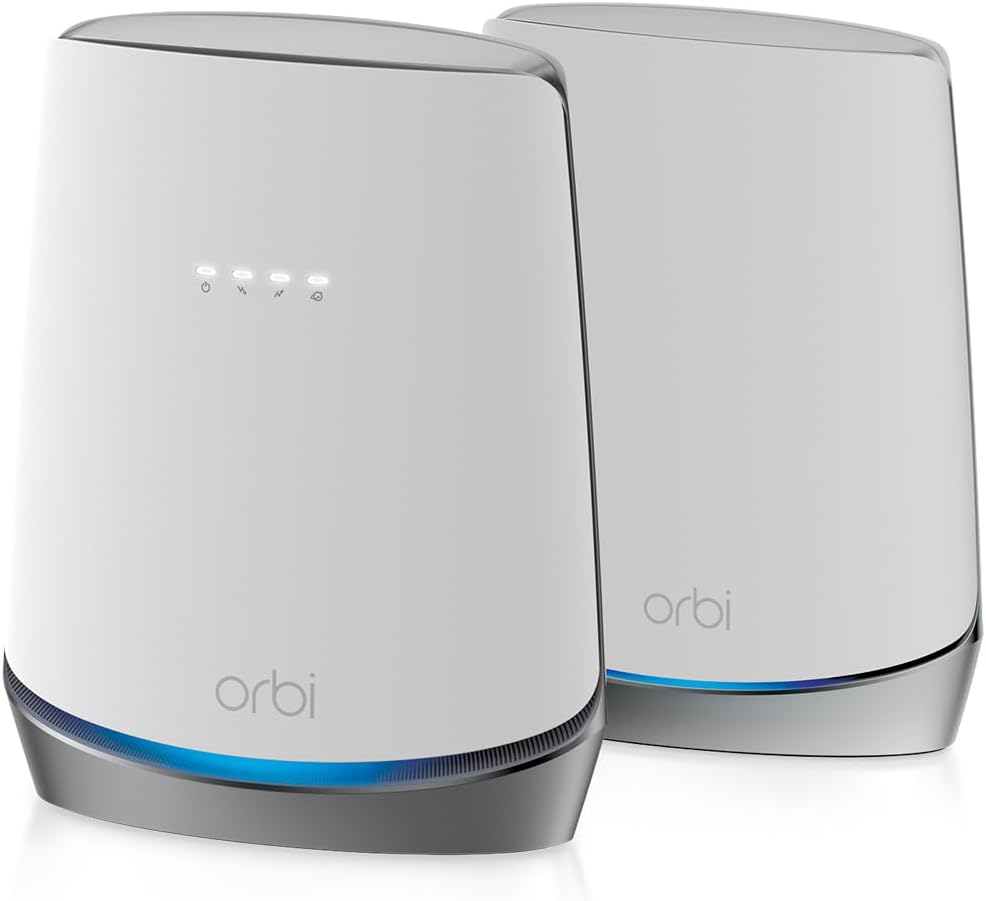
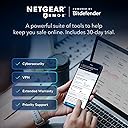
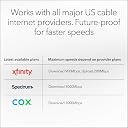
The NETGEAR Orbi CBK752 is a premium cable modem router combo featuring DOCSIS 3.1 and WiFi 6 AX4200 technology, delivering up to 4.2 Gbps speeds and coverage for 5,000 sq.ft. Certified with major ISPs like Xfinity, Spectrum, and Cox, it supports gigabit internet plans while providing advanced security through NETGEAR Armor. Designed for seamless mesh expansion and easy app management, it’s the ultimate all-in-one solution for high-performance, secure home networking.


| ASIN | B08GWFH4J6 |
| Antenna Location | Home |
| Antenna Type | Internal |
| Best Sellers Rank | #2,992 in Computers & Accessories ( See Top 100 in Computers & Accessories ) #13 in Modem Router Combos #26 in Computer Networking Modems |
| Brand | NETGEAR |
| Built-In Media | One (1) Orbi Cable Modem Router (CBR750), One (1) Orbi Satellite (RBS750), One (1) 19V/3.16A power adapter (router), One (1) 12V/2.5A power adapter (satellite), One (1) 2m Ethernet cable, Quick start guide |
| Color | White |
| Compatible Devices | Gaming Console, Smart Television, Smartphone, Tablet |
| Connectivity Protocol | wi-fi |
| Connectivity Range | 5000 Square Feet |
| Connectivity Technology | Ethernet, Wi-Fi |
| Control Method | App |
| Controller Type | ios, vera |
| Coverage | Up to 5,000 sq. ft. |
| Customer Reviews | 4.0 out of 5 stars 1,927 Reviews |
| Data Transfer Rate | 1 Gigabits Per Second |
| Frequency | 120 |
| Frequency Band Class | Tri-Band |
| Has Internet Connectivity | Yes |
| Has Security Updates | Yes |
| Is Modem Compatible | Yes |
| Item Dimensions L x W x H | 11.4"L x 10.3"W x 8.9"H |
| Item Type Name | Wireless Router |
| Item Weight | 8.2 Pounds |
| LAN Port Bandwidth | Gigabit Ethernet |
| Manufacturer | Netgear |
| Maximum Upstream Data Transfer Rate | 4000 Megabits Per Second |
| Mfr Part Number | CBK752-100NAS |
| Model Name | CBK752-100NAS |
| Model Number | CBK752-100NAS |
| Number of Antennas | 6 |
| Number of Ports | 4 |
| Operating System | RouterOS |
| Other Special Features of the Product | Internet Security |
| Router Network Type | Cable |
| Security Protocol | WPS |
| Smart Home Compatibility | Not Smart Home Compatible |
| Special Feature | Internet Security |
| UPC | 606449146295 |
| Unit Count | 1.0 Count |
| Voltage | 100240 Volts |
| Warranty Description | 1 year warranty |
| Wi-Fi Generation | WiFi 6 |
| Wireless Communication Standard | 802.11ax |
| Wireless Compability | 802.11ax |
N**.
Upgrade Firmware Prior to Registering with Xfinity. Don't change router & satellite SSID or PW.
I had a horrendous experience installing the Orbi CBR750 (router portion of package). Registering with Xfinity never worked and trying to get past the Xfinity automated assistant was the worst experience of my life. Something that should have taken 5 minutes, maybe 20, with a real support person, took hours. I used the web interface as I didn't want a trial activation of the Netgear Armour stuff. Before disconnecting your existing cable modem/router, download the firmware for the CBR750 (cable modem/router) and RBS750 (satellite). Connect the CBR750 and power it and the RBS750. Follow the instruction on the quick start guide for installing via the web browser. This seems to be pretty straight forward and worked without issues. Once the CBR705 and RBS750 are pair up as indicated on the CBR750 web interface home page or in attached devices. Go to the Advanced tab and under the Administration section select "Firmware Update", then select "Manual Update" tab. Manually update the satellite first, then cable-modem/router. If after updating the firmware everything still checks out with the router and satellite being paired, then follow the steps to activate the modem for Xfinity. I could not change the SSID for the satellite using the web interface. When you change the cable-modem/router SSID, it is suppose to propagate it to the satellite. Both are suppose to the same SSID as far as I can tell. I tried resetting the satellite, then the router, changing the backhaul password, warm boots, cold boots, changing all fields (read it somewhere), etc. a number of times but nothing worked. Even just changing the Wifi password and leaving the SSID never worked. I finally resorted to keeping the default SSID and password and that worked. It is quite possible changing the SSID and password via the App works properly but I only use the web interface. On my iPhone, it takes a little time to switch to the wifi point that has the strongest signal but eventually it does. Other than the above issues, everything else seems to work but time will tell. May 9, 2024 Update: It been a little over a couple of weeks and all is calm: no wife complaining or kids whining about the Internet, speed, dropped connection, etc. Seems pretty solid connection and speed throughout the house now. We use work VPN, lots of streaming, gaming, etc. without issues. Other than not being able to change the WiFi SSID and PW, all is well. Much improved over my prior Netgear C6300. Upped my star rating. May 28, 2025 Update: All is well. Other than maybe a couple of times during the year where we rebooted the router (possibly due to power outage), everyone seems happy with being able to connect anywhere in the house and the resulting speed.
A**N
So far, I am pleased
After going back and fourth, I decided to pull the trigger on this Netgear Orbi 752 series. I have Xfinity service, and have rented the gateway for several years now. I attempted to purchase the older Netgear Orbi series mesh router a couple years back before AX came out. The setup was very annoying, and I was unsure about the overall benefit, so I returned and stayed with the Xfinity gateway. I went ahead and gave this Orbi series a chance as it was a modem & router combo, with a satellite. The install for me was straight forward, and it gives you specific instructions through the app setup to register your modem MAC address and add to your account. This was all fine. When it finally came time to change my SSID and finalize my setup, it kept giving me an error. After about 15 minutes of frustration, I decided to uninstall and start from scratch again. The second time around, all the settings stuck and it was up and running. If you take anything from this review, it will be this piece of advice. When setting up your SSID and encryption method, DO NOT choose WPA3. It has a disclaimer, "6 GHz WiFi supports only WPA3 encryption". However, this is not a WiFi6E router.... the 6E is the brand new routers that are out that actually support 6 GHz channel. Not to mention, the device support is very limited at this time. Moral of the story, if you choose WPA3 encryption, I noticed all my devices disconnect from the router and then they could never connect back to it. Once I selected WPA2 again, everything reconnected within minutes. As for speed, it seems to be very fast on WiFi, which supports various YouTube videos I've watched comparing different mesh routers. The only thing I am not completely sold on is the ability to recognize that device being closer to the satellite and auto switching to it. I can confirm the range has been significantly increased. I used to have a spotty connection in my garage with about a 14 Mbps DL speed connected to my Xfinity gateway. On my initial test in my garage, that bumped up to 162 Mbps. The satellite is closest to the garage, so I am assuming it worked with my phone auto switching to it and holding a stronger connection. All in all, the setup can be a pain, the app can be buggy, but the product is solid.
G**G
Netgear has it pros and cons, but mostly PROS!
I bought a Netgear Orbi CB750 that worked great for about 2-3 weeks! It was a breeze connecting to the Netgear Orbi app and getting the connection process started. Just a few simple steps and then call my ISP (Spectrum) so they can complete the process and get me online. After about 2-3 weeks of great service in most of the house, I tried moving the satellite a few feet down a hall to help extend coverage into the living room and possibly get some juice in the backyard. Unplugged it a few times and connected it to a surge protector, which Netgear does recommend. After a few days, I started having lags in my office, so I put the satellite back in the old spot and connected it back to the wall outlet. After I did this I eventually lost all the connections for wifi on computers, TVs, and security cameras. but our iPhones were still picking up wifi? yes, weird. iPhones must have magical powers :) I was glad that my Hue lights and switches continued to work, just couldn't control them remotely through the app. I immediately started rebooting the Orbi satellite a few times and then resorted to factory resets. Over and over I couldn't get them to connect and then did the same with the Orbi modem unit. I did this so many times that I eventually had to change my passwords for my account and still couldn't get in to access any of the Admin settings in the app. On the third day, I called support, support couldn't figure it what was going on with the app and why I was getting some strange error code when connecting the app to the Orbi. Netgear agent recommended connecting to my MacPro in my office and my Mac got all wiggy and tripped out on me. No connection at all through the ethernet cable, just made my computer do weird stuff. After I got off the phone with Netgear support, I gave it a last-ditch effort, oh the frustration by now after 4 days! Already surfing online for anything comparable to what the Orbi offers or claims to offer, isn't an easy feat, nor for the money and convenience of having a non-component set up with the simplicity of a combo modem/router! I finally gave up and went to Spectrum to pick up one of the modems they offer to customers and decided to go with another brand wifi mesh router to add on to it. When I got home something inside me said to give it another try, and although the app was feeling very slow and buggy during the setup, it was getting me through the process! Wow, I thought I was dreaming or imagining things! I got to the point when the app prompts to wait for the IPS to connect the unit, 10 minutes went by and I got to this point twice before but had no luck, so I called Spectrum support and told the guy what was going on. He had never helped set up an Orbi system before and since Netgear is a third-party product, they don't offer support. I kept talking to him about the problem I was having and he did say he'd try a revision with my MAC address and during the time I was on the line, nothing seemed to be working, so I thanked him and we hung up. And then!!! Just about 5 minutes later I checked back in the app and it looked like it was working!!! Can I mention that there's a god or some friendly spirits watching over me today? I had great coverage throughout most of the house except the living room, and great speeds as well, until I started changing the placement of the satellite Orbi a few times to get more range into the back part of the house and backyard. But something happened and the internet got a bit laggy at times. Eventually, it took a dump and stopped working. The app showed that I was connected but the only wifi I got was our to our iPhones. My office computer is no longer connected, the TV is in another room as well. By the next day, I had to Hotspot my phone just to use my desktop. longer as well as my wifi security cameras. The first time I had the problem I was able to reconnect them but 3 days later it crashed again and over 5 hours of It was so easy to install but I have no idea what happened to the Orbi system, Netgear's support team was amazing courteous, friendly, and determined to help resolve the issue, I've gotta give them a ton of credit there. Even after reading some of the bad reviews from other customers, I can still understand their problems and concerns with issues pertaining to the warranty period or some of Netgear's policy, so I feel fortunate that I was able to figure out the problem with some great Netgear support agents as well as the Spectrum agent to help me through this. It seems somehow it was the combination of technical problems and possibly operator error that got me to this review. Anyway, at this point, I'm very pleased again with the Netgear product and even more pleased with Netgear tech support so I would highly recommend this Orbi router/modem, it's a powerful tool to keep our homes functioning in this current technological age of home automation and to keep those of us who work from home connected!
A**R
Vast improvement! Can't believe the difference.
This Orbi system just replaced our Netgear Model C7000v2 AC1900 Wifi Cable Modem Router and two Nighthawk X6S AC3000 Tri-band Range Extenders (Model EX8000). My speeds had not been very fast considering the 120 Mbs I was paying for, and the extenders were dropping often. When we walked from one end of the house to the other, or out into the yard, the signal dropped sporadically and it took minutes to get it again. These were expensive pieces of equipment and didn't work together very well at all. My husband and brother were always complaining. I got frustrated having to continually troubleshoot the problems, so I looked at mesh systems. The reason I went with the Orbi was because I saw that the satellites could be "daisy-chained" to cover our long ranch house and yard. (Placing Satellite 1, then placing Satellite 2 in a straight line from the Router to stretch out the signal for a longer distance rather than grouping them in a circle) This Orbi Whole House WiFi 6 Cable Modem plus three Orbi Satellites delivers FULL speed and complete coverage to the whole house and the yard with no dropping. We can't believe the difference! It was reasonably easy to install using the Orbi app on my iPhone, and I am not a techie. Considerations: The mesh system picks the band (2.4 or 5 MHz), not you; but it hasn't dropped even once so no need to have to switch it based on distance from the router. You can add up to four satellites. I have three and it provides great coverage, even through the exterior brick walls and into the basement. If you put a satellite near a window, it gives coverage for quite a distance out in the yard. (Husband is out watching the ball game while barbecuing.) It also works great for our Ring doorbells. We can now (usually) answer before the person outside just gets tired and goes away. If you pick the same network name (SSID) as your old system, all the existing devices just hop on automatically. The Rokus are screamin' fast at streaming now. This is by far the BEST WiFi we have ever had. It has been almost two weeks without a single drop. It has a Guest network feature so that friends can get on when they come and everyone loves it. I can't say how the Tech Support from Netgear is, because I haven't needed it. If I find any downsides besides the price, I will update this review, but right now we are loving it.
T**O
Still up in the air
My old wifi died on so I decided to research the latest and greatest. After several hours of research I decided on the ORBI00 CBR750. Delivery was prompt as usual. I read the very sparse instruction and followed them to a T. I removed my ole wifi and installed this one. Simple enough. That's were it started. I'm a former test engineer and have written thousands of documents on how to do something and all these products today need find a new methods engineer. As soon as the unit came up with full access I called my ISP to update all the new information. Easy peasy! They confirmed they could read my wifi. So far so good. Next I logged into their site as recommended. I put in the recommend information and no communications. Kept telling me I had the wrong password. Now we have to call tech support. NO instruction on how to change things, because the manual is on line. After much discussion I finally get to a tech support, not once but twice. Second time I got a gem. He knew what he was doing. So we go through several iterations of change parameters. NO change. Finally we had to change the password. Fixed. Now I can see and talk to my wifi. Great, right? No so fast my friend. Just an hour ago my TV won't load, Message need to change channels on wifi. Message channel 1 is recommended and I'm on channel 9. Ok this time I'm a little smarter. I login again, but I have the manual on my tablet. I told I was getting smarter. I read the paragraph to change change channels. I follow their instruction precisely. Oooops! It states to change channels I must select a number from the channel list. Ok, what submenu is that in. Well, it's cable connection, not channel change. Ok, got it. Now I see this spread sheet with channels and specs. The first paragraph does, somewhat, state to choose a channel. However! What you need to do is type in the frequency in the box and then select update. I'm now on channel 1 which, according to the error message on my TV is the preferred channel. As I read the specs, I understand why. It has the highest transmission/receive level which means it will communicate farther. So that's where I'm at. Now, the better news. It is a well designed unit, hookup is standard and easy. Once you get it all signed in the changed needed are minimal. Go to you device and enter the new password, boom you're done. It's getting there that's a pain. Right now I cannot give it 5 stars, simply because it's not plug and play like my last one and the sudden message from my TV. Plus, like almost every piece of electronics I've bought in the last 10 years has manual problems. I know how difficult it is to write instruction documents, but their is a right way. There is one other, minor, complaint. On my old unit I could select 2.4 or 5.0, this unit seems to be automatic. Will I recommend it? Right now with a reserved yes. There is, somewhere, a statement that your computer or device must be compatible with some spec. I trued my old laptop that is about 8 years old and it logged in just fine. You will need a little patients or I'm just to unforgiving. As far as cost it is competitive (but expensive) with all the other high end products.
K**Y
Best Router around.
This is one of the best things we have got. Made our internet reach everywhere in the house that we needed and is even going faster! Was an easy set up and we have had no problems with it cutting out or stop working like our last one this one is very reliable. Also was easy to set up through the internet provider we have.
W**E
Slight issue at first, but now running perfectly
I was due for a new modem as I bought a new house that was much bigger than my previous house and the old Netgear modem I had just didn't cover enough square footage to get proper wifi throughout the home. I order the Netgear Orbi Mesh Wifi system with the built in cable modem and have been very impressed so far. There was an issue with the satellite orbi connecting the main modem and after an hour and fifteen minutes with tech support, it was finally connected and has been ever since. I now even get a strong wifi signal outside in my detached garage which was had a nonexistent signal with the previous modem, so I am a very happy customer. It is nice that extra satellite orbi's can be purchased and added to provide more coverage, but one seems to be doing the trick right now!
S**N
Works great, but some features require subscriptions
Router (with one satellite) works as intended and is a compatible replacement for the Cox Panoramic router (activation through Cox Communications is required). Provides coverage for my 2,300 sq ft home. Initial setup wasn’t completely plug-and-play. I had some trouble getting the satellite to connect, but after a few reboots and following the instructions carefully, I was able to get everything working. What I did to get it to work, who knows... it just started working. Since setup, performance has been solid with no noticeable connection drops, and it handles 1 Gbps internet speeds without issue. (If your internet speeds are not good, I'd point the finger at the internet provider and their network, not the router) My biggest disappointment is the subscription-based features. Without a subscription, device and parental controls are extremely limited (basically just manual pause), and there are no advanced security features beyond basic network protections like WPA3...etc. You can manage the router standard network setting, ports and some technical network settings using a browser via the router IP address (but not via the app). There are two separate subscriptions (discounts are offered but may only apply for the first year): 1. NETGEAR Armor (Security): $99.99/year (standard) or $149.99/year (Armor Plus) 2. NETGEAR Smart Parental Controls: $69.99/year I can somewhat understand charging for advanced security, but parental controls really should be included at this price point. I should have done more research. If you don’t plan on managing devices or have the need for parental controls, the system works great. But if you like having control over your network and devices, you may want to keep looking. Easy 4 stars if it included the parental controls (5 if the setup was a little cleaner).
C**N
No para México! Cuidado
Los ISP en México no reconocen este tipo de Modems. Totalplay de plano me dijo que no podía conectarlo. Ni hablar, estoy con el tema de la devolución. Si estás en USA con alguno de los proveedores de ISP listados, adelante. Pero no lo hagas si vives en México o supongo que América Latina menos.
C**Z
Muy bueno
Muy bueno
J**E
Buen producto
Es un buen producto.m, desafortunadamente ok tuve que regresar ya que el internet que tengo no tiene salida de cable coaxial y no lo pude conectar
C**O
No funciona
No es de utilidad para Mexico. No deberían de vender algo que no es idóneo para el mercado
Trustpilot
4 days ago
2 weeks ago